fix bug

Discover the craft behind great products





100% genuine official redemption code rights. Activate according to the redemption instructions after purchase. Specific rights are subject to the description of the selected version.
Product prices and member discounts are clearly displayed. You can verify current discounts before purchasing. Specific price protection rules are subject to the product activity and service descriptions.
If the redemption code cannot be used or benefits are not activated, please retain order information and contact the assistant for help. Virtual product redemption codes are non-refundable once issued.
Each personally reviewed experience helps you choose with confidence.
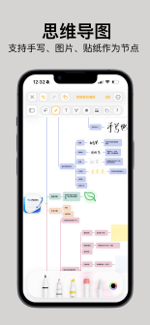
Mergeek Recommendation:Many people's pain point in taking notes often lies in the disconnect between 'recording' and 'understanding': you have to switch windows to watch videos, open separate software to read PDFs, and mind maps are limited to dry text entry."YouNotes" offers a highly flexible solution. It is not limited to traditional linear notes but uses aninfinite whiteboardto connect all materials. What impresses me most is its 'ambition': it goes beyond recording, aiming to turn your notes into a private tutor through future AI capabilities.✨
Notebook / Whiteboard / Mind Map / PDF Annotation 🎨
Supported Devices: iPhone / iPad / Mac
🚩App Store Rating4.9 ⭐⭐⭐⭐⭐
Anyone who loves organizing knowledge may have experienced this frustration: wanting to create a mind map that includes videos, images, PDFs, and web links, only to find that tools on the market either only support typing or leave materials isolated from each other. 😫
After failing to find the ideal tool, the developers of "YouNotes" had a thought: Why can't notes be networked and multi-dimensional like our brains?
The answer is actually simple:Connection. Traditional notes are linear, but what "YouNotes" aims to do is break this limitation, making mind maps a 'network' that can connect various types of objects. Here, every inspiration has a place to land.🔔
The core feature of "YouNotes" is an extremely freeinfinite canvas. It is not just a simple drawing board, but an efficient learning workspace:
This design, which strongly binds 'materials with thoughts', transforms you from 'searching for windows everywhere' to 'focusing solely on the content itself'. On this canvas, you are the rule-maker and the architect of knowledge.🏗️
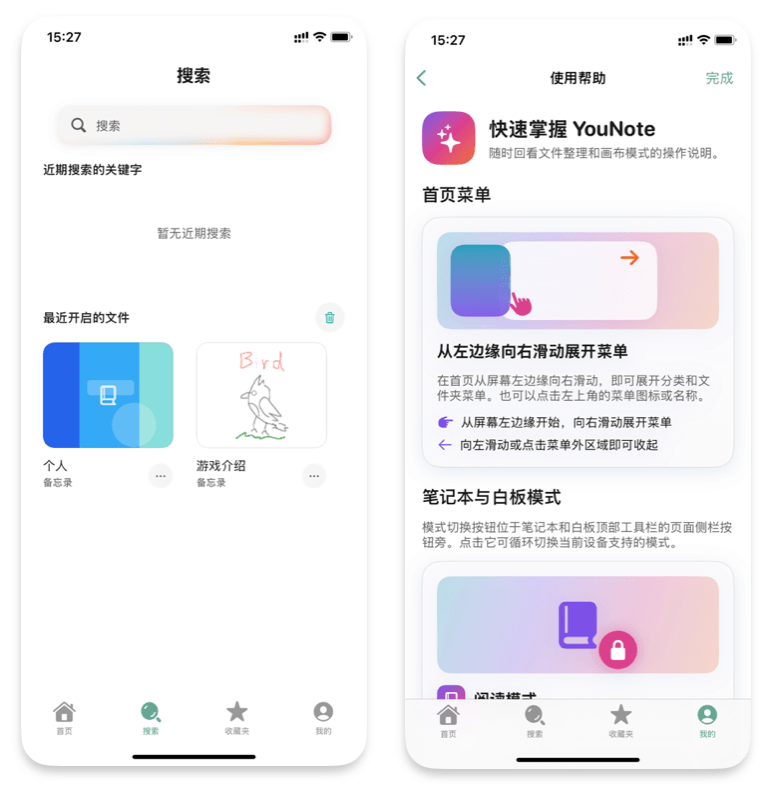
If YouNotes on iPhone is a quick-jot notebook for casual notes, then YouNotes on iPad is a complete learning workstation.
Paired with Apple Pencil, thisinfinite canvastruly comes alive:
Plus Apple Pencil Mode / Finger Drawing Mode / Reading Modecan be freely switched, whether you're lying down browsing materials or sitting upright taking notes, you can find the most comfortable posture.🛋️
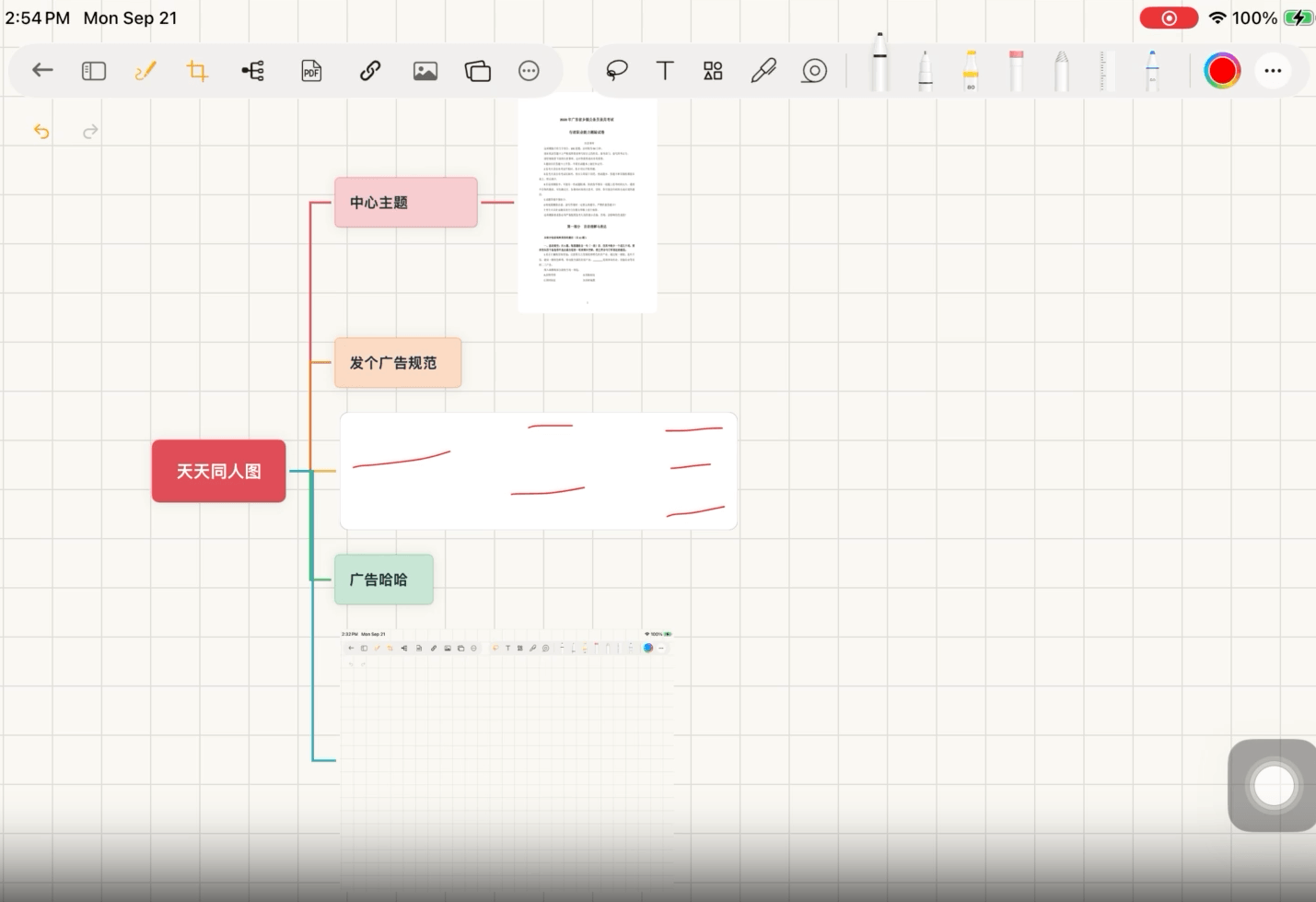
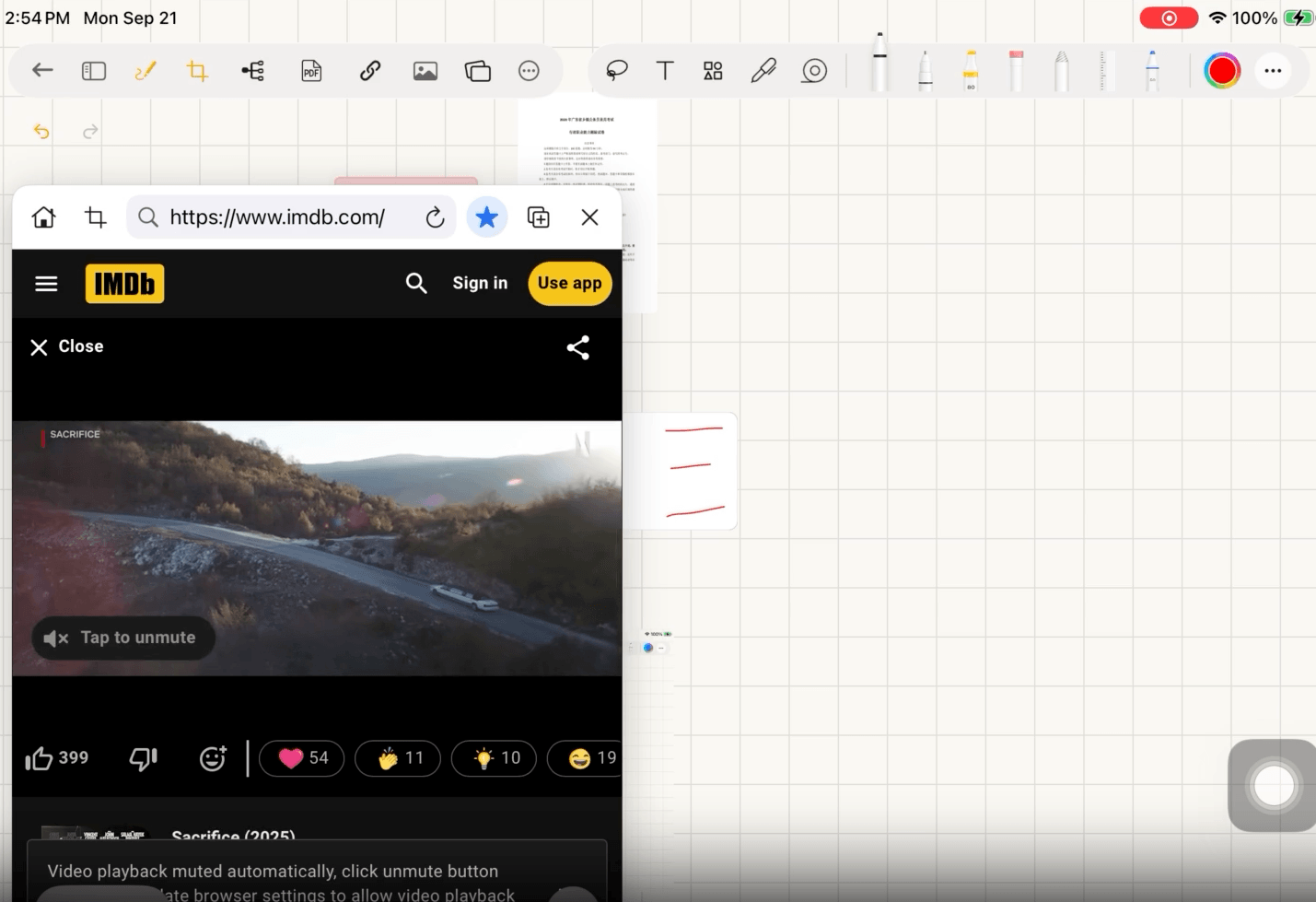
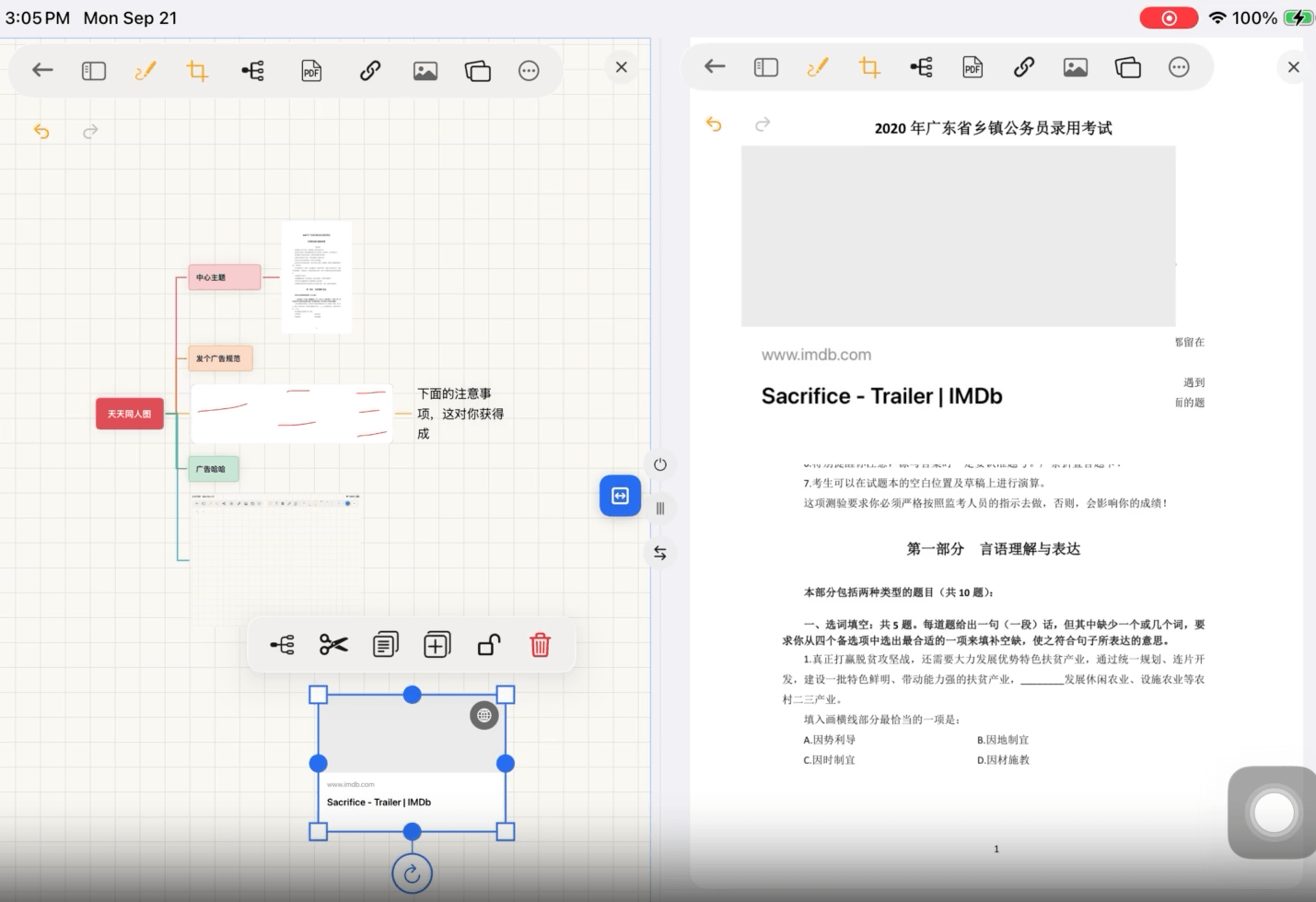
After deep exploration, "YouNotes" incorporates many designs that fit real-world learning scenarios perfectly.
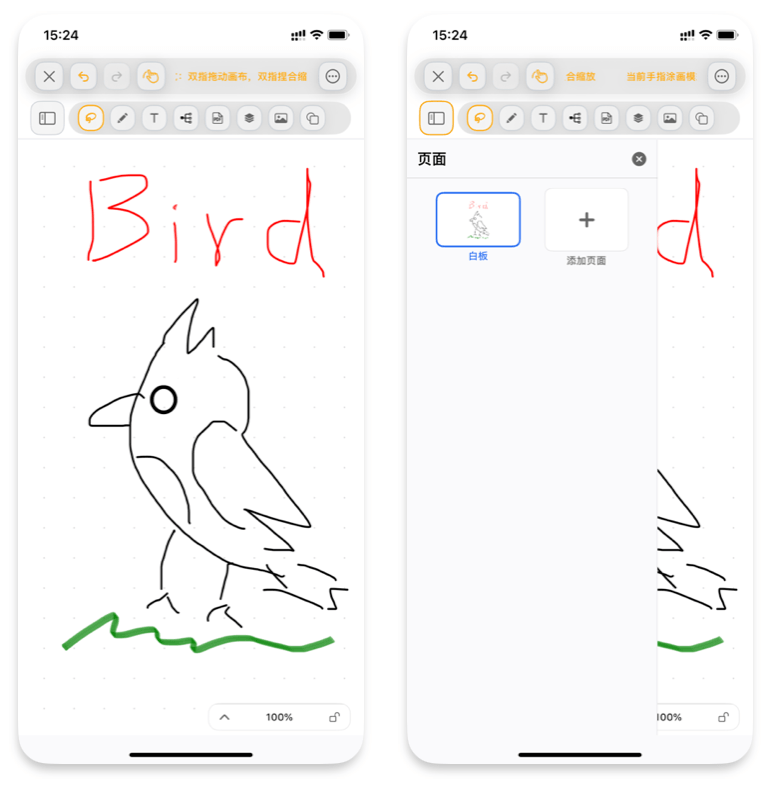
Most note-taking software on the market only offers basic writing. But in "YouNotes", besides supporting various strokes of Apple Pencil, it also provideslasso selection, shape tools, laser pointerand other common creation tools.⚠️
Especiallythe laser pointer function, when teaching or presenting, it allows you to display results to others more conveniently. This detail with a 'presentation feel' is the foundation that distinguishes it from ordinary notepads.🛡️
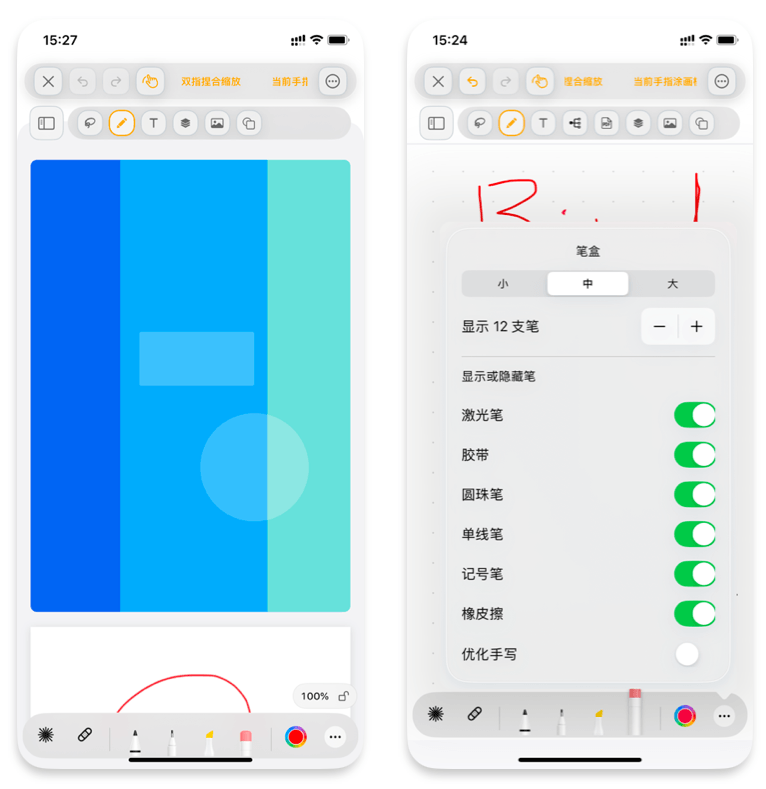
"YouNotes" understands that everyone's usage habits differ. Therefore, it refuses a 'one-size-fits-all' interaction.
Inside the App, you can freely switch betweenApple Pencil Mode, Finger Drawing Mode, and Reading Mode. Whether you prefer the rustling sound of pen-on-paper writing or are accustomed to quickly scrolling with your fingers, you can find the operation method that suits you best. It acts like a set of 'creation scaffolding'; you can adjust tools at any time as scenes change until you master them.🌱
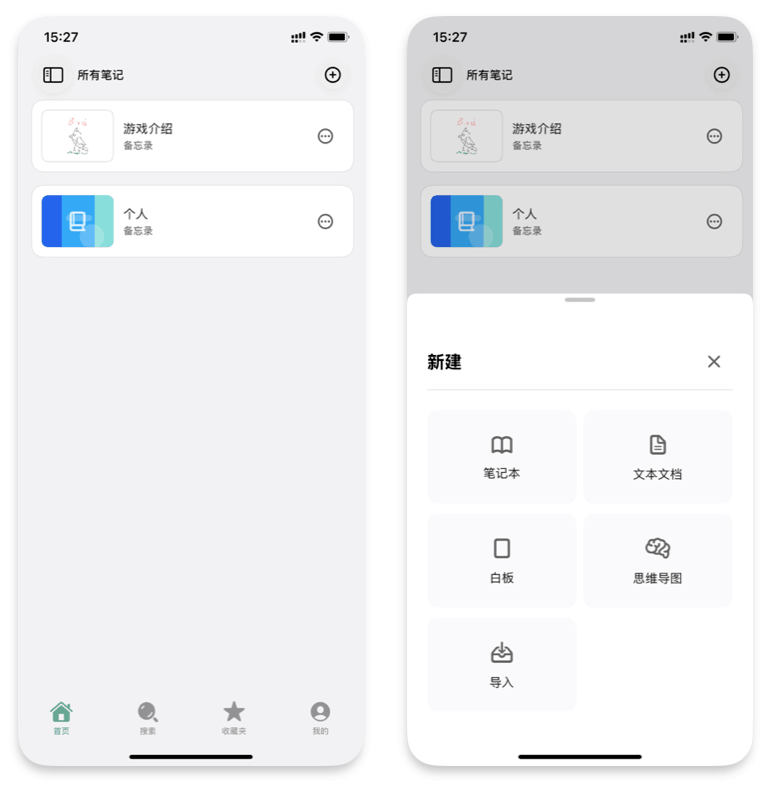
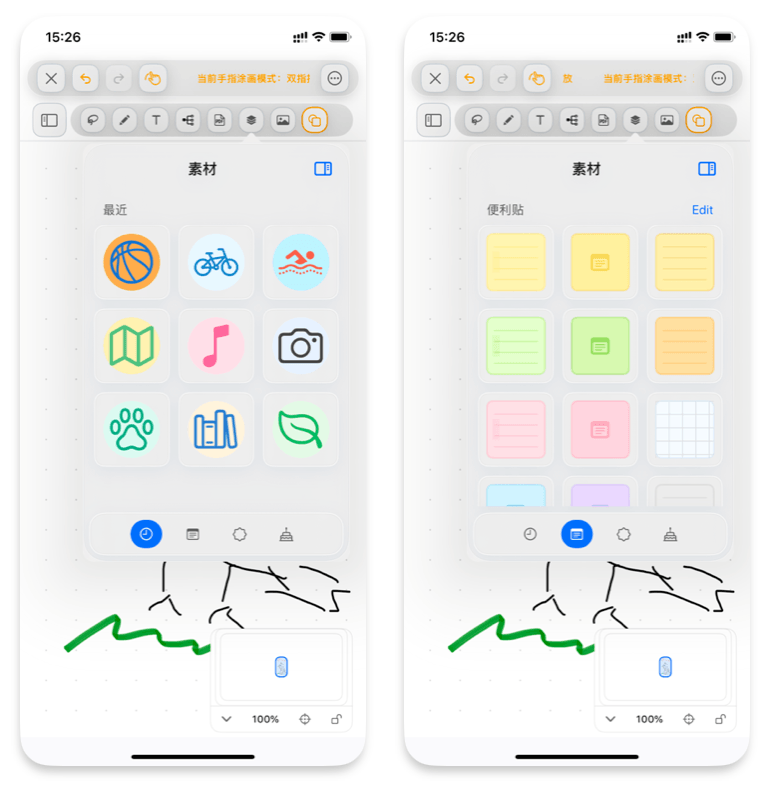
When discussing the future, the developers mentioned that the current challenge is mainlyperformance,ensuring smooth operation even with multiple files and contents.
"YouNotes" pursues a kind of 'evolution'. Its ultimate goal is cool:Gradually add AI features to become an efficient learning App. In the future, you only need to import study documents; the App will help summarize, create quizzes, and translate, allowing you to quickly grasp core content.
Past notes only allowed you to record, organize, and find answers yourself; but future "YouNotes" hopes to involve AI in your learning process, from recording to understanding, from questions to answers, just like having a private tutor accompanying you at all times.🌟
Product Creator
Real user experiences and discussions
No public reviews yet. We look forward to your experience.
View recent version features and experience improvements
fix bug
fix bug
1、增加闪卡
2、修复bug
After installation, pressRedemption InstructionsActivate benefits.
View redemption methods and usage guide

After payment, you can check your order in 「My Orders」 to view the redemption code and usage instructions.
If you encounter issues such as an unusable redemption code or inactive benefits, please keep your order information and contact our assistant.
Virtual product redemption codes are non-refundable once issued. Please confirm the applicable platform and version before purchasing.

Dual-page view & multi-layer editing & flashcards & tape & laser pointer & study while viewing web pages | videos
MERGEEK · SECURE CHECKOUT
YouNotes Lifetime Premium Edition
You’ll complete payment on PayPal.
Find your redemption code in My Orders after payment.
Thank you for supporting genuine software. Your redemption code is ready.
View My OrdersRedemption code and usage instructions can be viewed in 「My Orders」
 Mergeek

Scan to contact Alisa
© Mergeek. All rights reserved. Built for the products. 京ICP备2021030996号 《隐私政策》