- 修复了一些问题
 Discover great products



100% genuine official redemption code rights. Activate according to the redemption instructions after purchase. Specific rights are subject to the description of the selected version.
Product prices and member discounts are clearly displayed. You can verify current discounts before purchasing. Specific price protection rules are subject to the product activity and service descriptions.
If the redemption code cannot be used or benefits are not activated, please retain order information and contact the assistant for help. Virtual product redemption codes are non-refundable once issued.
Each personally reviewed experience helps you choose with confidence.
Mergeek Recommended:"Decompression Expert Oka" is a Mac decompression software that supports a wide range of decompression formats, one-click batch decompression, previewing archive contents, password-protected decompression/compression, and split-volume decompression/compression, meeting all your needs regarding compressed files.
Split-Volume Decompression / Archive Preview / Password Compression / Batch Decompression
App Store: 4.8 · 9+ Rating
Supported Devices for this Activity: Mac
👉🏻 Go to the App Store to download and try it for free
Do you have any of the following frustrations?
"Decompression Expert Oka" supports decompressing compressed files in various formats, including RAR, and supports split-volume compression (including split-volume ZIP), preview functionality before decompression, and one-click batch decompression... Almost all decompression and compression needs can be handled by "Decompression Expert Oka", helping you improve efficiency and get twice the result with half the effort!

"Decompression Expert Oka" has powerful decompression capabilities, perfectly solving issues such as Mac computers being unable to decompress RAR files or garbled text appearing when decompressing certain ZIP files. It can decompress numerous formats, such as: 7Z, ZIP, RAR, TAR, GZIP, BZIP2, XZ, LZIP, ACE, ISO, CAB, PAX, JAR, AR, CPIO, etc. Whether for work, study, or other purposes, it brings convenience to you.
Additionally, "Decompression Expert Oka" features a one-click batch decompression function. You just need to drag the files you want to decompress into it; no matter how many, simply choose "Decompress All" or "Decompress Selected," and these files will be decompressed sequentially, eliminating the tediousness of decompressing them one by one, saving time and improving your work efficiency.
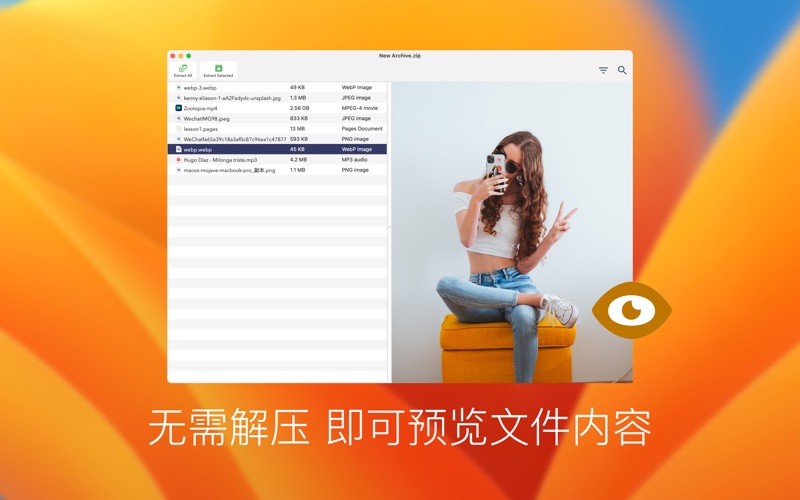
"Decompression Expert Oka" also supportsPre-decompression Previewfunctionality. For example, if you discover after previewing that a file is an image, you won't need to decompress it.
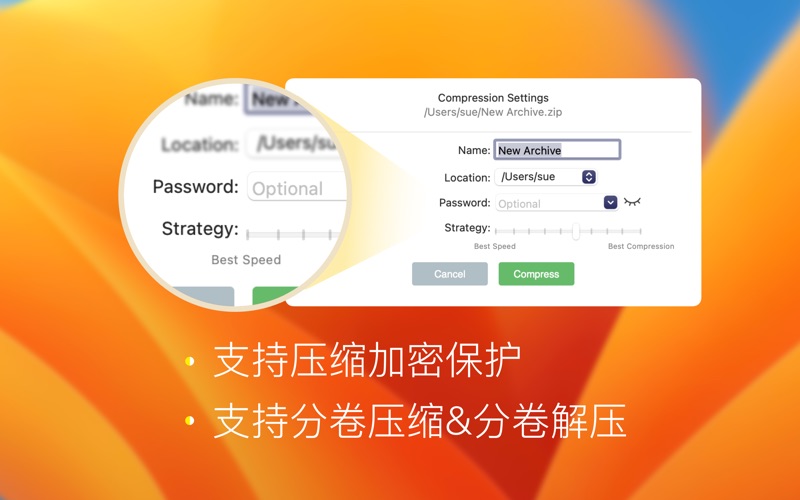
If you have ever had the situation where file data is too large for your USB drive's insufficient capacity, this feature comes in handy. You can use split-volume decompression or compression to break down your large files into appropriately sized chunks, facilitating storage or transfer operations.
When you want to compress files with high privacy requirements, you can set a password for your compressed files using "Decompression Expert Oka" to protect file content and privacy.
At the same time, "Decompression Expert Oka" has aPassword Book Feature, where you can record the passwords of commonly used encrypted compressed files. When it comes time to decompress, "Decompression Expert Oka" will automatically attempt to guess the password for decompression, saving you from this cumbersome process.
"Decompression Expert Oka" is very easy to operate; you only need to performsimple dragging, and you can decompress all necessary files. It also supports automatic decompression. When you newly download a compressed file, a notification prompt confirming decompression will automatically pop up in the menu bar,requiring no extra actions, assisting you with decompression and reducing your workload.
You can also directlyRight-Click Quick Menu, performingQuick Operations, taking your work efficiency to the next level and achieving twice the result with half the effort!

Product Creator
Real user experiences and discussions
No public reviews yet. We look forward to your experience.
View recent version features and experience improvements
- 修复了一些问题
- 修复一些问题
- 修复一些问题
After installation, pressRedemption InstructionsActivate benefits.
View redemption methods and usage guide
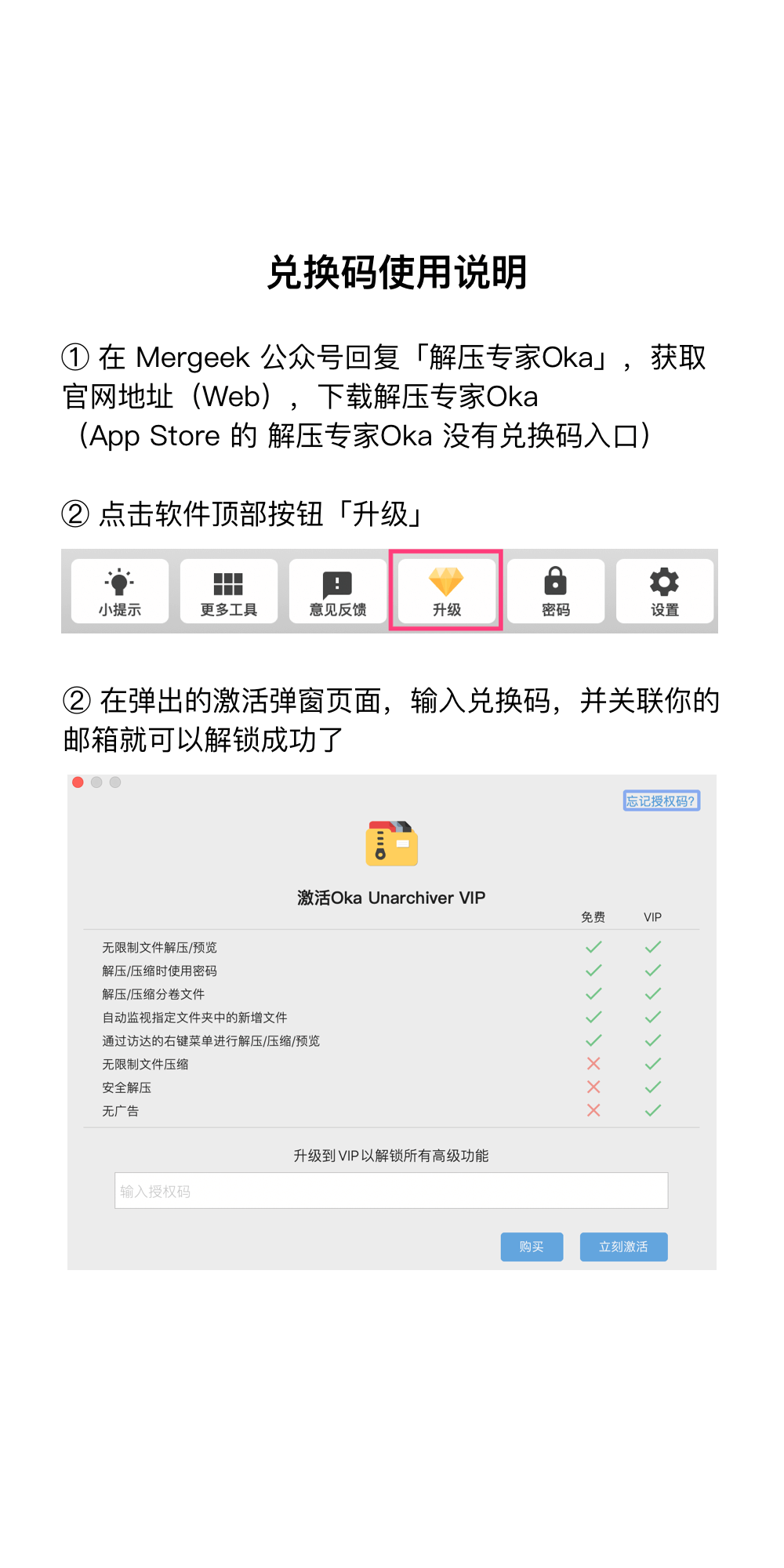
After payment, you can check your order in 「My Orders」 to view the redemption code and usage instructions.
If you encounter issues such as an unusable redemption code or inactive benefits, please keep your order information and contact our assistant.
Virtual product redemption codes are non-refundable once issued. Please confirm the applicable platform and version before purchasing.

Permanent Premium Edition for Mac
RAR, 7Z, ZIP and other formats for one-click decompression/compression
MERGEEK · SECURE CHECKOUT
Oka Decompression Expert Permanent Premium Edition for Mac
You’ll complete payment on PayPal.
Find your redemption code in My Orders after payment.
Thank you for supporting genuine software. Your redemption code is ready.
View My OrdersRedemption code and usage instructions can be viewed in 「My Orders」
 Mergeek

Scan to contact Alisa
© Mergeek. All rights reserved. Built for the products. 京ICP备2021030996号 《隐私政策》