桌面与锁屏组件支持「距离下次休息」和「已工作时长」两种显示模式。
支持锁屏实时活动,随时查看当前工作节奏。
优化当天提醒结束后的展示,让计时状态更清楚。
优化会员购买、恢复购买与管理体验。
完善提醒权限提示和授权后的提醒恢复流程。

Discover the craft behind great products


100% genuine official redemption code rights. Activate according to the redemption instructions after purchase. Specific rights are subject to the description of the selected version.
Product prices and member discounts are clearly displayed. You can verify current discounts before purchasing. Specific price protection rules are subject to the product activity and service descriptions.
If the redemption code cannot be used or benefits are not activated, please retain order information and contact the assistant for help. Virtual product redemption codes are non-refundable once issued.
Each personally reviewed experience helps you choose with confidence.
Mergeek Recommended: A common problem for many long-term office workers is not that they don't know they should rest, but rather that by the time a sedentary reminder pops up, their fingers have "habitually" clicked to close or snooze it."iCadence" brings a very clear and effective approach:It doesn't just remind you to rest; it makes rest actually happen. Through mechanisms like walking, stretching, or even doing squats as "rest confirmation," it creates a slight resistance to your inertia, helping to truly "pull" your body out of high-intensity work states. ✨
Strong Reminders / Get Moving for Real / Find Your Own Work Rhythm
Supported Devices: iPhone
🚩App Store Rating 5.0 ⭐⭐⭐⭐⭐
👉🏻 Go to App Store to Download and Try
As a programmer who needs long periods of focused coding every day, the developer themselves suffers from sedentary issues. Once in a focused coding state, one can sit for hours, and looking up only to realize half the day has passed. 😫
There are plenty of sedentary reminder apps on the market, but after using them for a while, you'll notice an extremely common awkward phenomenon:The reminders aren't going unheard; instead, the brain and fingers have formed muscle memory, habitually swiping them away without even reading the content clearly.
This leads developers to reflect: what we really lack isn't another popup saying "remind me again," but apowerful interruption mechanismthat can truly pull us out of our current immersive state.
This was iCadence's most initial idea:Don't be a meaningless "notifier"; make "physical rest" actually happen. 🔔
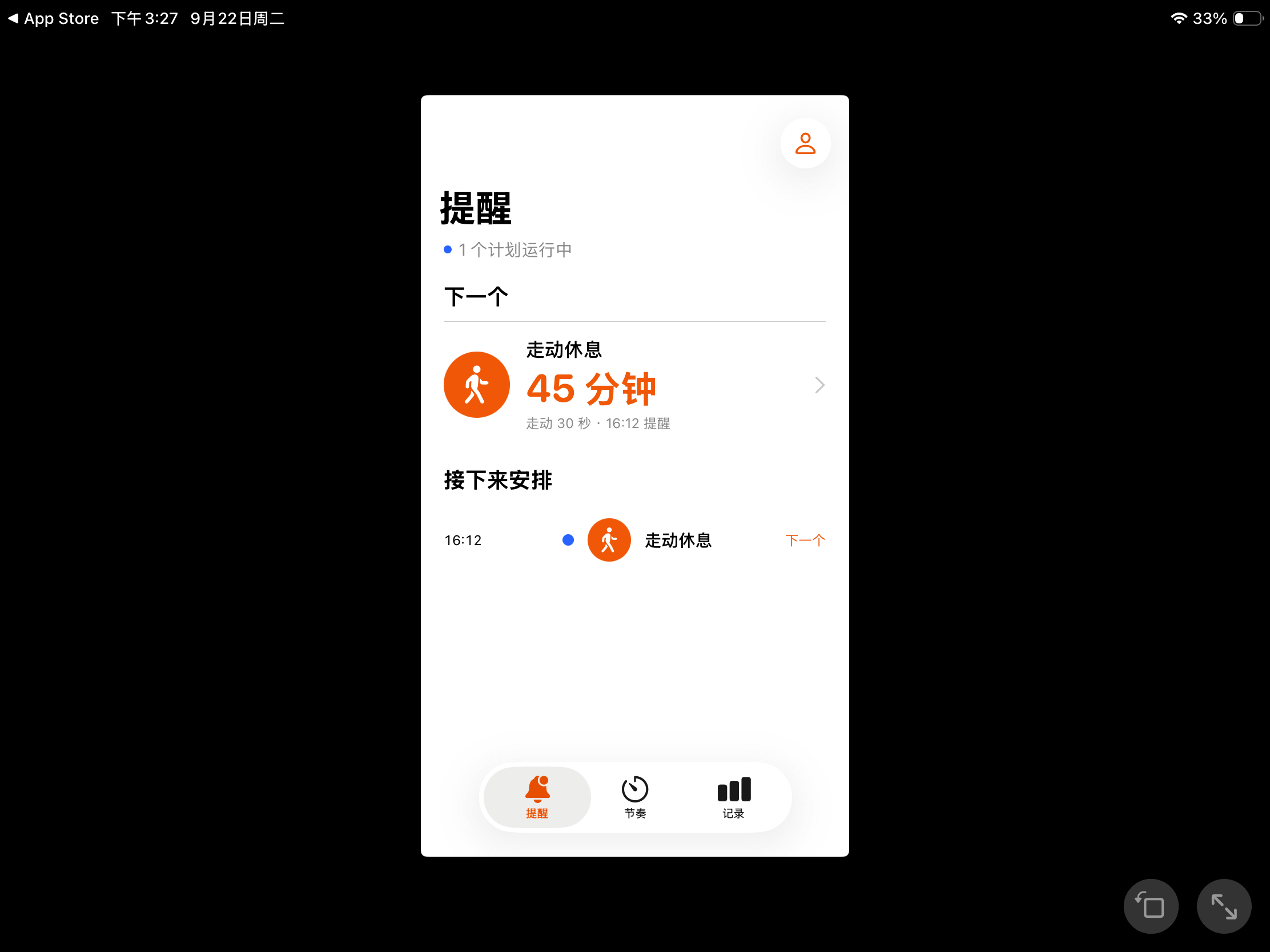
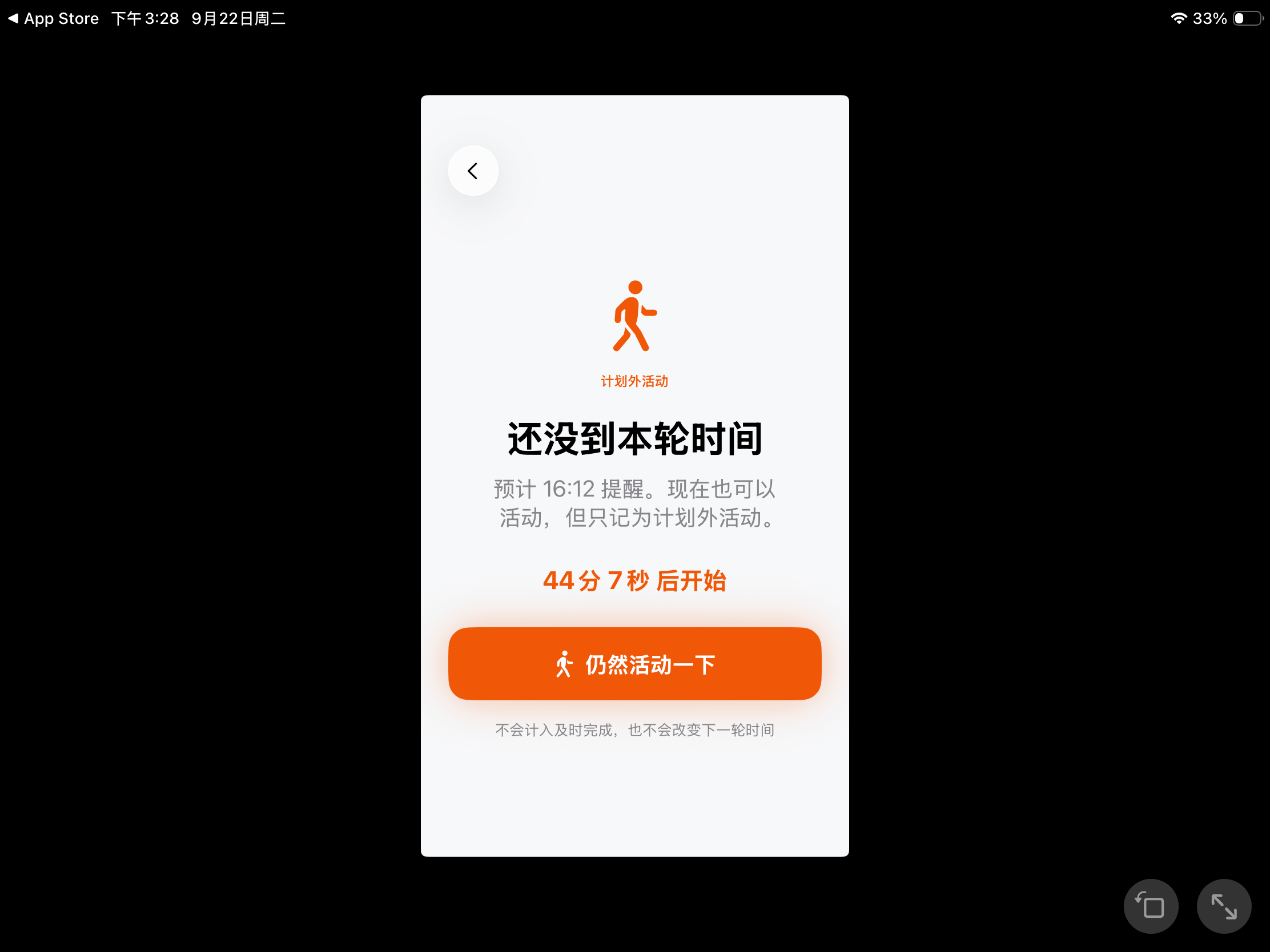
Ordinary sedentary reminders care about:"Did I send you the notification?"
While iCadence cares about:"Did you actually get off the chair to move around?"
To achieve this, iCadence created its core "Rest Confirmation" mechanism:
Typical Usage Scenario:
After you've been typing continuously for 45 minutes, iCadence pops up a reminder. You can't casually tap "Done" like before to keep coding; instead, you must stand up, walk dozens of steps with your phone, or do 10 jumping jacks. This process forcibly cuts through your work inertia, relaxing your tense lumbar spine and shoulders, slightly raising your heart rate, and clearing your mind. 💆♂️
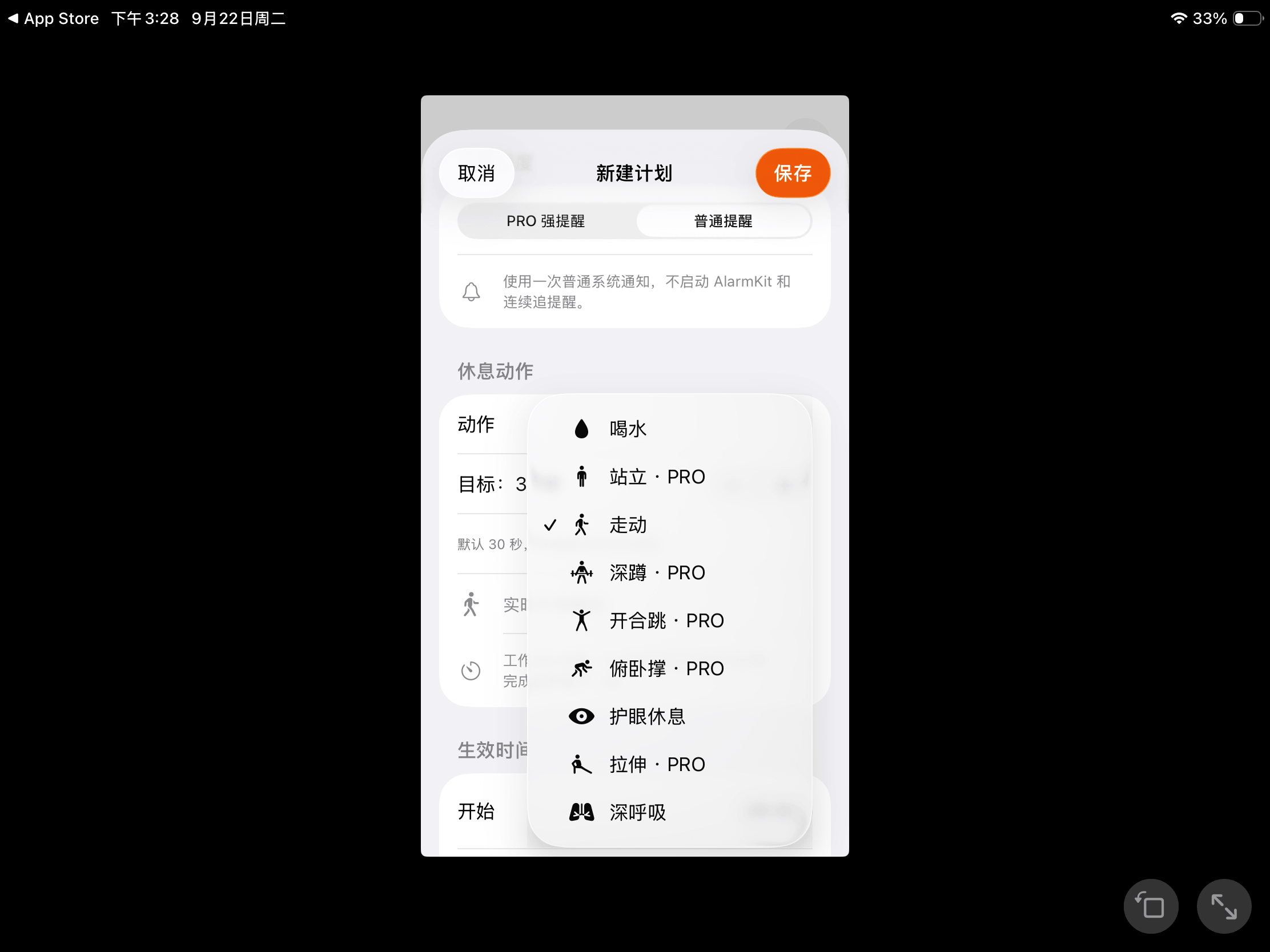
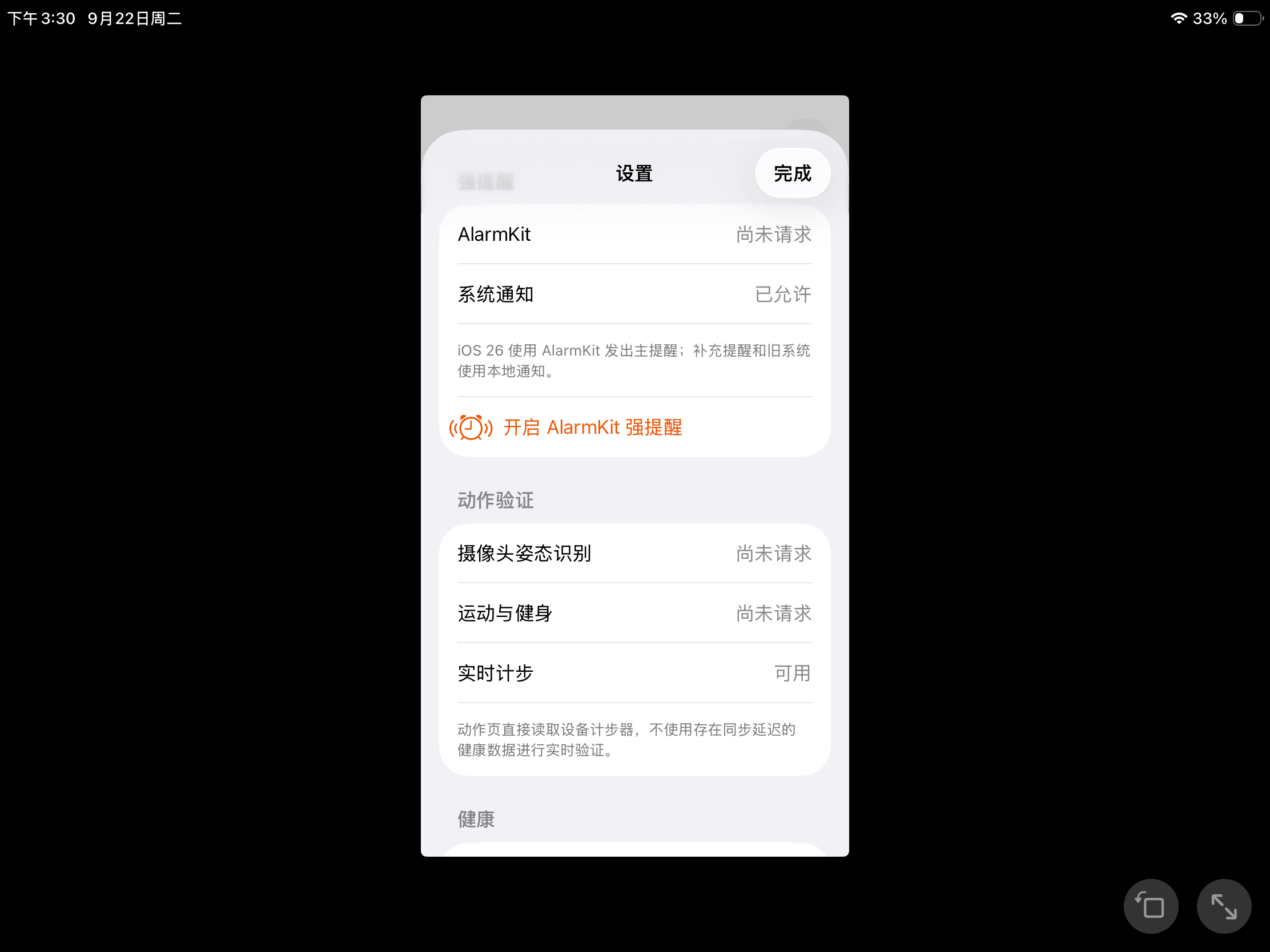
Some users might ask:"Is this design meant to prevent me from cheating?"
The developer admits this isn't about having a "wits battle" with users. The essence of "Rest Confirmation" is tocreate a little bit of resistance for yourself. When the reminder appears, this resistance prevents you from subconsciously swiping away the notification, forcing you to temporarily put down your work and physically move.
During development, the greatest challenge was balancing "forcefulness" and "intrusiveness." While strong reminders are effective, if too rigid, they easily trigger user annoyance.
Therefore, iCadence continuously optimizes its design: not only ensuring strong reminders work, but also achievingsufficient effectiveness without forming confrontation with the user.
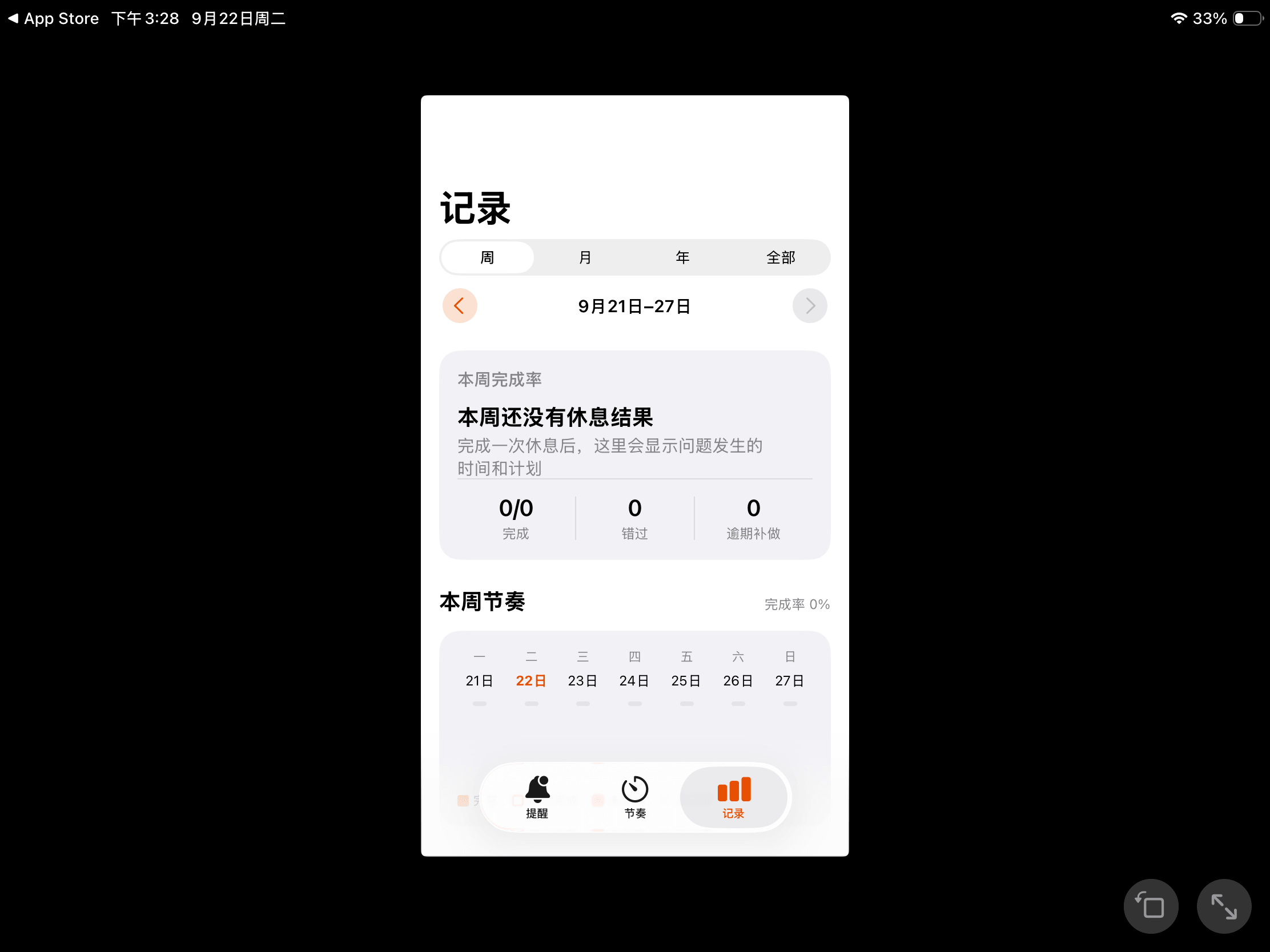
In daily office life, we often encounter various sudden situations. iCadence recently added a series of more human-centric designs to make interruptions more natural:
Regarding future plans, iCadence will continue iterating along the direction of "effective and natural":
Final Thoughts:
iCadence may not be suitable for everyone. If seeing a gentle notification is enough to自觉 (consciously) get up and move, then ordinary reminders are already good enough.
But if you are also someone who **"knows they should rest, wants to rest, but can't stop once focused"**, give iCadence a try.
Sometimes what we lack isn't self-discipline or reminders, but a mechanism that cantruly break the inertia. 🌟
Product Creator
Real user experiences and discussions
No public reviews yet. We look forward to your experience.
View recent version features and experience improvements
桌面与锁屏组件支持「距离下次休息」和「已工作时长」两种显示模式。
支持锁屏实时活动,随时查看当前工作节奏。
优化当天提醒结束后的展示,让计时状态更清楚。
优化会员购买、恢复购买与管理体验。
完善提醒权限提示和授权后的提醒恢复流程。
• 新增主屏幕与锁定屏幕小组件,快速查看下一次休息、当前动作和免提醒状态
• 新增“免提醒”时段,支持快捷暂停、自定义时间及重复设置
• 优化走动验证,识别提示更加清晰,运动时间从 0 秒开始平滑累计
• 优化跨日提醒与长时间倒计时显示
• 修复小组件偶发空白及其他稳定性问题
After installation, pressRedemption InstructionsActivate benefits.
View redemption methods and usage guide

After payment, you can check your order in 「My Orders」 to view the redemption code and usage instructions.
If you encounter issues such as an unusable redemption code or inactive benefits, please keep your order information and contact our assistant.
Virtual product redemption codes are non-refundable once issued. Please confirm the applicable platform and version before purchasing.

Stand and walk · Motion confirmation · Strong reminder · Stretching and eye care · Drinking water · Hourly timer · Do not disturb
MERGEEK · SECURE CHECKOUT
iCadence Lifetime Premium Edition
You’ll complete payment on PayPal.
Find your redemption code in My Orders after payment.
Thank you for supporting genuine software. Your redemption code is ready.
View My OrdersRedemption code and usage instructions can be viewed in 「My Orders」
 Mergeek

Scan to contact Alisa
© Mergeek. All rights reserved. Built for the products. 京ICP备2021030996号 《隐私政策》