- 改进分享面板关闭后的图片上传。
- 对话中的图片可左右滑动查看。
- 首页键盘按钮移到右侧。

Discover the craft behind great products




100% genuine official redemption code rights. Activate according to the redemption instructions after purchase. Specific rights are subject to the description of the selected version.
Product prices and member discounts are clearly displayed. You can verify current discounts before purchasing. Specific price protection rules are subject to the product activity and service descriptions.
If the redemption code cannot be used or benefits are not activated, please retain order information and contact the assistant for help. Virtual product redemption codes are non-refundable once issued.
Each personally reviewed experience helps you choose with confidence.
编辑推荐: 很多时候,我们放弃记录并不是因为懒,而是因为“打字+设提醒”的步骤打断了心流。随口记 (Tudo) 彻底颠覆了传统的待办录入方式。它的出色之处在于其“极速意图识别”,不仅能秒读你的语音,还能自动把一连串复杂的碎碎念精准拆解为“工作、生活、记录”三个维度。它不只是一个语音转文字的工具,更是一个能帮你自动规划步骤、同步日历的 AI 效率伴侣,非常适合追求极致极简与无压记录的你。
开口即记 / AI智能拆解 / 反焦虑
支持设备: iPhone、Apple Watch
需要系统:iOS 16.0 或以上
在快节奏的生活里,我们总有这种时刻: 开会路上突然想到一个绝佳的点子,想记下来却因为在开车/拎包而腾不开手; 回到家瘫在沙发上想起明天要交电费,却因为“懒得打字”想着等会再说,结果转头就忘……
传统的待办软件像个严肃的调查员:要你选日期、填分类、点优先级。本来是为了减轻压力,结果“记录”本身却成了新的负担。
直到我遇到了 随口记 (Tudo),它告诉我:别纠结,说出来就行。
随口记的核心灵魂是 “Voice-First”。它摒弃了繁琐的表单输入,界面干净得像一阵清风。你只需要像跟老朋友聊天一样按住按钮“碎碎念”,AI 就会在毫秒间捕捉你的想法。
比如你随口一句:“下周三上午十点要和老王对方案,顺便提醒我晚上回家带个西瓜。”
随口记会帮你做这些“脏活累活”:
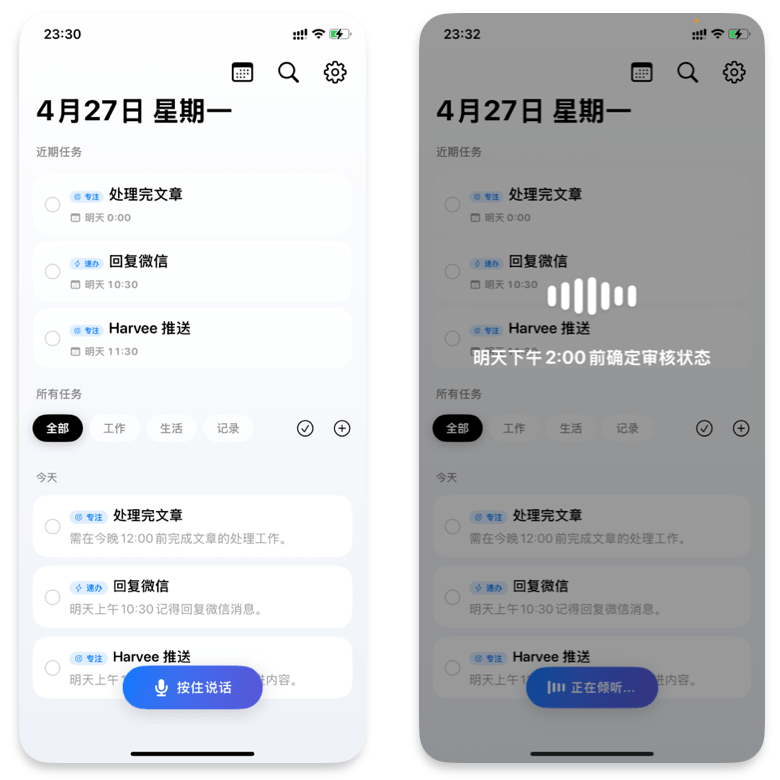
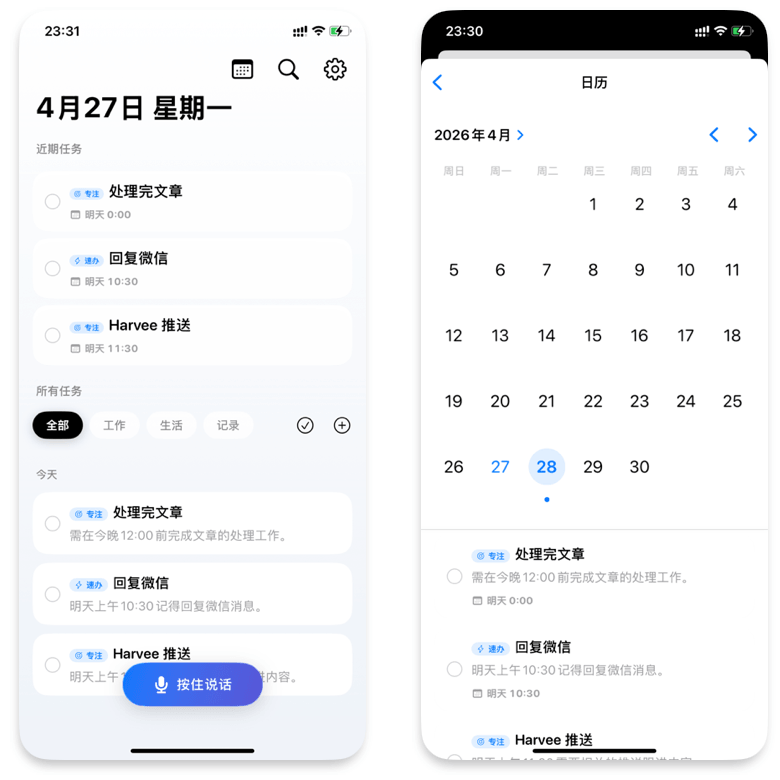
普通备忘录只是把声音转文字,而随口记是在「理解」你。
最让我惊艳的是它的 AI 智能拆解 功能。面对“这周末要搞定搬家”这种听起来就头大的大目标,AI 会自动帮你分步:
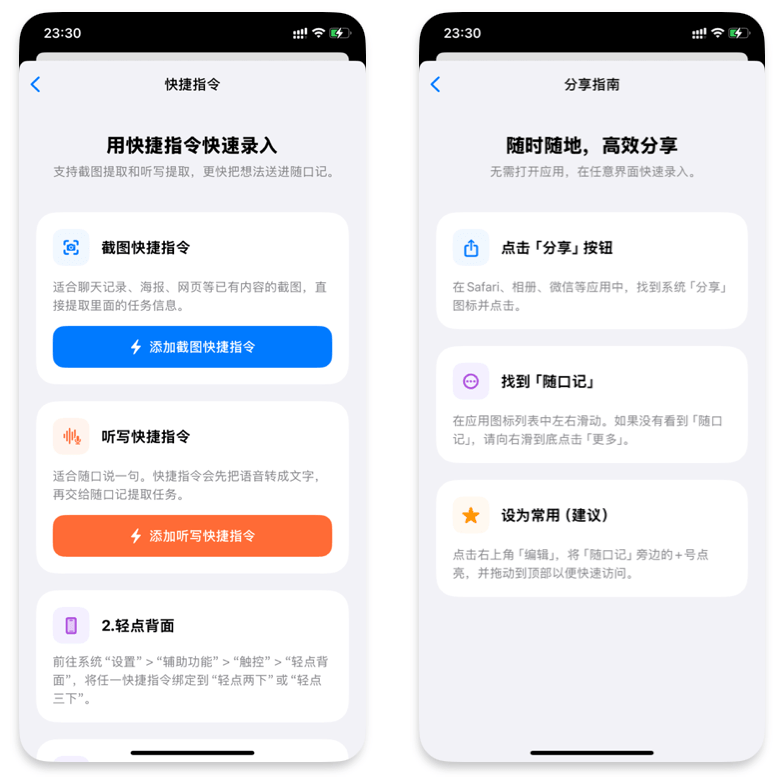
「随口记」提供了十分便捷的输入方式,可以用苹果的快捷指令和分享方法,APP 都能十分智能识别并瞬间记录下来!
开发者在设计时特别加入了“人生 A/B 面”的概念。
这种“懂你界限”的设计,让效率工具不再冷冰冰,而是变成了一个帮你理顺生活的贴心帮手。
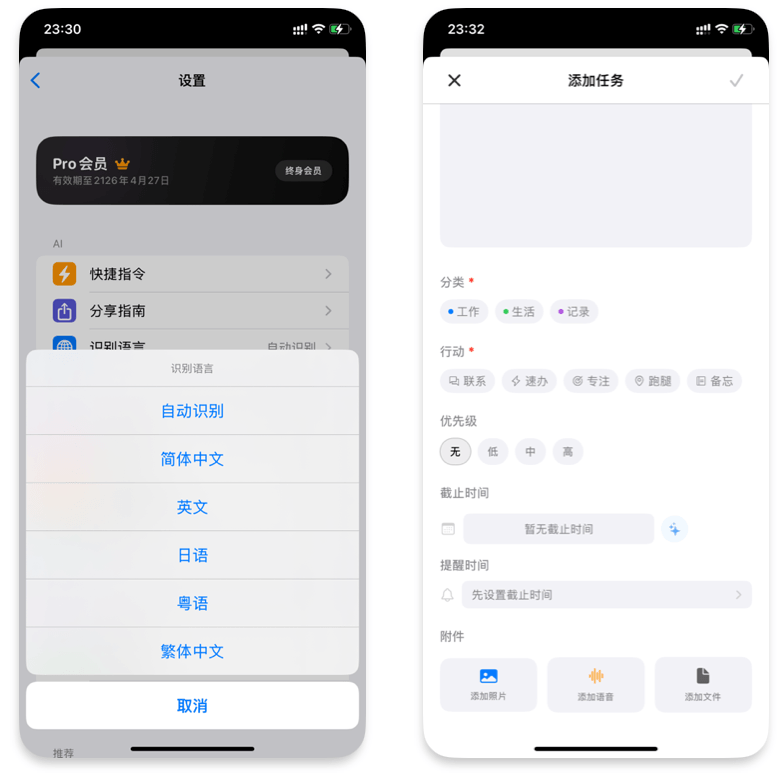
除了目前的极致体验,随口记已经支持中、英、日、法等多种语言,走向全球化。
更让人期待的是未来的 “人生磁带 (Weekly Mixtape)” 功能。想象一下,每周日晚上,AI 会为你生成一张专属磁带:正面记录你这一周攻克的难关,背面留下生活的随想。这种仪式感,让每一次进步都清晰可见。
随口记 (Tudo) 想做的,是把原本属于你的生活和精力还给你。
如果你也厌倦了臃肿的清单工具,如果你也有无数一闪而过却没来得及记录的念头,不妨试试像对着老友倾诉一样,开启你的“轻量化”高效生活。
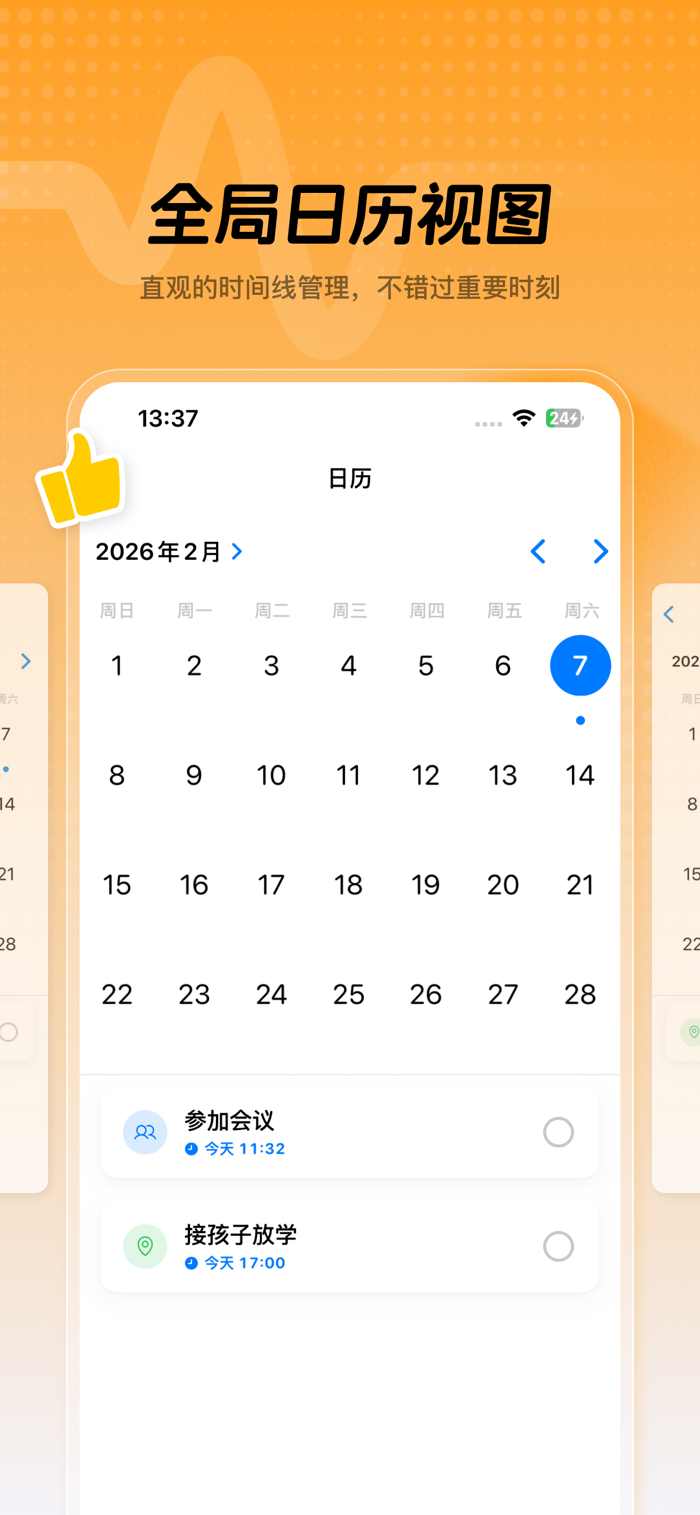
随手截图:快捷指令,见图成事
随口记录:言出即行,快速录入
随时唤醒:桌面组件,一触即达
随心分享:图文链接,一键待办
Product Creator
Real user experiences and discussions
No public reviews yet. We look forward to your experience.
View recent version features and experience improvements
- 改进分享面板关闭后的图片上传。
- 对话中的图片可左右滑动查看。
- 首页键盘按钮移到右侧。
- 新增任务排序与多行输入。
- 支持截图后台提取(iOS 26灵动岛机型)。
- 支持重复闹钟(iOS 26)。
- 优化组件、灵动岛与稳定性。
- 新增灵动岛与锁屏AI处理状态展示。
- 新增任务筛选,按状态或截止日期快速查看。
- 优化AI对话,支持确认发送与失败重试。
- 修复iOS17任务滑动删除失效的问题。
After installation, pressRedemption InstructionsActivate benefits.
View redemption methods and usage guide

After payment, you can check your order in 「My Orders」 to view the redemption code and usage instructions.
If you encounter issues such as an unusable redemption code or inactive benefits, please keep your order information and contact our assistant.
Virtual product redemption codes are non-refundable once issued. Please confirm the applicable platform and version before purchasing.

Convert screenshots to tasks, with AI task breakdown, calendar sync, and reminders
MERGEEK · SECURE CHECKOUT
Jot down casually Permanent Premium Edition
You’ll complete payment on PayPal.
Find your redemption code in My Orders after payment.
Thank you for supporting genuine software. Your redemption code is ready.
View My OrdersRedemption code and usage instructions can be viewed in 「My Orders」
 Mergeek

Scan to contact Alisa
© Mergeek. All rights reserved. Built for the products. 京ICP备2021030996号 《隐私政策》