MyToday is a diary you can easily write everything on. The app is for those who love writing diaries. Start with MyToday.
(Lite version can only write 20 posts. Please use the full version to write more.)
—
[Please read] My Today does not store user data on the server. The data is saved on the user's mobile phone. If My Today data is accidentally deleted for getting device capacity, the text will not be visible and cannot be recovered. In order to keep your valuable articles safely, it is recommended to periodically backup to 'Dropbox' or 'Google Drive'. (Required before device change / reset) You can Backup from the setting of the My Today App.
—
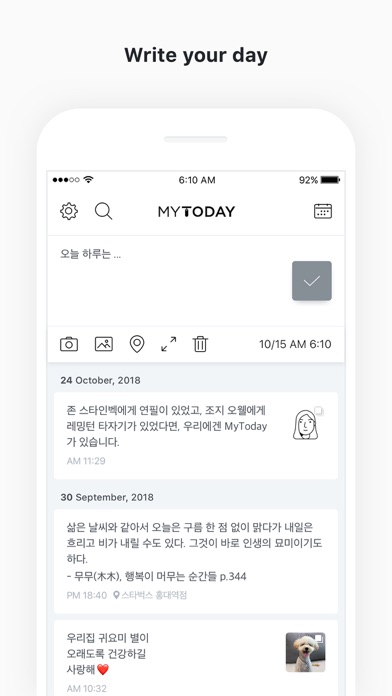
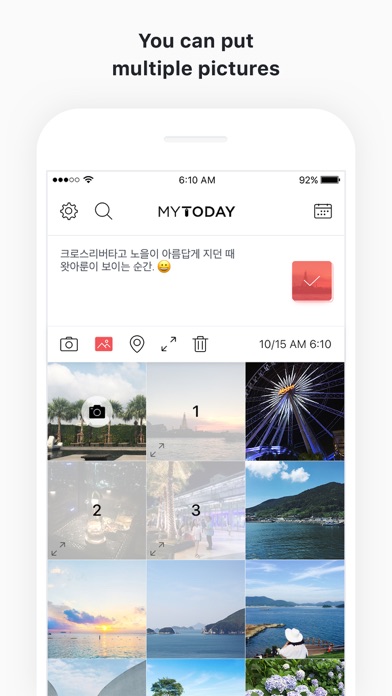
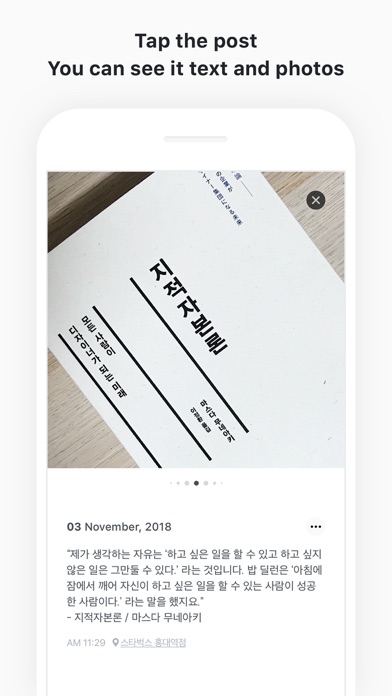
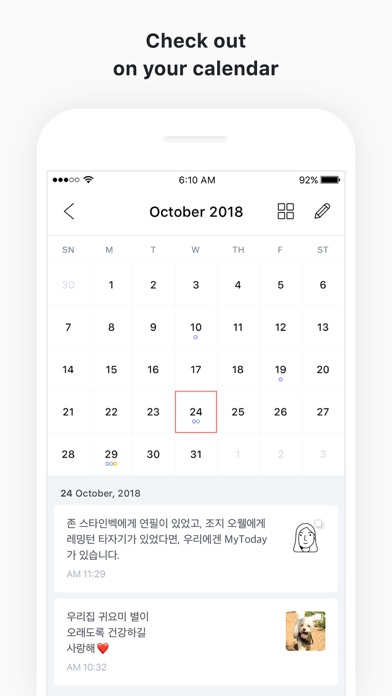
[How to use MYTODAY] • Lite version can only write 20 posts. Please use the full version to write more. • You can create today's diary by selecting the top area of the main screen. • Select the camera icon to take a picture and attach it immediately. • When you select the picture icon, you can attach up to 10 pictures from the camera roll. • The location icon can add your current location or specific location information. • If you touch the expansion icon, you can write and edit pictures on a wide screen. • You can edit or delete the created list in the main screen by swiping left. • You can use the full editing function by swiping the created list on the main screen to the right. • On a 3D Touch-enabled device, you can edit or delete the list directly by tapping the list. • You can check the diary by date by selecting the calendar icon in the upper right corner. • You can find the diary by using the search icon in the upper left corner. • Swipe up the calendar on the calendar screen to view the list on a wider screen. • You can move the month with the left and right swipe gestures on the calendar screen, and you can see the previous year or the following year through the year view icon at the top. • Dropbox backup and recovery is possible in the settings. • You can back up data by e-mail in Settings. • Notifications are available daily in Settings. • You can check the written text only by yourself. You can make your passwords safer by setting passwords. • For more information on backing up and restoring your data, please check the developer website.


 +100宝石

 分享
分享








用户评价
立即分享产品体验
你的真实体验,为其他用户提供宝贵参考
💎 分享获得宝石
【分享体验 · 获得宝石 · 增加抽奖机会】
将你的产品体验分享给更多人,获得更多宝石奖励!
💎 宝石奖励
每当有用户点击你分享的体验链接并点赞"对我有用",你将获得:
🔗 如何分享
复制下方专属链接,分享到社交媒体、群聊或好友:
💡 小贴士
分享时可以添加你的个人推荐语,让更多人了解这款产品的优点!
示例分享文案:
"推荐一款我最近体验过的应用,界面设计很精美,功能也很实用。有兴趣的朋友可以看看我的详细体验评价~"
关注 Mergeek 公众号
领奖遇到问题?联系小门助手