Selflane Hub turns one iPad into a self-order kiosk that your guests operate themselves at the counter. It is customer-facing, not a staff terminal: restaurants run it alongside Selflane POS behind the counter and Selflane Displays in the kitchen, each on its own device, each doing one job.
WHAT A GUEST DOES
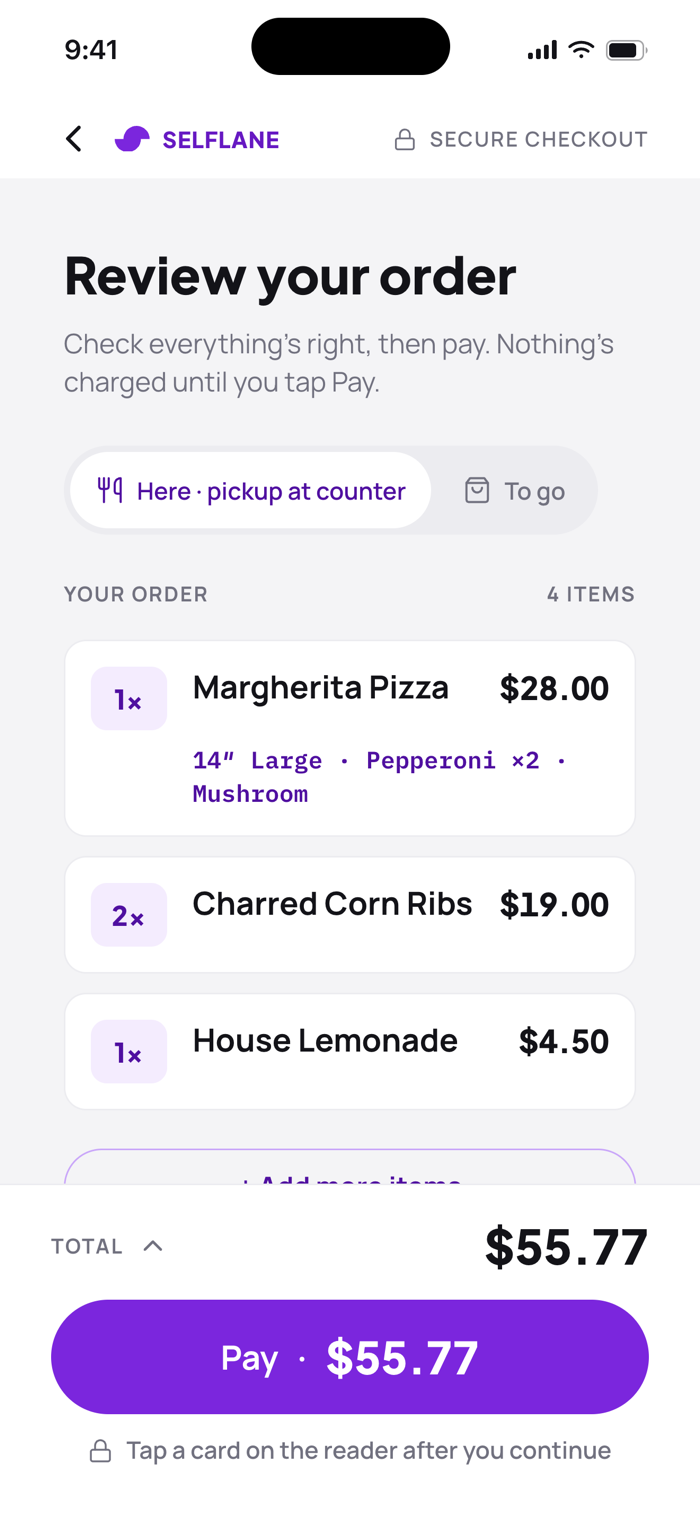
Tap Start Ordering, choose dine-in or takeout, and browse the menu by category with photos and prices, in English or Spanish. Open an item to pick sizes and add-ons. Required choices must be made before the item goes in the cart, so nothing unmakeable reaches the kitchen. The review screen lays out every item, quantity, and total before paying, and guests can add a tip if your business offers one. Prices and availability are verified again the moment before the card is charged, so the number on the screen is the number on the card. After payment the order number appears, the receipt prints, and the screen resets for the next guest. Walk away mid-order and it clears itself.
WHAT YOU SET UP ONCE
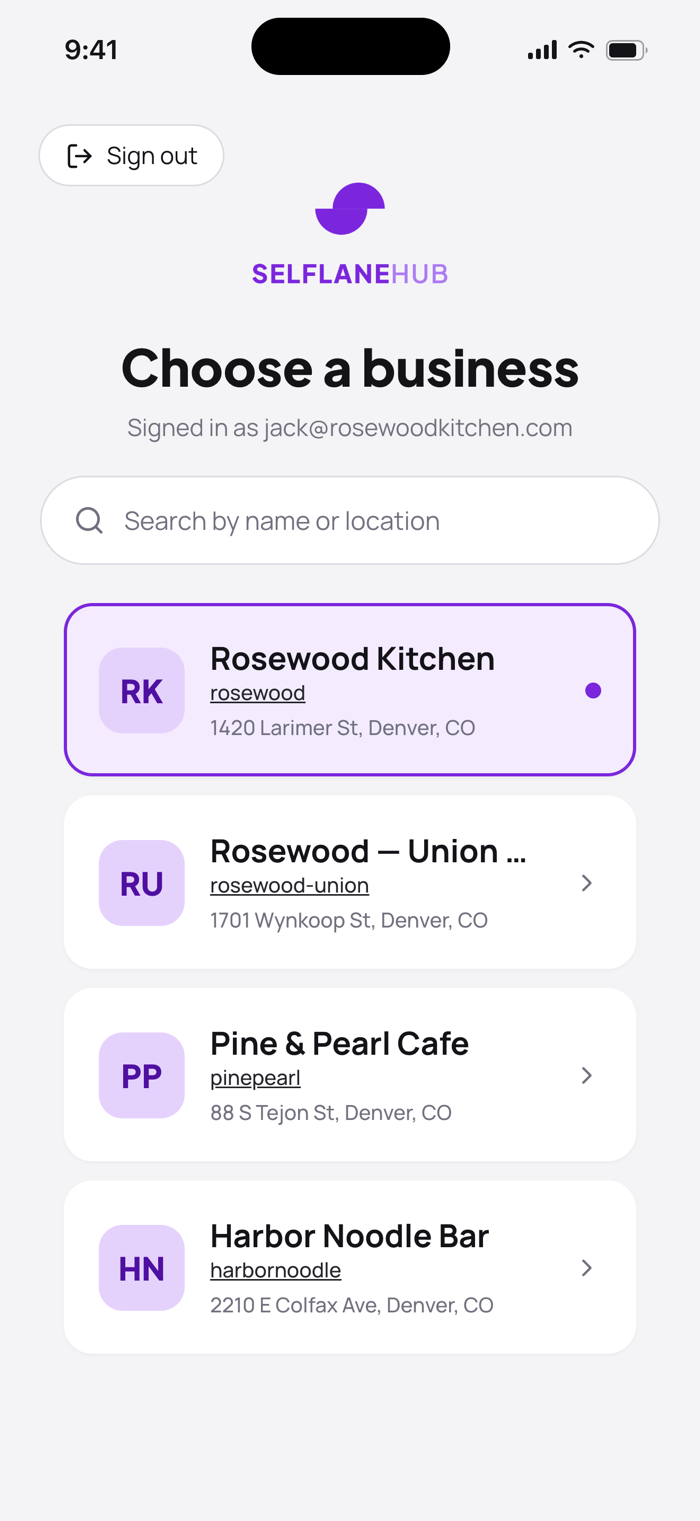
Sign in with your Selflane account and pick your location if you run more than one. Then connect two pieces of hardware:
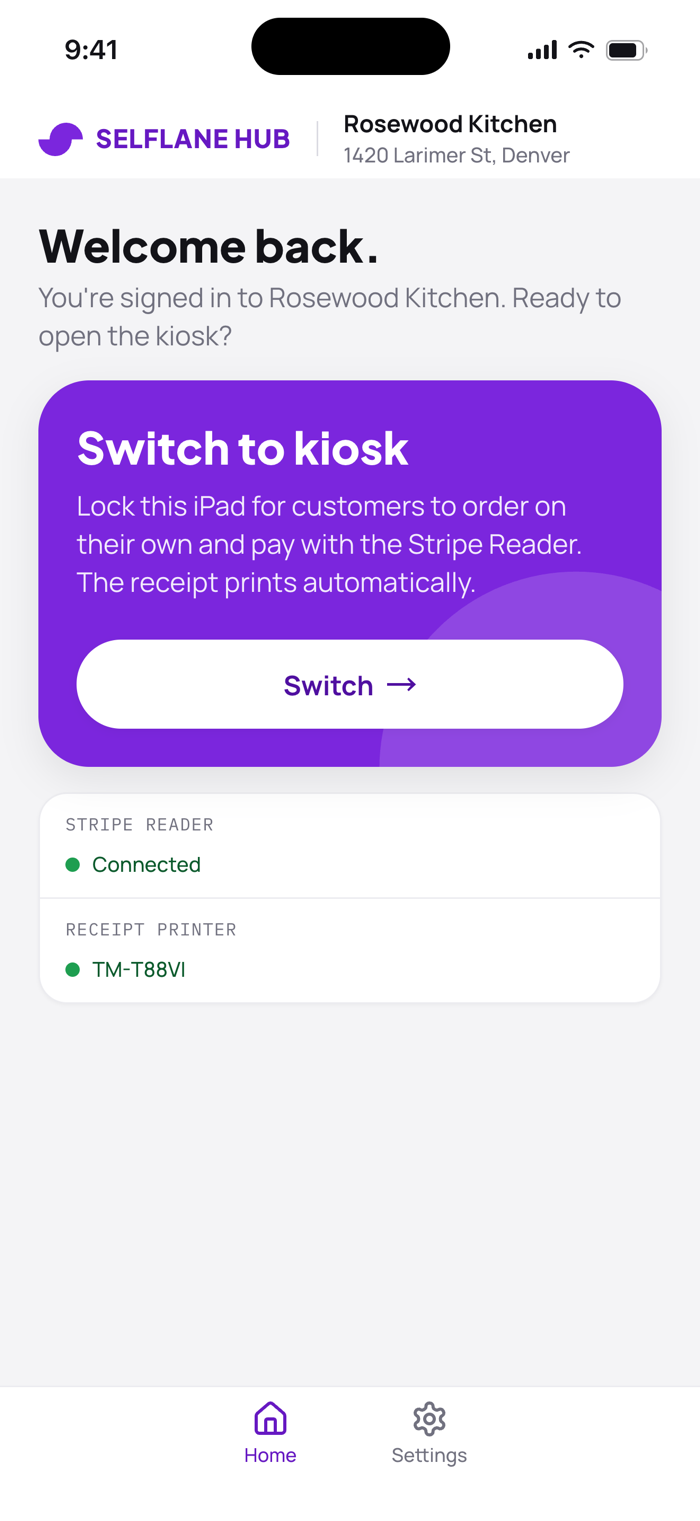
• Card reader: discover and connect a Stripe Terminal Bluetooth reader, and choose the Stripe Location it belongs to.
• Receipt printer: find Star or Epson printers on your local network, adjust the receipt layout, and preview it on screen
Switch the iPad into kiosk mode a. Setup is not something staff use ...


 +100宝石


 分享
分享













用户评价
立即分享产品体验
你的真实体验,为其他用户提供宝贵参考
💎 分享获得宝石
【分享体验 · 获得宝石 · 增加抽奖机会】
将你的产品体验分享给更多人,获得更多宝石奖励!
💎 宝石奖励
每当有用户点击你分享的体验链接并点赞"对我有用",你将获得:
🔗 如何分享
复制下方专属链接,分享到社交媒体、群聊或好友:
💡 小贴士
分享时可以添加你的个人推荐语,让更多人了解这款产品的优点!
示例分享文案:
"推荐一款我最近体验过的应用,界面设计很精美,功能也很实用。有兴趣的朋友可以看看我的详细体验评价~"
关注 Mergeek 公众号
领奖遇到问题?联系小门助手