Tired of seeing multiple versions of the same song cluttering your Apple Music library? DupeSnoop helps you identify and manage duplicate tracks, special editions, remasters, and variations - making it easy to keep only the versions you want.
Key Features:
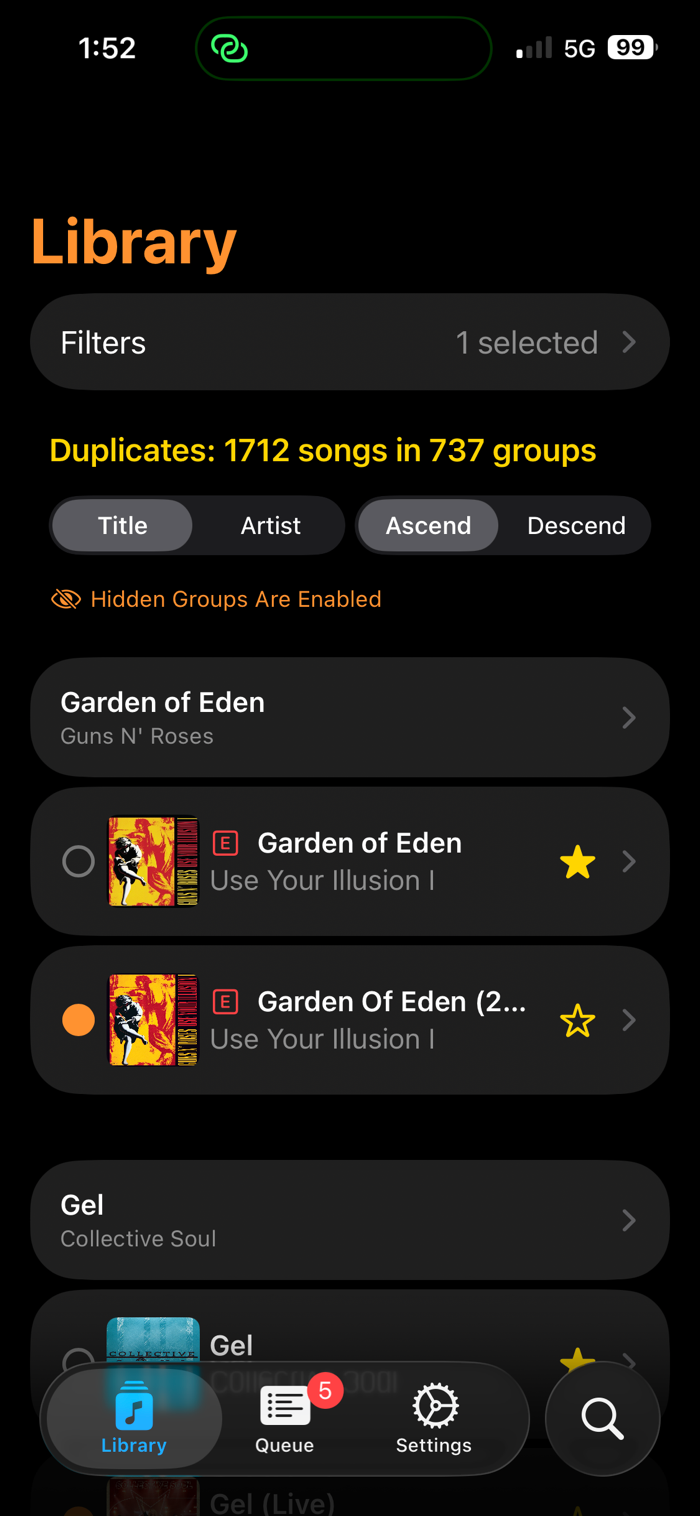
* Smart Duplicate Detection: Automatically identifies duplicate songs, even when they have different album names or edition markers (Deluxe, Remastered, Live, etc.)
* Visualize Duplicate Groups: View all versions of a song grouped to easily compare and choose your preferred version
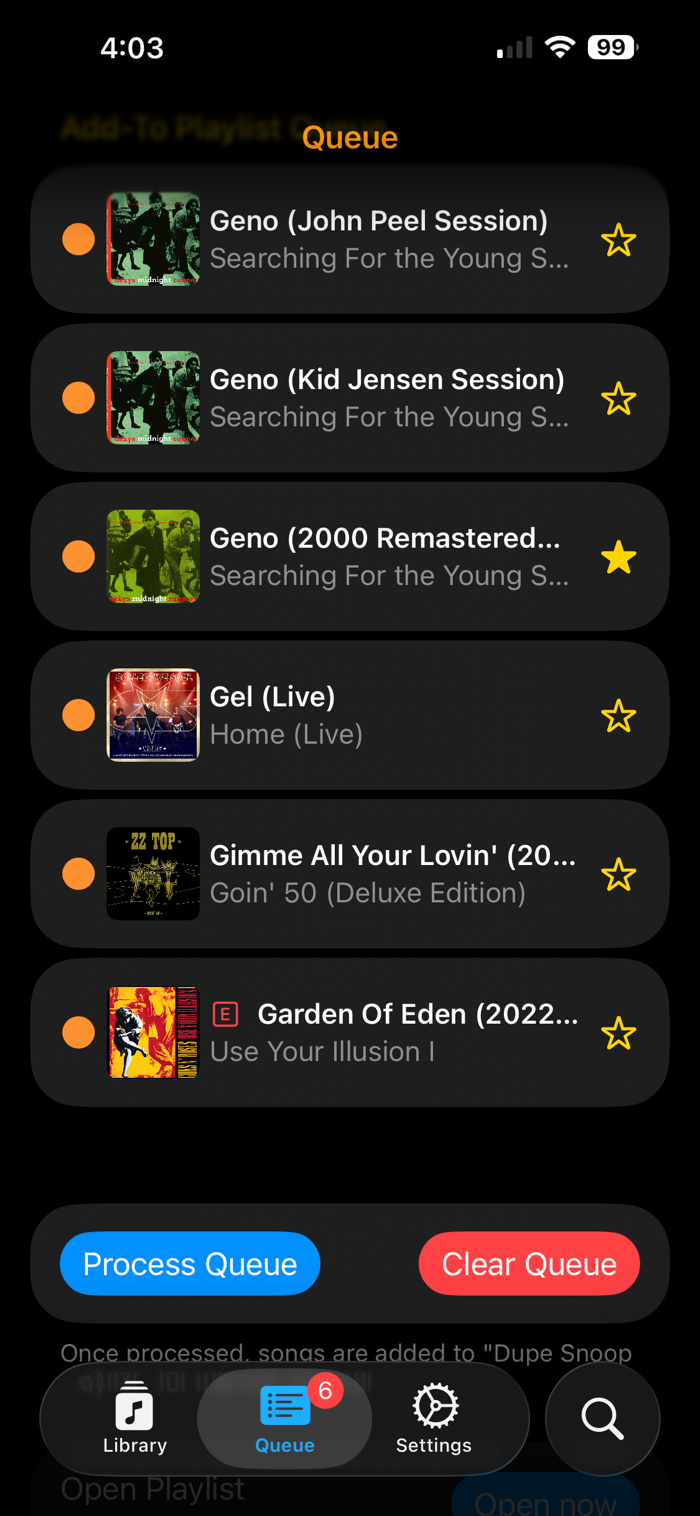
* Queue-Based Workflow: Select unwanted songs and add them to a removal queue for batch processing from within Apple Music
* Favorite Integration: Favorite your preferred versions right from the app
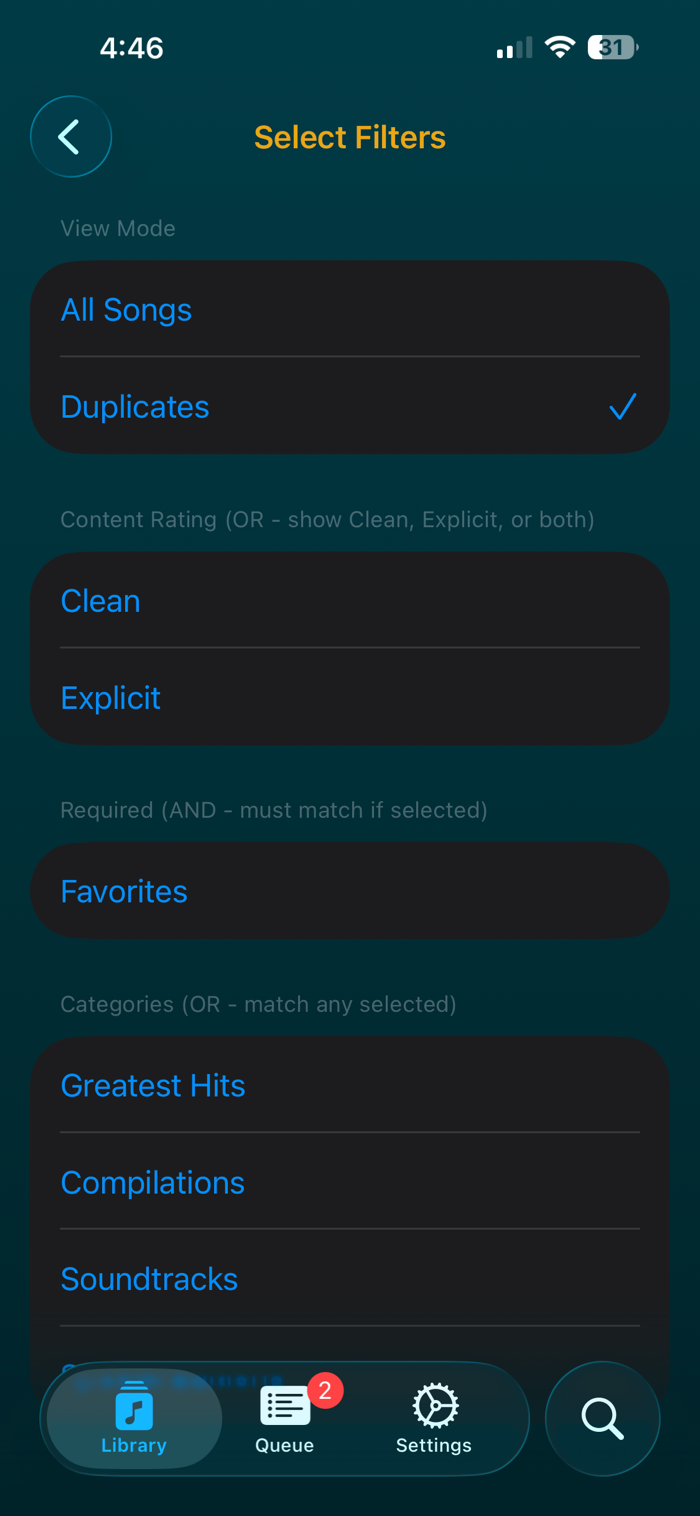
* Advanced Filtering: Filter your library by duplicates, favorites, explicit/clean content, compilations, soundtracks, greatest hits albums, and special editions
* Hide False Positives: Hide duplicate groups you want to keep, which automatically reappear if new versions are added
* Playlist Integration: View which playlists are common amongst the duplicate songs and match them to keeps before you process
* Catalog Search: Search Apple Music's catalog to find alternate versions and compare release dates
* Detailed Song Information: View comprehensive metadata including release dates, track numbers, play counts, and more
* Sorting Options: Sort your library by title, artist, or album in ascending or...

 +100宝石


 分享
分享






















用户评价
立即分享产品体验
你的真实体验,为其他用户提供宝贵参考
💎 分享获得宝石
【分享体验 · 获得宝石 · 增加抽奖机会】
将你的产品体验分享给更多人,获得更多宝石奖励!
💎 宝石奖励
每当有用户点击你分享的体验链接并点赞"对我有用",你将获得:
🔗 如何分享
复制下方专属链接,分享到社交媒体、群聊或好友:
💡 小贴士
分享时可以添加你的个人推荐语,让更多人了解这款产品的优点!
示例分享文案:
"推荐一款我最近体验过的应用,界面设计很精美,功能也很实用。有兴趣的朋友可以看看我的详细体验评价~"
领取结果