DESCRIPTION
72 STICKERS!
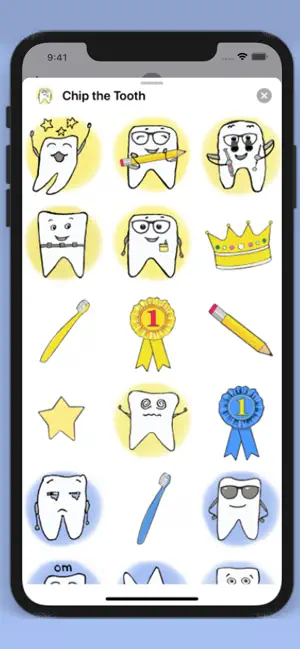
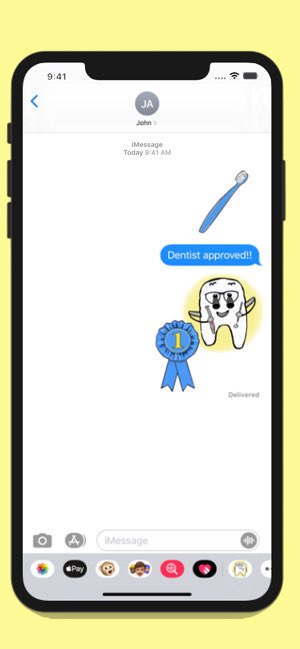
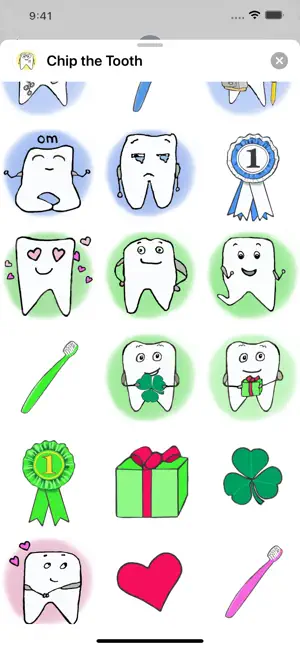
Cute tooth stickers for the dentally inclined. Chip comes with bonus dental gear, like toothbrushes and floss!
Check out the animated ones:
Happy tooth
Tired tooth
Crown
Nerd tooth
Dentist tooth
Yellow toothbrush
Star
Back to school tooth
Stressed out tooth
Blue toothbrush
Goodnight tooth
Om yoga tooth
Cool tooth
Dentist with syringe tooth
In-like tooth
Heart tooth
Red toothbrush
Pink toothbrush
Tooth with a balloon
Heart-eyes tooth
Confident tooth
Gift tooth
On-my-way tooth
Green toothbrush
Shamrock tooth
Pirate tooth
Annoyed tooth
Cowboy tooth
Only available on the Apple App Store
HEY WHY NOT LEAVE A REVIEW?
Share your love and leave a review! Or just rate with some stars, you have options okay?
EXTRA READING FOR WHEN YOU CAN’T SLEEP
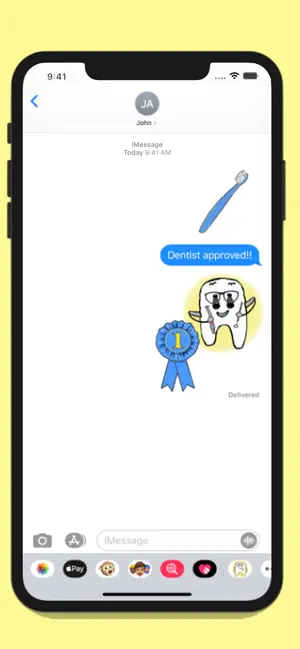
Once you have downloaded the Chip the Tooth sticker pack:
1. Open an iMessage conversation.
2. If the ribbon of available apps is not visible at the bottom of the screen (or alternately, visible above the keyboard, if keyboard is open), toggle the 'plus' button directly to the left of the iMessage field (where you would type your message).
3. Select ’Stickers’ and then select from the ribbon of sticker choices, the Chip the Tooth icon and the stickers will appear in the bottom half of your screen, ready to use! Scroll to see the...

 +100宝石


 分享
分享




















用户评价
立即分享产品体验
你的真实体验,为其他用户提供宝贵参考
💎 分享获得宝石
【分享体验 · 获得宝石 · 增加抽奖机会】
将你的产品体验分享给更多人,获得更多宝石奖励!
💎 宝石奖励
每当有用户点击你分享的体验链接并点赞"对我有用",你将获得:
🔗 如何分享
复制下方专属链接,分享到社交媒体、群聊或好友:
💡 小贴士
分享时可以添加你的个人推荐语,让更多人了解这款产品的优点!
示例分享文案:
"推荐一款我最近体验过的应用,界面设计很精美,功能也很实用。有兴趣的朋友可以看看我的详细体验评价~"
领取结果