**Your screenshots, finally organized.**
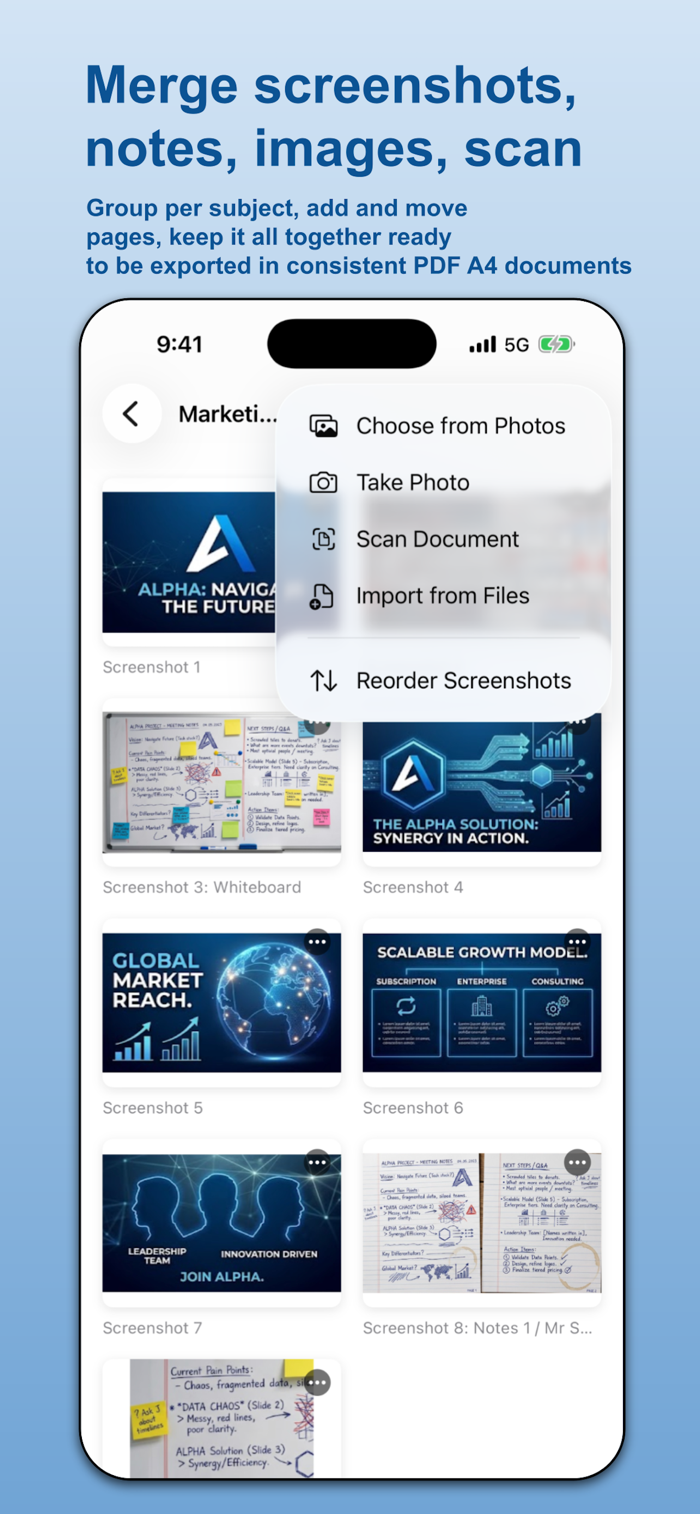
We all take screenshots — a receipt, a boarding pass, a recipe, a confirmation number, a how‑to from a friend — and then never find them again. ScreenshotsPad fixes that. Pull your screenshots into a simple document, add a note so you remember what it was, and turn the whole thing into a clean PDF you can keep or share.
It's built to be easy. There are no folders to manage, no account to create, and no settings to wrestle with. One list, one big "+" button, and you're done.
**WHAT YOU CAN DO**
• Make a document — give it a name like "Receipts" or "Travel"
• Add screenshots from your Photos, your camera, a document scan, or the Files app
• Add a typed note to any screenshot so you remember what it is
• Draw and highlight right on a screenshot with your finger or Apple Pencil
• Reorder, rename, and duplicate screenshots
• Make a PDF of the whole document and share it anywhere — Mail, Messages, Files,
print, or save
**SHARE STRAIGHT FROM OTHER APPS**
ScreenshotsPad adds itself to the iOS Share Sheet. From Photos, Safari, Files, or
almost anywhere, tap Share → ScreenshotsPad and pick (or create) a document. Your
images and PDFs drop straight in — no need to open the app first.
**MADE TO BE SIMPLE**
No folders inside folders. No sign‑up. No subscription wall to read your own notes. Big, clearly labeled buttons. If you've ever helped a p...


 +100宝石


 分享
分享









用户评价
立即分享产品体验
你的真实体验,为其他用户提供宝贵参考
💎 分享获得宝石
【分享体验 · 获得宝石 · 增加抽奖机会】
将你的产品体验分享给更多人,获得更多宝石奖励!
💎 宝石奖励
每当有用户点击你分享的体验链接并点赞"对我有用",你将获得:
🔗 如何分享
复制下方专属链接,分享到社交媒体、群聊或好友:
💡 小贴士
分享时可以添加你的个人推荐语,让更多人了解这款产品的优点!
示例分享文案:
"推荐一款我最近体验过的应用,界面设计很精美,功能也很实用。有兴趣的朋友可以看看我的详细体验评价~"
关注 Mergeek 公众号
领奖遇到问题?联系小门助手