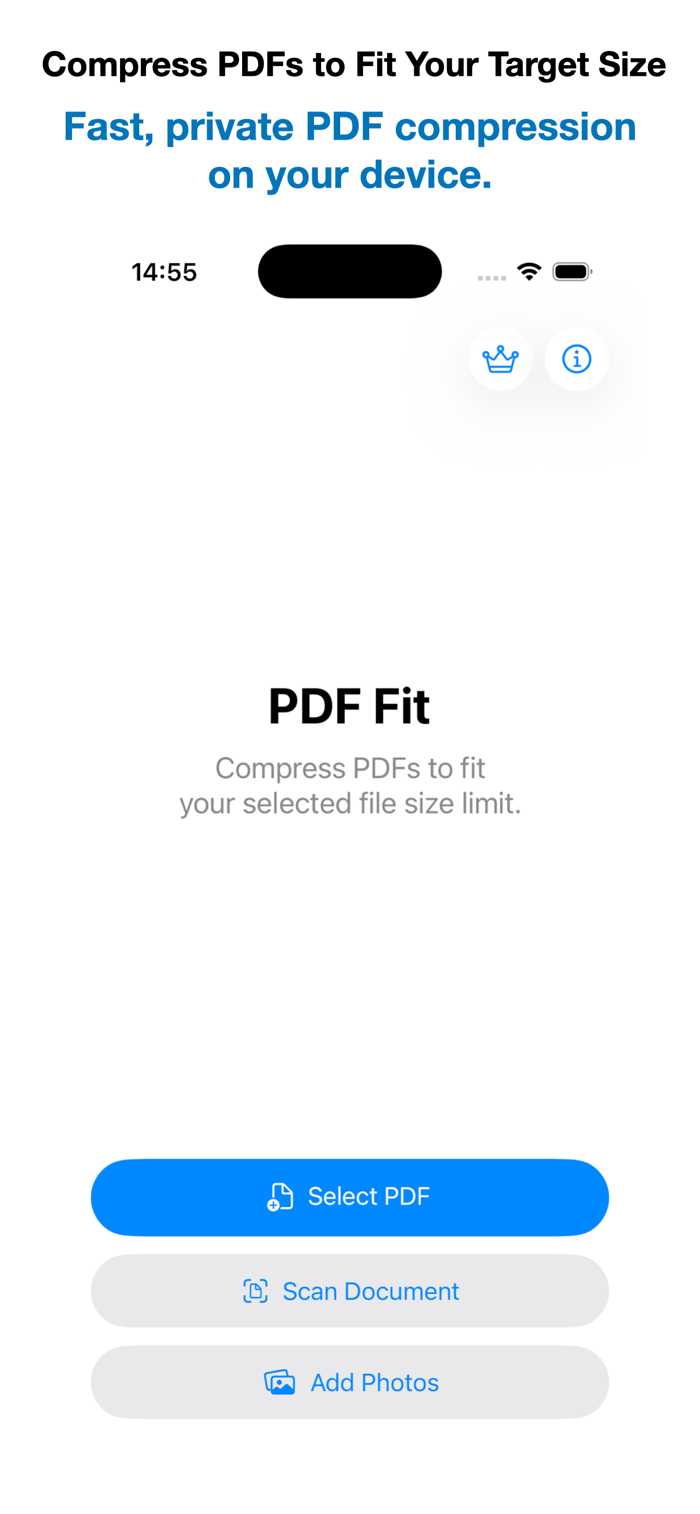
PDF Fit makes it easy to compress PDFs to fit your selected file size while preserving the best achievable document quality.
Simply import or create a PDF, scan a paper document, or add photos, choose your target file size, and let PDF Fit do the rest.
Intelligent Compression automatically analyzes each page to optimize compression for text, mixed content, and photos, delivering the best possible balance between quality and file size.
Professional Scan automatically detects document boundaries, corrects perspective, optimizes readability, and creates each PDF page in the detected format while preserving content near the edges.
Import photos and create clean, professional PDFs with automatic page sizing, preserved proportions, and document-aware optimization.
Whether you need to reduce a PDF for online submission, email attachments, or file size limits, PDF Fit makes PDF compression fast, simple, and reliable.
Built-in file size presets for email attachments, messaging apps, visa applications, job applications, and more make it easy to choose the right file size in seconds.
Features
• Compress PDFs to fit your selected file size limit
• Intelligent Compression with the best possible document quality
• Import or create PDFs
• Scan paper documents using your camera
• Import photos and create clean, professional PDFs with automatic page sizing
• Advanced document detection
• Automatic ...


 +100宝石

 分享
分享









用户评价
立即分享产品体验
你的真实体验,为其他用户提供宝贵参考
💎 分享获得宝石
【分享体验 · 获得宝石 · 增加抽奖机会】
将你的产品体验分享给更多人,获得更多宝石奖励!
💎 宝石奖励
每当有用户点击你分享的体验链接并点赞"对我有用",你将获得:
🔗 如何分享
复制下方专属链接,分享到社交媒体、群聊或好友:
💡 小贴士
分享时可以添加你的个人推荐语,让更多人了解这款产品的优点!
示例分享文案:
"推荐一款我最近体验过的应用,界面设计很精美,功能也很实用。有兴趣的朋友可以看看我的详细体验评价~"
关注 Mergeek 公众号
领奖遇到问题?联系小门助手