Waste less material on every build. WorkshopCut turns your cut list into an efficient sheet layout and a step-by-step cutting sequence, accounting for kerf, edge trim and grain.
Start free with one project. Premium unlocks unlimited projects and parts, PDF export, Workshop Mode, CSV import/export and remnant inventory. New subscribers get a 7-day free trial on the yearly plan.
Stop guessing how to arrange parts and start cutting with a clear plan.
WorkshopCut turns a cut list into optimized 2D sheet layouts for plywood, MDF, melamine, OSB, particleboard, and other panel materials. Enter your stock sizes and required parts, then generate a practical cutting plan that accounts for real workshop constraints.
OPTIMIZE MATERIAL
• Compare multiple layout strategies
• Minimize sheets, improve material use, simplify cuts, or reduce cost
• Account for saw kerf and edge trim
• Respect grain direction and rotation locks
• Plan with multiple stock sizes, quantities, and prices
• See utilization, cut counts, costs, and reusable remnants
CUT WITH CONFIDENCE
• Follow every cut in step-by-step Workshop Mode
• See the active workpiece, cut direction, and exact cut position
• Inspect, zoom, and select individual parts
• View clear dimensions directly on the sheet layout
• Track edge banding on each side of a part
SAVE AND REUSE OFFCUTS
• Identify useful leftover material automatically
• Save remnants to your inventory
• Include compatible remnants in future optimizations
• Track available and consumed offcuts
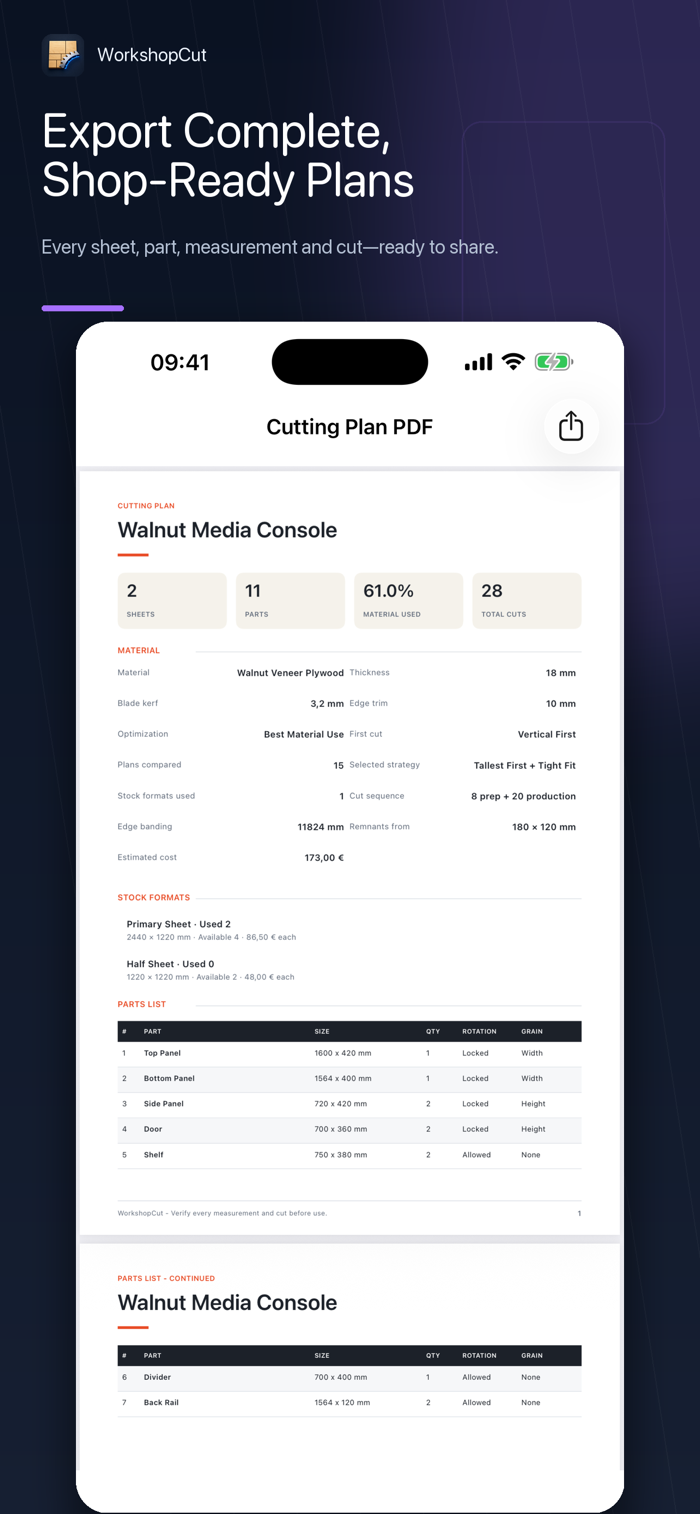
EXPORT COMPLETE PLANS
• Create detailed, workshop-ready PDF cutting plans
• Include every sheet, part, measurement, and cut sequence
• Import or export part lists with CSV
• Share plans for printing or workshop use
BUILT FOR REAL PROJECTS
• Millimeters or inches
• Decimal and fractional measurements
• Projects for cabinets, furniture, shelving, kitchens, closets, and DIY builds
• Clean native experience for iPhone and iPad
• Projects and calculations stay on your device…