Stash is the fastest place to put the things you'll need again.
Save a snippet of text, a link, a photo, a GIF, or any file, from the share sheet, the clipboard, a drag and drop, or a Shortcut, and Stash keeps it one tap from your clipboard on iPhone, iPad, Mac, and Apple Vision Pro.
SAVE FROM ANYWHERE
• Share to Stash from any app. Text, links, images, and files are sorted into the right category automatically.
• One-tap "Add from Clipboard" button, no "Allow Paste?" prompt.
• Drag anything onto the Stash window on Mac or iPad.
• Save a photo or GIF from a direct image URL.
• Save whatever's on your clipboard straight from Control Center, on the Lock Screen, or with the Action button, and tag it on the way in.
COPY IN ONE TAP
• Tap any item to copy it. Photos, GIFs, and files copy as the real thing, ready to paste into Messages, Mail, Notes, or anywhere else.
• Select several items and copy them together.
• Quick Look any file without leaving Stash.
STAY ORGANIZED
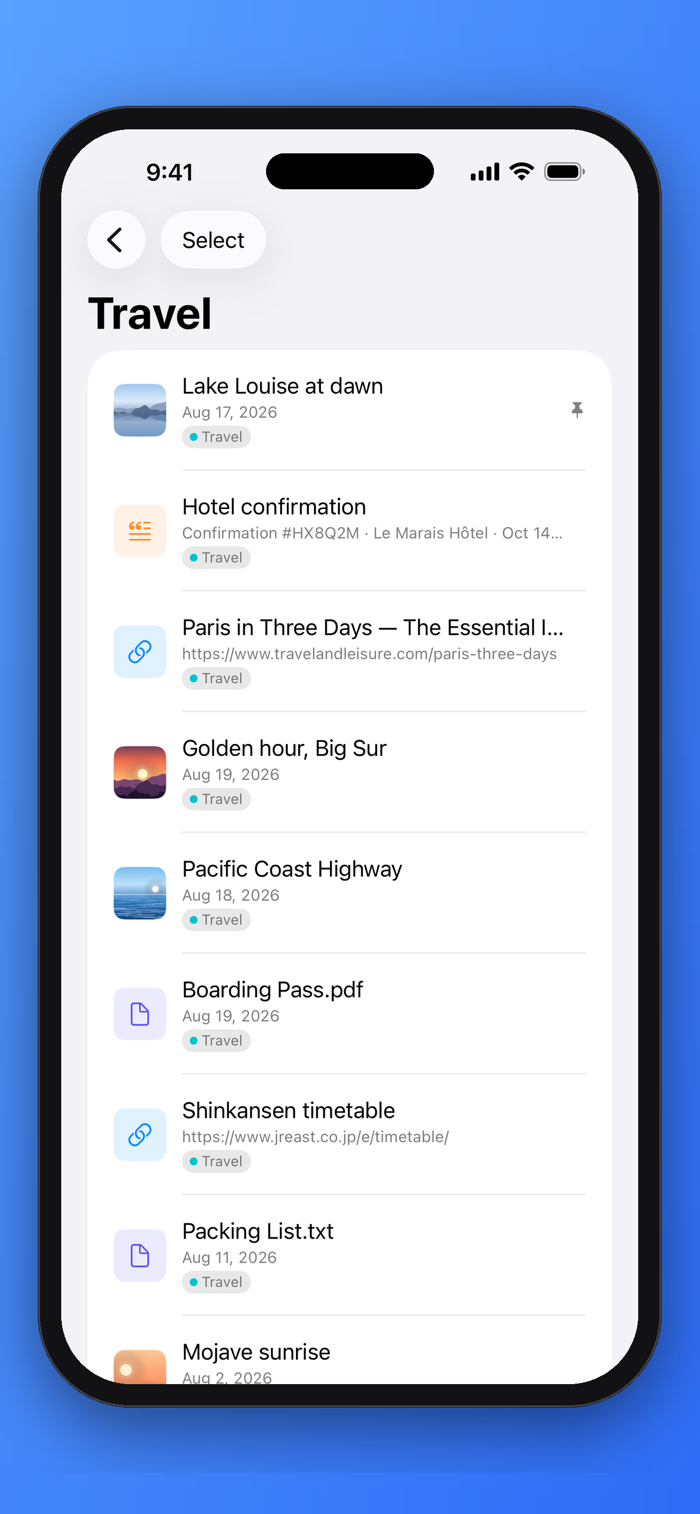
• Five categories, Text Snippets, Links, Photos, GIFs, Documents, plus your own color-coded tags.
• Recents gathers new saves until you've reviewed them. Clear it with one tap, or let tagged items age out on their own.
• Pin favorites to the top. Drag to reorder. Search everything.
• Rename anything. Links pick up their page title automatically.
• Choose your own color for every category.
PRIVATE iCLOUD S...


 +100宝石

 分享
分享











用户评价
立即分享产品体验
你的真实体验,为其他用户提供宝贵参考
💎 分享获得宝石
【分享体验 · 获得宝石 · 增加抽奖机会】
将你的产品体验分享给更多人,获得更多宝石奖励!
💎 宝石奖励
每当有用户点击你分享的体验链接并点赞"对我有用",你将获得:
🔗 如何分享
复制下方专属链接,分享到社交媒体、群聊或好友:
💡 小贴士
分享时可以添加你的个人推荐语,让更多人了解这款产品的优点!
示例分享文案:
"推荐一款我最近体验过的应用,界面设计很精美,功能也很实用。有兴趣的朋友可以看看我的详细体验评价~"
关注 Mergeek 公众号
领奖遇到问题?联系小门助手