Restaurant menus shouldn’t feel like a guessing game.
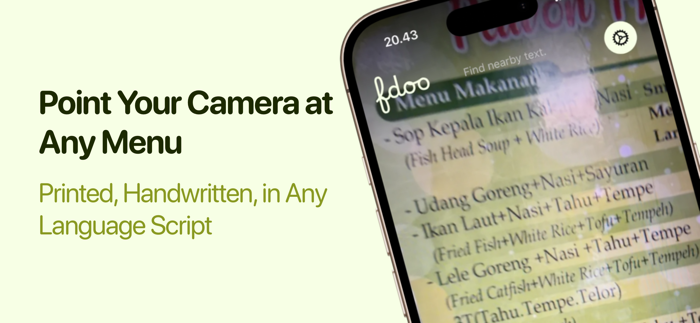
Fdoo helps you understand unfamiliar dishes and order with greater confidence. Point your camera at a restaurant menu, scan the text, and see dish names translated and organized around your dietary preferences.
SCAN THE MENU
Use your iPhone or iPad camera to recognize dishes on supported printed menus.
UNDERSTAND EACH DISH
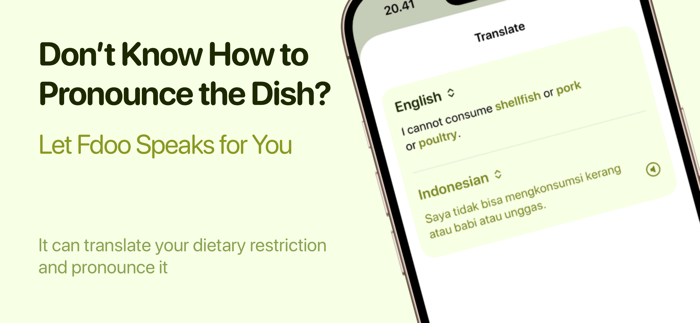
See translated names and explore helpful details such as pronunciation, ingredients, cultural background, and how a dish is traditionally eaten.
PERSONALIZE YOUR RESULTS
Tell Fdoo about your dietary preferences and ingredients you avoid. Clear color-coded guidance helps you quickly identify dishes that may suit your preferences and dishes that deserve a closer look.
TRAVEL WITH LESS GUESSWORK
Whether you are exploring a new country or trying an unfamiliar cuisine close to home, Fdoo gives you useful context before you order.
Please note: Fdoo uses automated and AI-assisted analysis, which can be incomplete or inaccurate. Fdoo does not provide medical advice and should not be relied upon to identify allergens or guarantee that a dish is safe. Always confirm ingredients and preparation directly with the restaurant, especially if you have allergies or serious dietary requirements.
Camera access and an internet connection are required for menu scanning and dish analysis. Available features may depend on your device, language, menu...


 +100宝石

 分享
分享










用户评价
立即分享产品体验
你的真实体验,为其他用户提供宝贵参考
💎 分享获得宝石
【分享体验 · 获得宝石 · 增加抽奖机会】
将你的产品体验分享给更多人,获得更多宝石奖励!
💎 宝石奖励
每当有用户点击你分享的体验链接并点赞"对我有用",你将获得:
🔗 如何分享
复制下方专属链接,分享到社交媒体、群聊或好友:
💡 小贴士
分享时可以添加你的个人推荐语,让更多人了解这款产品的优点!
示例分享文案:
"推荐一款我最近体验过的应用,界面设计很精美,功能也很实用。有兴趣的朋友可以看看我的详细体验评价~"
关注 Mergeek 公众号
领奖遇到问题?联系小门助手