


 +100宝石


产品功能
*** NOTE TO SNOW LEOPARD USERS ***
iSight Scanning is a Lion Only feature. You can still scan QR codes in Snow Leopard but you will have to use images that you can drag into QR Codes to scan.
Create and Scan QR codes for any need quickly and easily with QR Encode.
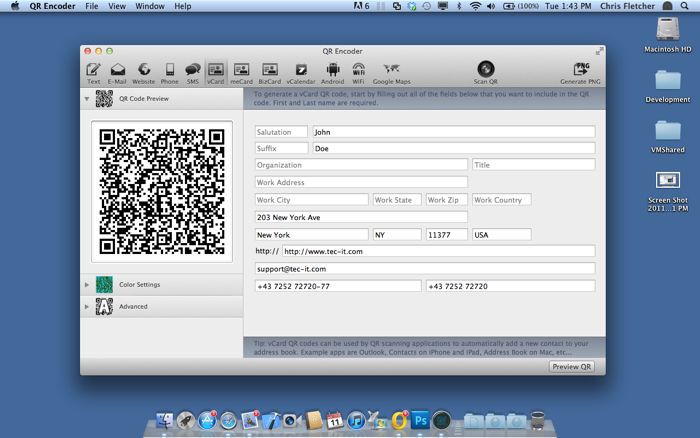
QR Encode is a QR code generator that makes creating QR codes a snap. Select the QR code you wish to create, fill in the information and click on preview.
QR Encode is now also a QR code scanner that uses your Macs built-in iSight camera for scanning. You can also use images of QR codes and drag them into QR Encode.
QR Encode comes feature packed. You can generate the following QR codes:
- Free Form Text
- E-Mail Address
- Website URL
- Phone Number
- SMS Message
- vCard
- meCard
- bizCard
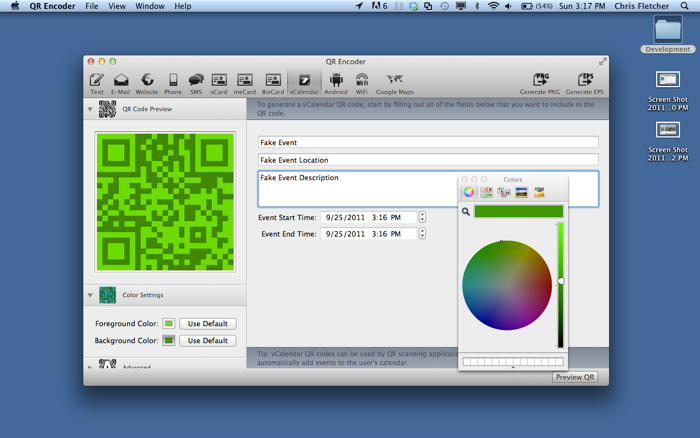
- vCalendar
- Android Market Links
- WiFi for Android
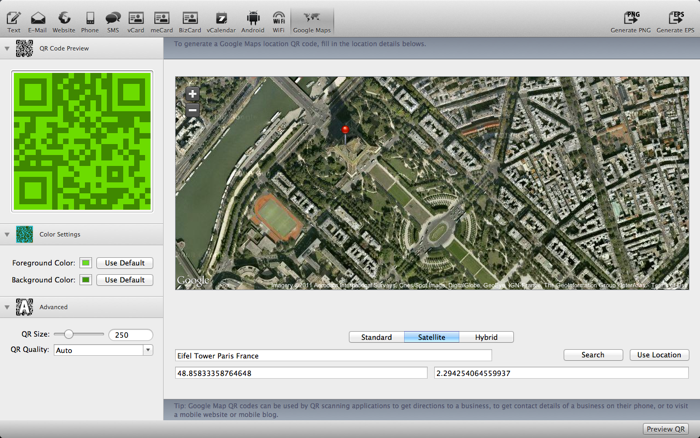
- Google Maps Location
QR Encode will recognize the following QR codes for scanning:
- E-Mail Address
- E-Mail Message
- Website URL's
- Phone Numbers
- SMS Messages
- VCard
- meCard
- bizCard
- vCalendar
- Google Maps
QR Code Scanning offers an import option for each of the QR types listed above to import the information into QR Encode
E-Mail Addresses and Messages have an additional option of being opened with your default e-mail client and will auto populate the To, Subject and Body fields if available.
Website URL's have an additional option for opening the URL in your default browser.
VCard, meCard and bizCard have an additional option of being added to the Address Book.
VCalendar has an additional option of having the containing event added to your Calendar
Google Maps has an additional option of opening your default browser to the location within the QR code.
QR Encode supports exporting your are code in PNG format. QR Encode also supports full screen mode in Lion.
QR Encode uses an embedded Google Map to help you easily and interactively search for locations to encode within your QR code.
Additional features also allow you to change the foreground and the background color of the QR code as well as setting the size and the quality of the QR code.
分享「」体验,参与「」抽奖!
分享 1~3 张你对这个产品最满意的截图或效果图
分享「」体验,参与「」抽奖!
用你的故事点亮社区✨!你的真实体验,将会永久展示在 官方主页 📌,为其他朋友提供宝贵参考 💡。立即分享吧!🚀
请为产品评分
请选择问题回答,为大家提供宝贵参考
选择要回答的问题
温馨提示
你尚未上传产品截图。
上传截图可立即获得宝石积分奖励!
如果你赶时间,也可稍后修改评论,补上截图领取宝石。
温馨提醒
你尚未添加产品截图
⚠️ 不添加截图将降低抽奖权重

感谢参加,你已成功参加!
为了确保你能及时收到审核结果和领奖码通知

扫描二维码关注 Mergeek 公众号
在后台回复 「获奖通知」
完成上述操作,即可保障奖励发放成功





用户评价
立即分享产品体验
你的真实体验,为其他用户提供宝贵参考
💎 分享获得宝石
【分享体验 · 获得宝石 · 增加抽奖机会】
将你的产品体验分享给更多人,获得更多宝石奖励!
💎 宝石奖励
每当有用户点击你分享的体验链接并点赞"对我有用",你将获得:
🔗 如何分享
复制下方专属链接,分享到社交媒体、群聊或好友:
💡 小贴士
分享时可以添加你的个人推荐语,让更多人了解这款产品的优点!
示例分享文案:
"推荐一款我最近体验过的应用,界面设计很精美,功能也很实用。有兴趣的朋友可以看看我的详细体验评价~"
关注 Mergeek 公众号
领奖遇到问题?联系小门助手