



GIP VISION
AR для строительства
- 创作者
- Evgenii Fedulov
- 平台
- iOS
GIP VISION是用于建筑项目的增强现实和现场工作的应用程序。可在现实空间中按精确比例和坐标放置IFC模型,对比实际与设计。在施工现场,可测量偏差、标记未来结构等,还能在半透明模式下查看模型,固定模型位置。其LiDAR SLAM扫描仪可免费无授权进行3D扫描,创建并保存为PLY格式,能以3D查看,转换为USDZ通过QuickLook查看。

AR для строительства
GIP VISION是用于建筑项目的增强现实和现场工作的应用程序。可在现实空间中按精确比例和坐标放置IFC模型,对比实际与设计。在施工现场,可测量偏差、标记未来结构等,还能在半透明模式下查看模型,固定模型位置。其LiDAR SLAM扫描仪可免费无授权进行3D扫描,创建并保存为PLY格式,能以3D查看,转换为USDZ通过QuickLook查看。
点击查看界面细节
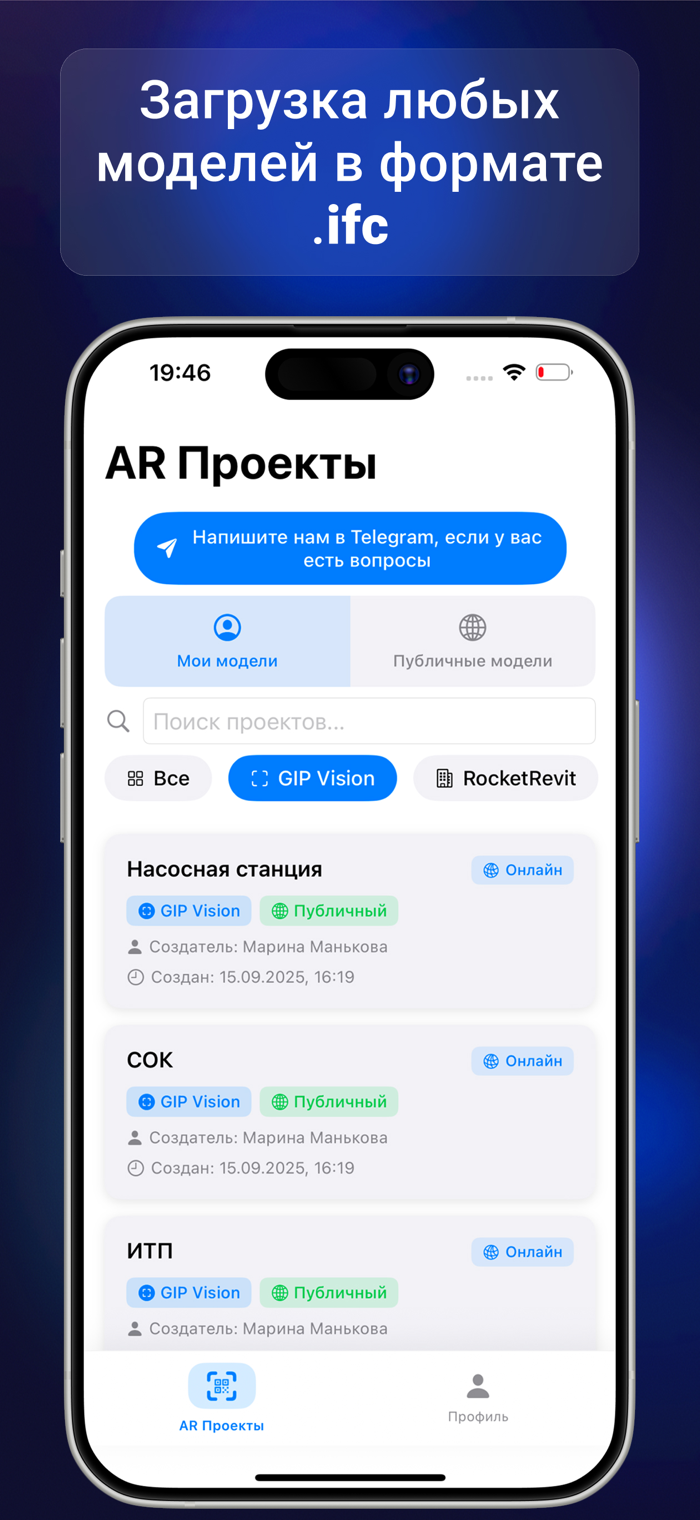

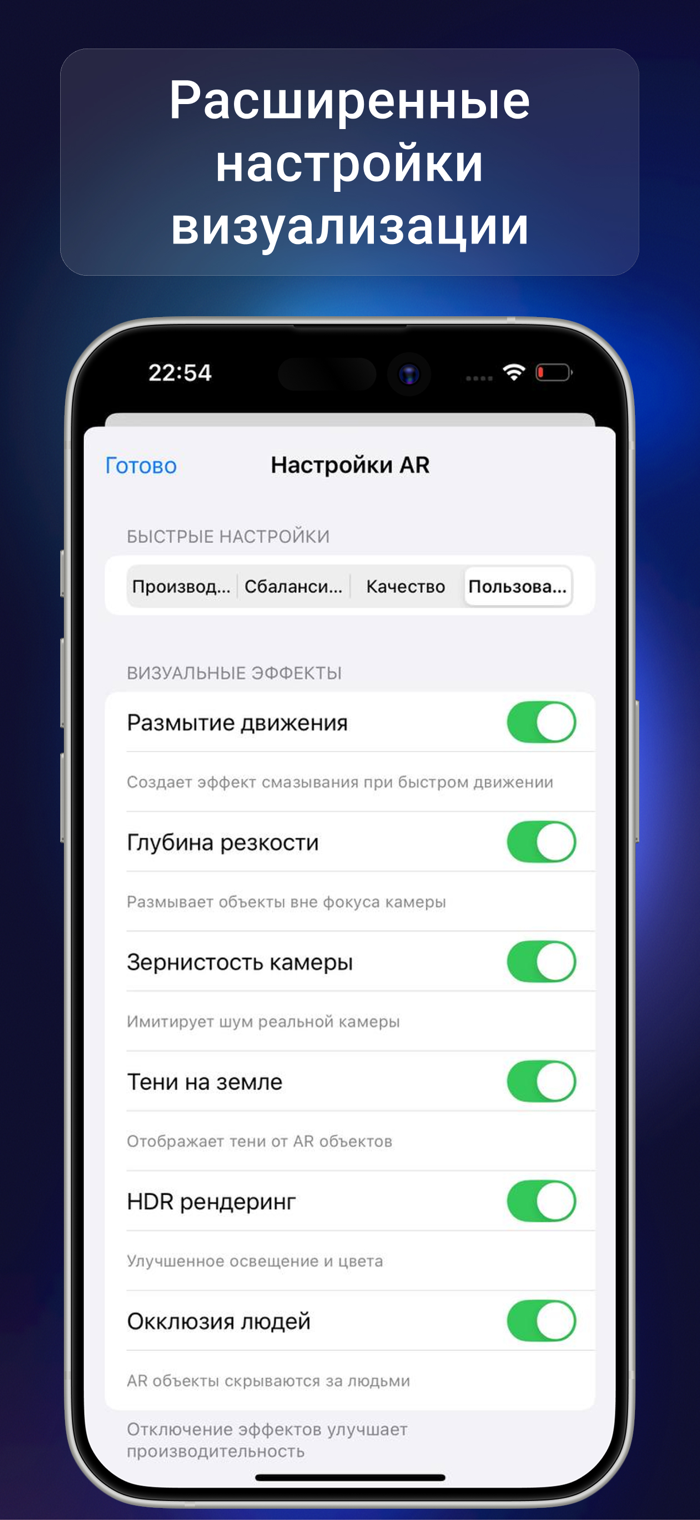
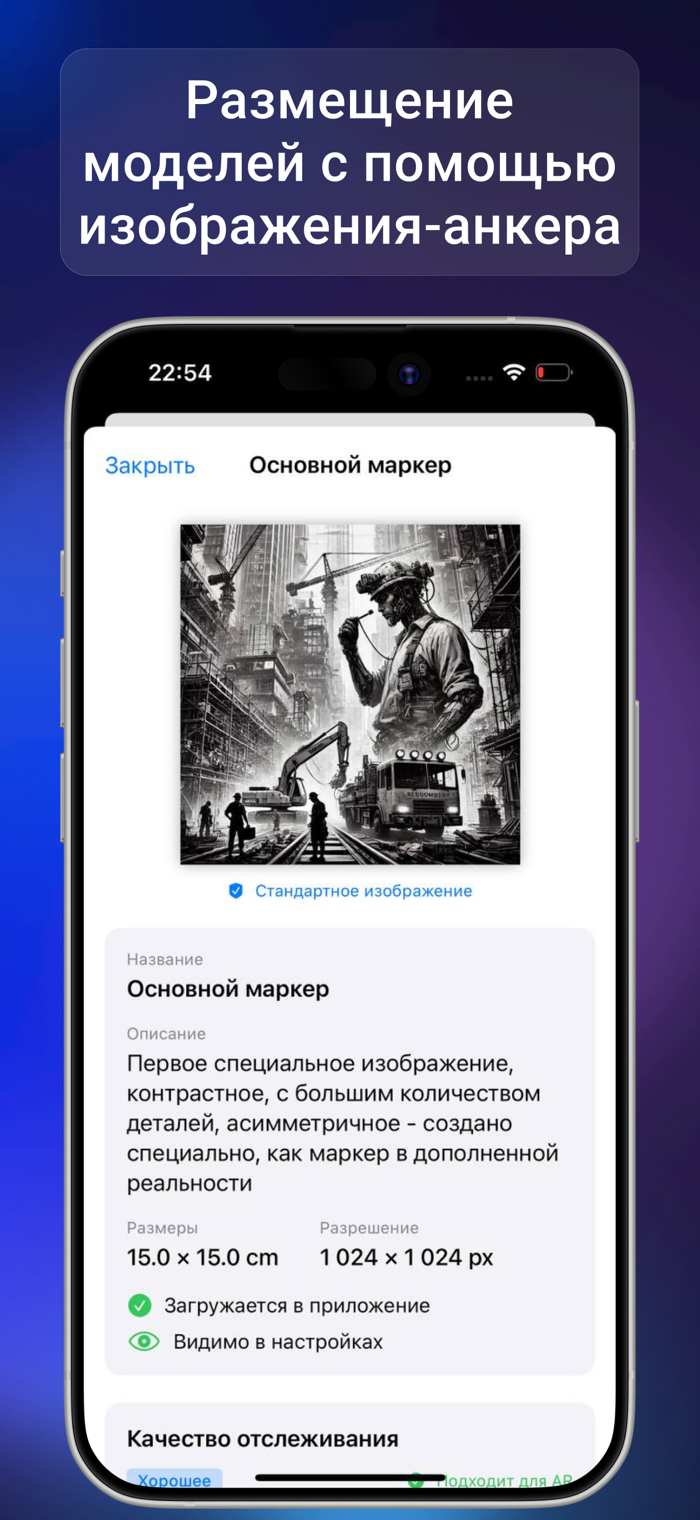

GIP VISION is a digital way to eliminate conflicts on the construction site using augmented reality.
Show the design model directly on site so that the site manager, engineers, and crews immediately understand what to build and where.
With the app, you can:
- place IFC models (.ifc) in real scale with spatial anchoring;
- launch the main AR session and placement flows using an opening anchor or a fiducial marker;
- precisely align the model by plane, corner, and opening geometry;
- anchor the model in the scene and continue working while moving around the site;
- control transparency, mixed reality (MR), and display depth;
- measure distances in AR, including measurements against both the model and the real world;
- select IFC elements with the crosshair, view their properties, and apply IFC filters;
- check clashes and equipment fit before installation;
- use “Show Openings” for a clear view of intersections;
- fine-tune placement manually with move, rotate, precise adjustment, and reset.
Additionally:
- quickly enter the required workflow, including launch by PIN code;
- work more efficiently with large models and heavy AR scenes;
- use stable Quick Preview and improved everyday workflows.
GIP VISION helps teams coordinate decisions on site faster, reduce errors and rework, and save time on explanations and control.
Terms of Use (EULA): https://www.apple.com/legal/internet-services/itunes/dev/stdeula/
Privacy Policy: https://gip-vision.pro/privacy-policy/
• Improved Chat opening and switching speed. Fixed pasting multiline text, lists, and emojis and web pages into task comments, as well as issues with the photo library, microphone, and participant profile photos.
• Fixed opening AR from notifications: the app now opens the relevant session and anchor, including after a cold launch and for private projects. Improved panel stability when switching modes.
• Improved project downloads for offline use: preparation starts faster, while the app separately displays preparation, download, and package verification progress. If offline mode is disabled, a clear message links to the required setting.
• Improved the anchor plan: the boundaries of the selected anchor’s loaded area are now visible, the door-opening card is more compact, and the plan can be panned and zoomed without closing it.
还没有公开评论,欢迎分享你的体验。
GIP VISION
让使用你作品的人,认识背后的你。编辑确认身份后,将为你授予入驻开发者标识。
编辑将人工核实你的资料,如需补充信息会通过所填邮箱联系你。身份确认后,由编辑为你授予入驻标识。