LaunchLens turns your iPhone into a golf launch monitor. Put the phone on a tripod beside the ball, hit, and see your numbers: ball speed, club speed, launch angle, smash factor, estimated spin and carry distance. No radar unit, no sensors on the club, no extra hardware.
HONEST NUMBERS
Every shot comes with a confidence score. When the camera saw the ball clearly, you get a green reading. When it did not, LaunchLens tells you instead of inventing a number. Pick any of 15 clubs, from driver to lob wedge, and compare carry across your bag.
HOW IT WORKS
• Set the phone 1.5–2.5 m to the side of the ball, at hip height, on any tripod.
• The camera records at 240 frames per second and tracks the ball right after impact.
• Results appear in seconds. Works on the driving range, in a net at home, or in a simulator bay.
• Requires an iPhone with a 240 fps camera (iPhone 12 and later).
AI COACH (PRO)
Record one swing and get a short, specific read: what happened, what to focus on next, and a theme to work on. The coach sees four key frames of your swing with a skeleton overlay and your ball data, so advice matches your real numbers, not a generic tip. Replay your swing in slow motion with the overlay, full screen. Choose "with ball" for shot analysis or "no ball" for pure movement work at home.
Your video never leaves the phone. Only four small frames and your metrics are sent for analysis.
PRACTICE DIARY
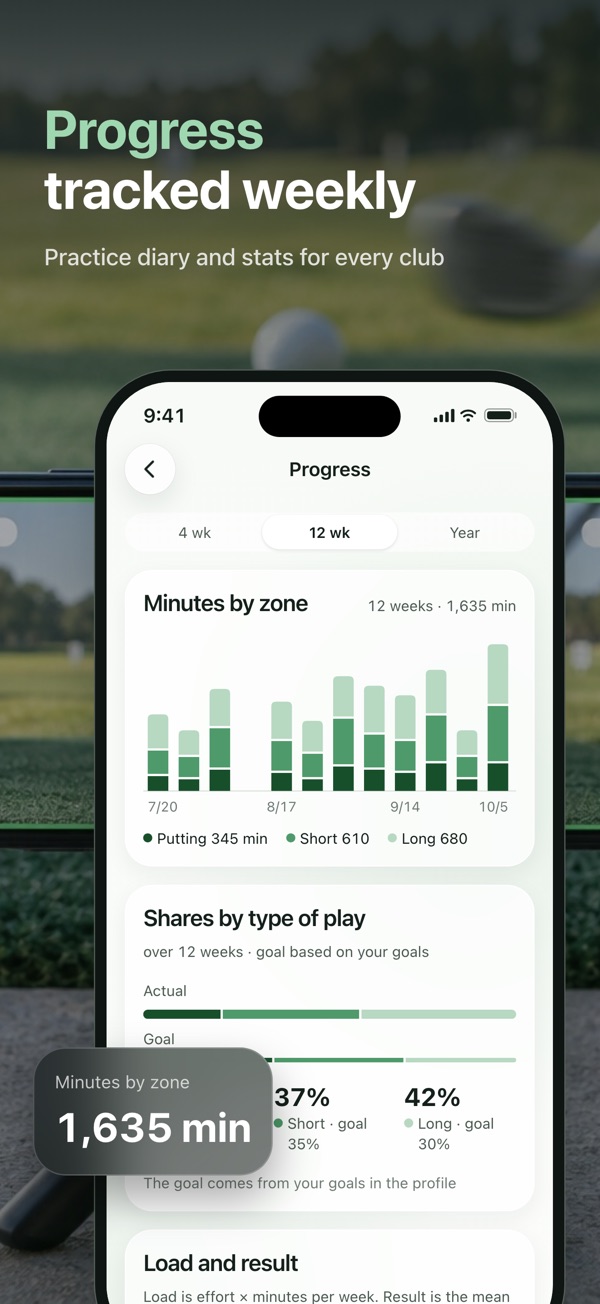
• Log range sessions, lessons and rounds in one place.
• Build a weekly plan with reminders and add it to your calendar.
• Workouts you record on Apple Watch show up automatically; sessions you log are saved to Apple Health as Golf workouts.
• Charts for the last 4 weeks are free. Pro unlocks 12 weeks and a full year.
APPLE WATCH
• See swing tempo and impact timing from your wrist.
• Start, stop or discard a recording from the watch so you never walk back to the phone.
• A complication shows today's session at a glance.
COMPARE WITH YOUR LEVEL
See where your ball spee…