



DupCleaner
快速扫描文件夹,检测重复文件,安全回收存储空间
- 创作者
- OpsOh LLC
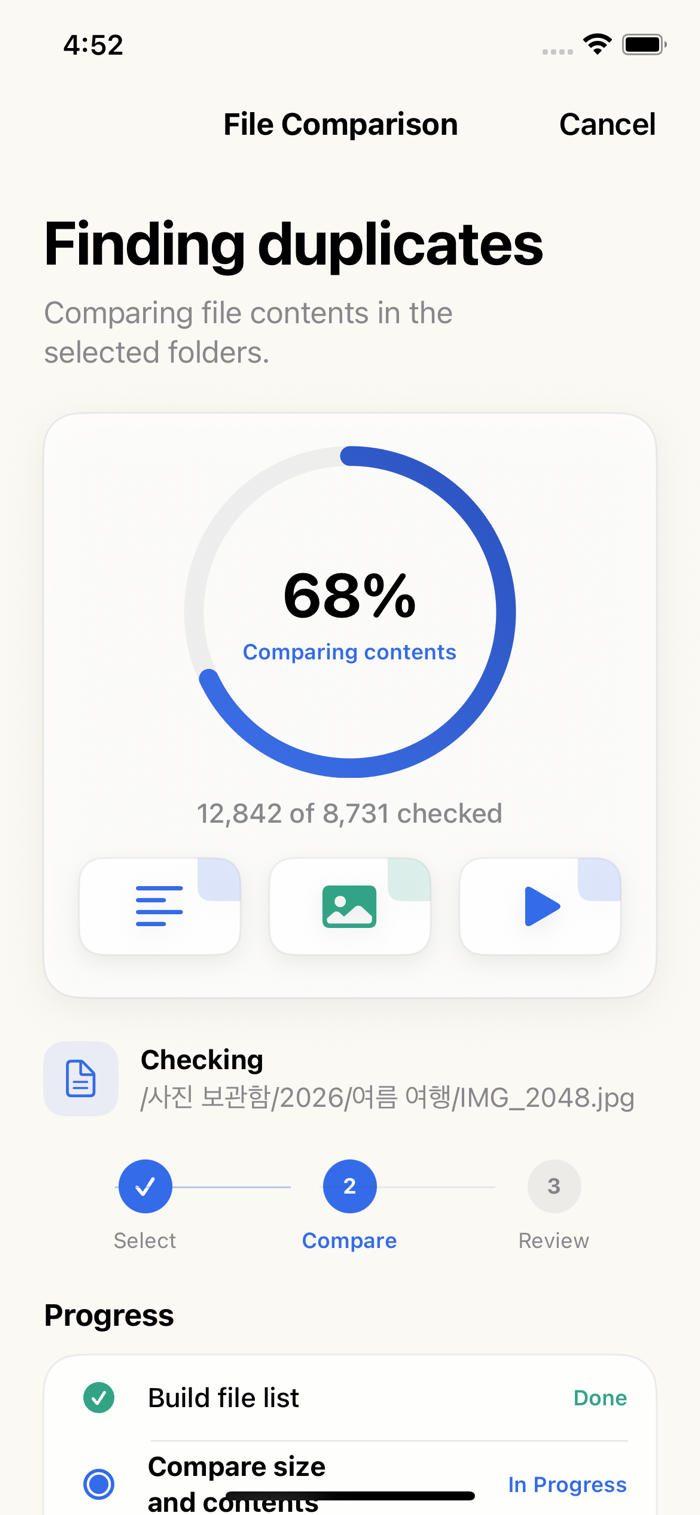
DupCleaner可快速扫描文件夹,检测重复文件,帮您安全回收存储空间。按引导步骤操作:选文件夹→获取智能保留/删除建议→预览→一键清理。大尺寸照片、视频和备份文件会置顶,让您能删除无用内容,保留重要文件。
快速扫描文件夹,检测重复文件,安全回收存储空间
DupCleaner可快速扫描文件夹,检测重复文件,帮您安全回收存储空间。按引导步骤操作:选文件夹→获取智能保留/删除建议→预览→一键清理。大尺寸照片、视频和备份文件会置顶,让您能删除无用内容,保留重要文件。
点击查看界面细节




Fewer duplicates. Keep what matters. DupCleaner finds duplicate files in folders you select and exact duplicate photos and videos in your photo library, so you can compare copies and decide what stays.
ONE PASS FOR FILES AND PHOTOS
Your existing lifetime pass includes duplicate photo cleanup at no extra charge. Your One-Year Pass and cleanup credits also work across files and photos. There is no separate photo pass.
EXACT DUPLICATES IN YOUR PHOTO LIBRARY
Compare original photo and video resources, Live Photo video and editing data. Similar-looking images are not treated as identical, and bursts are excluded. Keep at least one photo in every group and protect favorites. Select copies for deletion and review them alongside the photos you keep. With limited access, only the photos you allow are compared. iCloud originals not on your device are skipped by default; you can choose to download them for comparison.
CHECK FILE COPIES TO KEEP
Preview photos and PDFs found in your selected folders. Compare names, locations, sizes and modification dates, then check the file copies you want to keep. Open supported files in another app or copy a name and location to find the original in Files.
FOCUS ON WHAT YOU NEED
Search file names and paths, filter by type, switch between duplicate groups and folders, and collapse long groups. Cleanup review includes only groups in the current search or filter. Choose exclusions and a default keep rule. A separate option to clean every file copy warns again when nothing will remain.
COMPARE ON YOUR DEVICE
File and photo contents are compared locally, not uploaded to a DupCleaner analysis server. Unreadable originals are not assumed to be duplicates. Cloud originals may need to download and take longer to compare.
REVIEW BEFORE CLEANUP
Move to Trash is the default for files. Unsupported locations and failed moves never switch to permanent deletion automatically. Photo deletion uses Apple's photo-library confirmation. If you use iCloud Ph…
Use your file cleanup pass for photos and videos too.
• Find and compare photos and videos with matching content. Live Photo video and editing resources are checked too.
• Unverified originals stay separate, with ways to try again. Downloads require your confirmation.
• Photo scans continue when you switch to Files. Improved responsiveness with many unverified groups, plus cancellation and retry of original checks.
• Improved file scanning when a storage provider does not report file sizes, and strengthened checks before cleanup.
• Completed results and selections stay in place when returning from the background. Changed items are handled individually; close the results before starting a new scan.
Your existing Lifetime Pass, One-Year Pass and cleanup credits work across files and photos. No separate photo pass is needed. You choose the copies to delete and review them before confirming.
还没有公开评论,欢迎分享你的体验。
DupCleaner
让使用你作品的人,认识背后的你。编辑确认身份后,将为你授予入驻开发者标识。
编辑将人工核实你的资料,如需补充信息会通过所填邮箱联系你。身份确认后,由编辑为你授予入驻标识。
