Stop fighting over screen time. Start rewarding good habits.
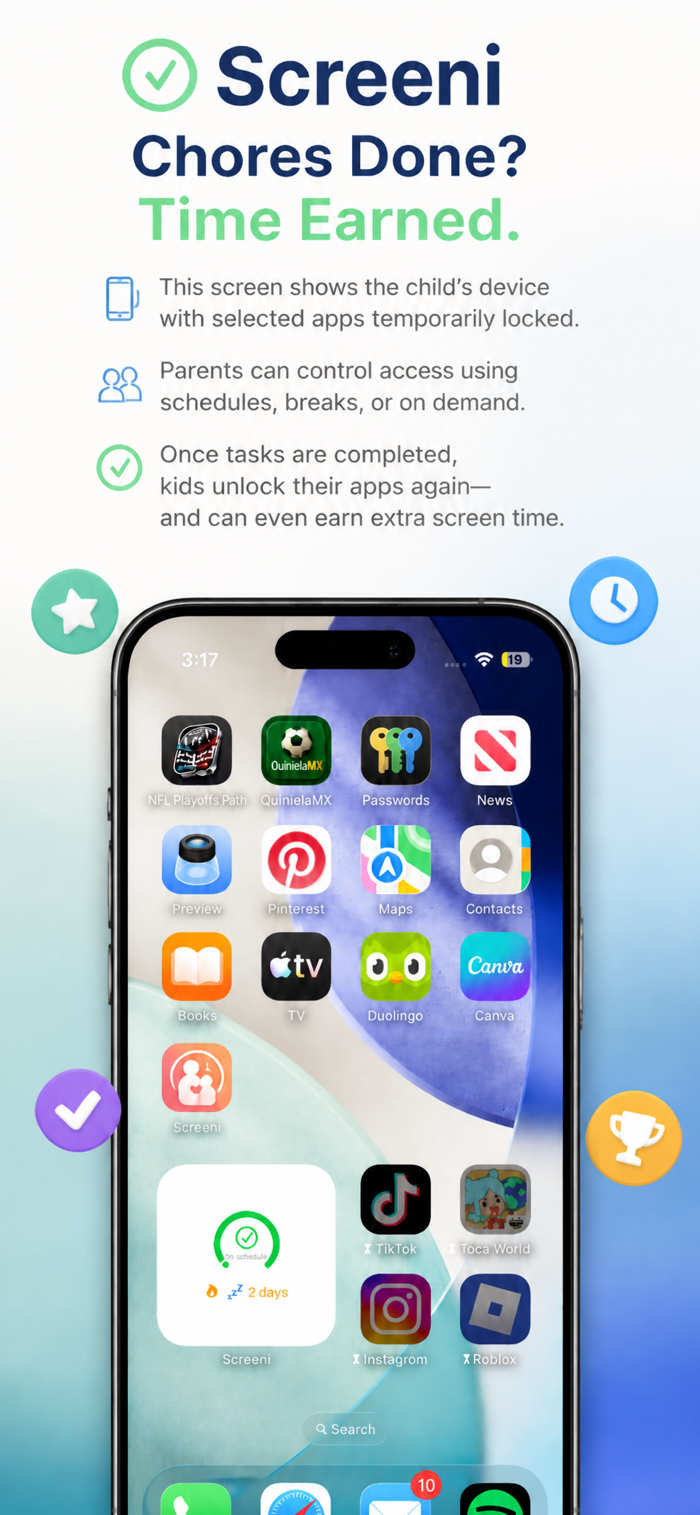
Screeni turns screen time into something your kids actually earn, by doing real chores, verified by you. Set up schedules, assign tasks, and let the app handle enforcement. When time runs out, apps are blocked. When chores are done, time is earned. Simple.
HOW IT WORKS
1. You set the rules: screen time windows, task rewards, rest breaks
2. Your child completes a chore and submits it
3. You approve from your phone; earned minutes are added instantly
4. When time runs out, selected apps are blocked at the system level
No timers your kids can dismiss. No settings they can change. Real enforcement powered by Apple's FamilyControls framework.
SMART SCHEDULES THAT THINK AHEAD
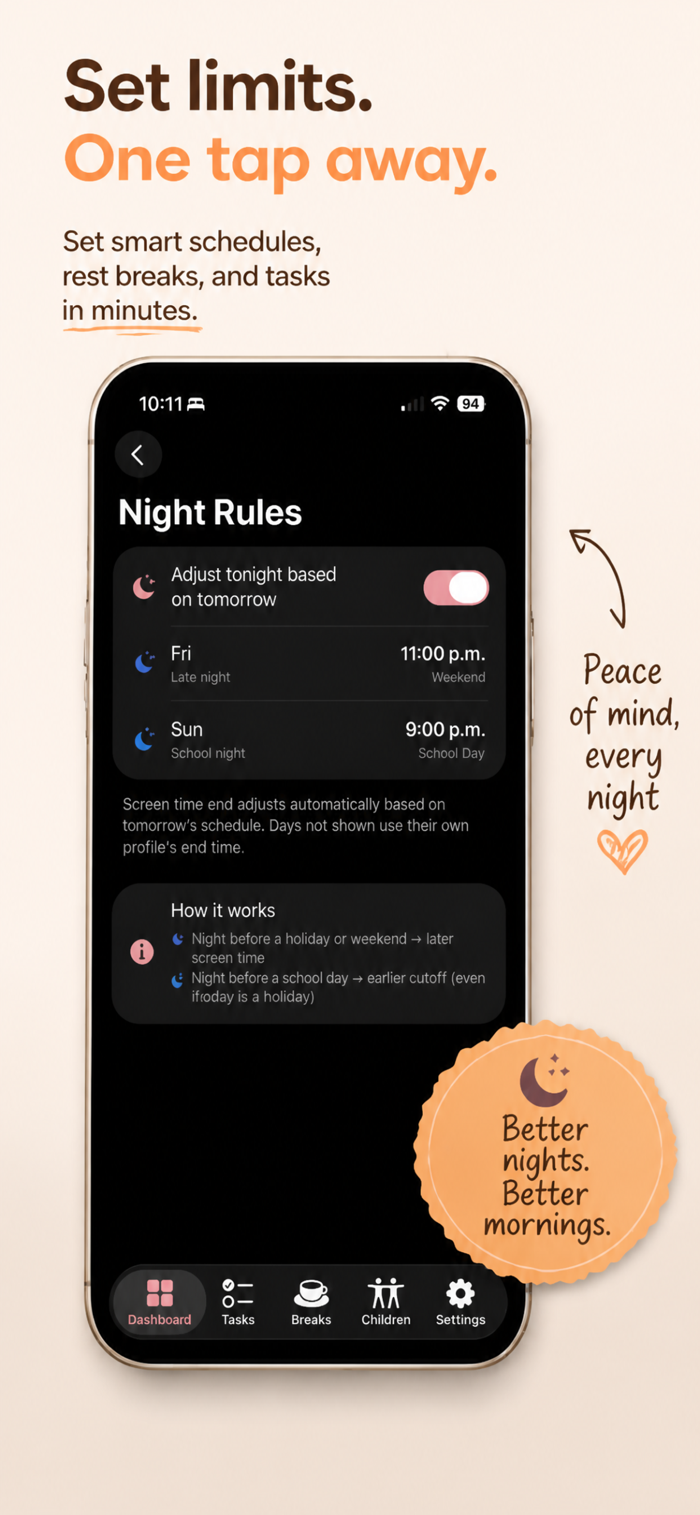
Different rules for school days, weekends, holidays, and vacation, each with its own screen time window, daily limits, and bedtime.
Friday night? Screeni knows tomorrow is Saturday and automatically gives tonight a weekend bedtime. Holiday on Wednesday? The night before adjusts too. Spring break? Set a date range with vacation rules.
Screeni detects national holidays for the US, Mexico, and Brazil automatically. No manual overrides needed.
REAL APP BLOCKING
Select which apps and categories to manage. When time is up, they are truly blocked, not a suggestion kids can swipe away. Mark essentials like Messages or your family app as always allowed.
Works even when the app is force quit. Shields are enforced at the system level by Apple's framework.
TASKS AND REWARDS
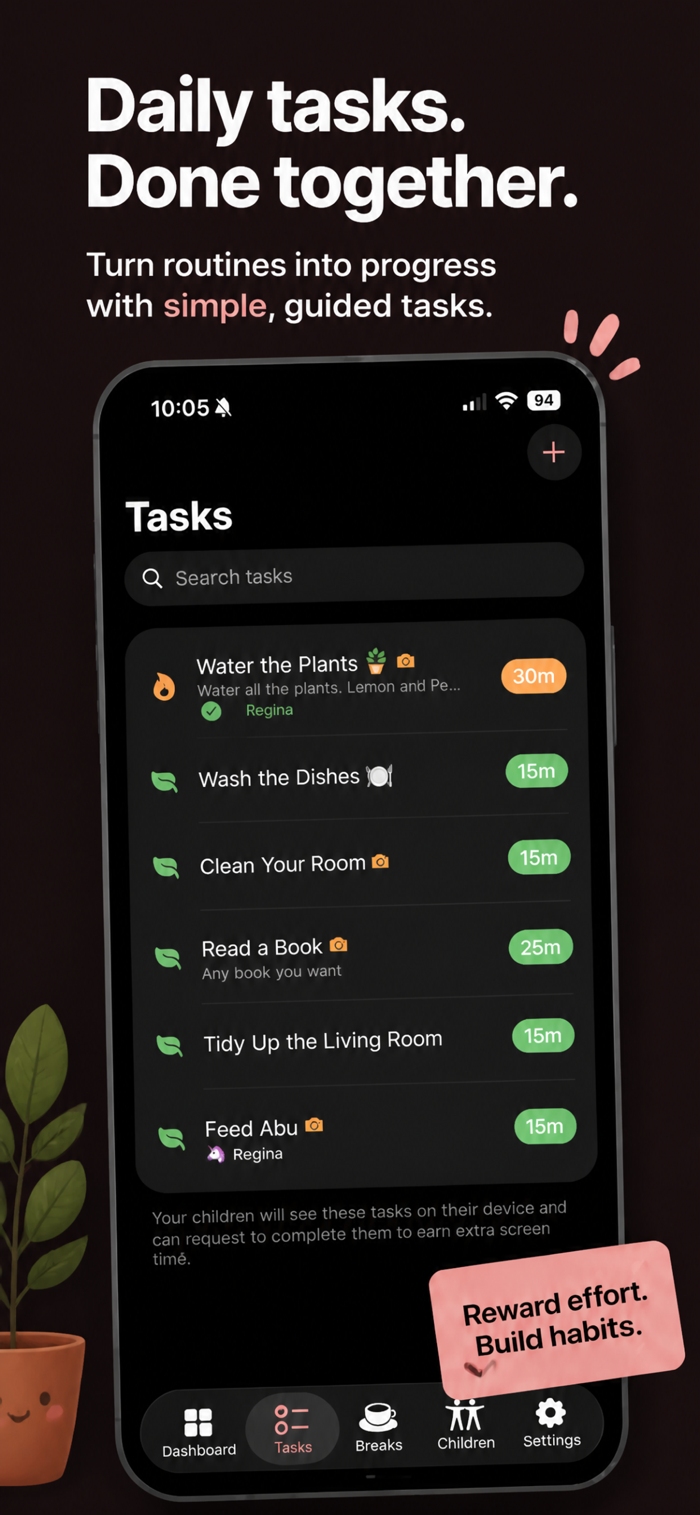
Create chores like Make your bed or Read for 20 minutes with a screen time reward you choose. Kids submit completed tasks with optional photo proof. You approve or deny from anywhere; earned minutes extend screen time automatically.
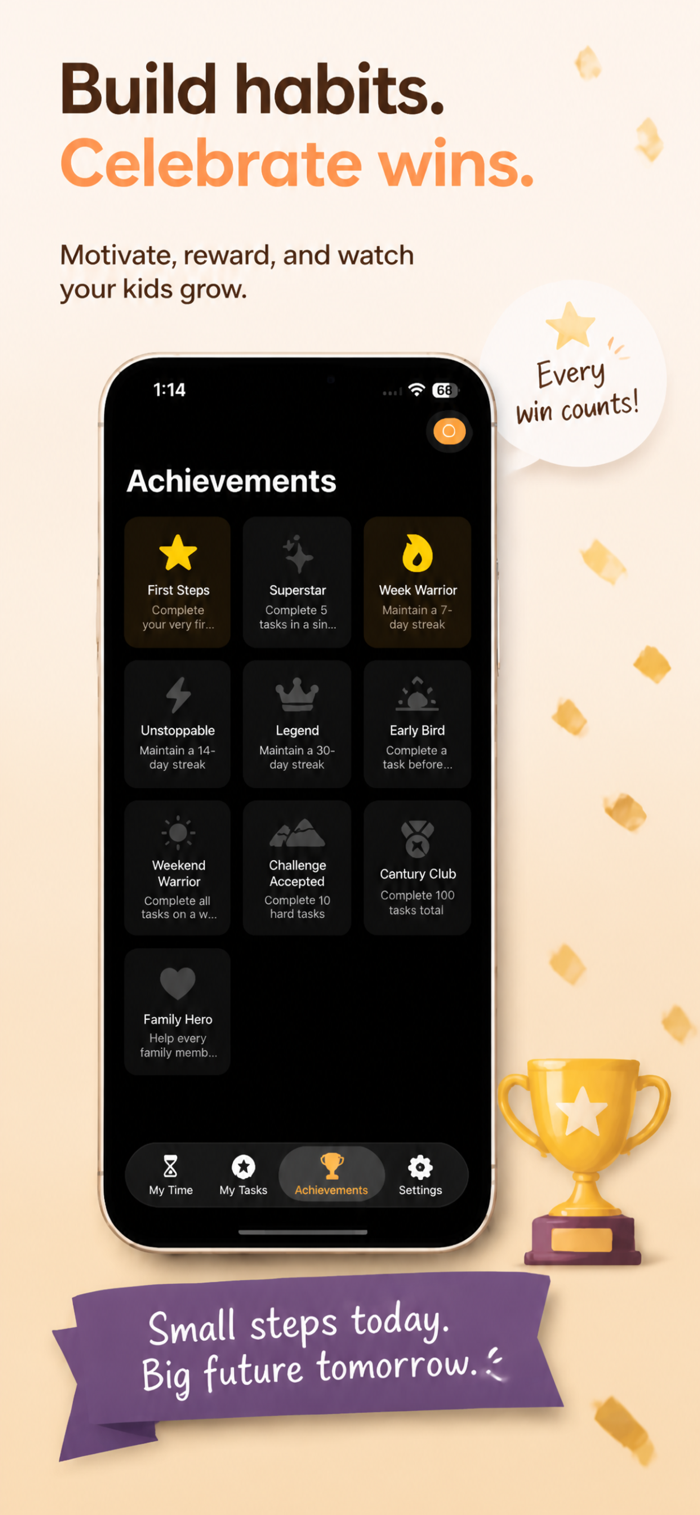
Streak bonuses reward consistency: the more days in a row your child completes tasks, the more bonus time they earn.
REST BREAKS
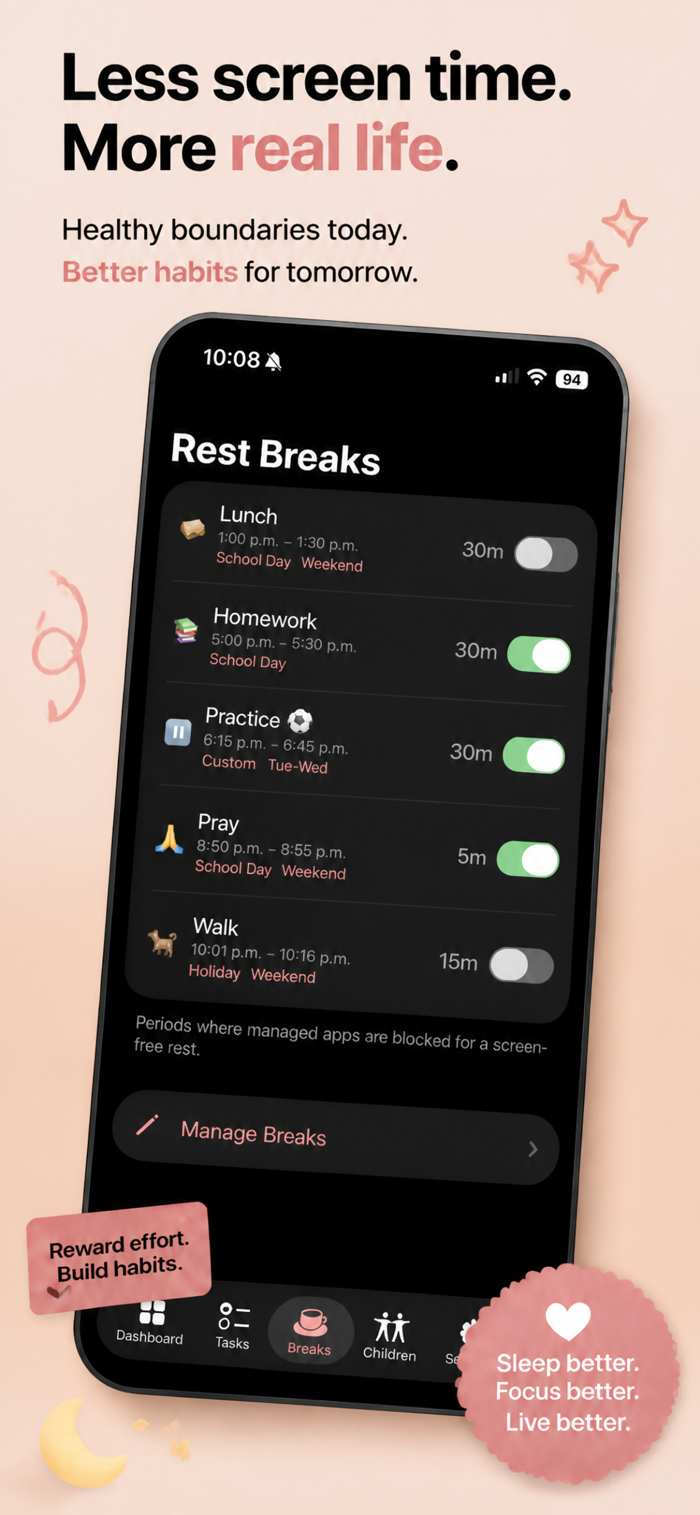
Schedule offline breaks during the day: homework time, lunch, outdoor play. Breaks are tied to day types: a homework break on school days, but not weekends. Toggle any break on or off instantly.
INSTANT CONTROL FROM YOUR PHONE
- Pause all screen time instantly, for any child, for any reason
- Add or remove bonus minutes with one tap
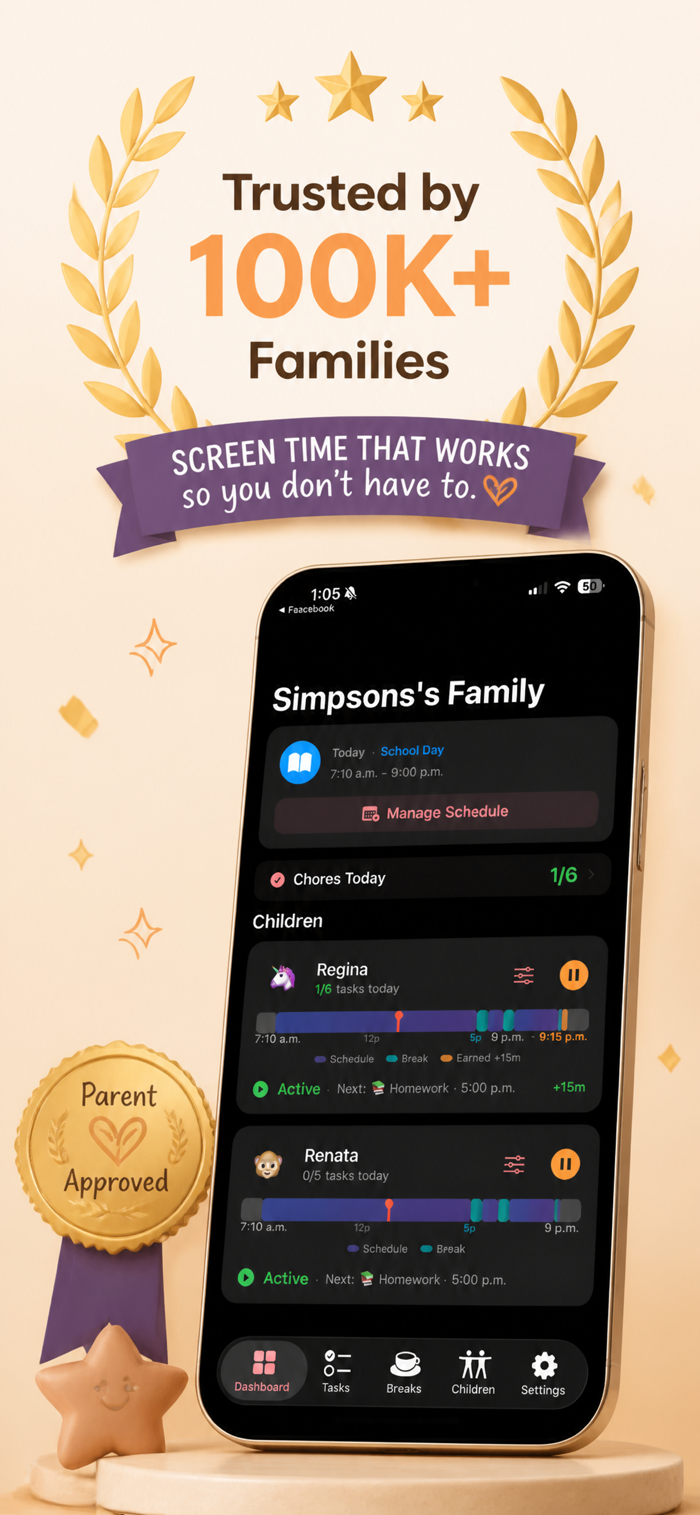
- See each child's live status: active, on break, earning time, or done for the day
- Dynamic Island shows remaining time as a live countdown
- Home screen widgets for parents and kids
- Approve tasks from notifications
ONE APP, WHOLE FAMILY
- Different schedules and rules per child
- Invite a co-parent to manage together
- Kids join with a simple 6-digit code, no Apple ID required
- Set up in under 5 minutes
WHY SCREENI INSTEAD OF APPLE'S SCREEN TIME?
Apple gives you daily limits and downtime. Screeni gives you:
- Smart scheduling by day type (school, weekend, holiday, vacation)
- Automatic holiday detection
- Chore-based screen time rewards with parent approval
- Rest breaks during the day
- Emergency pause from anywhere
- Per-child rules and co-parent access
- Live Activity countdown on Dynamic Island
- Widgets for the whole family
- System-level enforcement that survives force quit
PRICING
Free: 1 child, 3 tasks, 2 breaks, full screen time control included.
Pro: Unlimited children, tasks, and breaks. Smart schedules, vacation mode, widgets, Live Activity.
No ads. No tracking. No data sold. Built by a parent, for parents.
Terms of Use (EULA): https://www.apple.com/legal/internet-services/itunes/dev/stdeula/


 +100宝石


 分享
分享










用户评价
立即分享产品体验
你的真实体验,为其他用户提供宝贵参考
💎 分享获得宝石
【分享体验 · 获得宝石 · 增加抽奖机会】
将你的产品体验分享给更多人,获得更多宝石奖励!
💎 宝石奖励
每当有用户点击你分享的体验链接并点赞"对我有用",你将获得:
🔗 如何分享
复制下方专属链接,分享到社交媒体、群聊或好友:
💡 小贴士
分享时可以添加你的个人推荐语,让更多人了解这款产品的优点!
示例分享文案:
"推荐一款我最近体验过的应用,界面设计很精美,功能也很实用。有兴趣的朋友可以看看我的详细体验评价~"
关注 Mergeek 公众号
领奖遇到问题?联系小门助手