


 +100宝石



产品功能
Your AI docs, finally readable.
githtml is the iOS reader for HTML documentation that lives inside your GitHub repos. Documentation your AI coding agent writes, the rendered output, the framework references you keep meaning to read on the train.
https://www.apple.com/legal/internet-services/itunes/dev/stdeula/
Connect your GitHub, pick a repo, tap a file. That's it.
—
WHAT IT DOES
• A clean WebKit reader that gets out of the way of your content — the doc's own typography and styling stay intact.
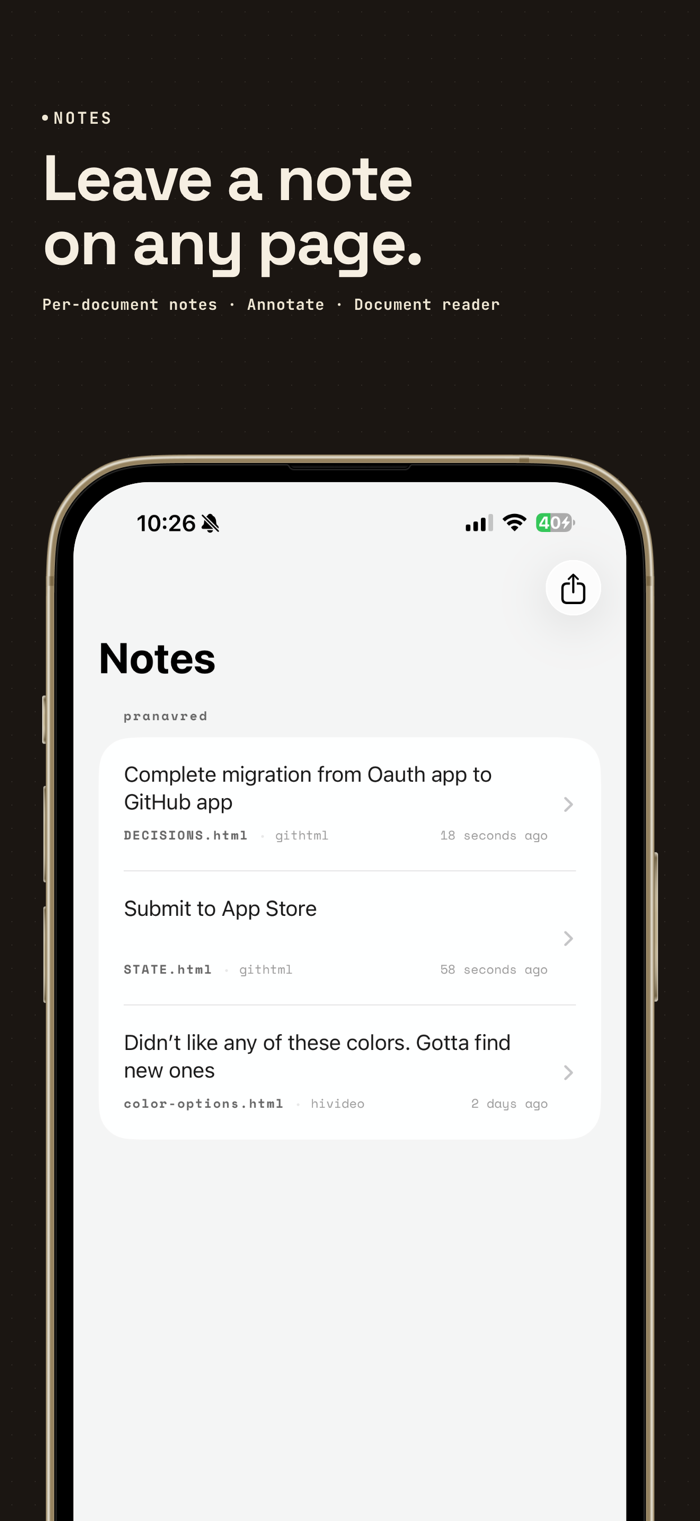
• A bottom drawer for capturing notes on any page. Auto-saved per file, exportable as plain text or through the system share sheet.
• Browse, Favorites, and Recents — all three grouped by owner so a hundred repos stay organized.
• Scroll-aware navigation chrome that fades while you read and comes back the instant you scroll up.
• Offline cache — once you've opened a doc, the bytes stay on your device.
—
WHO IT'S FOR
• Developers using Claude Code, Cursor, Codex, or other coding agents that write extensive docs into their repos.
• Solo builders maintaining a personal knowledge base in private repos.
• Engineers reading framework docs, API references, and internal wikis on the train, on planes, or away from Wi-Fi.
• Anyone who has tried to read raw Markdown in the GitHub mobile app and given up.
—
HOW IT WORKS
1. Sign in with GitHub. The app uses GitHub's official App flow — you pick which repos to grant access to.
2. The permission requested is "Read access to code." Nothing else. No write access, no organization data, no actions.
3. Pick an owner, then a repo, then a file. HTML files are indexed by default.
—
LOCAL-ONLY, ALWAYS
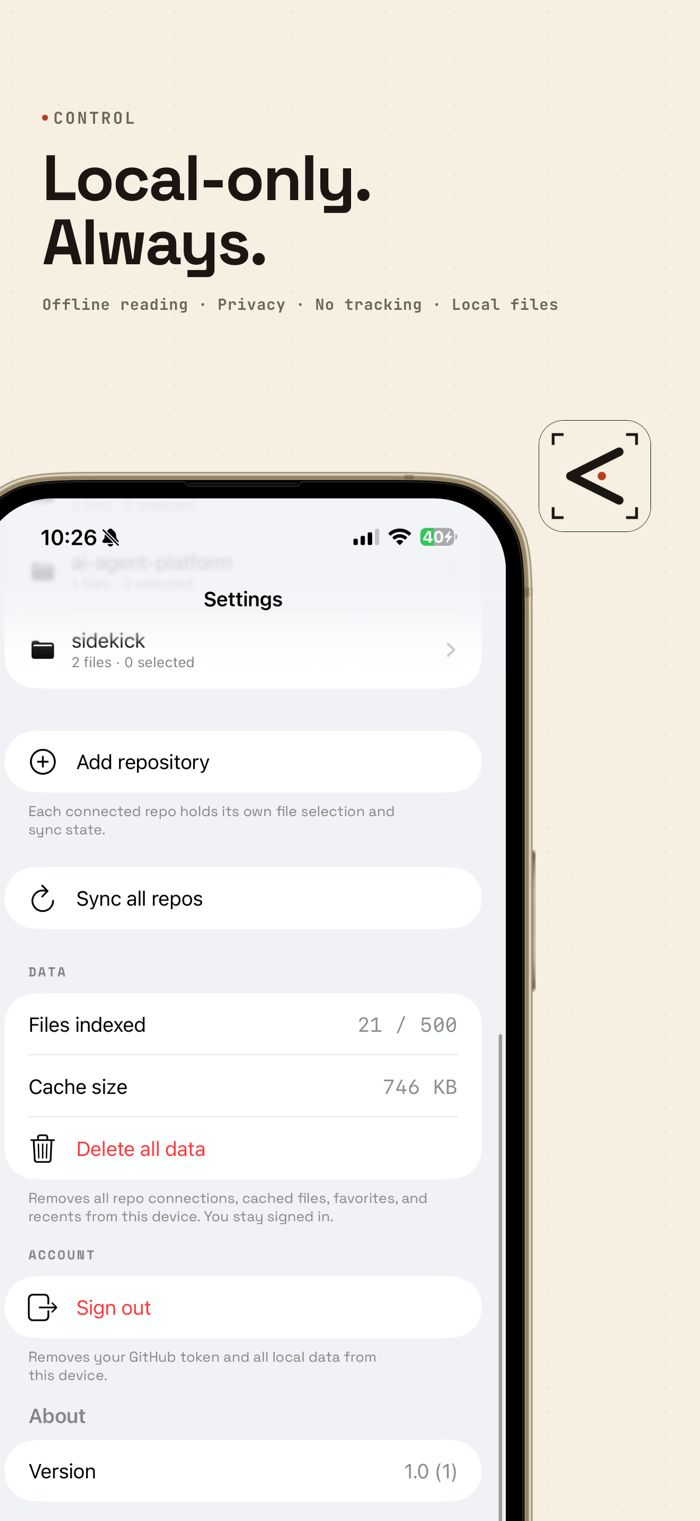
• Your GitHub token lives in the iOS Keychain.
• Your notes live in local SwiftData storage.
• Your cached docs live in the local file system.
• "Delete all data" wipes every byte the app has ever stored, in one tap.
• There is no githtml server. The only network calls are to GitHub itself and a tiny token-exchange function that never sees your token after the exchange completes.
—
WHAT'S NEXT
githtml is built around a tight V1: read your repos, take notes, work offline. Future versions will add more ways to navigate and search a large archive of cached docs. Email feedback to shape what ships next.
分享「」体验,参与「」抽奖!
分享 1~3 张你对这个产品最满意的截图或效果图
分享「」体验,参与「」抽奖!
用你的故事点亮社区✨!你的真实体验,将会永久展示在 官方主页 📌,为其他朋友提供宝贵参考 💡。立即分享吧!🚀
请为产品评分
请选择问题回答,为大家提供宝贵参考
选择要回答的问题
温馨提示
你尚未上传产品截图。
上传截图可立即获得宝石积分奖励!
如果你赶时间,也可稍后修改评论,补上截图领取宝石。
温馨提醒
你尚未添加产品截图
⚠️ 不添加截图将降低抽奖权重

感谢参加,你已成功参加!
为了确保你能及时收到审核结果和领奖码通知

扫描二维码关注 Mergeek 公众号
在后台回复 「获奖通知」
完成上述操作,即可保障奖励发放成功





用户评价
立即分享产品体验
你的真实体验,为其他用户提供宝贵参考
💎 分享获得宝石
【分享体验 · 获得宝石 · 增加抽奖机会】
将你的产品体验分享给更多人,获得更多宝石奖励!
💎 宝石奖励
每当有用户点击你分享的体验链接并点赞"对我有用",你将获得:
🔗 如何分享
复制下方专属链接,分享到社交媒体、群聊或好友:
💡 小贴士
分享时可以添加你的个人推荐语,让更多人了解这款产品的优点!
示例分享文案:
"推荐一款我最近体验过的应用,界面设计很精美,功能也很实用。有兴趣的朋友可以看看我的详细体验评价~"
关注 Mergeek 公众号
领奖遇到问题?联系小门助手