Meet the alarm you finish on your feet.
Place a compatible NFC sticker across the room and scan it to complete your alarm in Tagdawn. Bring your own tag: common NFC stickers are inexpensive, and no Tagdawn-branded accessory is required.
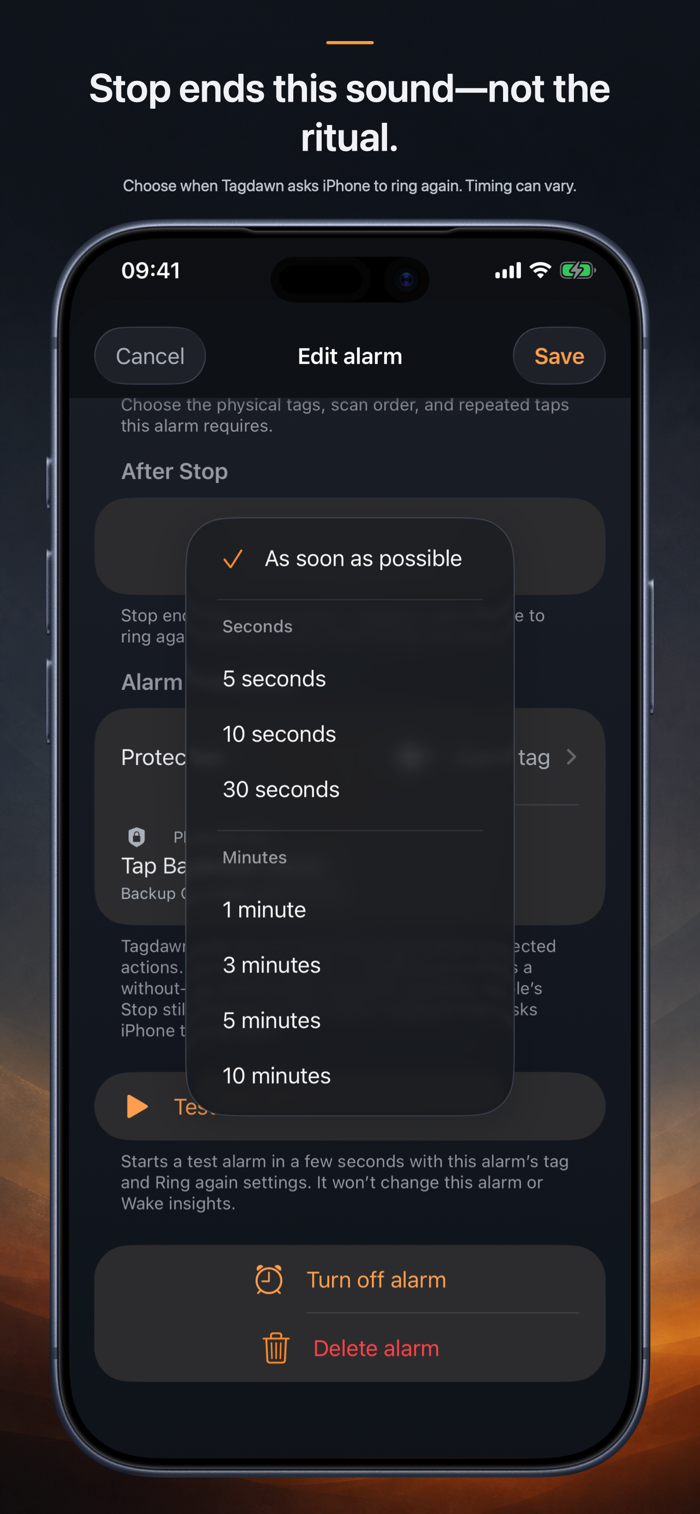
Tagdawn uses iPhone’s system alarm experience, including alerts through Silent mode and Focus. iPhone always provides Stop. Without a tag, Stop ends the alarm normally. With a tag setup, Stop ends the current alarm and Tagdawn asks iPhone for a fresh one after your chosen Ring again wait until the tag ritual is complete. Choose As soon as possible or clear seconds-and-minutes presets; exact timing can vary.
Build your wake-up setup:
• Choose one or more tags, their order, and the number of taps per tag.
• Keep an optional private backup QR code for an eligible alarm.
• Run an isolated test alarm with the same tag and Ring again setup.
• Protect alarm changes with Face ID, Touch ID, a passcode, or the physical tag.
• Choose a Tagdawn tone, the iPhone alarm sound, or a compatible imported sound.
Keep the rest of your day together:
• Track check-offs, counts, amounts, limits, and habits with no daily goal.
• Add several planned times with a normal reminder or loud alarm.
• Use deliberate tag shortcuts for habit entries while Tagdawn is open.
• Log earlier entries with their real date and time.
• Review separate Wake and Habit charts.
• Use timers, a stopwatch, widgets...


 +100宝石


 分享
分享










用户评价
立即分享产品体验
你的真实体验,为其他用户提供宝贵参考
💎 分享获得宝石
【分享体验 · 获得宝石 · 增加抽奖机会】
将你的产品体验分享给更多人,获得更多宝石奖励!
💎 宝石奖励
每当有用户点击你分享的体验链接并点赞"对我有用",你将获得:
🔗 如何分享
复制下方专属链接,分享到社交媒体、群聊或好友:
💡 小贴士
分享时可以添加你的个人推荐语,让更多人了解这款产品的优点!
示例分享文案:
"推荐一款我最近体验过的应用,界面设计很精美,功能也很实用。有兴趣的朋友可以看看我的详细体验评价~"
关注 Mergeek 公众号
领奖遇到问题?联系小门助手