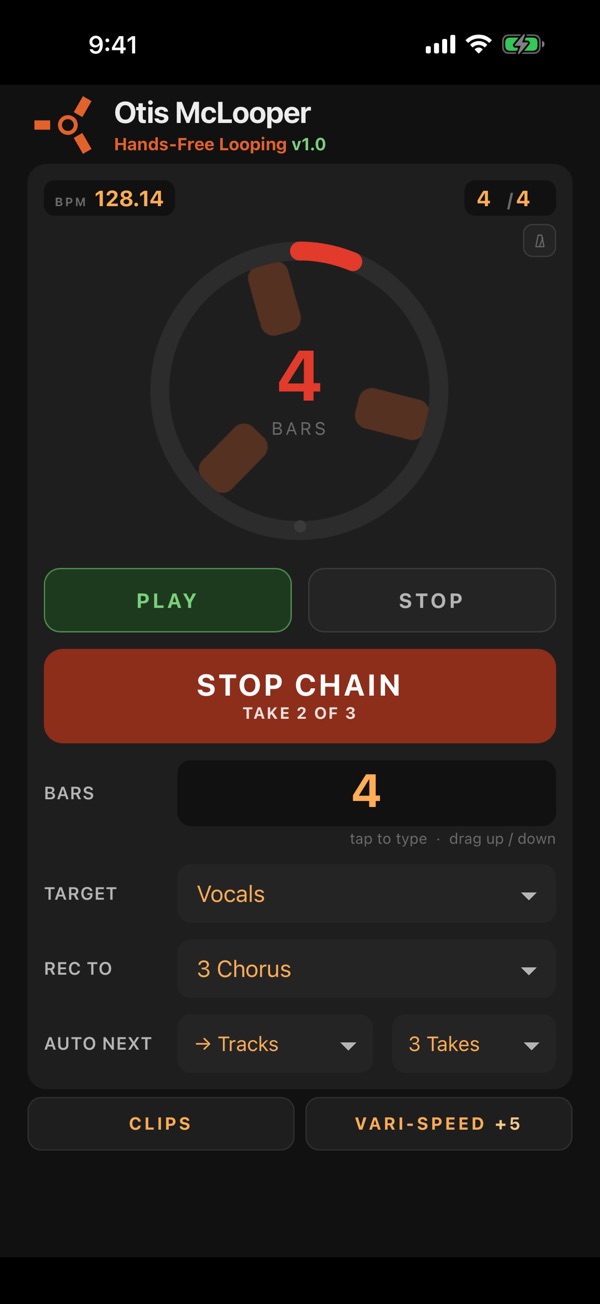
Otis McLooper turns your iPhone or iPad into a hands-free looper for Ableton Live. Put it on your music stand, play, and tap RECORD: McLooper records exactly the number of bars you choose, starts the loop on the bar line, and stays out of your way. No reaching for the mouse, no leaving your instrument.
LOOPER
• RECORD a set number of bars, in any time signature, into any track and scene
• DONE ends a take early, on the next bar, and keeps the loop in time
• AUTO NEXT keeps recording by itself: layer after layer across your tracks, or down the scenes, from one press
• The back arrow puts back a clip you recorded over or deleted
• A big loop circle you can read from across the room
CLIPS
• Your whole Session View: launch clips and scenes, stop tracks, copy and delete clips, fold groups, name scenes
• A mixer strip for every track: volume, pan, sends, mute, solo, arm and clip pitch
• Add, duplicate and delete tracks, and choose their inputs
VARI-SPEED
• A tape-speed knob: turn it up to an octave either way and the whole song speeds up and pitches up together, like tape
• SLIPPERY glides smoothly between speeds for wobbles and tape stops, even while you record
• Choose how each track follows: repitch, pitch effect, instrument knob, or timing only
FEELS LIKE HARDWARE
• Real haptic clicks as you turn knobs and press buttons
• iPhone and iPad (iPad in landscape shows your whole set)
• Several phones can play the same Live set at once, one for each musician
TRY IT FIRST
Tap Try the Demo to play with every screen on a sample set. No Mac needed.
WHAT YOU NEED
• A Mac with Ableton Live 12 (Intro, Standard or Suite)
• The free Otis McLooper app for Mac, which connects your phone to Live. The app walks you through getting it; setup takes about two minutes.
• Your Mac and phone on the same Wi-Fi
FREE TRIAL, ONE PURCHASE
Every computer gets a 7-day free trial. One in-app purchase unlocks up to 3 of your computers, and everyone who connects to an unlocked computer plays fre…