TVGuard turns the family TV into a kid-safe TV — and you run it all from your phone. Lock apps behind a PIN, block them completely, set bedtimes and per-app screen-time limits, and see what's on screen right now. Your phone talks to your TV directly over your home Wi-Fi, so there's no account to create and nothing about your family is stored online.
WHY PARENTS CHOOSE TVGUARD
• Private by design — no sign-up and no account. Your rules live on your TV and your phone, not in someone's database.
• Actually enforces — bedtimes and locks keep working on the TV even when your phone is off or across the house.
• Fast to set up — open TVGuard on the TV, scan the QR code with your phone, done.
WHAT YOU CAN DO
• Lock any app behind your parent PIN — the child needs you to open it.
• Block apps entirely so they can't be opened at all.
• Bedtime & schedules — lock the whole TV during set windows (school nights, dinner, study time), with per-day control.
• Per-app daily limits — an app locks itself once the day's minutes are used.
• "On screen now" — see what's playing live, and lock it in one tap from your phone.
• Live controls — adjust volume and brightness, or lock the TV instantly.
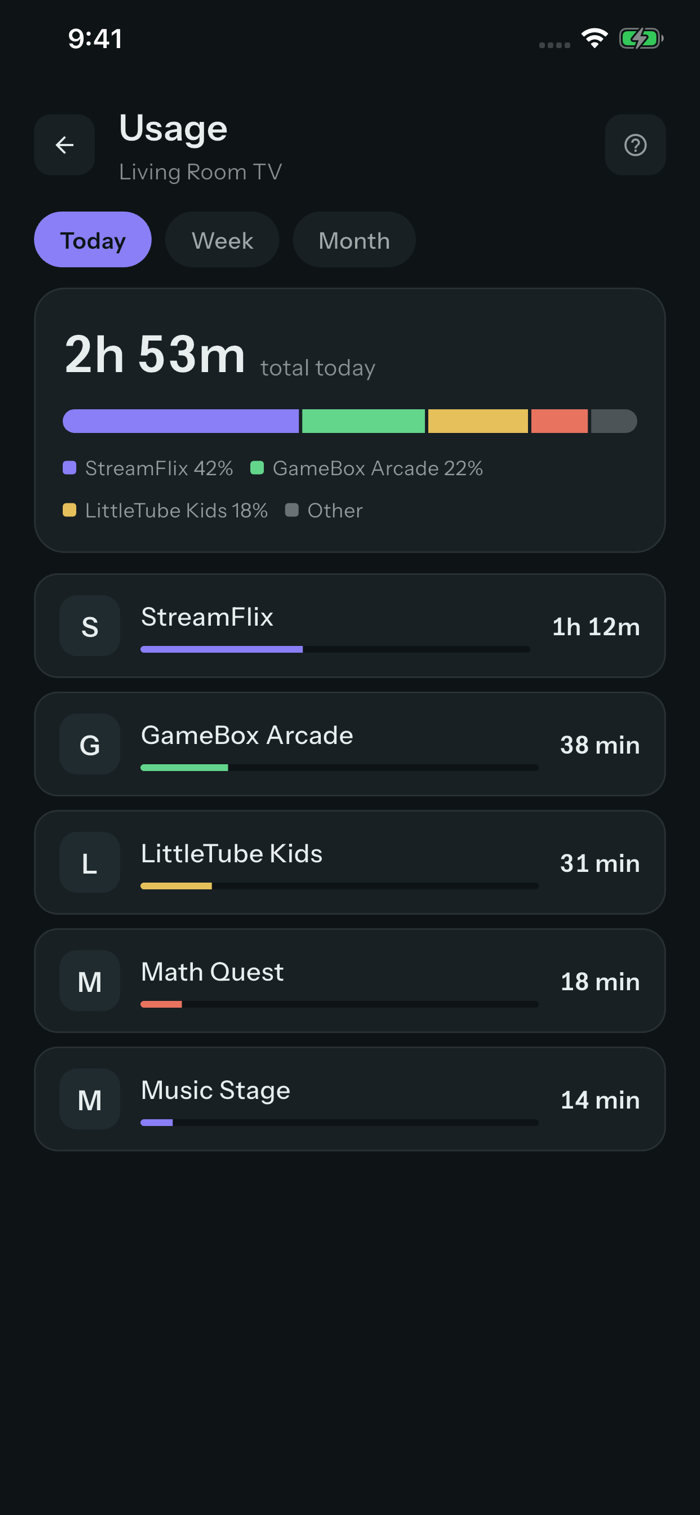
• Usage — see what's been watched today, this week and this month.
• Guard the TV's Settings and its app store so rules can't be undone on the TV.
PRIVATE BY DESIGN
TVGuard pairs and communicates with your TV only ove...


 +100宝石


 分享
分享










用户评价
立即分享产品体验
你的真实体验,为其他用户提供宝贵参考
💎 分享获得宝石
【分享体验 · 获得宝石 · 增加抽奖机会】
将你的产品体验分享给更多人,获得更多宝石奖励!
💎 宝石奖励
每当有用户点击你分享的体验链接并点赞"对我有用",你将获得:
🔗 如何分享
复制下方专属链接,分享到社交媒体、群聊或好友:
💡 小贴士
分享时可以添加你的个人推荐语,让更多人了解这款产品的优点!
示例分享文案:
"推荐一款我最近体验过的应用,界面设计很精美,功能也很实用。有兴趣的朋友可以看看我的详细体验评价~"
关注 Mergeek 公众号
领奖遇到问题?联系小门助手