Words to PDF turns a plain list into a clean, print-ready PDF. One big,
beautifully centred word or phrase on every page. Type or paste your list,
pick a font, and you're done. On Mac, iPhone and iPad.
It's the fastest way to make signs, labels, flashcards, name cards, menus and
station markers without wrestling with a word processor or a slideshow.
HOW IT WORKS
1. Type or paste your words, one per line, or import a .txt, .csv or .md file.
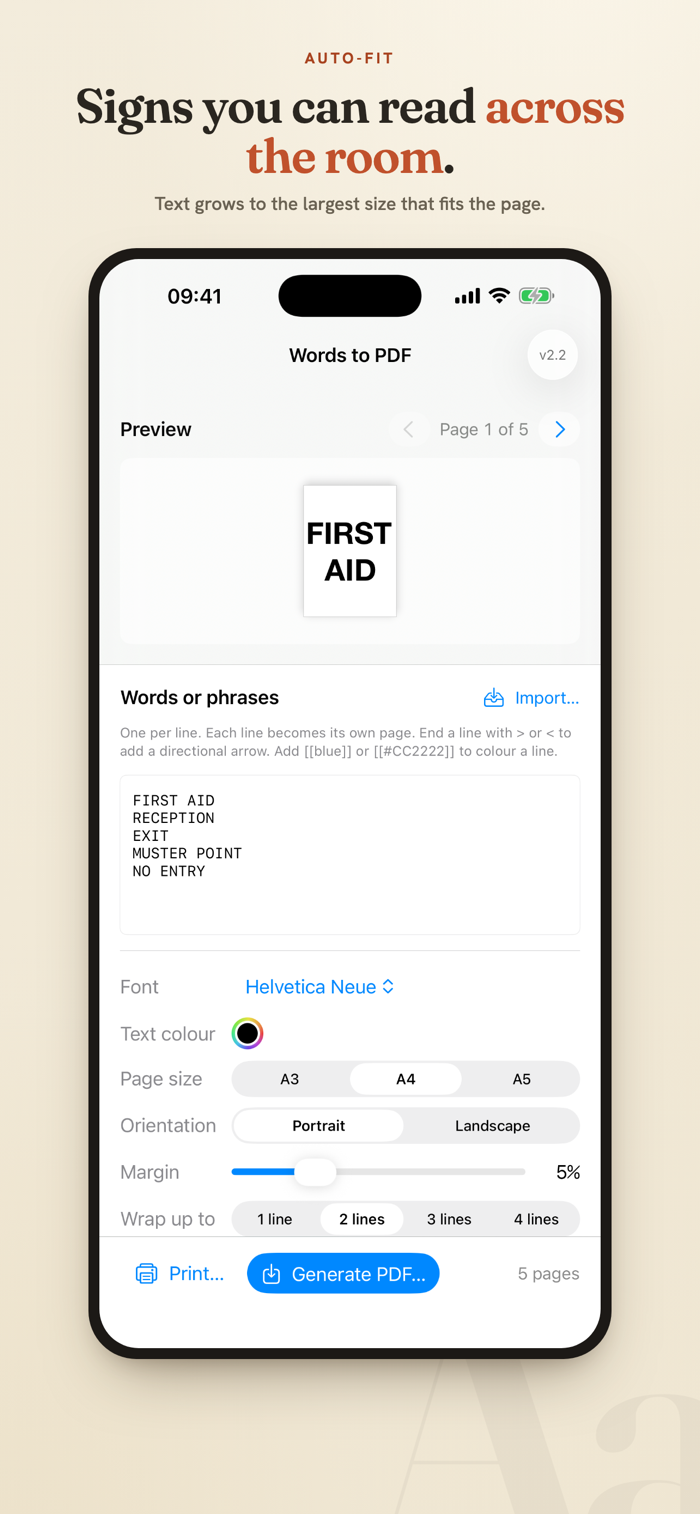
2. Each line becomes its own page, with the text auto-sized to fill it.
3. Print straight away, save a PDF, or share it anywhere.
FEATURES
• One word or phrase per page, auto-fitted to the largest size that fits
• Smart word-wrap across up to four lines for longer phrases
• A3, A4 and A5, portrait or landscape, with an adjustable margin
• Any font installed on your device (bold is preferred automatically)
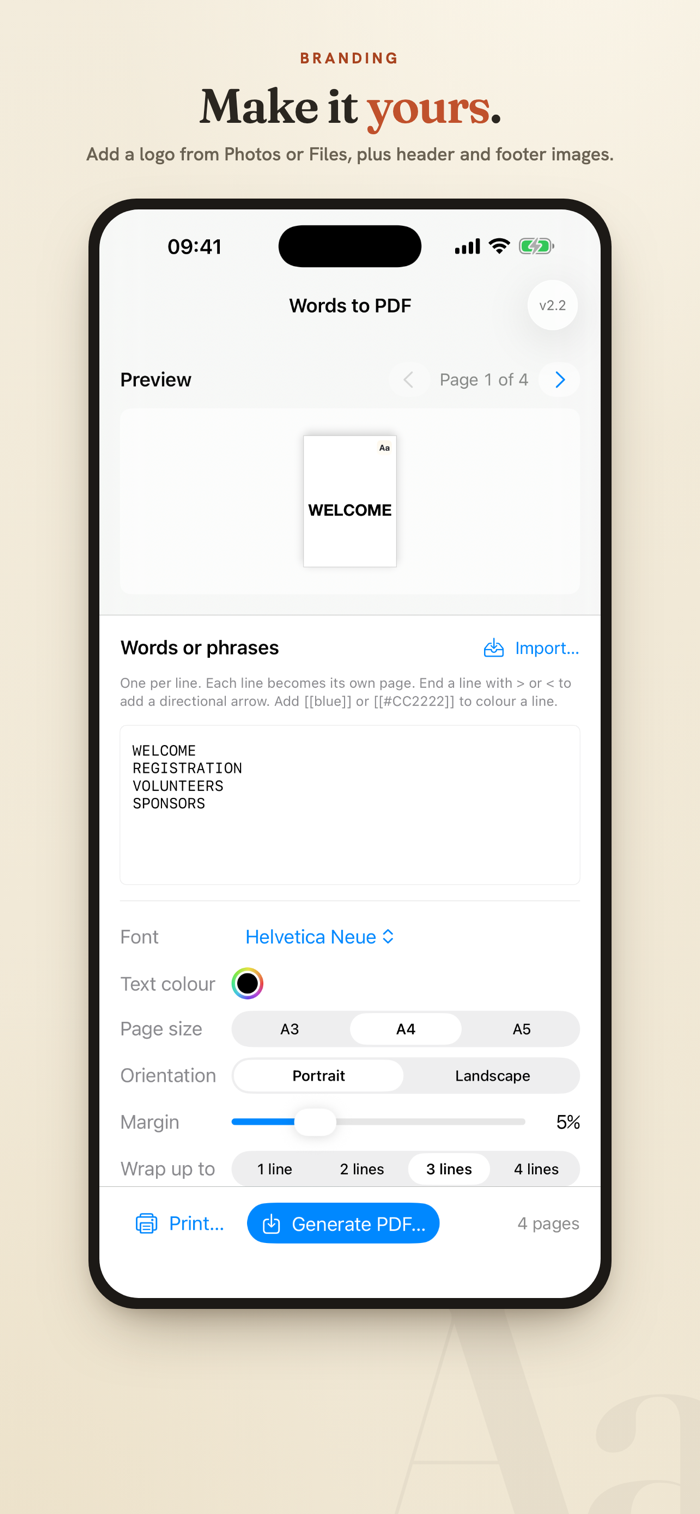
• Text and arrow colour pickers, plus per-line colours: add [[blue]] or
[[#CC2222]] to a line and that page's words and arrow take the colour
• Direction dial: angle the words anywhere from -90 to +90 degrees,
including fully vertical
• Directional arrows: end a line with angle brackets to point the way
• QR codes: put a web link on a line and that page becomes your words with a
scannable QR code below and the link underneath (a link-only line makes one
big QR). Crisp at any size, with toggles to turn it off or hide the link
• Logo, header and footer images on every page (from Photos or Files on
iPhone and iPad)
• Import a word list from a .txt, .csv, .tsv or .md file
• Live preview with page-by-page navigation
• Print directly, save a PDF, or share via the share sheet
GREAT FOR
• Signage & labels: door signs, room names, shelf and bin labels, zone markers
• Events & sports: station cards, marshalling points, poolside and club
setups, with your logo, arrows and a "scan to book" QR code
• Cafés & shops: table numbers, menu boards, and a QR code straight to your
online menu
• Classrooms: flashcards, word walls, name cards, reading practice
• Anywhere you need big, legible text on a page, fast
PRIVATE BY DESIGN
Everything happens on your device. Words to PDF has no accounts, no tracking,
and never connects to the internet. Your words stay yours.


 +100宝石

 分享
分享










用户评价
立即分享产品体验
你的真实体验,为其他用户提供宝贵参考
💎 分享获得宝石
【分享体验 · 获得宝石 · 增加抽奖机会】
将你的产品体验分享给更多人,获得更多宝石奖励!
💎 宝石奖励
每当有用户点击你分享的体验链接并点赞"对我有用",你将获得:
🔗 如何分享
复制下方专属链接,分享到社交媒体、群聊或好友:
💡 小贴士
分享时可以添加你的个人推荐语,让更多人了解这款产品的优点!
示例分享文案:
"推荐一款我最近体验过的应用,界面设计很精美,功能也很实用。有兴趣的朋友可以看看我的详细体验评价~"
关注 Mergeek 公众号
领奖遇到问题?联系小门助手