Run JavaScript and TypeScript on Node.js anywhere—100% Offline.
The most powerful mobile IDE for JS and TS.
Features a built-in compiler, console, and DOM WebView.
No server, no internet, no limits.
Whether you are a professional developer, a student, or a hobbyist, JavaScript CodePad will help you practice and improve your coding skills anytime, anywhere.
Built in tsc compiler transpiles your TypeScript code to JavaScript offline.
Use the WebView mode to access the built-in Web Browser Window and DOM interface. Combine HTML, CSS, and JavaScript and learn building Web apps.
Organise your code into modules and run multiple JS files using Node.js as a runtime (Internet connection required).
You can run, execute, and evaluate JS code and programs from this app.
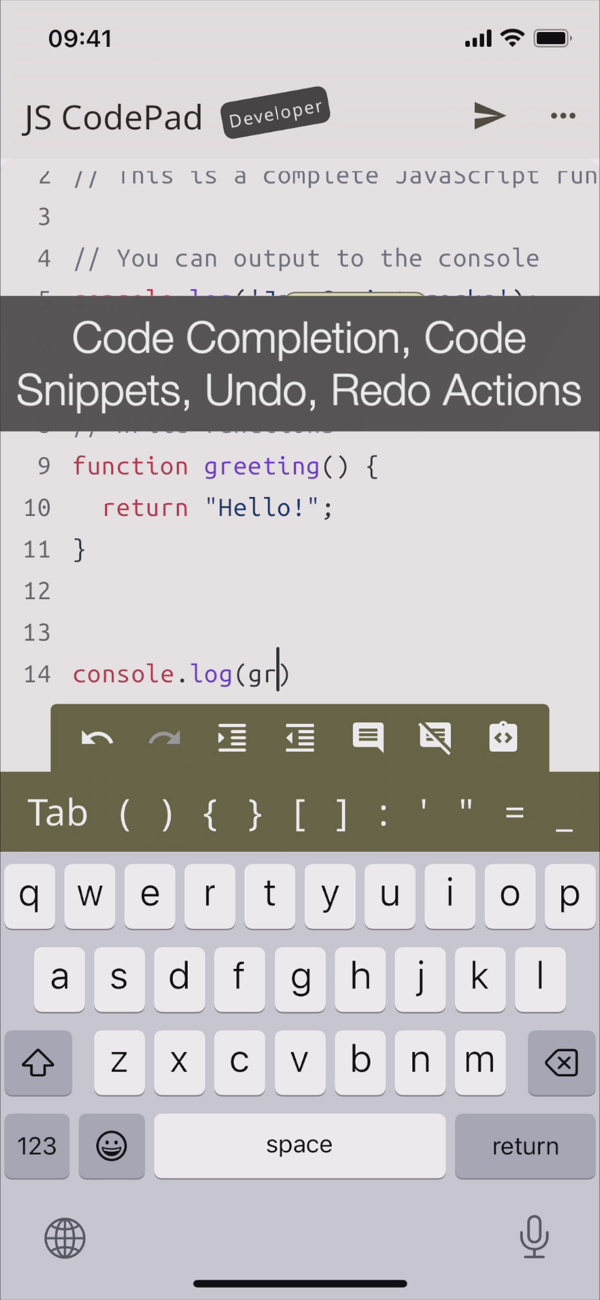
Lightweight app with full JavaScript syntax highlighting, code completion and editor actions like undo, redo, comment lines, and indent selection to enhance your developer productivity.
Enhanced productivity with live JS and TS code analysis as you type. Catch errors before you run the code.
Built-in AI Assistant, whenever you get an error in your code, AI can suggest how to resolve it.
AI Assistant can also refactor your code, clean it up, check it for bugs, write comments and documentation strings or just explain it.
Blazing fast, all single script and Web View code is ran directly on the embedded node.js runtime or built in Web browser.
Enhance your programming and JavaScript skills by solving built-in coding problems.
Learn JavaScript with the MDN tutorial. Become a JavaScript coding master.
Learn TypeScript with the official TypeScript handbook.
Test your JavaScript and TypeScript knowledge, the app will tell you if you are writing valid JavaScript.
With JavaScript CodePad, you can:
- Write and execute JavaScript code with syntax highlighting and auto-indentation.
- Run and compile TypeScript code and scripts
- Test and debug your code with the built-in console and error messages.
- Share and load your code snippets for later use
- Customised keyboard with special keys and shortcuts for JavaScript and TypeScript
- Code completion
- Code formatting
- Code linting
- Solve built-in coding challenges
- Access JavaScript and TypeScript tutorial and library reference from the app
- Learn new concepts and techniques
- Write HTML, CSS and JS code and run it in a built-in WebView
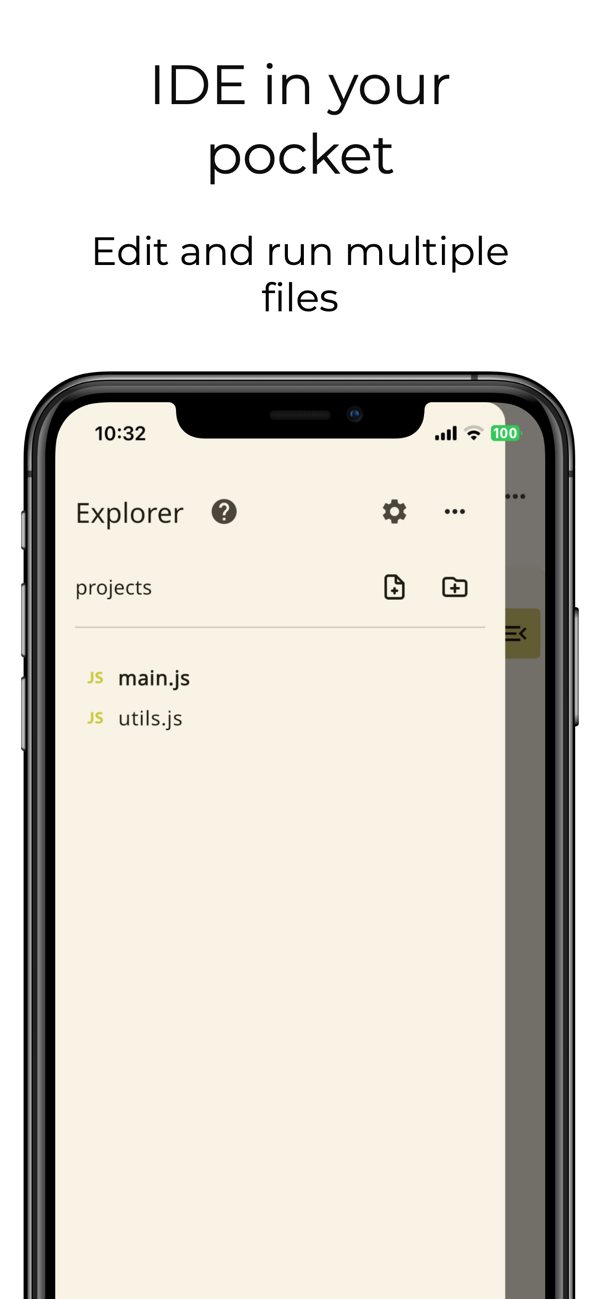
- Run multiple JS files
Download it today and unleash your creativity with the most popular programming language in the world.
Note that certain features like Code completion, WebView mode and project mode require paid Developer upgrade.

 +100宝石

 分享
分享























用户评价
立即分享产品体验
你的真实体验,为其他用户提供宝贵参考
💎 分享获得宝石
【分享体验 · 获得宝石 · 增加抽奖机会】
将你的产品体验分享给更多人,获得更多宝石奖励!
💎 宝石奖励
每当有用户点击你分享的体验链接并点赞"对我有用",你将获得:
🔗 如何分享
复制下方专属链接,分享到社交媒体、群聊或好友:
💡 小贴士
分享时可以添加你的个人推荐语,让更多人了解这款产品的优点!
示例分享文案:
"推荐一款我最近体验过的应用,界面设计很精美,功能也很实用。有兴趣的朋友可以看看我的详细体验评价~"
领取结果