


 +100宝石



产品功能
bismark m16 is a MIDI player app that loads SMF (Standard MIDI File) for the GM (General MIDI) specification as Song files.
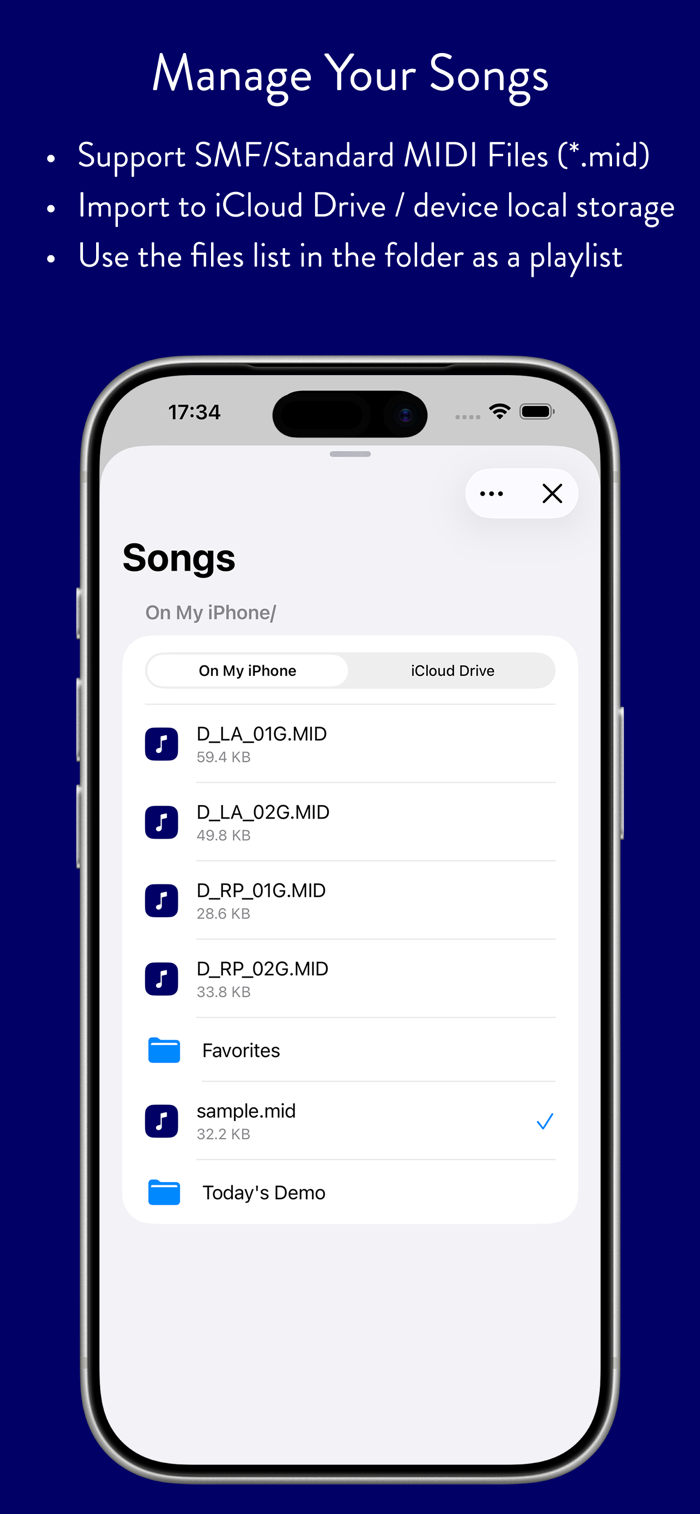
Song files are managed in the "m16" folder of your iCloud Drive and kept in sync across all your iOS / iPadOS devices. You can also bring MIDI files in directly from other apps using "Open in m16" or the Files app.
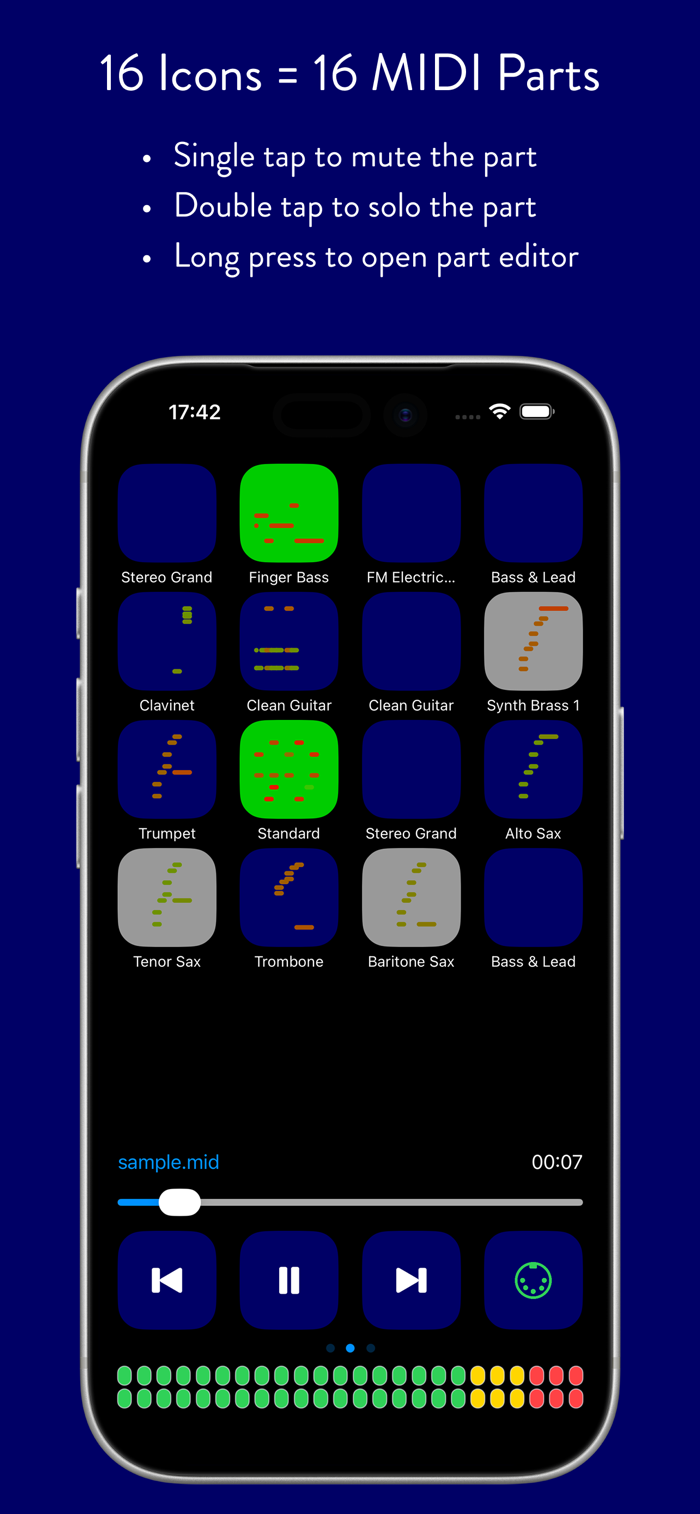
16 icons across the top of the main screen represent the 16 MIDI channels. Tap once or twice on an icon to mute or solo that channel. Long-press an icon to open the Part editor, where you can adjust volume, pan, reverb send, chorus send and delay send, and choose the instrument for each part.
During playback, the icons show live performance information in piano roll, circle or MIDI analyzer view.
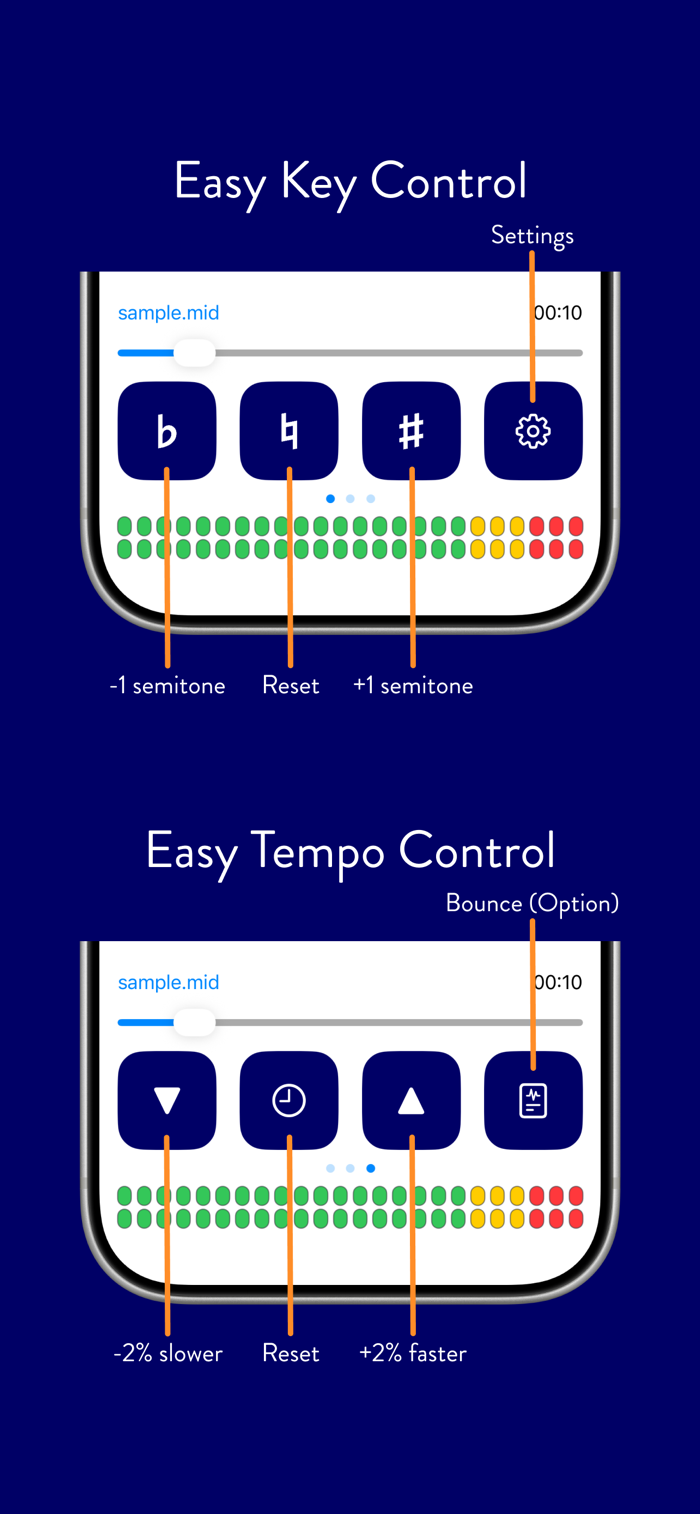
Along the bottom of the screen are transport buttons and a slider for play/stop, seeking the song position, and changing key and tempo. Now Playing information — including elapsed time and playback state — is also shown on the Lock Screen and in Control Center.
m16 supports background MIDI playback, so you can play along on your favorite instrument app while m16 plays the backing track behind it.
m16's built-in synthesizer plays through the GeneralUser GS SoundFont. If you'd rather use your own gear, m16 can send its output over CoreMIDI, or Bluetooth MIDI to external modules and other Virtual MIDI compatible apps — and can even hand off playback entirely to bismark's companion synthesizer app, bs-16i, for a wider range of instrument sounds.
分享「」体验,参与「」抽奖!
分享 1~3 张你对这个产品最满意的截图或效果图
分享「」体验,参与「」抽奖!
用你的故事点亮社区✨!你的真实体验,将会永久展示在 官方主页 📌,为其他朋友提供宝贵参考 💡。立即分享吧!🚀
请为产品评分
请选择问题回答,为大家提供宝贵参考
选择要回答的问题
温馨提示
你尚未上传产品截图。
上传截图可立即获得宝石积分奖励!
如果你赶时间,也可稍后修改评论,补上截图领取宝石。
温馨提醒
你尚未添加产品截图
⚠️ 不添加截图将降低抽奖权重

感谢参加,你已成功参加!
为了确保你能及时收到审核结果和领奖码通知

扫描二维码关注 Mergeek 公众号
在后台回复 「获奖通知」
完成上述操作,即可保障奖励发放成功





用户评价
立即分享产品体验
你的真实体验,为其他用户提供宝贵参考
💎 分享获得宝石
【分享体验 · 获得宝石 · 增加抽奖机会】
将你的产品体验分享给更多人,获得更多宝石奖励!
💎 宝石奖励
每当有用户点击你分享的体验链接并点赞"对我有用",你将获得:
🔗 如何分享
复制下方专属链接,分享到社交媒体、群聊或好友:
💡 小贴士
分享时可以添加你的个人推荐语,让更多人了解这款产品的优点!
示例分享文案:
"推荐一款我最近体验过的应用,界面设计很精美,功能也很实用。有兴趣的朋友可以看看我的详细体验评价~"
关注 Mergeek 公众号
领奖遇到问题?联系小门助手