


 +100宝石




产品功能
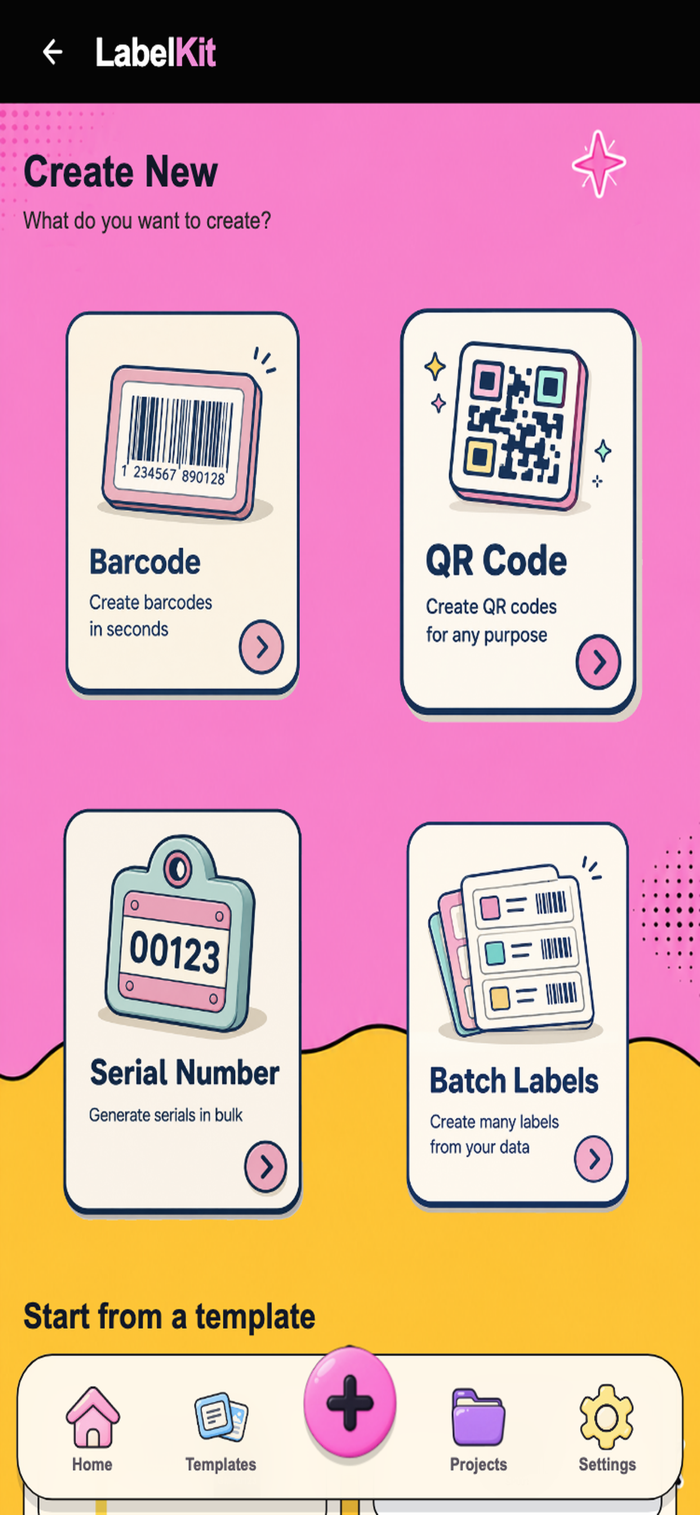
LabelKit supports you from the initial label concept to the final printout, featuring a streamlined mobile workflow and a pleasant pastel interface. Upon opening the Home screen, you have immediate access to the Designer, Data Import, and Print Layout tools, alongside recently used projects and templates—allowing you to resume work with a single tap. The "Create" function offers four clear paths: generating barcodes, creating QR codes, producing serial numbers, or running batch jobs from existing data; alternatively, you can select a suitable template and customize it further. The Template Library organizes common label types—such as product, price, warehouse, asset, shipping, inventory, and warranty labels—allowing you to search by name, filter by category, mark favorites, and preview the actual layout before making a choice. In the Template Detail view, you can access previews, dynamic data fields, dimensions, and update history in one place, then choose to "Use Template" or "Duplicate" to bring the design into your own project. When custom codes are required, the Barcode Generator supports Code128 and other popular formats, letting you toggle text visibility, verify checksums, and insert the code directly onto the label. The QR Generator accepts URLs, text, phone numbers, emails, SMS, or contact details, while allowing customization of colors, module styles, and QR "eye" shapes—or even the insertion of a logo for brand recognition. The Serial Generator builds sequences based on prefixes, starting numbers, digit counts, and suffixes, generating them in bulk and saving them as a project ready for printing. The Batch Generator handles high-volume tasks: select a template, connect a data source, define row ranges, manage duplicate records, and check for errors before generating hundreds of labels at once. The Label Designer is where you actually build your labels: drag and drop text, barcodes, QR codes, images, shapes, and data fields; utilize undo functions, lock key elements, access the Data Manager, quickly export as PNG, or proceed to printing. Data Manager stores all records locally, allowing you to search, filter, edit (add/modify/delete/duplicate), create custom fields, and import from or export to Excel/CSV formats. The Import function maps file columns to label fields, flags discrepancies, and offers options to either overwrite or append to existing data. Validation checks for errors and issues warnings before batch processing or printing, enabling you to catch mistakes early rather than discovering them after printing. Print Layout and Print Preview arrange labels for A4 or custom paper sizes, letting you adjust rows, columns, margins, and spacing; you can preview the exact print output and export it as a PDF. Export options cover standard formats: PNG, PDF, SVG, and CSV.
分享「」体验,参与「」抽奖!
分享 1~3 张你对这个产品最满意的截图或效果图
分享「」体验,参与「」抽奖!
用你的故事点亮社区✨!你的真实体验,将会永久展示在 官方主页 📌,为其他朋友提供宝贵参考 💡。立即分享吧!🚀
请为产品评分
请选择问题回答,为大家提供宝贵参考
选择要回答的问题
温馨提示
你尚未上传产品截图。
上传截图可立即获得宝石积分奖励!
如果你赶时间,也可稍后修改评论,补上截图领取宝石。
温馨提醒
你尚未添加产品截图
⚠️ 不添加截图将降低抽奖权重

感谢参加,你已成功参加!
为了确保你能及时收到审核结果和领奖码通知

扫描二维码关注 Mergeek 公众号
在后台回复 「获奖通知」
完成上述操作,即可保障奖励发放成功





用户评价
立即分享产品体验
你的真实体验,为其他用户提供宝贵参考
💎 分享获得宝石
【分享体验 · 获得宝石 · 增加抽奖机会】
将你的产品体验分享给更多人,获得更多宝石奖励!
💎 宝石奖励
每当有用户点击你分享的体验链接并点赞"对我有用",你将获得:
🔗 如何分享
复制下方专属链接,分享到社交媒体、群聊或好友:
💡 小贴士
分享时可以添加你的个人推荐语,让更多人了解这款产品的优点!
示例分享文案:
"推荐一款我最近体验过的应用,界面设计很精美,功能也很实用。有兴趣的朋友可以看看我的详细体验评价~"
关注 Mergeek 公众号
领奖遇到问题?联系小门助手