Your Mac and Linux machines, within reach.
Built for iPhone Duo, iPhone and iPad, MySSH brings a real SSH terminal to your device, with Tailscale device import, encrypted local credentials, and screen sharing through your SSH connection.
A TERMINAL BUILT FOR TOUCH
Use an xterm-256color terminal with a dedicated row for Esc, Ctrl, Alt, Tab, arrows and other essential keys. Work with tmux, terminal editors and command-line tools. Open sessions keep their scrollback as you move between screens.
CONNECT YOUR WAY
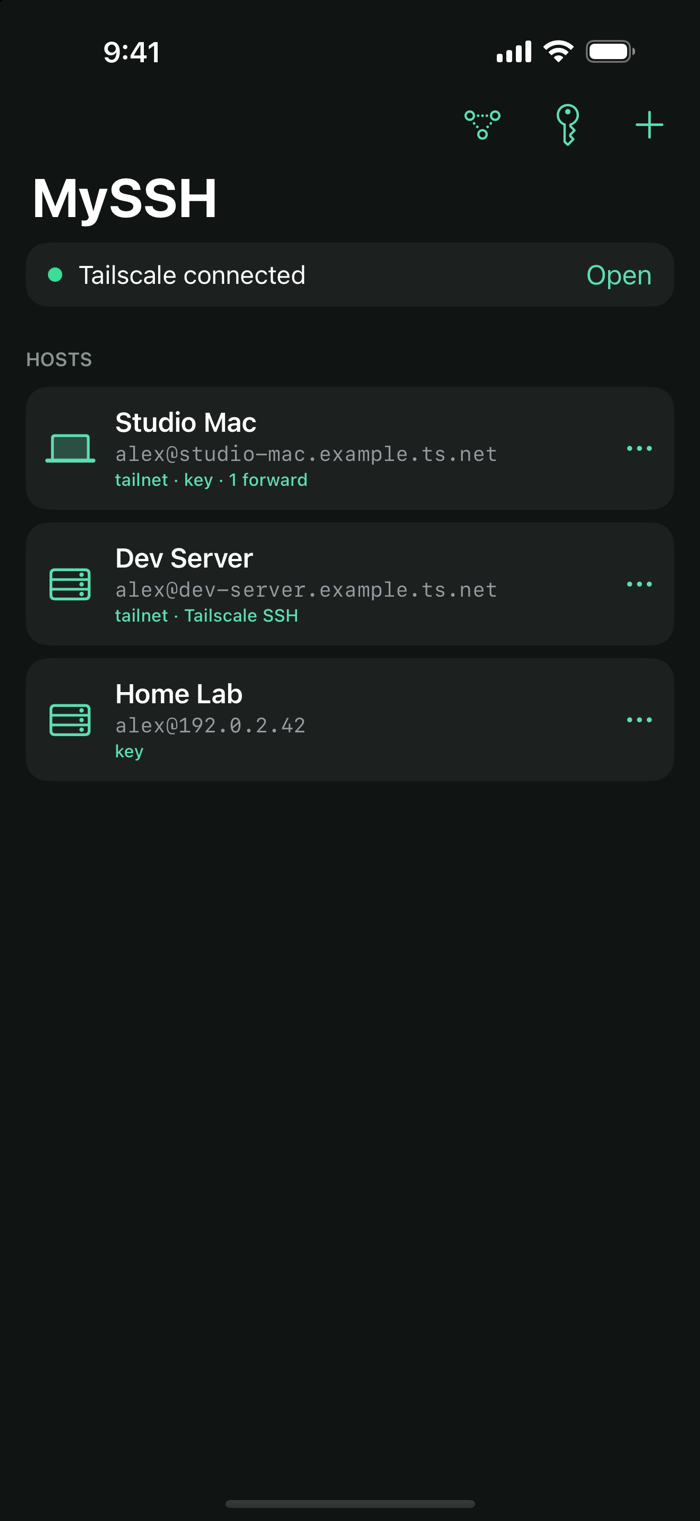
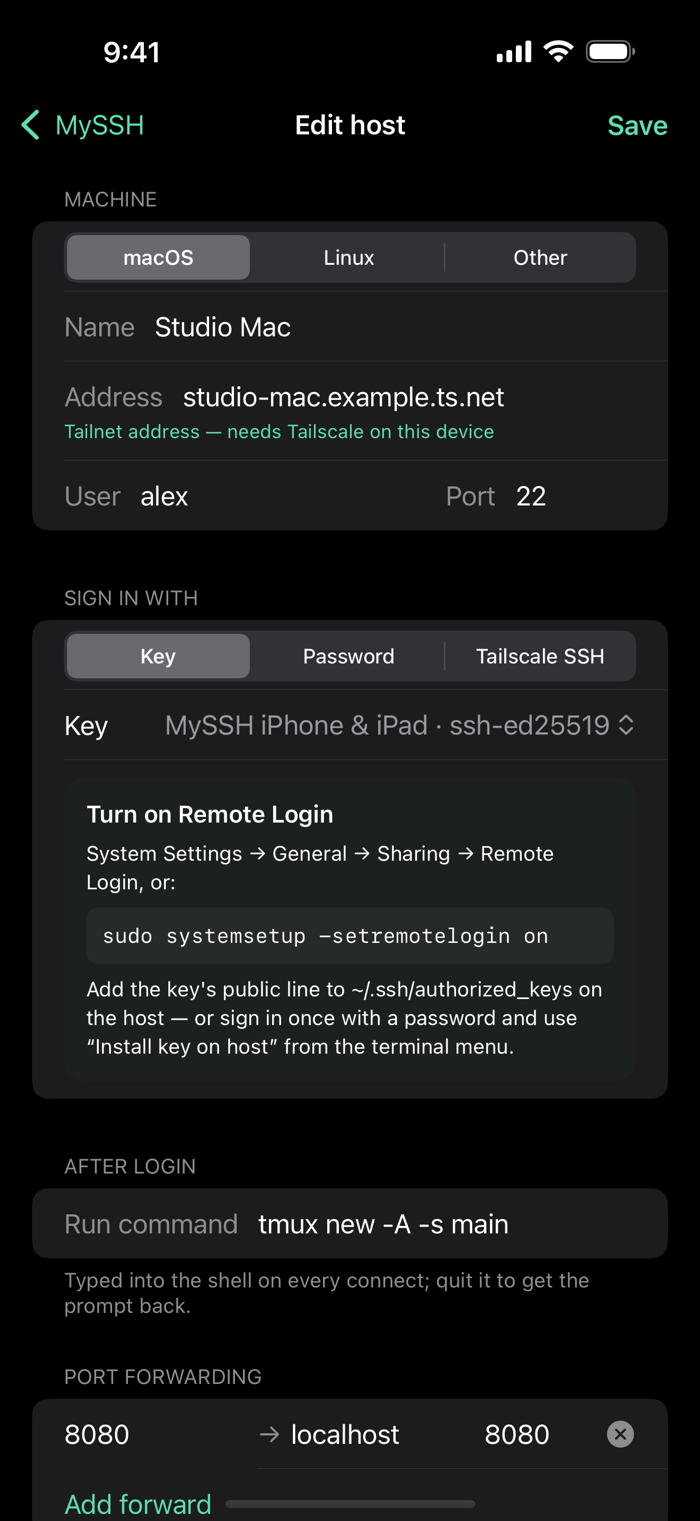
Sign in with SSH keys, passwords, keyboard-interactive authentication or Tailscale SSH. Save hosts by IP address or hostname, set a command to run after login, and configure local port forwarding. Review host-key fingerprints before trusting a new server.
AT HOME ON YOUR TAILNET
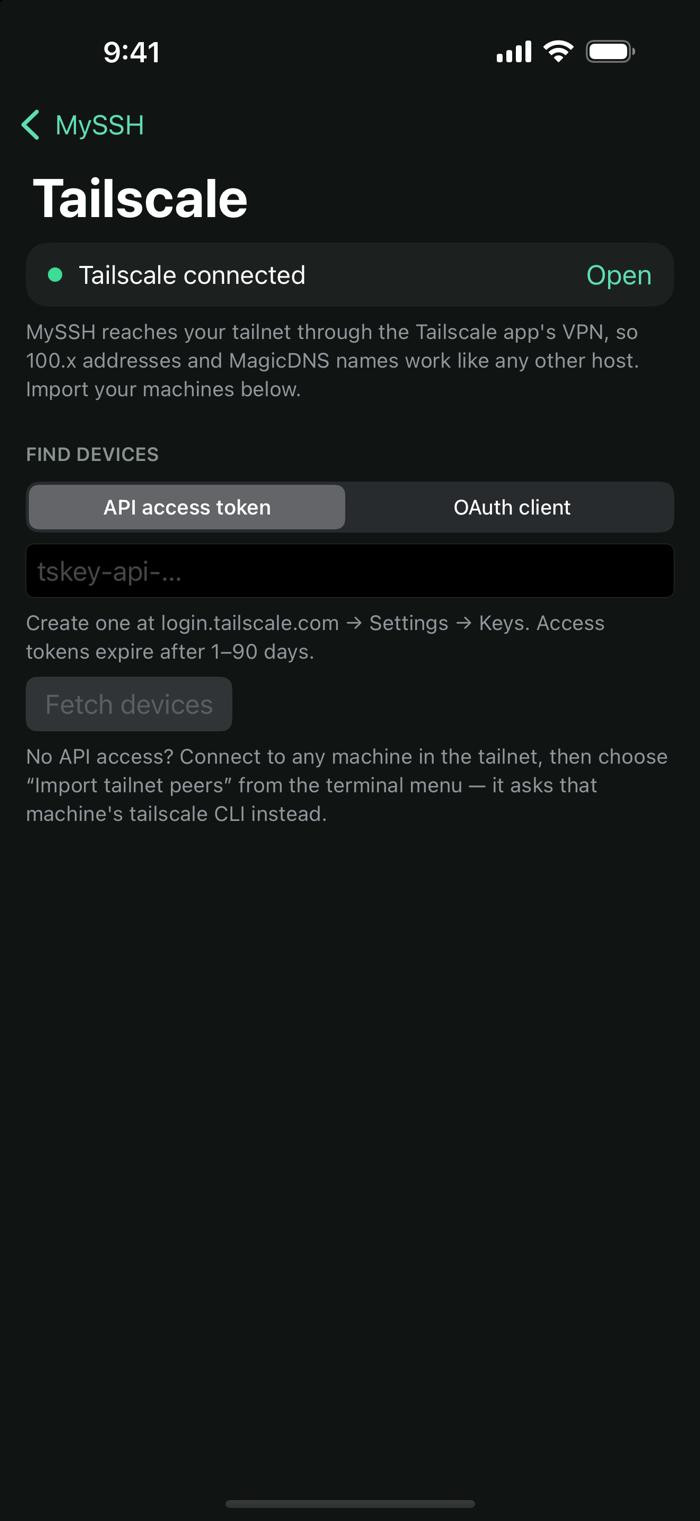
Reach machines by their Tailscale address or MagicDNS name using the separate official Tailscale app. Import devices with an API access token or OAuth client, or import peers through the tailscale command on a connected host. Tailscale SSH check-mode login links appear while authentication is pending.
KEYS THAT STAY WITH YOU
Generate Ed25519 keys or import OpenSSH and PEM keys, including supported passphrase-protected keys. Install a public key on a connected host from the terminal menu. Saved private keys, remembered passwords and Tailscale credentials are encrypted locally using a key held in the system Keychain.
SCREEN SHARING OVER SSH
Open a remote Mac desktop through an SSH tunnel to its VNC service. Tap to click, hold to right-click, drag, scroll and pinch to zoom. Send keyboard input and paste text from the screen-sharing toolbar.
No advertising or analytics SDKs. No MySSH account required.
Requires an SSH-enabled remote computer. Tailscale connections require a configured tailnet and the official Tailscale app. Screen sharing requires a compatible VNC service on the remote host. iOS may suspend connections when the app remains in the background; reconnect when you return.