



NE App
工具
- Creator
- Global Power Products
- 平台
- iOS
NE App是一款专为iPhone设计的电能表数据读取应用,界面分为表格视图与配置两部分。表格视图以列表形式展示电表数据,支持通过顶部按钮自定义选择数据类型和时间间隔。配置模块允许用户登录、选择电表及设置或修改费率,需由Global Power Products预先完成账号与电表关联。登录时只需输入用户名和密码并点击更新即可,操作简便,功能聚焦于数据查看与管理,适合专业场景使用。
工具
NE App是一款专为iPhone设计的电能表数据读取应用,界面分为表格视图与配置两部分。表格视图以列表形式展示电表数据,支持通过顶部按钮自定义选择数据类型和时间间隔。配置模块允许用户登录、选择电表及设置或修改费率,需由Global Power Products预先完成账号与电表关联。登录时只需输入用户名和密码并点击更新即可,操作简便,功能聚焦于数据查看与管理,适合专业场景使用。
点击查看界面细节



NE App - iPhone Application For Reading NE Meter Data
The NE App is divided into two sections separated by tabs: Table View, and Configuration.
Table View:
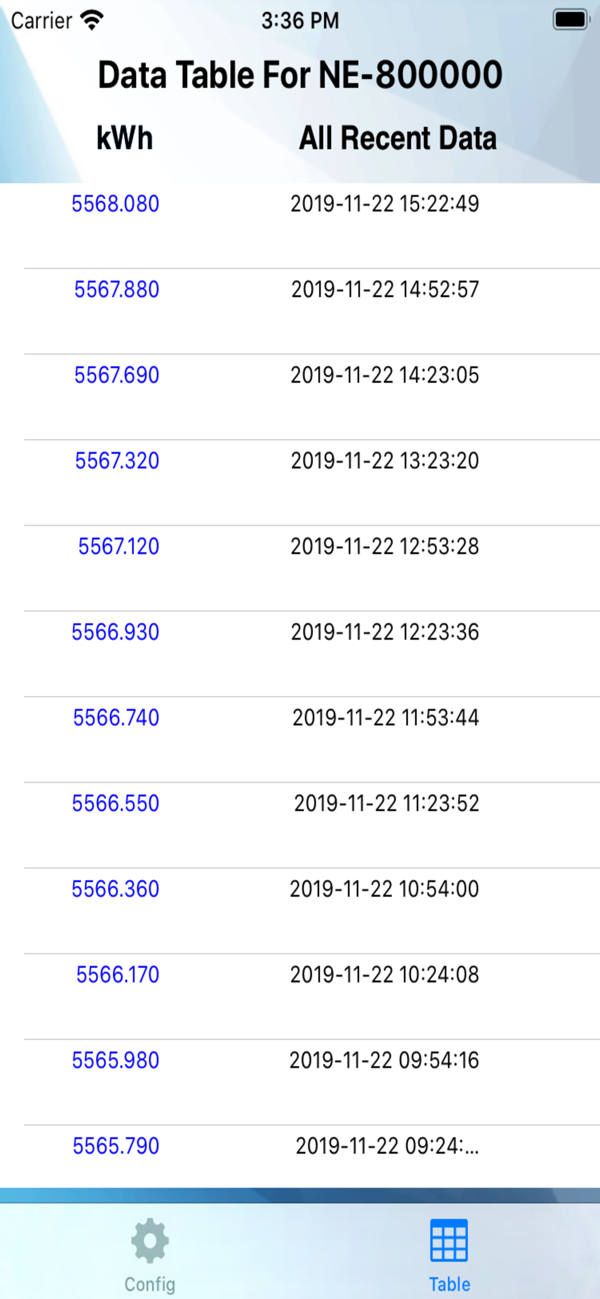
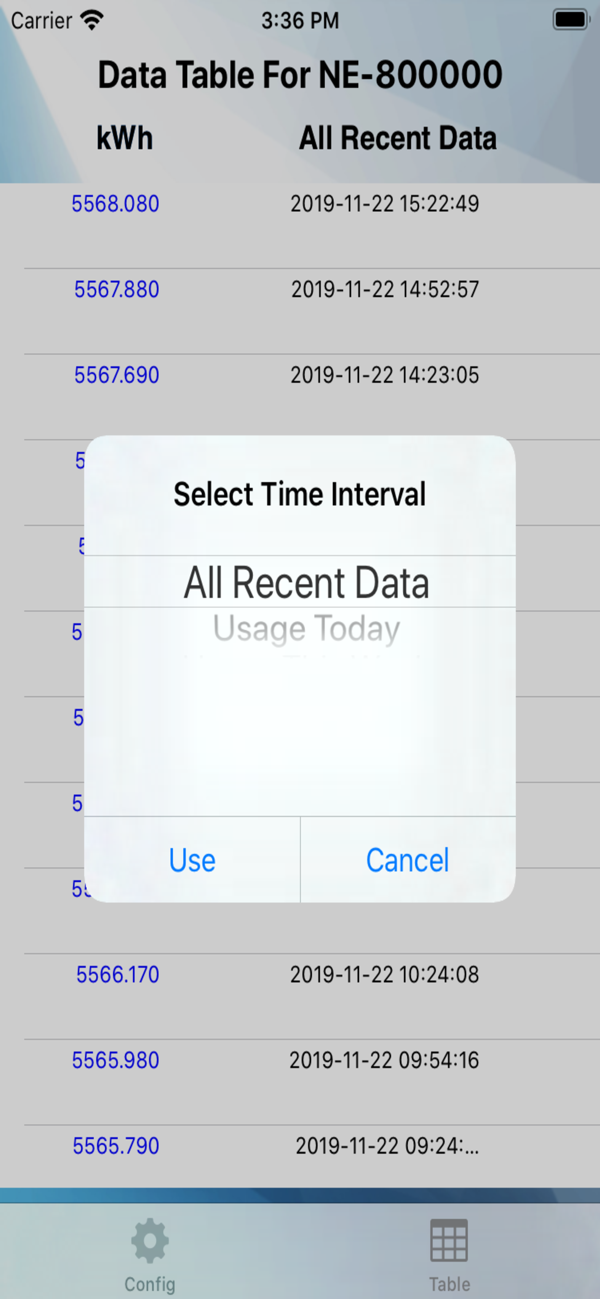
The Table View allows the user to view meter data in a tabular format. The left button at the top of the table is for selecting the data type and the right button is for selecting the time interval. The data types and time intervals (including Custom) operate the same way as for the Graph View.
Configuration:
The Configuration section allows the user to log in, choose a meter, and set or change the rate for that meter. User names and meters associated to the manager's account must be previously set up by Global Power Products. To log in, simply type the user name and password into the specified fields and press the Update button.
New UI.
还没有公开评论,欢迎分享你的体验。
NE App
Help the people using your product get to know its creator. Our editors will review your application before awarding a verified developer badge.
Our editors will review your information and contact you at the email provided if they need more details. Your badge will be awarded after your identity is confirmed.
