


 +100宝石



产品功能
A complete mindfulness and digital wellness App, privacy first, no subscriptions. Reduce screen time and make more room for calm, sleep, exercise, and self-reflection.
RLX helps you use Apple's "Screen Time" on your iPhone more calmly and clearly. Select what can wait, set boundaries for the day, and come back when you want. Completely free: no accounts, in-app purchases, subscriptions, or paywalls.
Phones are useful, but they don't need to fill every idle moment.
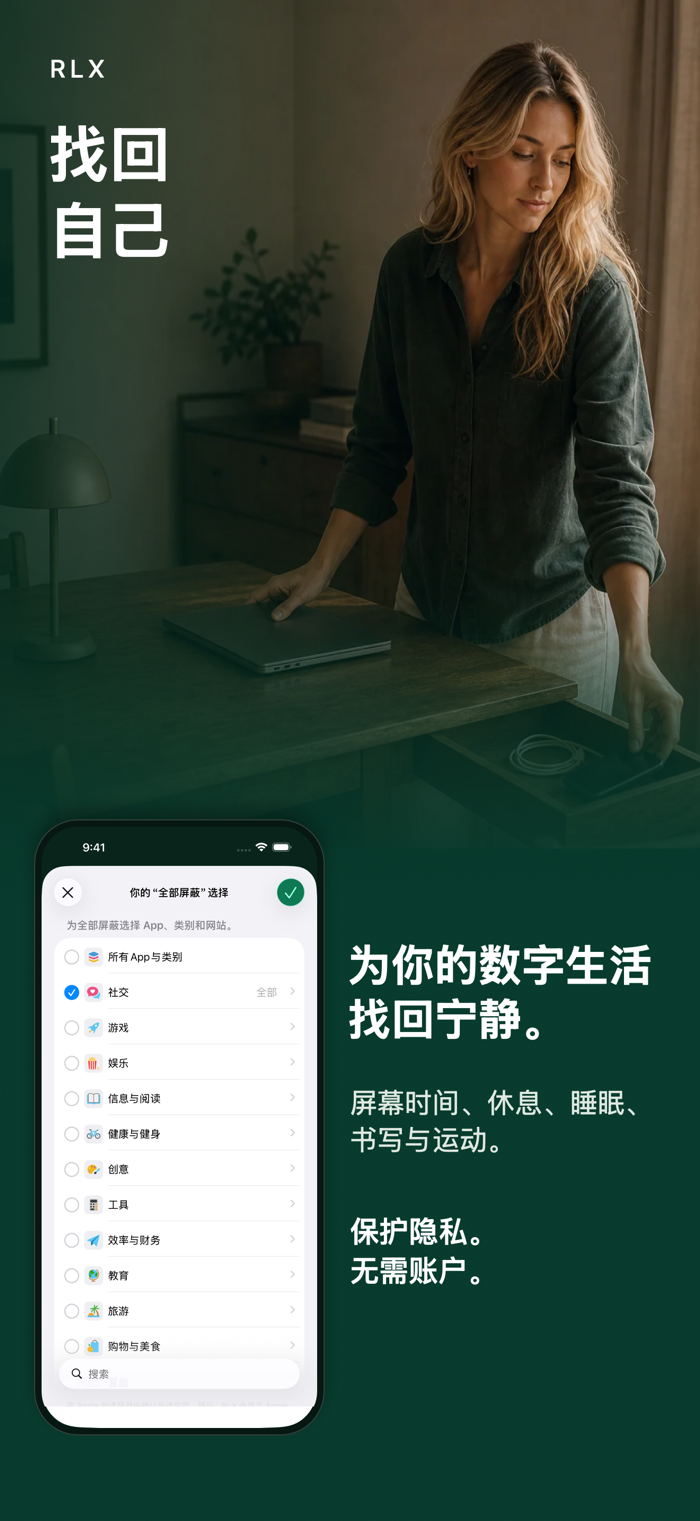
Guard what can wait
• Select apps, categories, and websites in Apple's native "Screen Time" selector.
• Now turn on the guard, turn it on at a specified time, or set a daily limit.
• View the current active guard level and adjust your selections as the day changes.
• For a single app, RLX shows the real system name and icon that iOS presents on the device. For larger or mixed selections, it shows useful native labels provided by Apple by type and uses a concise +N to indicate the rest.
• When content is blocked, iOS displays a blocked page. Regular guards have a considered way to exit; "Locked" is only for a temporary and clearly more restrictive locking commitment.
Pause before opening
Select a single app that you want to keep available but want to open more consciously. When opened, RLX will first leave a short pause. After continuing, the same app will remain available for 15 minutes.
Integrate with your iPhone
RLX can be used via widgets, Control Center, Shortcuts, Action Buttons, or self-set NFC stickers. The little pause reminder can appear where it's most helpful. NFC stickers only trigger the selected action, don't end an ongoing "locking commitment", and don't bypass "Kids Mode".
Calmer in your own way
Rest, sleep, journaling, and exercise accompany "Screen Time". When needed, you can choose a short restart, a breathing exercise, a thought, or a walk. All free: no paid tiers or paywalls.
Privacy respected from the start
• No accounts, ads, analytics, or tracking.
• By default, data stays on the iPhone.
• A limited copy in your iCloud can retain eligible settings, tasks, Kids Mode settings, and progress and is not part of the device backup.
• No servers receive RLX data.
• RLX uses Apple's "Screen Time" to apply your selections.
Kids Mode on the device
"Kids Mode" runs on the child's iPhone locally. Parents manage boundaries via the native parental PIN and Apple's "Family Sharing". RLX has no servers or remote monitoring.
Be clear about what it can do
RLX uses Apple's "Screen Time" on the iPhone to only guard the apps, categories, and websites you select there. In Safari, another optional layer of settings can only restrict adult websites (18+) or a set of named domains that you explicitly turn on. It's not a universal switch that can block all content on the internet.
分享「」体验,参与「」抽奖!
分享 1~3 张你对这个产品最满意的截图或效果图
分享「」体验,参与「」抽奖!
用你的故事点亮社区✨!你的真实体验,将会永久展示在 官方主页 📌,为其他朋友提供宝贵参考 💡。立即分享吧!🚀
请为产品评分
请选择问题回答,为大家提供宝贵参考
选择要回答的问题
温馨提示
你尚未上传产品截图。
上传截图可立即获得宝石积分奖励!
如果你赶时间,也可稍后修改评论,补上截图领取宝石。
温馨提醒
你尚未添加产品截图
⚠️ 不添加截图将降低抽奖权重

感谢参加,你已成功参加!
为了确保你能及时收到审核结果和领奖码通知

扫描二维码关注 Mergeek 公众号
在后台回复 「获奖通知」
完成上述操作,即可保障奖励发放成功









用户评价
立即分享产品体验
你的真实体验,为其他用户提供宝贵参考
💎 分享获得宝石
【分享体验 · 获得宝石 · 增加抽奖机会】
将你的产品体验分享给更多人,获得更多宝石奖励!
💎 宝石奖励
每当有用户点击你分享的体验链接并点赞"对我有用",你将获得:
🔗 如何分享
复制下方专属链接,分享到社交媒体、群聊或好友:
💡 小贴士
分享时可以添加你的个人推荐语,让更多人了解这款产品的优点!
示例分享文案:
"推荐一款我最近体验过的应用,界面设计很精美,功能也很实用。有兴趣的朋友可以看看我的详细体验评价~"
关注 Mergeek 公众号
领奖遇到问题?联系小门助手