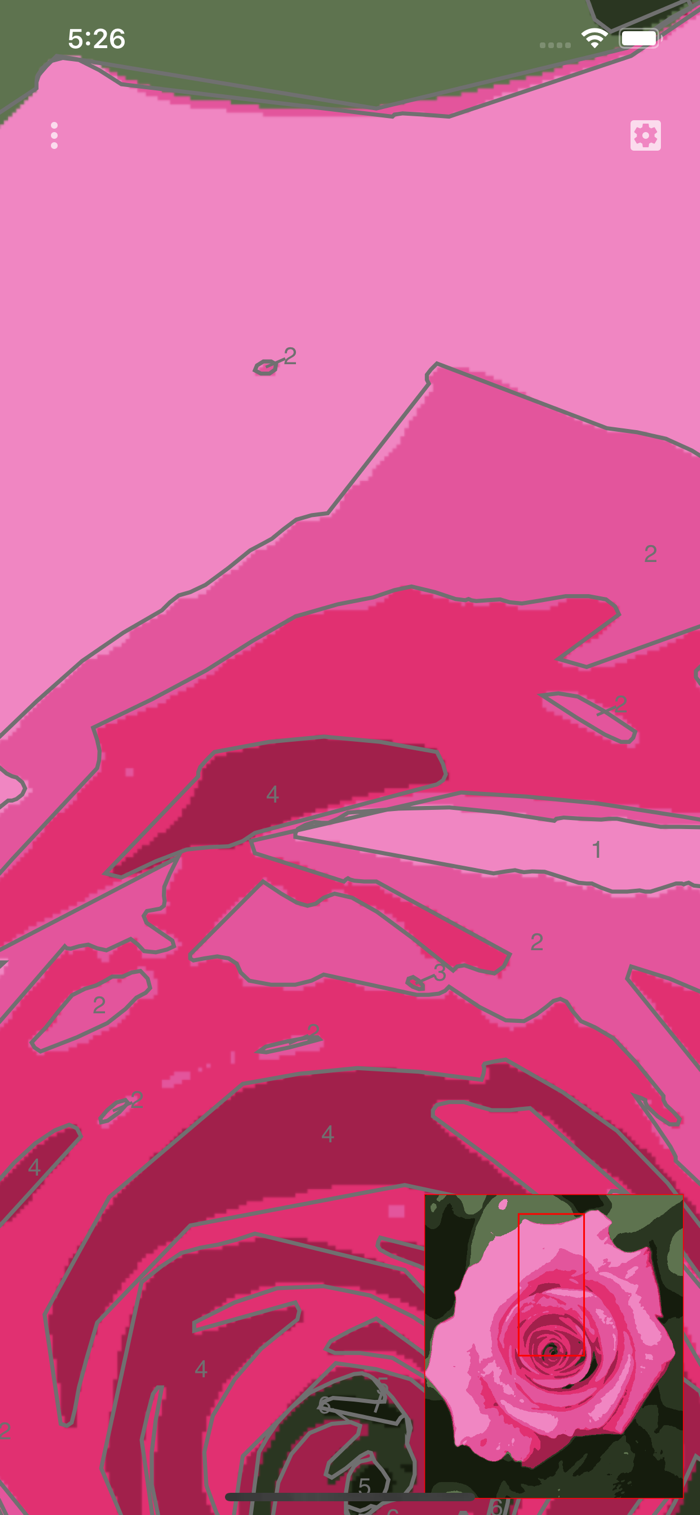
该应用可将照片转化为可打印的画布,能导出PDF、SVG、PNG或JPG格式文件。打印后按编号区域用对应颜色上色即可,项目可保存。操作步骤:点击左上角按钮选“Open New image”,图像分析后显示编号区域,可双指缩放、单指平移查看,右上角按钮打开参数面板可设置颜色数量、数字大小等,选“Export to PDF”可打印,建议选细节少的图像,增加模糊度能减少细节。
This application allows you to turn any photograph to a ready to paint printable canvas. This canvas is exportable in a PDF, SVG, PNG or JPG file. Once printed on a real canvas, you just have to paint the numbered areas with the matching colors in your palette. The projects can be saved for later editing.
QUICK START
1. Touch the top left button and select "Open New image". 2. The image is analyzed and should appear with the numbered areas. 3. To check the result, you can zoom with two fingers or pan with one. 4. The top right button opens the parameters panel which allows changing the number of color, the size of the numbers, etc... 5. To print the result, touch the top left button and select "Export to PDF".
NOTES
It is recommended to choose images with less detail as possible. Increasing the blur power helps to reduce the details in the application.


 +100宝石

 分享
分享











用户评价
立即分享产品体验
你的真实体验,为其他用户提供宝贵参考
💎 分享获得宝石
【分享体验 · 获得宝石 · 增加抽奖机会】
将你的产品体验分享给更多人,获得更多宝石奖励!
💎 宝石奖励
每当有用户点击你分享的体验链接并点赞"对我有用",你将获得:
🔗 如何分享
复制下方专属链接,分享到社交媒体、群聊或好友:
💡 小贴士
分享时可以添加你的个人推荐语,让更多人了解这款产品的优点!
示例分享文案:
"推荐一款我最近体验过的应用,界面设计很精美,功能也很实用。有兴趣的朋友可以看看我的详细体验评价~"
关注 Mergeek 公众号
领奖遇到问题?联系小门助手