INTRODUCTION产品介绍
- Sculpture Tools
Clay, flatten, smooth, mask and many other brushes let you shape your creation.
Need hard lines? You'll also find some lasso/line/curve cutting tools.
- Brush Customization
Falloff, alphas, tilings, pencil pressure and other brush parameters can be customized.
You can also save and load your tool presets.
- Painting Tools
Vertex painting includes color, roughness and metallicness.
You can also easily manage all material presets.
- Layers
Record your sculpture and painting operations in separate layers for easier iteration during the creation process.
Changes to both sculpture and painting are recorded.
- Multi-Resolution Meshes
Switch freely between different resolutions of your model for a smoother creation experience.
- Voxel Remeshing
Remeshing enables recalculating the mesh topology of your model.
It can be used for quick sketching at the beginning of your creation.
- Dynamic Topology
Refine your mesh locally under your brush for an automatic level of detail.
You can even keep your layers as they will be updated automatically!
- Simplification
Reduce the polygon count while retaining as much detail as possible.
- Face Grouping
Use the face grouping tool to split your mesh into subgroups.
- Automatic UV Unwrap
The automatic UV unwrapper can use face grouping to control the unwrapping process.
- Baking
You can transfer vertex data such as color, roughness, metallicness and small-scale details to textures.
You can also do the opposite, transferring texture data to vertex data or layers.
- Primitives
Cylinders, rings, tubes, lathes and other primitives can be used to quickly start new shapes from scratch.
- PBR Rendering
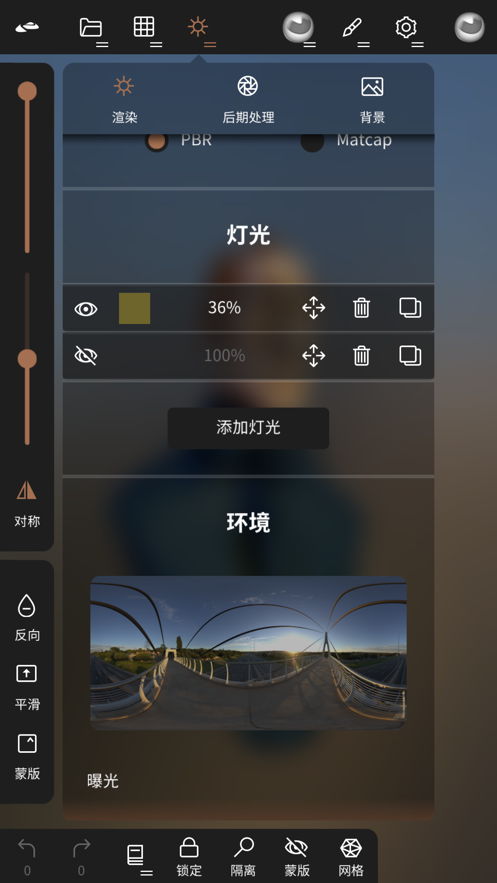
Beautiful default PBR rendering, including lighting and shadows.
You can always switch to MatCap for more standard shading for sculpting purposes.
- Post-Processing
Screen space reflection, depth of field, ambient occlusion, tone mapping, etc.
- Export and Import
Supported formats include glTF, OBJ, STL or PLY files.
- Interface
A…