INTRODUCTION产品介绍
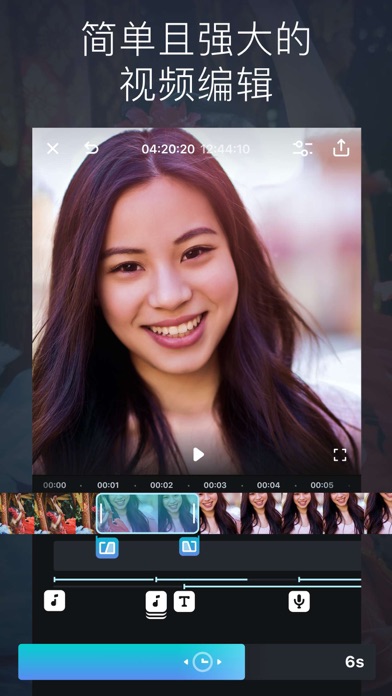
Simple yet powerful, Splice allows you to easily create fully customized, professional-level videos on your iPhone or iPad. Imagine a software optimized for mobile devices with performance comparable to desktop editing software. With just a tap, trim clips, add slow-motion effects or stack multiple clips to create stunning videos you can't wait to share. On the go, video editing like a pro has never been easier.
Powerful editing tools make video creation a breeze
+ Trim, cut, and crop your photo and video clips.
+ Optimize your videos by adjusting exposure, contrast, saturation, etc.
+ Adjust the playback speed for fast or slow motion, and now you can also set speed increments.
+ Stack photos or videos and apply masks to create amazing effects.
+ Remove the background using chroma key.
+ Animate your videos with the Ken Burns effect.
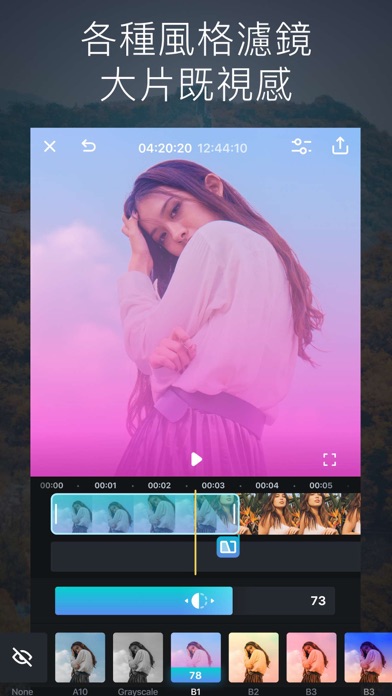
+ Apply filters and adjust background color, orientation, etc.
+ Add amazing effects: glitch, chromatic, vintage, and more.
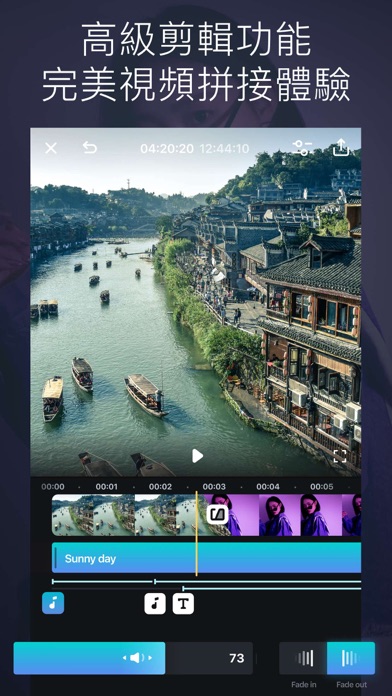
+ Choose your transition style and control the speed between transitions.
+ Add title slides, text overlays, and custom endings.
+ Bring your photos to life and create slideshows with pan and zoom effects.
Customize the perfect soundtrack
+ Precision trim and mix multiple audio tracks.
+ Use songs from your iTunes library (subject to iTunes terms).
+ Add narration or custom sound effects using the built-in recorder.
Easily share and save your videos
+ Share directly to YouTube, Instagram, TikTok, Facebook, Mail, Messages, etc.
+ Save videos to your photo album.
Subscription information:
Subscribe to fully utilize the above features.
+ Subscription periods: weekly, monthly, yearly
+ Once you confirm the purchase, the corresponding amount will be deducted from your iTunes account.
+ You can manage your subscription after purchase and can turn off auto-renewal from your account settings.
+ Your subscription will auto-renew unless you turn off auto-renewal at least 24 hours before the end of the current period.
+ Th…