Trigger macOS Shortcuts by physical device attachment or detachment.
Stecker detects USB peripherals, including keyboards, mice, hubs, drives, cameras, and microphones.
Stecker is very lightweight in memory and energy usage: It only acts on filtered system notifications - no repeated pulling of device status.
Example use cases:
- Plug audio equipment and start your podcasting software.
- Plug a USB hub and changes your focus mode to “Work”.
- Plug an ethernet adapter and disable Wi-Fi.
- Plug an external keyboard and run a shell script that changes the system keyboard layout.
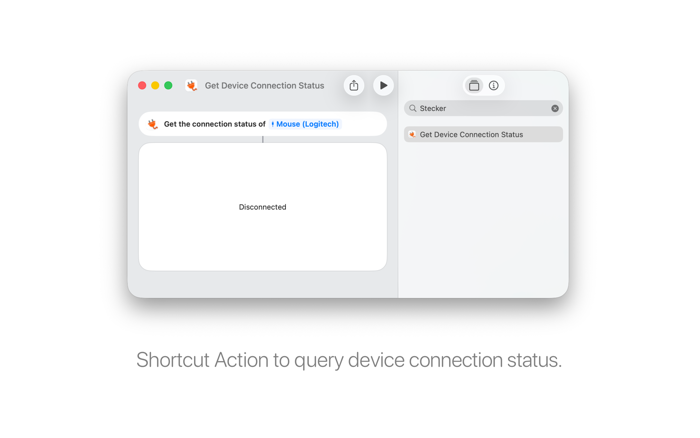
Stecker also provides a Shortcut Action "Get Device Connection Status" for the Shortcuts App which allows you to query if a selected device is connected or disconnected.


 +100宝石

 分享
分享










用户评价
立即分享产品体验
你的真实体验,为其他用户提供宝贵参考
💎 分享获得宝石
【分享体验 · 获得宝石 · 增加抽奖机会】
将你的产品体验分享给更多人,获得更多宝石奖励!
💎 宝石奖励
每当有用户点击你分享的体验链接并点赞"对我有用",你将获得:
🔗 如何分享
复制下方专属链接,分享到社交媒体、群聊或好友:
💡 小贴士
分享时可以添加你的个人推荐语,让更多人了解这款产品的优点!
示例分享文案:
"推荐一款我最近体验过的应用,界面设计很精美,功能也很实用。有兴趣的朋友可以看看我的详细体验评价~"
关注 Mergeek 公众号
领奖遇到问题?联系小门助手