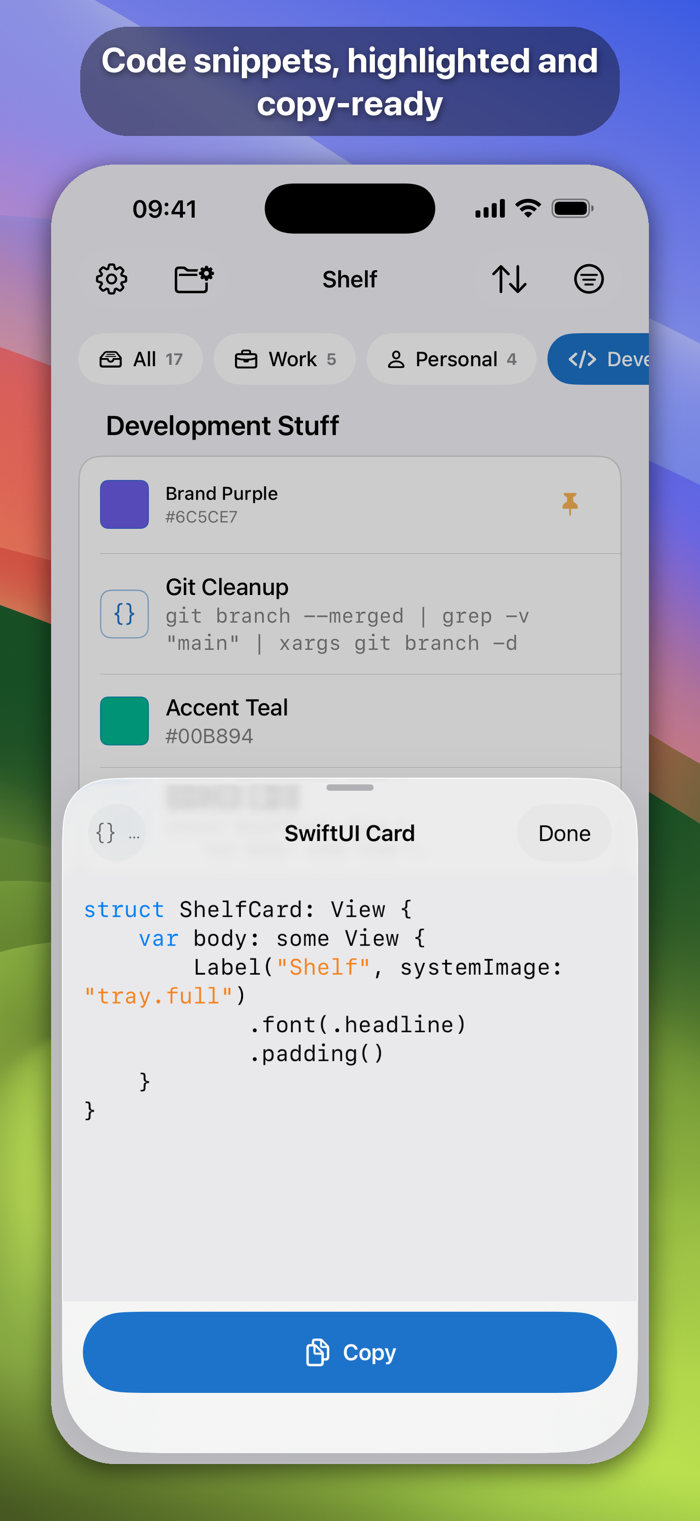
The small things you keep needing and can never remember - door codes, Wi-Fi passwords, addresses, IBANs, promo codes, vouchers, the command you paste every Monday or your favourite prompt template - are now available in Shelf, one tap from your clipboard on every Apple device you own. The names and values of your stuff are encrypted on your device before they are stored and synced through your own iCloud. No account to create, no server of mine in between.
» Stuff, understood
› Paste a value, and Shelf works out what it is: email, phone number, link, address, IBAN, date, colour or code. IDs and prompts get their own types too
› Smart Data Actions: tap the icon on a phone number to call, an email to write, an address to open in Maps, a link to open it
› Code snippets get syntax highlighting
› Hex, rgb and hsl values show their colour
› Each can be marked as a hidden value that stays masked on screen until you peek, and is cleared from the clipboard 60 seconds after you copy it
» Found in a second
› Search as you type, across every folder
› Pin the stuff you use most; sort by most used, most recent, or your own order
› Folders with 460+ icons, each shown or hidden per device - keep Work off your personal iPhone
» On the Mac, in the menu bar
› Shelf lives in the menu bar: switch on the global shortcut in Settings (Control-Tab by default) and it opens a search box from inside any app - for instant pastes when and where you need it
› Arrow keys to browse, Return to copy, Escape to dismiss - your hands never leave the keyboard
› Hide it from the Dock and Shelf is there only when you call it
» On iPhone and iPad
› Tap to copy, swipe to share or edit, long-press for more
› Home Screen widgets: pick the stuff you want and copy it without opening the app
› Add from anywhere through the Share sheet
› App Lock with Face ID, Touch ID or your passcode
» On Apple Watch
› Browse and read your stuff from your wrist, filtered to the folders you choose - perfect for checking th…