


Dooter: Pretend Checkout
教育
- 创作者
- Drake Apps
Dooter 将 iPhone 转化为互动式玩具收银机,通过扫描物品触发音效与总价累计,支持模拟刷卡或现金支付及打印收据。内置 Fresh Market、Mega Mart 和 Toy Town 三种主题场景,提供丰富商品选项。专为儿童设计,具备大按键、纠错功能及持久亮屏特性,可自定义扫描音效;家长可通过长按进入设置界面,确保无广告和无应用内购买,保障安全纯净的使用体验。

教育
Dooter 将 iPhone 转化为互动式玩具收银机,通过扫描物品触发音效与总价累计,支持模拟刷卡或现金支付及打印收据。内置 Fresh Market、Mega Mart 和 Toy Town 三种主题场景,提供丰富商品选项。专为儿童设计,具备大按键、纠错功能及持久亮屏特性,可自定义扫描音效;家长可通过长按进入设置界面,确保无广告和无应用内购买,保障安全纯净的使用体验。
点击查看界面细节


Dooter turns your iPhone into a toy checkout. Lay it flat on a table, screen up, and hold anything over the top of the screen: a teddy, a box of cereal, a shoe. Doot! The scanner flashes green, an item rings up, and the total climbs.
When the basket's full, press Pay:
• Card: hold any pretend card over the scanner, wait for "Approving…", and it's approved!
• Cash: hand over play bills and Dooter works out the change.
Then a receipt prints out, and it's time for the next customer.
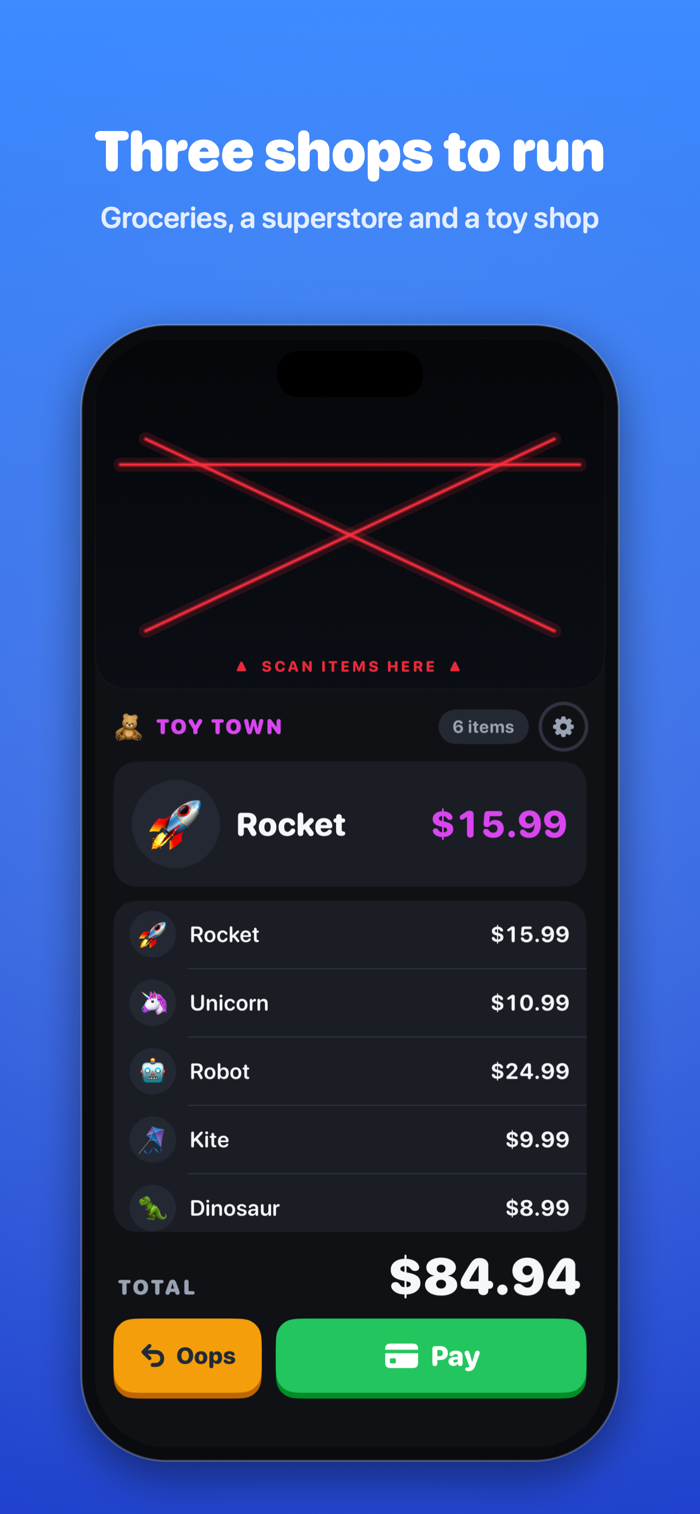
Three shops to run
• Fresh Market: apples, milk, bread, ice cream and more
• Mega Mart: sneakers, headphones, teddy bears and popcorn
• Toy Town: robots, rockets, dinosaurs and unicorns
Made for little hands
• Big buttons, big prices and a satisfying doot on every scan
• An Oops button takes the last item back off
• The screen stays on while they play
• Pick the scanner sound: Doot, Classic beep or Chirp
For grown-ups
• Settings sit behind a press-and-hold, away from small fingers
• No ads, no in-app purchases, no accounts and no internet needed
• Nothing is collected, tracked or shared
• Pairs well with Guided Access to keep kids in the app
How the scanner works
Dooter uses the front camera as a light sensor. It only notices when something blocks the light above the screen. It never takes photos or video, and nothing leaves your iPhone. Rather not use the camera? Switch to the proximity sensor in Settings, or just tap the scanner to scan.
还没有公开评论,欢迎分享你的体验。
