Universal Palette Converter (UPC) helps you move color palettes between formats without rebuilding them manually.
Import palettes from design tools, files, or raw text/code, then export them into formats that work elsewhere.
It’s useful if you’ve ever needed to reuse colors across apps or environments.
Examples:
- For designers: export a palette from Affinity and import it into Procreate
- For developers: copy colors from one codebase and reuse them in another
- From design to code: take colors from a UI file and export them as CSS or JSON
- From anywhere: extract colors from text, a website, or a document and turn them into a usable palette
What you can do:
- Import palettes from common design formats (ASE, ACO, GPL, Procreate, Affinity, Sketch, Corel, and more)
- Extract colors from text or code (Hex, RGB, HSL, CSS, JSON, JavaScript, Swift, Kotlin, XML, Dart, etc.)
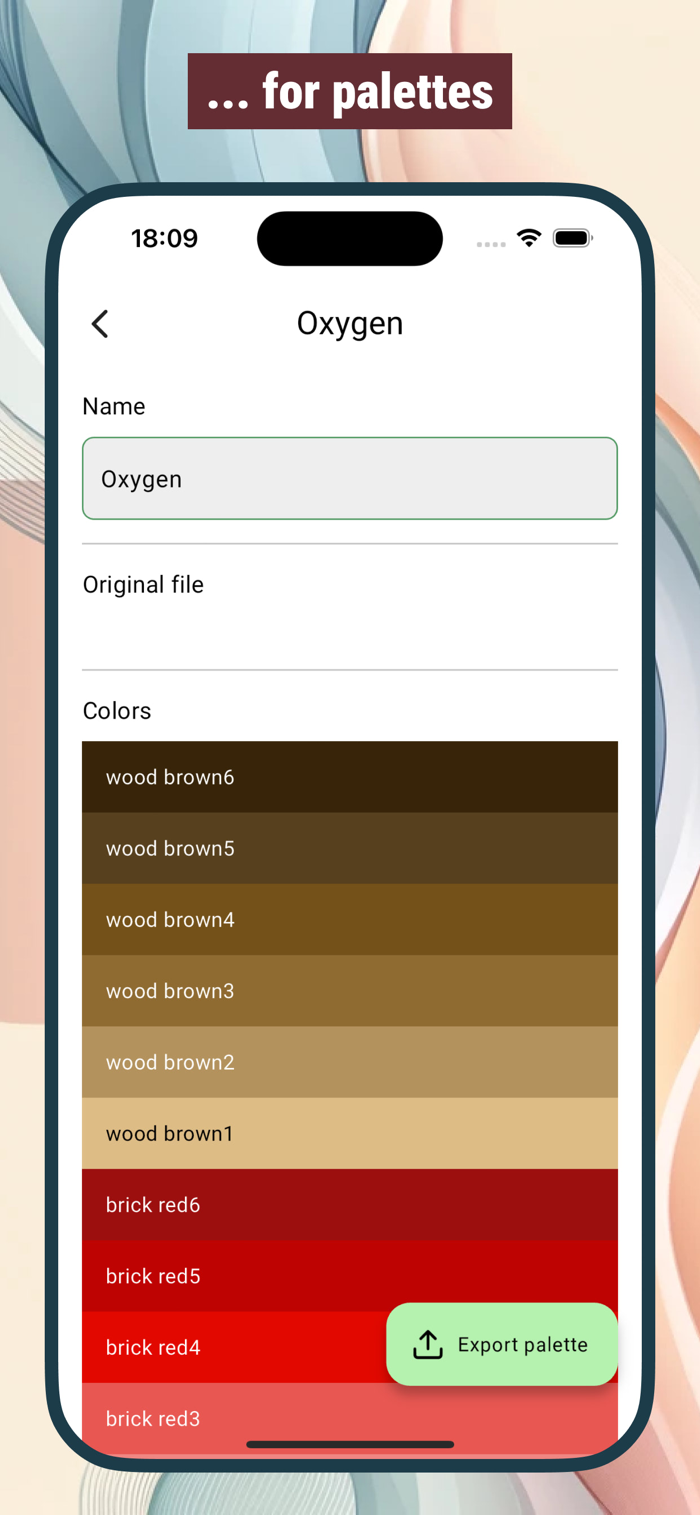
- View and inspect colors in multiple formats and color spaces
- Convert palettes between formats
- Export to files for design tools (ASE, ACO, GPL, Procreate, Sketch, and others)
- Export as code (CSS, JSON, JavaScript, Swift, Kotlin, Dart, XML, SVG, etc.)
- Generate palette images (PNG, JPEG) for sharing
Other details:
- Works fully offline
- No account required
--- Import from:
Files:
- Adobe Color Book (ACB) | .acb
- Adobe Color Book Legacy (ACBL) | .acbl
- Adobe Color Swatch (ACO) | .aco
- Adobe Color Table (ACT) | .act
- Adobe Swatch Exchange (ASE) | .ase
- Affinity Designer Palette | .afpalette
- ArtRage 6 Color Palette (COL) | .col
- Color Exchange Format (CXF) | .cxf
- ColorSchemer Studio | .cs
- CorelDraw 4 Palette | .pal
- GIMP Palette | .gpl | Gimp, Inkscape, Krita, KolourPaint, Scribus, CinePaint, MyPaint
- Homesite Palette | .hpl | Allaire Homesite, Macromedia ColdFusion
- KOffice Palette | .colors | Calligra Suite, KDE Applications
- Paint.NET Palette | .txt
- Procreate v1 Swatches | .swatches
- Procreate v5 Swatches | .swatches
- Jasc / Corel Paint Shop Pro Palette | .pal, .psppalette
- Rebelle | .txt, .colors
- Resource Interchange File Format (RIFF) | .pal
- Scribus Swatch | .xml
- sK1 Palette | .skp | sK1
- Skencil Palette | .spl | Skencil, sK1
- Sketch Palette | .sketchpalette
- StarOffice Colors | .soc | StarOffice, OpenOffice, LibreOffice
Any text containing the following formats:
- Hexadecimal color codes
- CSS/SCSS/LESS color values and variables
- JSON
- JavaScript/TypeScript constants
- XML/Java/Kotlin
- iOS Swift/Objective-C UIColor
- macOS Swift/Objective-C NSColor
- .NET Color
- Flutter Color
- Apple Property List (plist)
--- Export to:
Files:
- Adobe Color Swatch (ACO) | .aco
- Adobe Swatch Exchange (ASE) | .ase
- ColorSchemer Studio | .cs
- CorelDraw 4 Palette | .pal
- GIMP Palette | .gpl, .gimp | Gimp, Inkscape, Krita, KolourPaint, Scribus, CinePaint, MyPaint
- Homesite Palette | .hpl | Allaire Homesite, Macromedia ColdFusion
- KOffice Palette | .colors | Calligra Suite, KDE Applications
- Paint.NET Palette | .txt
- Procreate v1 Swatches | .swatches
- Jasc / Corel Paint Shop Pro Palette | .pal, .psppalette
- Rebelle | .txt, .colors
- Resource Interchange File Format (RIFF) | .pal
- Scribus Swatch | .xml
- sK1 Palette | .skp | sK1
- Skencil Palette | .spl | Skencil, sK1
- Sketch Palette | .sketchpalette
- StarOffice Colors | .soc | StarOffice, OpenOffice, LibreOffice
Text:
- Color values in various color spaces and representations (Hex, RGB, HSL, etc.)
- Web colors (CSS, SCSS/SASS, LESS, JS, JSON)
- Tailwind v3 and Tailwind v4 config
- XML, Java, Kotlin
- Apple formats (plist, Swift, Objective-C)
- .NET formats (C#, VB.NET)
- Flutter formats (Dart)
- SVG
Images:
- PNG, JPEG
- Terms of Use (EULA): https://www.apple.com/legal/internet-services/itunes/dev/stdeula/
- Privacy Policy: https://projects.albemala.me/privacy-policy/


 +100宝石


 分享
分享










用户评价
立即分享产品体验
你的真实体验,为其他用户提供宝贵参考
💎 分享获得宝石
【分享体验 · 获得宝石 · 增加抽奖机会】
将你的产品体验分享给更多人,获得更多宝石奖励!
💎 宝石奖励
每当有用户点击你分享的体验链接并点赞"对我有用",你将获得:
🔗 如何分享
复制下方专属链接,分享到社交媒体、群聊或好友:
💡 小贴士
分享时可以添加你的个人推荐语,让更多人了解这款产品的优点!
示例分享文案:
"推荐一款我最近体验过的应用,界面设计很精美,功能也很实用。有兴趣的朋友可以看看我的详细体验评价~"
关注 Mergeek 公众号
领奖遇到问题?联系小门助手