DropK is a flexible clipboard space for Mac - built for the moments when works demands more structure and constant monitoring.
Most clipboard apps give you a running history of what you copied. DropK gives you a place to work with those items. Text, links, files, images, and mixed content can all live together in a clean menu bar tray, ready when you need them. Use DropK to collect research, prepare uploads, move assets between apps, gather snippets, save reusable sets, or simply keep important copied items from getting buried.
Why DropK exists?
Mac workflows often involve more than one thing at a time: a few files, a block of text, an image, a link, maybe a folder or two. A normal clipboard forgets too quickly, and a simple history list can become messy fast. DropK is designed as a lightweight holding space between your apps - a small, practical tray where the things you are using stay visible, organized, and easy to reuse.
What you can do with DropK-
- Keep important items close - hold onto copied content even after you copy something new.
- Collect different content types together - text, links, files, images, folders, and mixed clipboard items, all in one tray.
- Drag in and drag out naturally - drop items into the tray, then pull them back out when you need them.
- Build temporary workspaces - create small collections for the task at hand instead of digging through a long recent-first history.
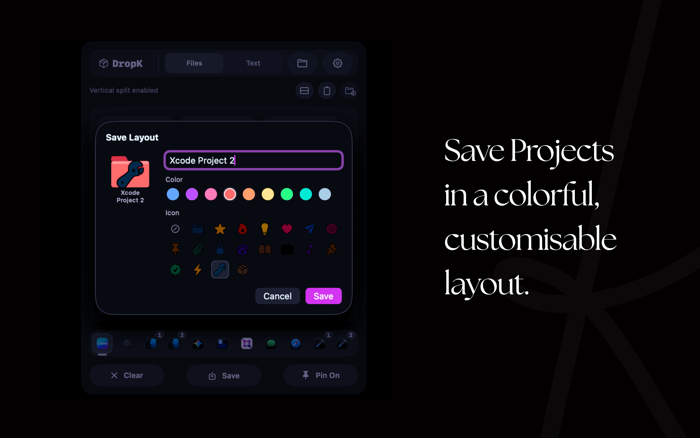
- Save trays for later - turn useful collections into reusable saved sets.
- Handle mixed content cleanly - keep text and files together when preparing uploads, gathering assets, or switching between apps.
- Review and edit text quickly - open text in a simple secondary mode for fast cleanup, edits, or reuse.
Built To Stay Out of The Way.
Terms Of Use- https://www.apple.com/legal/internet-services/itunes/dev/stdeula/


 +100宝石

 分享
分享









用户评价
立即分享产品体验
你的真实体验,为其他用户提供宝贵参考
💎 分享获得宝石
【分享体验 · 获得宝石 · 增加抽奖机会】
将你的产品体验分享给更多人,获得更多宝石奖励!
💎 宝石奖励
每当有用户点击你分享的体验链接并点赞"对我有用",你将获得:
🔗 如何分享
复制下方专属链接,分享到社交媒体、群聊或好友:
💡 小贴士
分享时可以添加你的个人推荐语,让更多人了解这款产品的优点!
示例分享文案:
"推荐一款我最近体验过的应用,界面设计很精美,功能也很实用。有兴趣的朋友可以看看我的详细体验评价~"
关注 Mergeek 公众号
领奖遇到问题?联系小门助手