Darkroom – Photo Editor

Darkroom – Photo Editor

Video, Portrait, & RAW Photos

Creator
Bergen Co.
平台
iOS
摄影与录像APP

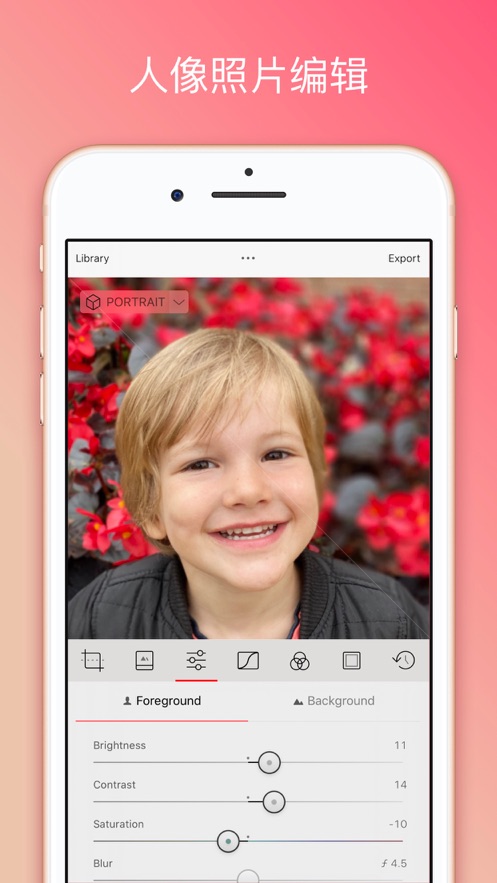
Darkroom is a photo editor designed specifically for photographers and photography enthusiasts. It is available for iPad and iPhone and is deeply integrated with the latest features of iOS and iPadOS. It supports quick automatic photo import, offers powerful RAW editing tools, curve and color adjustment functions, as well as portrait blur editing and batch processing capabilities. Users can also create custom filters and enjoy the convenience of hashtag management and Siri shortcuts. Additionally, it supports macOS and provides intelligent album management and real-time video color grading functions to make your creative workflow more efficient. Darkroom offers a rich set of editing tools that can rival industry giants like Adobe Lightroom, making it an ideal choice for photo and video editing.

COMMUNITY PERKSMergeek 社区专属福利
独家限免 NEW每天发现一份惊喜
PRODUCT SCREENS / 10

点击查看界面细节

Darkroom – Photo Editor 产品截图 1Darkroom – Photo Editor 产品截图 2Darkroom – Photo Editor 产品截图 3Darkroom – Photo Editor 产品截图 4Darkroom – Photo Editor 产品截图 5Darkroom – Photo Editor 产品截图 6Darkroom – Photo Editor 产品截图 7Darkroom – Photo Editor 产品截图 8Darkroom – Photo Editor 产品截图 9Darkroom – Photo Editor 产品截图 10

Darkroom: The photo and video editor is now available for macOS to optimize your creative workflow. Darkroom aims to elevate your photo and video projects with its comprehensive and feature-rich editing suite, experiencing the pinnacle of desktop editing.

Immerse yourself in the world of AI-driven precise editing that enables you to meticulously craft your visuals. Fine-tune elements in your photos such as the sky, hair, and skin with unparalleled precision借助先进的深度编辑和对象识别功能,以无与伦比的精度微调照片中的元素,如天空、头发和皮肤。Darkroom's features can rival industry giants like Adobe Lightroom and Canva, providing a versatile toolkit for various creative needs.

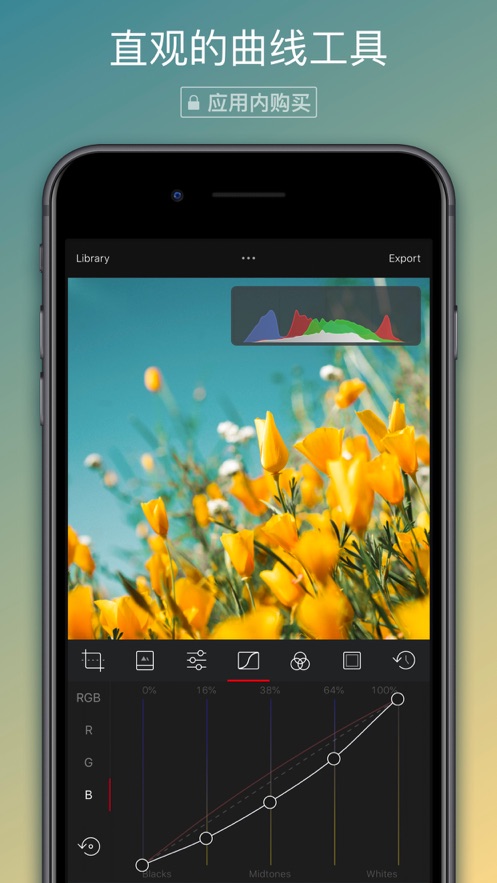
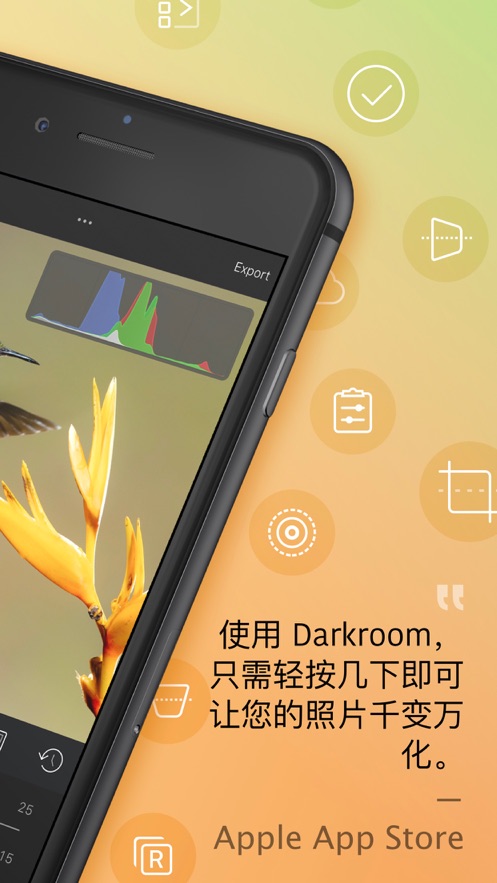
Unleash your creativity with intuitive tools like touch-responsive curves and selective color adjustments, making the editing process smoother and creating unique presets. Explore the richness of RAW photography with full-resolution support and 16-bit color depth, ensuring every detail, shadow, and highlight is perfectly captured.

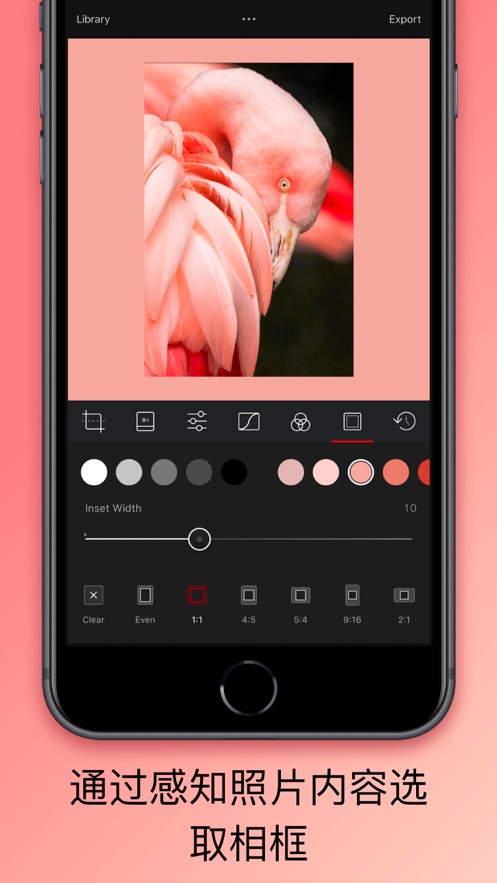
Darkroom features real-time playback and professional-grade 4K video color grading to enhance your video editing. Darkroom offers a range of filters, borders, and editing tools, making it the go-to solution for editing your photos and videos.

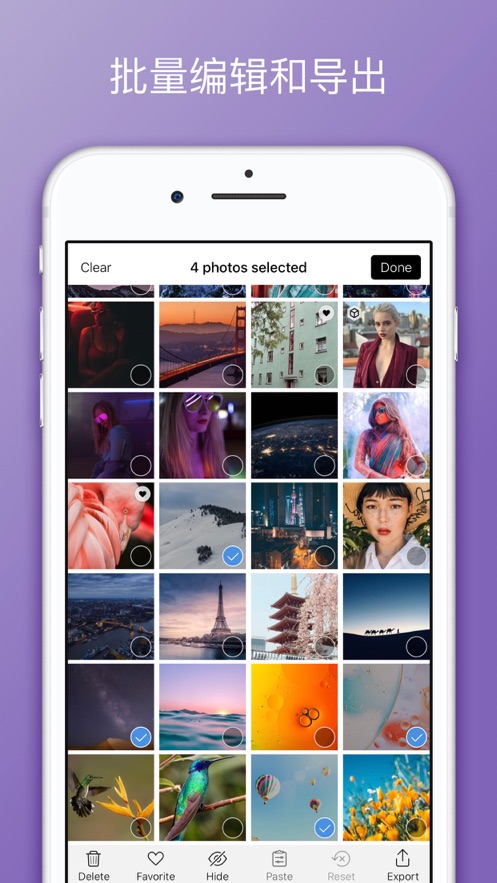
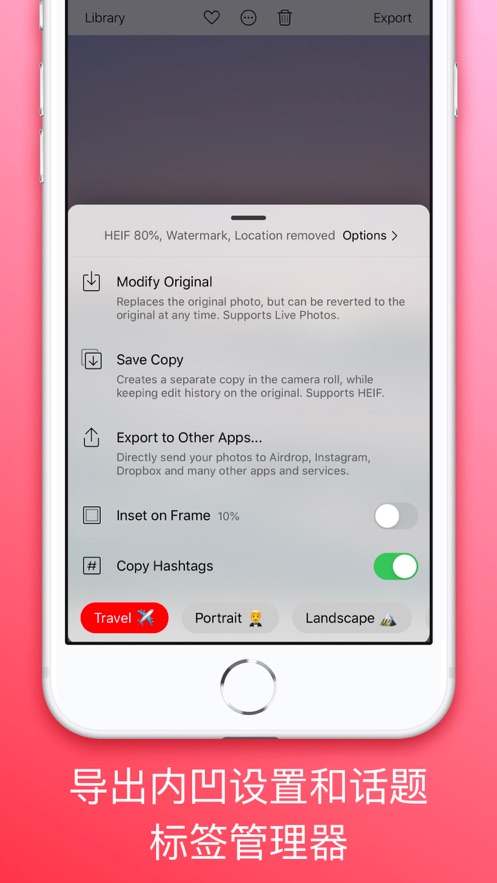
Darkroom's intelligent album management function easily organizes your projects. The integrated tag manager simplifies your workflow, making it easier for you to create and apply tags. Enjoy batch editing capabilities comparable to PicsArt or Canva, all integrated in a powerful application.

Experience our membership trial and subscription services. Darkroom is an excellent alternative to platforms like Adobe Lightroom. Tailored for enthusiasts of VSCO, Peachy, or Instagram filters, Darkroom ensures a smooth subscription management experience with user-friendly auto-renewal settings. Get ready for an unparalleled desktop editing journey with Darkroom: The Photo and Video Editor.

Please note: Unless turned off at least 24 hours before the current term ends, the Darkroom+ me…

版本

7.6.5

New

- Show or hide the library sidebar. A new toolbar button shows and hides the sidebar on iPad and Mac. Darkroom remembers your choice when you leave the editor and across editing sessions.

Improvements

- Saving metadata saves auxiliary data in the photo. HDR gain maps, depth data, Portrait mattes and spatial photo data are no longer lost when you edit a photo's metadata.
- Faster metadata saves for photos taken in portrait orientation. These no longer need a full re-render to save.
- Photos opened from other apps (such as Leica FOTOS and Halide) now open in your library with a back button. Going back takes you to the photo in the grid instead of a separate editor.
- Faster editing for Selective Color, Curves and Color Grading tools.
- Library sidebar polish: consistent section headers and spacing, Shared Albums now appear below My Albums, and the iPad sidebar is back to its usual width.
- Transform tool labels now use the same text style as Adjustments and Presets.
- Preset options now extend to the edges of the screen on iPhone Duo.
- In landscape on iPhone Duo, floating editing tools are centered vertically on the screen.

Fixes

- Fixed crashes caused by presets that couldn't be read or imported. They are now skipped.
- Fixed the photo strip selecting the wrong photo when it first appeared, or when the library changed while you were editing.
- Fixed preset pack headers sometimes showing the wrong pack.
- On iPhone Duo, the histogram no longer overlaps the vertical status bar.

查看完整更新记录 ↗

你的真实体验,为其他用户提供宝贵参考,获得宝石奖励

REWARD MARKET100 宝石可兑换什么?

还没有公开评论,欢迎分享你的体验。

提交反馈

每一个想法,都让 Mergeek 更好一点。