


 +100宝石



产品功能
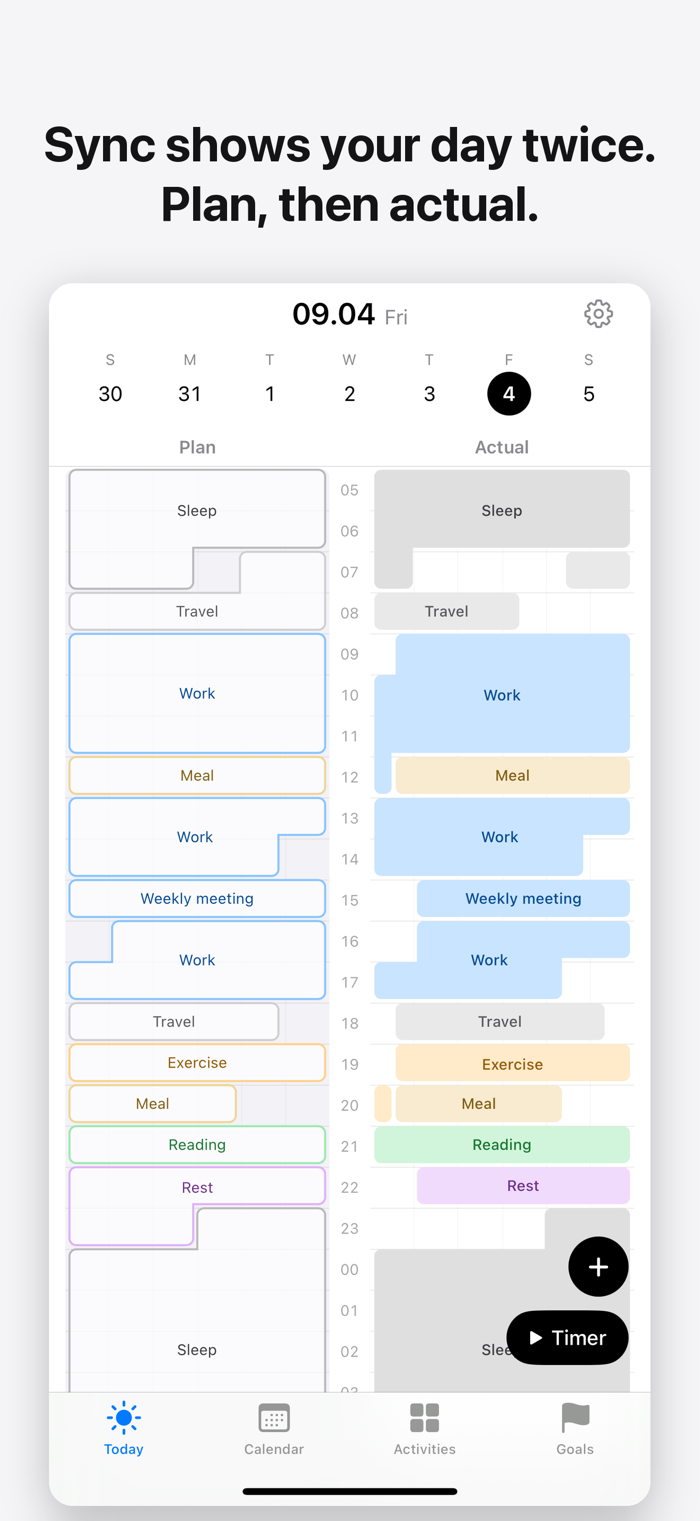
Sync shows your day in two columns. Plan on the left, actual on the right.
Plan your day in the morning, record what you actually did, and the two tracks line up side by side. Time that went as planned and time that drifted show in color. After a week you can see where the day keeps slipping.
■ Two tracks
Plan and actual share one time axis. Drag over the hours, pick an activity, done.
■ One tap to confirm
When a plan ends, Sync asks "Did you do it?" — Record as planned · Adjust · Skip. The buttons are right on the Lock Screen and in widgets.
■ Timer
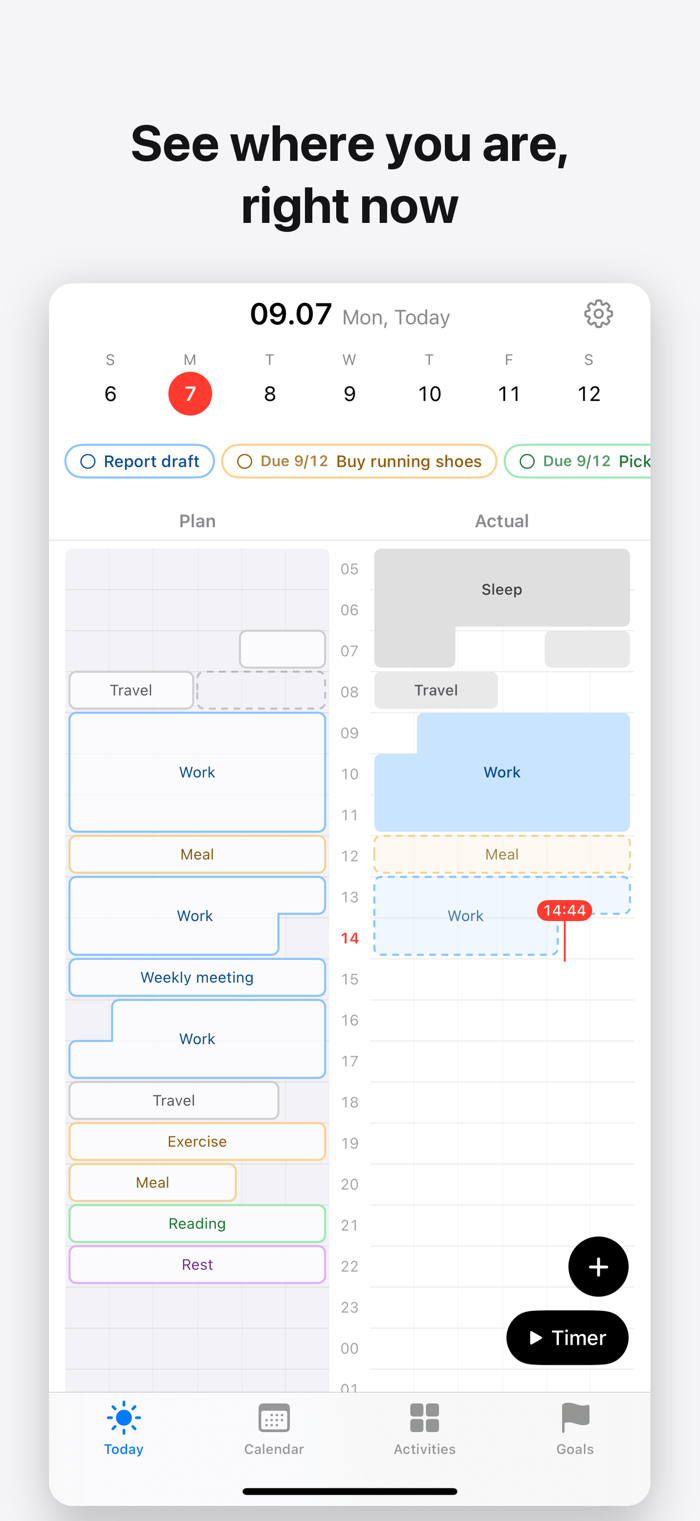
Start a timer and the actual track grows in real time. Stop it from the Lock Screen or the Dynamic Island.
■ Repeats and templates
Sleep, commute, workouts — set them once as repeats. Save a good day as a template and reuse it.
■ Goals and to-dos
Set weekly, monthly, or yearly time goals per activity and they fill in from your actuals. To-dos can have both a scheduled day and a deadline.
■ Apple Health, Calendar, Reminders
Connect Apple Health (HealthKit) and your workouts and sleep — from Apple Watch or any app that writes to Health — flow into the actual track automatically. Read-only: Sync never writes to Health. Calendar events show beneath the plan track. To-dos stay in sync with a Reminders list.
■ Close the day
Close your day before bed to see the match rate and time per activity, and leave a one-line note.
Everything stays on your device. No account, no server.
分享「」体验,参与「」抽奖!
分享 1~3 张你对这个产品最满意的截图或效果图
分享「」体验,参与「」抽奖!
用你的故事点亮社区✨!你的真实体验,将会永久展示在 官方主页 📌,为其他朋友提供宝贵参考 💡。立即分享吧!🚀
请为产品评分
请选择问题回答,为大家提供宝贵参考
选择要回答的问题
温馨提示
你尚未上传产品截图。
上传截图可立即获得宝石积分奖励!
如果你赶时间,也可稍后修改评论,补上截图领取宝石。
温馨提醒
你尚未添加产品截图
⚠️ 不添加截图将降低抽奖权重

感谢参加,你已成功参加!
为了确保你能及时收到审核结果和领奖码通知

扫描二维码关注 Mergeek 公众号
在后台回复 「获奖通知」
完成上述操作,即可保障奖励发放成功





用户评价
立即分享产品体验
你的真实体验,为其他用户提供宝贵参考
💎 分享获得宝石
【分享体验 · 获得宝石 · 增加抽奖机会】
将你的产品体验分享给更多人,获得更多宝石奖励!
💎 宝石奖励
每当有用户点击你分享的体验链接并点赞"对我有用",你将获得:
🔗 如何分享
复制下方专属链接,分享到社交媒体、群聊或好友:
💡 小贴士
分享时可以添加你的个人推荐语,让更多人了解这款产品的优点!
示例分享文案:
"推荐一款我最近体验过的应用,界面设计很精美,功能也很实用。有兴趣的朋友可以看看我的详细体验评价~"
关注 Mergeek 公众号
领奖遇到问题?联系小门助手