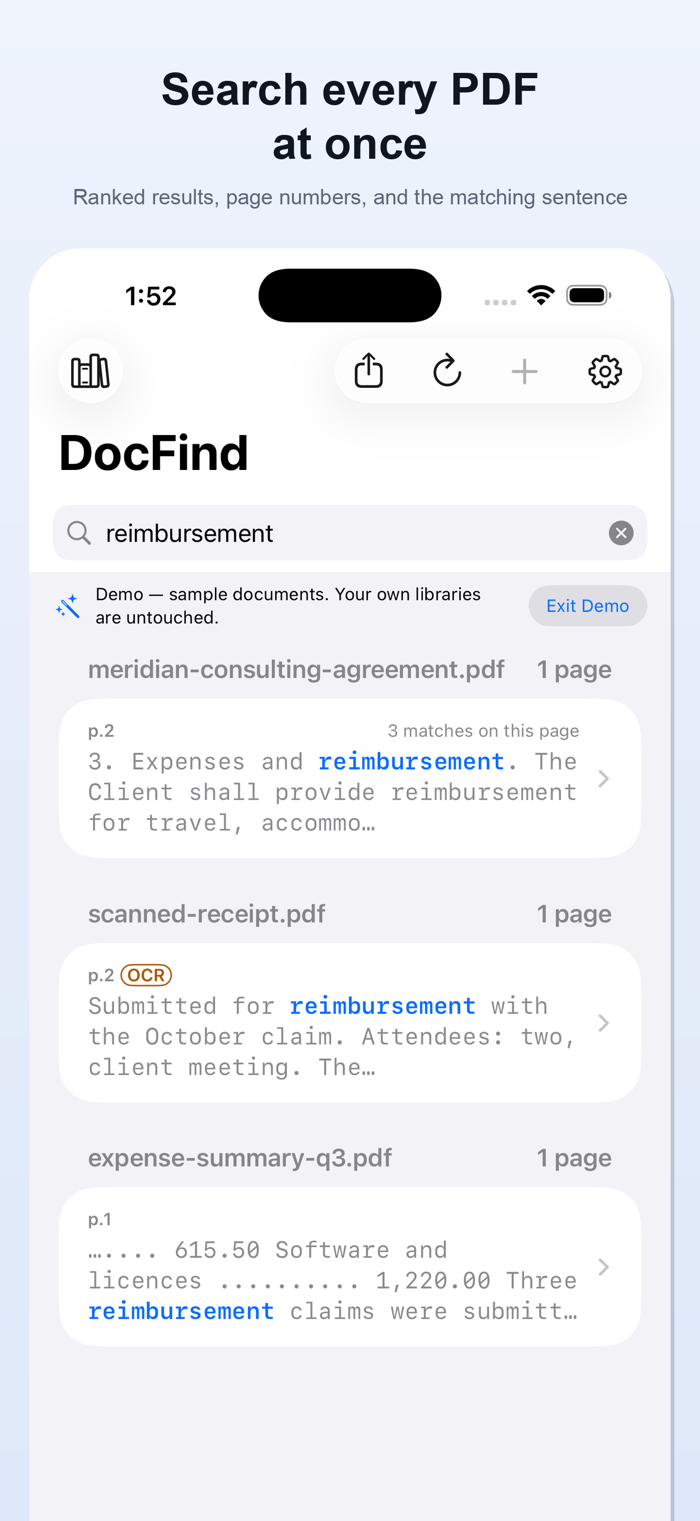
DocFind searches inside many PDFs at once on your iPhone or iPad — scanned PDFs included — and opens each result at the page where your words appear, highlighted. Nothing is uploaded: indexing, searching and reading scanned pages all happen on your device.
Most PDF apps find a word on the page you are looking at. DocFind indexes your whole
library, so one query returns every match in every document, ranked, with the page number
and the surrounding sentence.
SCAN A PAGE, THEN SEARCH IT
Tap Scan Document at the top of your library, photograph one page or many, and DocFind saves one PDF, then reads and embeds its text, so it becomes searchable here and in other PDF apps. Scans are kept in Files under DocFind › Scans.
SCANNED PDFs ARE SEARCHABLE TOO
A scanned document is a picture of text. Ordinary search finds nothing in it, which is why
so many of your files seem to be invisible. DocFind runs on-device OCR over scanned pages
and folds the recognised words straight into the same index — so a word that exists only as
pixels becomes a word you can find. Results found this way are labelled OCR, so you always
know where a match came from.
EVERYTHING HAPPENS ON YOUR DEVICE
DocFind has no accounts, no sign-in, no servers and no ads, and it contains no networking
code — searching, indexing, OCR and export never touch a connection — so your documents
are never uploaded. The only web content it shows is its
own website, its privacy policy and Apple's standard licence agreement, in a Safari sheet
the app cannot read. Nothing is collected about you.
WHAT YOU GET
• Search across a whole library of PDFs in one query
• Ranked results with page numbers and a snippet of the matching sentence
• Tap a result to open the page with the match highlighted, and step through matches
• On-device OCR for scanned PDFs and camera scans, with OCR-sourced hits labelled
• On iPad, a two-column layout: results in a sidebar, the matching page beside them
• Persistent libraries: index once, s…