The easy calendar made for seniors — a lovely gift for your parents.
■ Big, clear text
Everything is shown in large type, and you can make it even bigger in Settings.
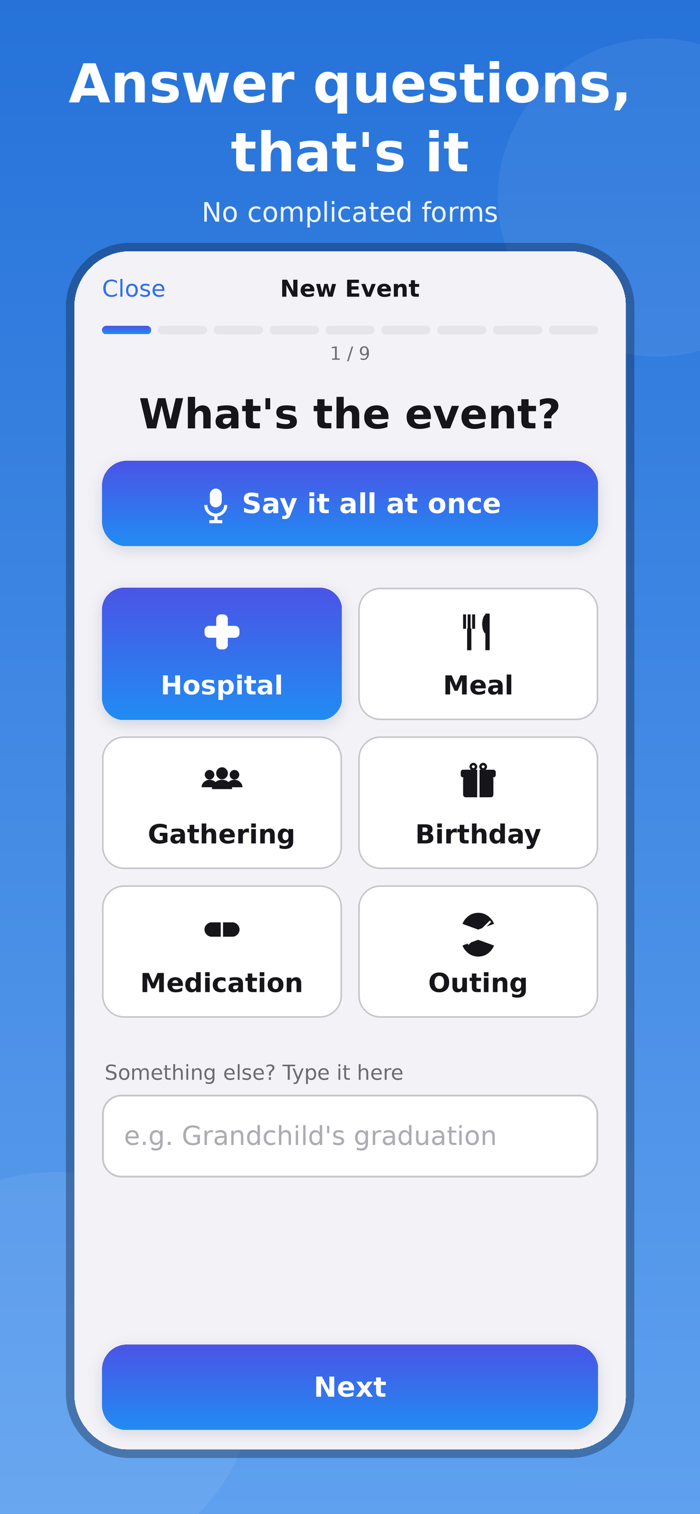
■ One question at a time
"What is the event?" → "When?" → "What time?"
No busy screens. Just answer each question and your event is saved.
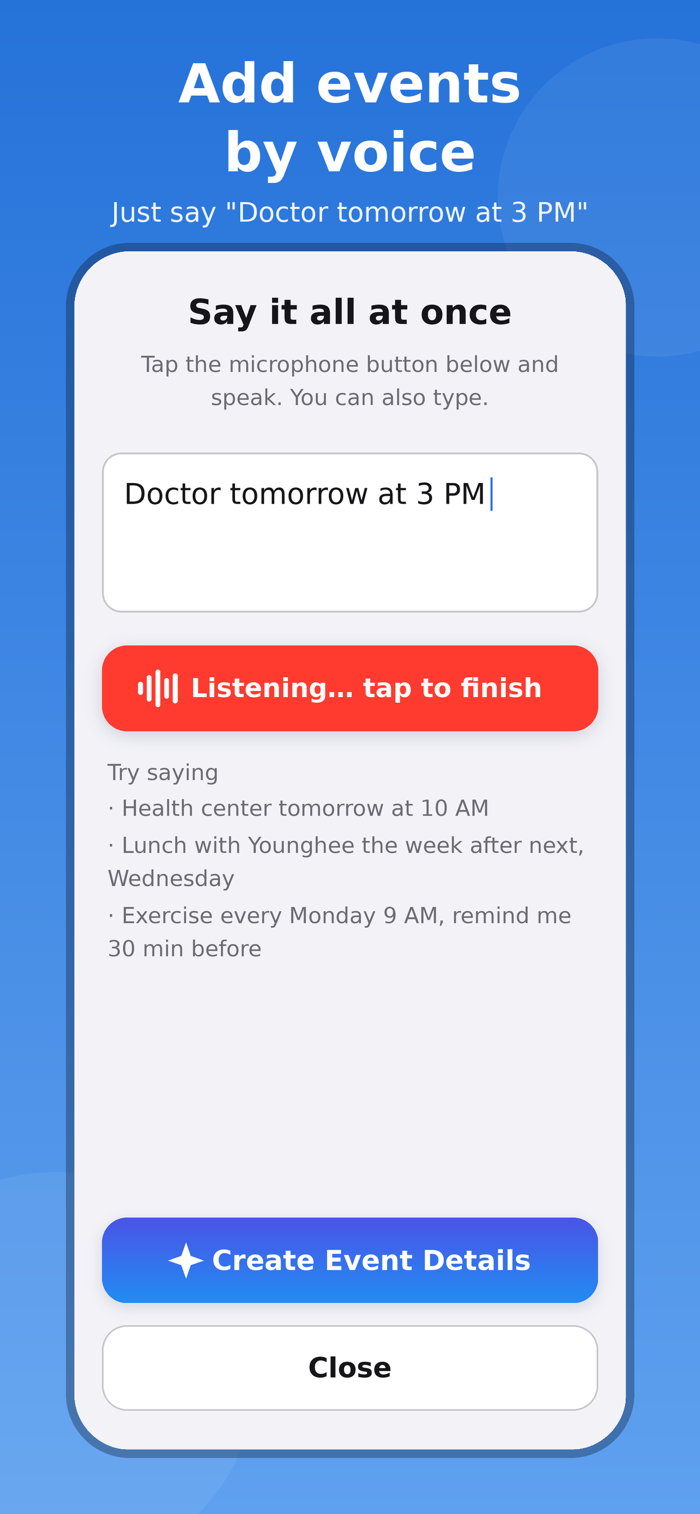
■ Add events by voice
Tap the big microphone button and say "Doctor tomorrow at 3 PM" —
the date, time and title are filled in automatically. You always review before saving.
The Voice Entry home-screen widget starts listening right away,
and a "voice first" setting makes the New Event button open voice entry directly.
(Understands English, Korean, Japanese, Chinese, Spanish, French and German.)
■ Call or text from an event
Pick a person from Contacts and call/text buttons appear on the event.
■ Never miss anything
Multiple reminders (on time, 10 minutes before, a day before...), plus an alarm history.
■ Attach photos & files
Keep prescriptions, notices and photos right on the event.
■ Safe through reinstalls and new phones
Events live in your iPhone calendar; settings, phone numbers and attachments in your own iCloud.
■ Available in 7 languages
English, Korean, Japanese, Chinese (Simplified), Spanish, French, and German —
both the interface and voice entry (speech recognition).
■ Family calendars
Add Google or Naver accounts on your iPh...


 +100宝石

 分享
分享












用户评价
立即分享产品体验
你的真实体验,为其他用户提供宝贵参考
💎 分享获得宝石
【分享体验 · 获得宝石 · 增加抽奖机会】
将你的产品体验分享给更多人,获得更多宝石奖励!
💎 宝石奖励
每当有用户点击你分享的体验链接并点赞"对我有用",你将获得:
🔗 如何分享
复制下方专属链接,分享到社交媒体、群聊或好友:
💡 小贴士
分享时可以添加你的个人推荐语,让更多人了解这款产品的优点!
示例分享文案:
"推荐一款我最近体验过的应用,界面设计很精美,功能也很实用。有兴趣的朋友可以看看我的详细体验评价~"
关注 Mergeek 公众号
领奖遇到问题?联系小门助手