Quoto is a quote-keeping app for passages collected from books, articles, and other reading. Add quotes by typing, photo OCR, or voice, and attach an author, source, page, URL, note, and tags.
— Adding quotes
- Keyboard input, photo OCR, or voice input
- Each quote can include author, source, page or location, URL, a note, and tags
- Tags can be renamed or deleted later from one place
— Library
- Filter by author, source, or tag
- Keyword search across quote text, author, source, and tags
- Sort by text, author, source, or date added
- Mark favourites to filter down to important quotes
- Export the entire library to CSV
— Home
- Shows a "today's passage" card with a shuffle button
- Displays counts for stored quotes, authors, and tags
- Lists recently added quotes
— Authors view
- Browse quotes grouped by author
- Search by author name
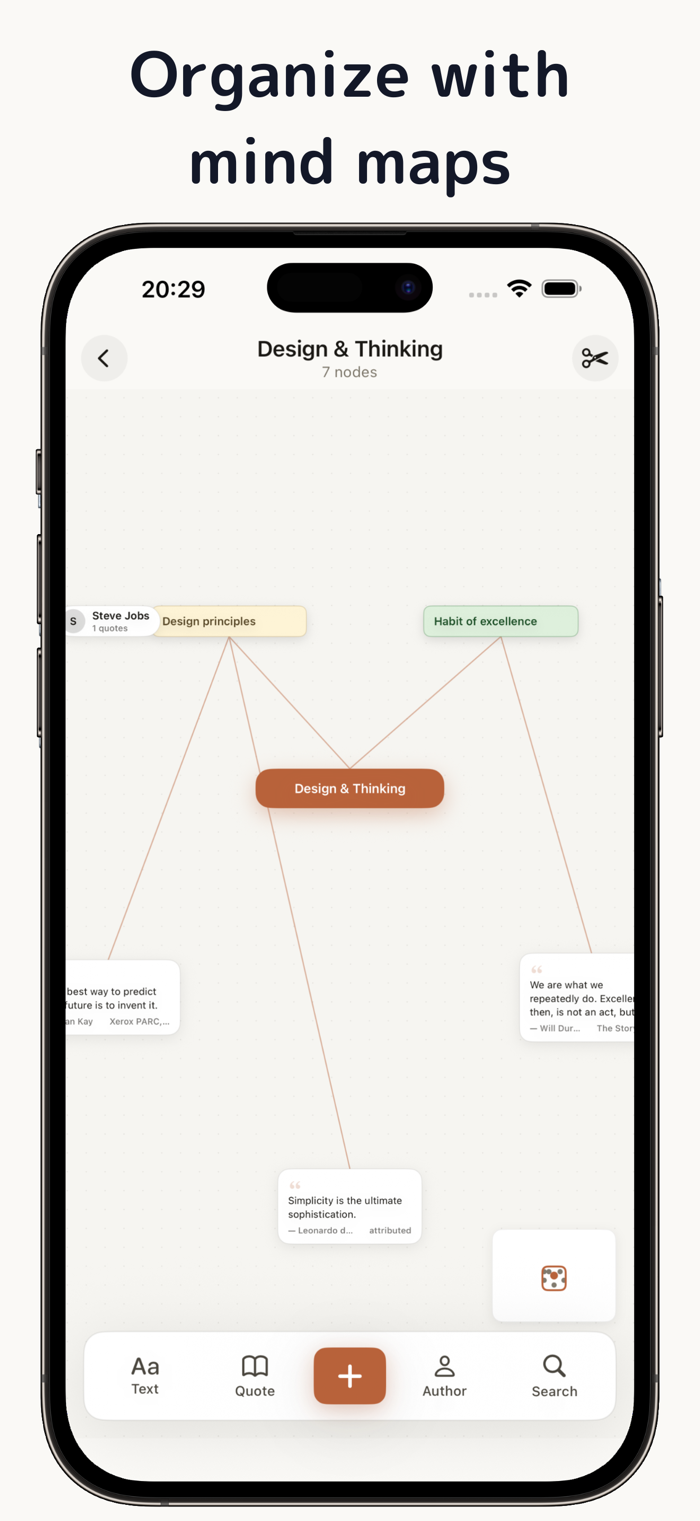
— Mind maps
- Create a mind map with a theme node at the centre
- Add quote, author, or free-text nodes
- Connect nodes with lines to show how they relate
- Pick node colours from a five-colour palette
- Pinch to zoom, double-tap to fit the whole board, minimap for navigation
- Delete mode for removing connections you no longer need
— Settings
- Three themes: Light, Sepia, Dark
- iCloud sync (opt-in)
- Interface available in Japanese and English
— Privacy
- Quotes are stored on your device


 +100宝石


 分享
分享










用户评价
立即分享产品体验
你的真实体验,为其他用户提供宝贵参考
💎 分享获得宝石
【分享体验 · 获得宝石 · 增加抽奖机会】
将你的产品体验分享给更多人,获得更多宝石奖励!
💎 宝石奖励
每当有用户点击你分享的体验链接并点赞"对我有用",你将获得:
🔗 如何分享
复制下方专属链接,分享到社交媒体、群聊或好友:
💡 小贴士
分享时可以添加你的个人推荐语,让更多人了解这款产品的优点!
示例分享文案:
"推荐一款我最近体验过的应用,界面设计很精美,功能也很实用。有兴趣的朋友可以看看我的详细体验评价~"
关注 Mergeek 公众号
领奖遇到问题?联系小门助手