加入 Mergeek 福利群
扫码添加小助手,精彩福利不错过!
若不方便扫码,请在 Mergeek 公众号,回复 群 即可加入
- 精品限免
- 早鸟优惠
- 众测送码
OmniFocus 3
Achieve greater success every day
分享
扫码添加小助手,精彩福利不错过!
若不方便扫码,请在 Mergeek 公众号,回复 群 即可加入
Two-week free trial! OmniFocus Standard and Pro are products available via in-app purchases. Users who have purchased earlier versions of OmniFocus for iOS are eligible for a discount. After subscribing to OmniFocus, you can also get OmniFocus for iOS, Mac, and the web version at a single price. Please download the app for more details.
Achieve greater success every day with OmniFocus. Create projects and tasks, organize them with tags, and focus on and complete the work at hand.
OmniFocus, a widely trusted and gold-standard to-do app, is now in its tenth year. OmniFocus brings unparalleled power and flexibility to the iPhone and iPad, allowing you to handle your work easily in your own way.
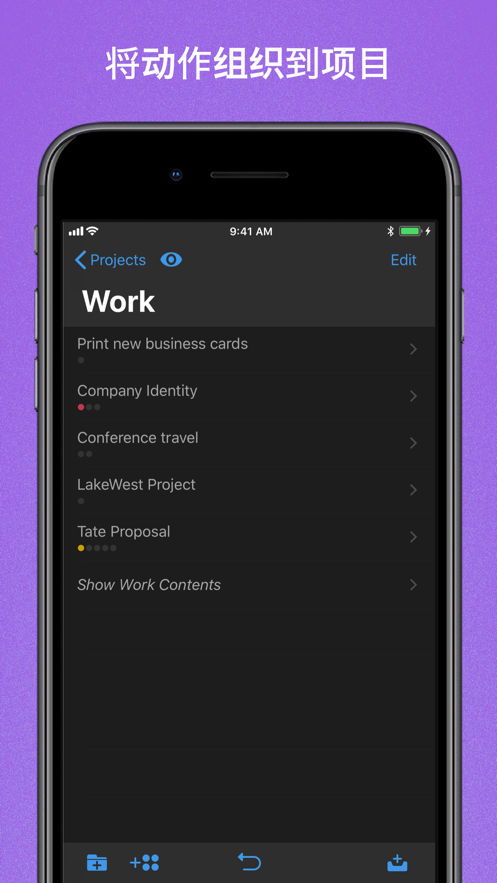
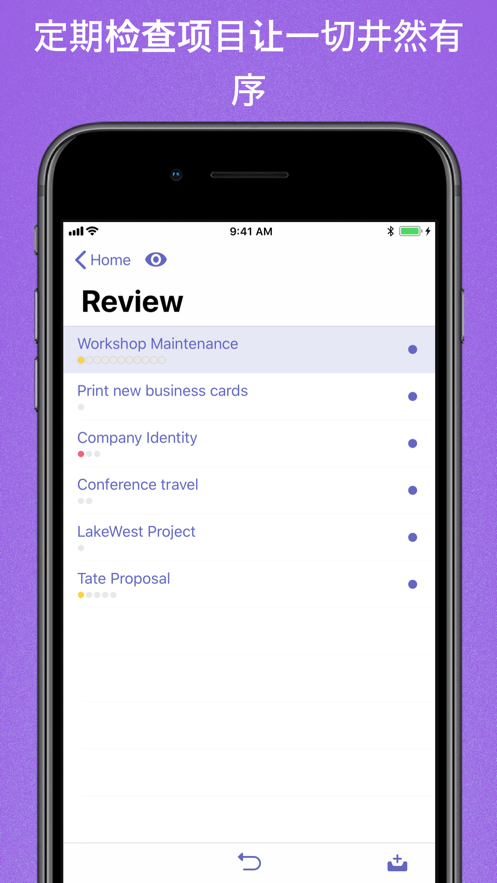
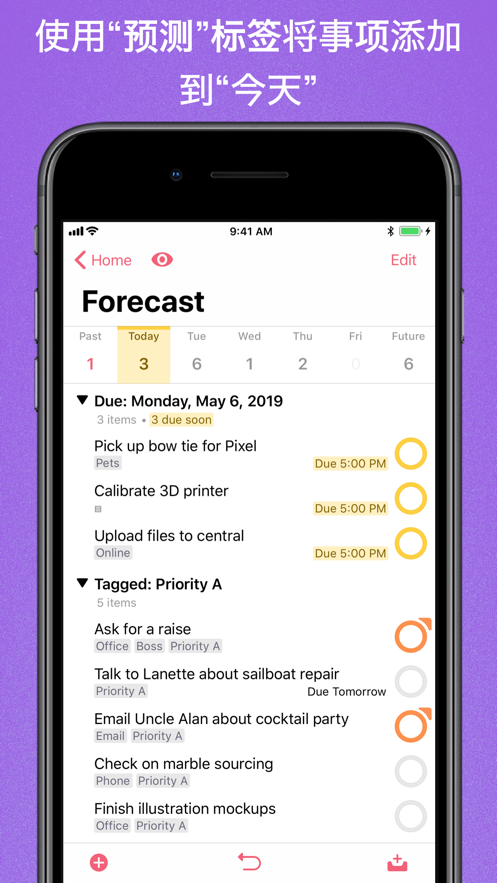
OmniFocus keeps your busy life in order. Use projects to organize tasks in a natural way, then add tags for cross-project organization. Easily access tasks on the go and handle important matters during fragmented time. The "Predictions" view shows both tasks and calendar events, giving you a full overview of your daily schedule. With the "Review" perspective, you can keep projects and tasks on track throughout.
Don't forget, we also offer a free sync system to keep data consistent across multiple iOS devices. (Including sync with OmniFocus for Mac and the web version - sold separately.) Your data is encrypted and can be securely stored in the cloud.
STANDARD FEATURES (available via in-app purchase)
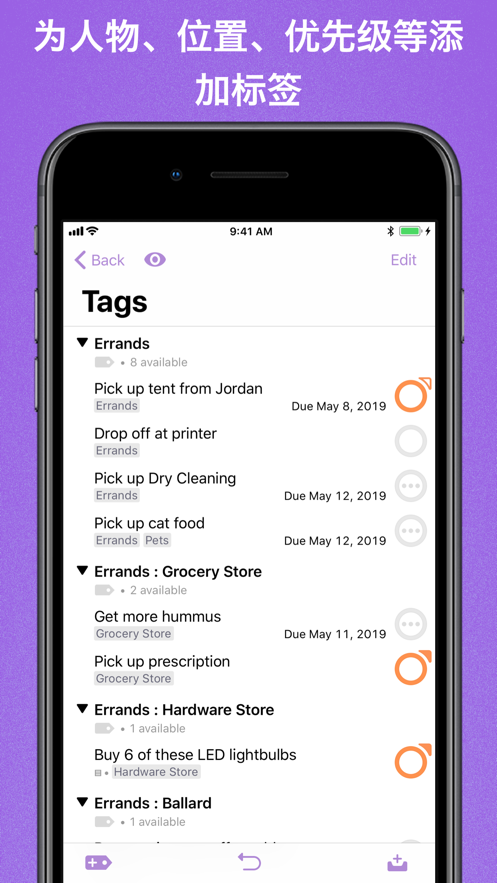
• New: Tags add a powerful organizational tool for you. Create tags for people, energy levels, priorities, locations, etc.
• New: With batch editing, you can set due dates, tags, and other data for multiple tasks simultaneously.
• New: Using the flexible inspector, you can show only the features you use and rearrange their order to prioritize the commonly used ones.
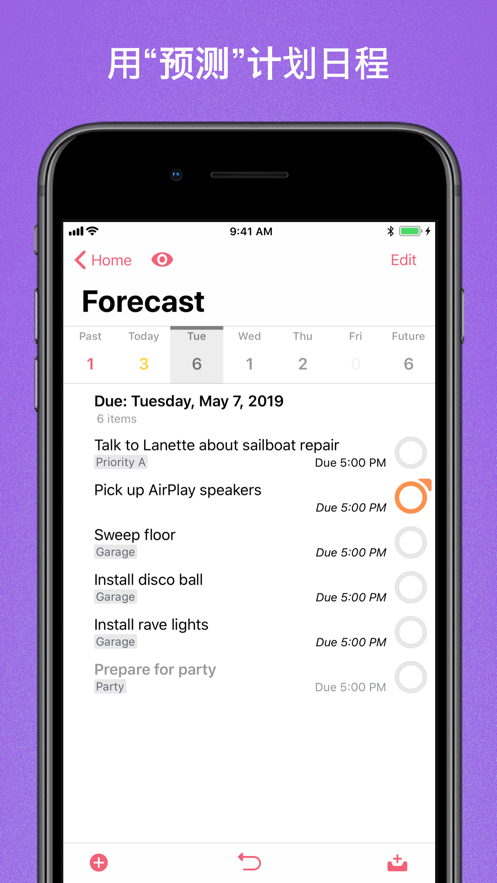
• New: The "Predictions" view shows tasks and calendar events in order, making your daily schedule clear at a glance.
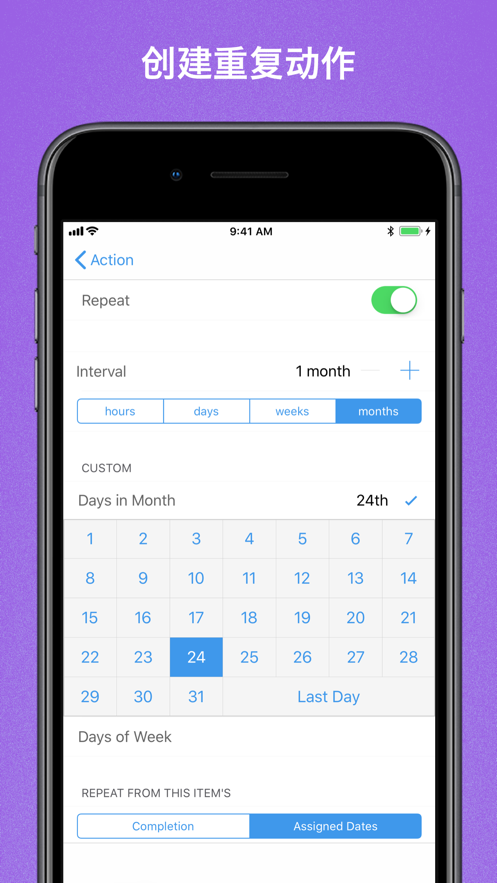
• New: Enhanced repeating tasks are easier to set up than ever, handling real-world scenarios like the first working day of each month.
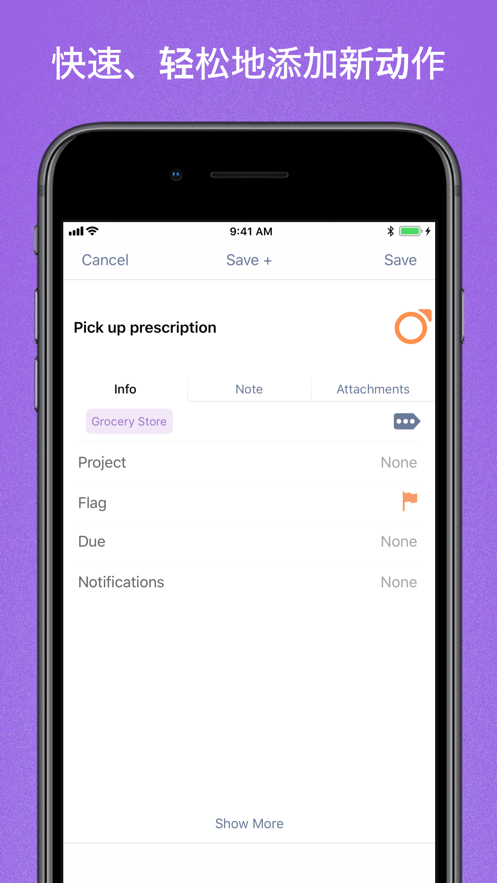
• The Inbox is where you quickly add tasks. You can save them when you think of them and organize them later.
• Sync supports end-to-end encryption to ensure data security whether the data is stored on our or your server.
• Notes can be attached to tasks to provide the information you need.
• Attachments include graphics and audio to add rich information to tasks.
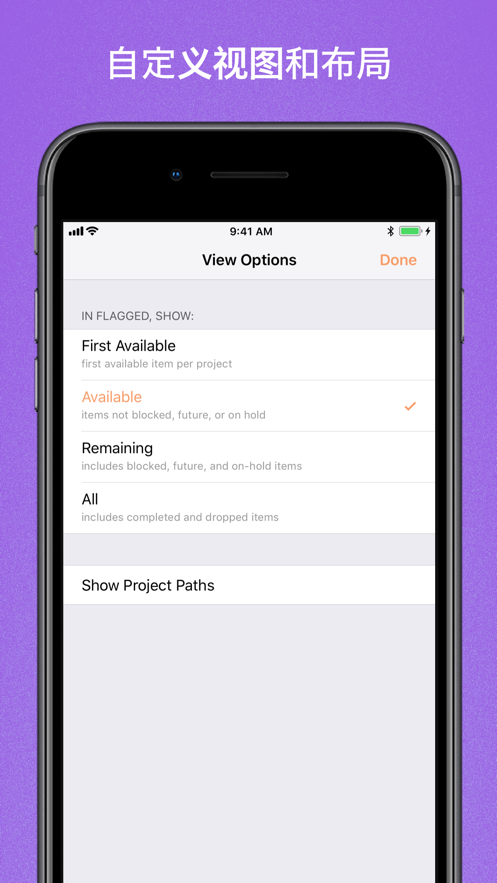
• Using view options, you can customize each perspective, deciding what it shows and how tasks are filtered.
• The "Review" perspective gives you a clear view of projects and tasks so that everything is in order.
• Siri support allows you to add tasks using voice commands.
• OmniFocus Mail Drop adds tasks via email and is also compatible with services like IFTTT and Zapier.
• The "Today" widget and Apple Watch app show you the most important projects, allowing you to stay updated without even opening OmniFocus on your phone.
• Supports TaskPaper Text and omnifocus:///add and /paste URL to enable automation with Workflow.
Pro features make OmniFocus even more powerful:
PRO FEATURES (available via in-app purchase)
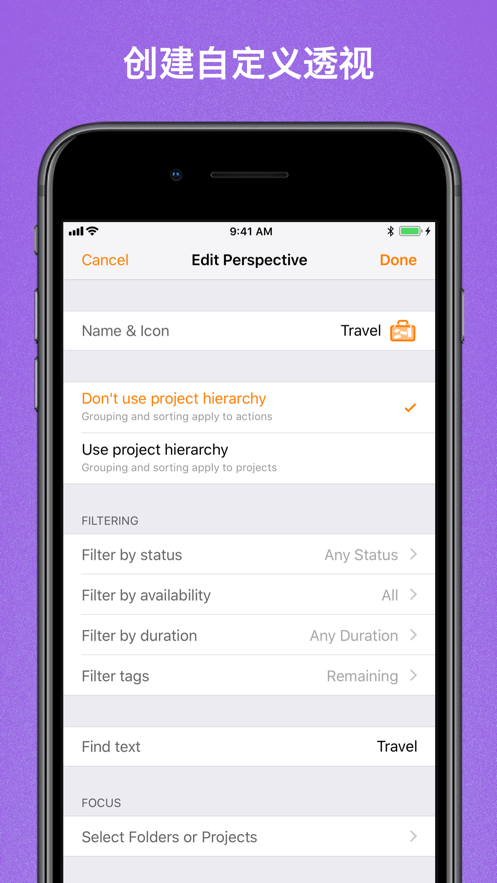
• With custom perspectives, you can filter and group projects and tags to create new ways of viewing data. New: Filter rules are easier to use but more powerful than ever. You can now use combinations of "All", "Any", and "None" rules. You can also choose to use any image as the icon for a custom perspective, with a custom color tone.
• New: Today's "Predictions" can include projects with specific tags, and you can rearrange these tasks in your own way to better plan your day.
• With a customizable toolbar and home screen, you can organize perspectives the way you need for quick access.
• The "Today" widget shows the perspective you choose in the "Notification Center".
Download OmniFocus now and start your free trial! This app includes a quick tutorial and manual, and our website also offers a lot of other content.
SUPPORT
If you have feedback or questions, our support team wants to hear from you! Please email omnifocus@omnigroup.com, call 1-800-315-6664 or +1-206-523-4152, or contact us via
分享 1~3 张你对这个产品最满意的截图或效果图
用你的故事点亮社区✨!你的真实体验,将会永久展示在 官方主页 📌,为其他朋友提供宝贵参考 💡。立即分享吧!🚀
请为产品评分
请选择问题回答,为大家提供宝贵参考
你尚未上传产品截图。
上传截图可立即获得宝石积分奖励!
如果你赶时间,也可稍后修改评论,补上截图领取宝石。
你尚未添加产品截图
⚠️ 不添加截图将降低抽奖权重
为了确保你能及时收到审核结果和领奖码通知
扫描二维码关注 Mergeek 公众号
在后台回复 「获奖通知」
完成上述操作,即可保障奖励发放成功
关注 Mergeek 公众服务号
即可注册/登录
Join us!
加入 mergeek.com 产品爱好者社区
我们在这里发现全世界的好产品
欣赏并分享美好解决方案
用户评价
立即分享产品体验
你的真实体验,为其他用户提供宝贵参考
💎 分享获得宝石
【分享体验 · 获得宝石 · 增加抽奖机会】
将你的产品体验分享给更多人,获得更多宝石奖励!
💎 宝石奖励
每当有用户点击你分享的体验链接并点赞"对我有用",你将获得:
🔗 如何分享
复制下方专属链接,分享到社交媒体、群聊或好友:
💡 小贴士
分享时可以添加你的个人推荐语,让更多人了解这款产品的优点!
示例分享文案:
"推荐一款我最近体验过的应用,界面设计很精美,功能也很实用。有兴趣的朋友可以看看我的详细体验评价~"
关注 Mergeek 公众号
领奖遇到问题?联系小门助手