A private and offline-first handwriting studio, compatible with tablets, mobile phones and stylus pens. 29 kinds of brushes, PDF annotation, recordings saved on the recording page, device-side text recognition and spaced repetition; 100 styles can be previewed, and more notebooks and advanced tools can be added with a single purchase.
Integrate handwriting, typing, PDF reading and annotation, page recording and learning review into a quiet workspace. 100 Notes Studio focuses on the tablet experience and also provides a complete process for mobile phones; core editing can be used without an internet connection.
Natural and delicate writing feel
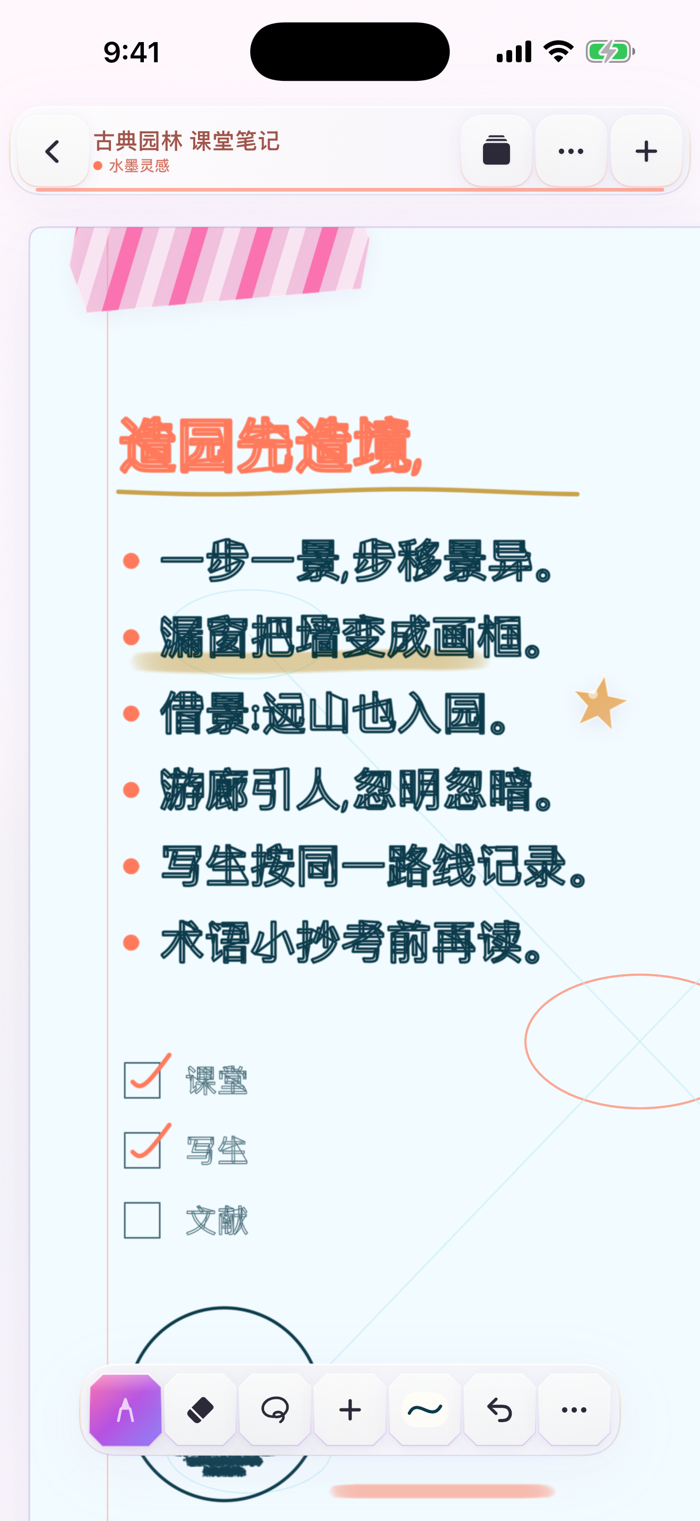
Each of the 29 pens and brushes has an independent texture, including fountain pens, ballpoint pens, 2B/4B/6B pencils, brushes, markers, crayons, watercolor smudging and charcoal pencils, etc. Compatible stylus pens can use pressure, tilt, palm rejection, double-tap and press gestures according to device capabilities. The eraser provides pixel, whole-pen and precise modes; the lasso can move, scale, copy or delete handwriting. There are also a ruler, eight graphic tools and a laser pointer for presentations.
100 distinctive notebook styles
Each Studio Style has an independent cover, paper structure, color scheme, divider pages, stamps or stickers, toolbar color scheme and widget appearance, not the same template with repeated color changes. Styles include minimalist, linen texture, Japanese grid, dot matrix planning, two-column learning layout, academic, engineering, music, meeting, research, schedule, travel, health and recipe, etc. Real previews are provided for all 100 styles, and the effects can be viewed even when not unlocked.
Writing, organizing and learning tools
Fixed pages or infinite canvas, support A4/A5/Letter/screen and custom sizes, optional portrait or landscape
Rich text formatting includes bold, italic, underline, font, color, list, to-do, table and link
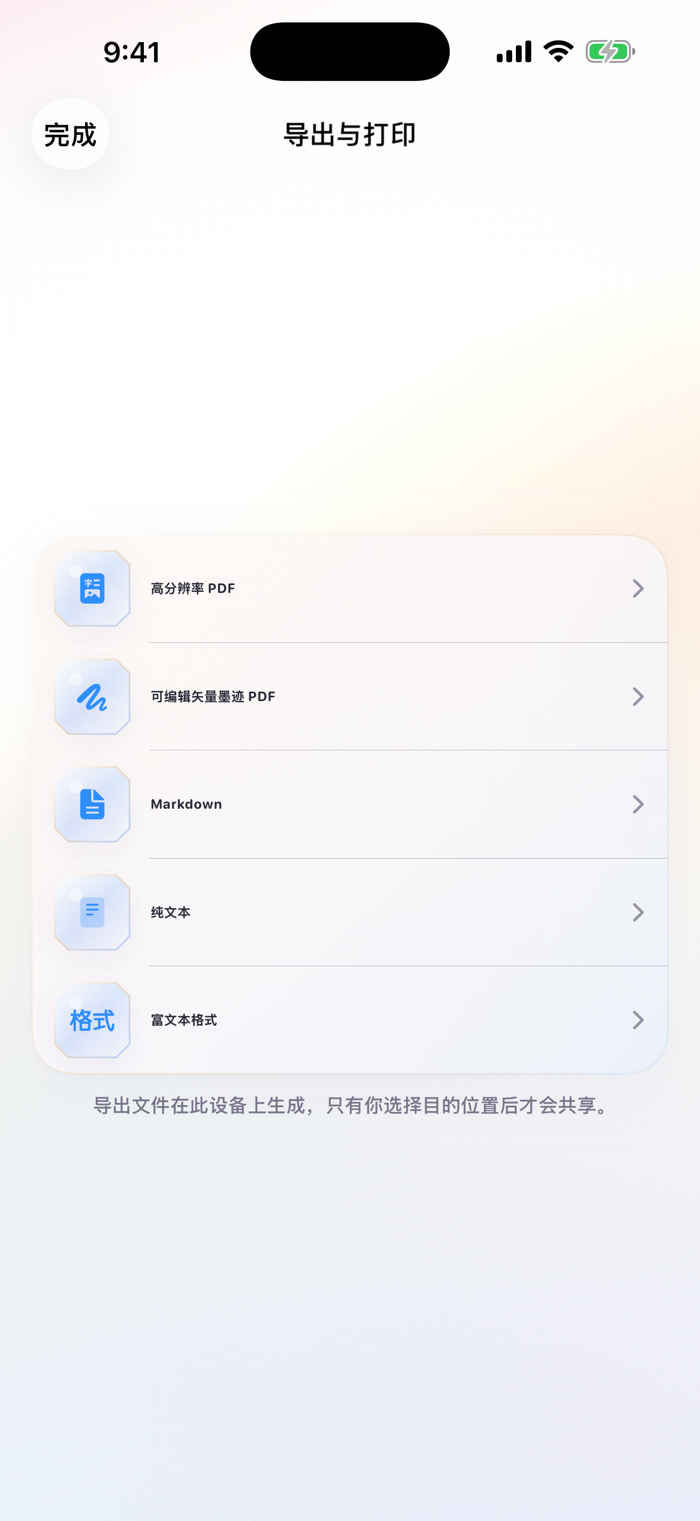
Import and annotate PDFs, support highlighting, underlining, strikethrough, text notes, handwritten marks, page rotation, cropping, insertion, extraction, merging and exporting
Record in notebooks; each recording will be saved on the page where recording starts
Device-side handwriting recognition and PDF text recognition, can search for titles, text, handwritten content and attachments
The learning mode includes associated flashcards, fill-in-the-blank cards and FSRS spaced repetition scheduling
Stickers, washi tapes and automatically numbered catalogs
Nested folders, tags, pinning, favoriting, archiving, recoverable recycle bin and version history
Home screen and lock screen widgets, system shortcuts, and wearable device-side apps for voice, text and list recording
Adjustable opacity, display and locked ink layers, and a reference workspace for placing PDFs or pictures beside the writing page
Privacy is highly regarded
No account is required, there are no ads, third-party tracking or analysis, and no external AI is called. Core editing can be used offline, and handwriting recognition and search are processed on the device side. When system synchronization or sharing is not enabled, content is saved locally. The entire app or individual notebooks can be protected with the biometric lock provided by the device.
Start with the core features
The free plan includes core editing, various brushes, PDF annotation, page recording, handwriting search and learning mode, and provides 1 notebook with unlimited pages and 2 free styles out of 100 styles. With a single purchase, an unlimited number of notebooks, 100 styles, vector ink PDF export, recoverable version history and encrypted backup can be added.
100 Notes Studio: Pen & Paper is suitable for daily writing, data organization and learning review.


 +100宝石

 分享
分享












用户评价
立即分享产品体验
你的真实体验,为其他用户提供宝贵参考
💎 分享获得宝石
【分享体验 · 获得宝石 · 增加抽奖机会】
将你的产品体验分享给更多人,获得更多宝石奖励!
💎 宝石奖励
每当有用户点击你分享的体验链接并点赞"对我有用",你将获得:
🔗 如何分享
复制下方专属链接,分享到社交媒体、群聊或好友:
💡 小贴士
分享时可以添加你的个人推荐语,让更多人了解这款产品的优点!
示例分享文案:
"推荐一款我最近体验过的应用,界面设计很精美,功能也很实用。有兴趣的朋友可以看看我的详细体验评价~"
关注 Mergeek 公众号
领奖遇到问题?联系小门助手