Take a Photo and Read - Smart OCR Recognition and English Learning Assistant
Take a Photo and Read is a smart text recognition and reading application designed specifically for English learners and reading enthusiasts. It integrates advanced OCR (Optical Character Recognition) technology and natural speech synthesis technology, instantly turning the text in paper books, documents, test papers, and pictures into audible content. Whether you are learning English, practicing pronunciation, or doing daily reading, Take a Photo and Read is your得力助手.
Core Features
Smart Text Recognition
Take a Photo and Read adopts the industry-leading OCR text recognition engine, supporting mixed Chinese and English recognition with an accuracy rate of over 99%. Just take a photo, and you can quickly extract all the text content in the picture. It supports the recognition of various fonts such as printed text and handwritten text. Whether it's textbooks, novels, test papers, notes, or street signs and advertisements, it can accurately recognize them.
Multiple Import Methods
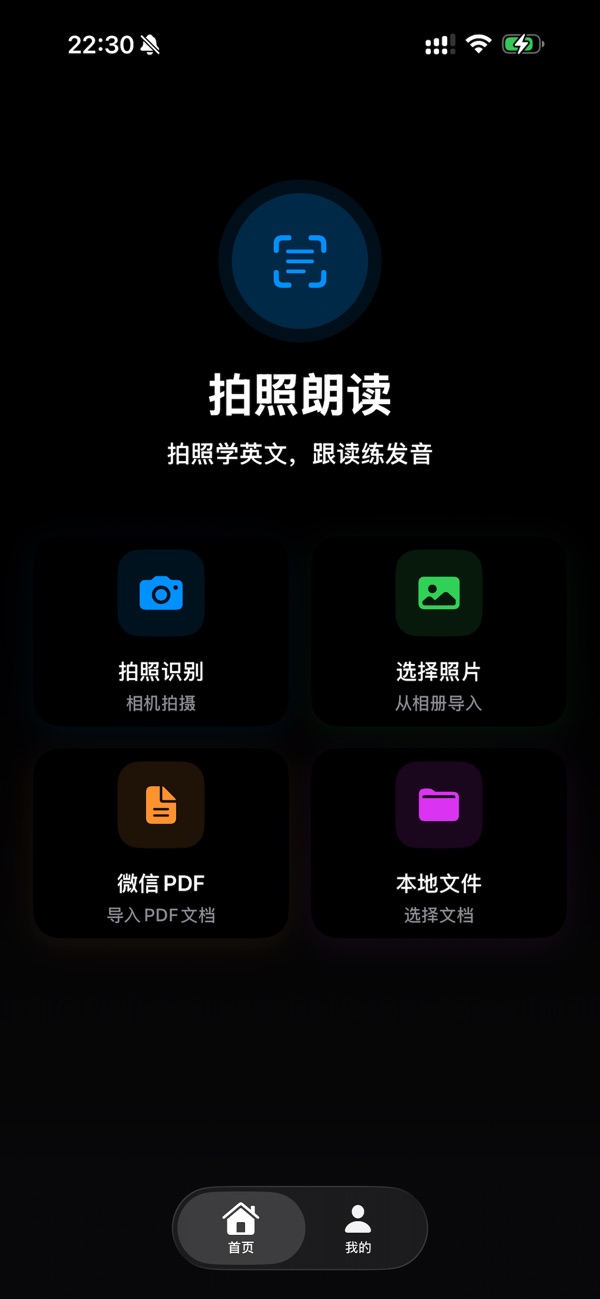
Four convenient content import methods are provided to meet different scenario needs. Taking a photo with the camera can instantly capture the text content in front of you; importing from the photo album allows you to process saved pictures at any time; importing PDF documents supports batch processing of entire e-books and learning materials; the WeChat file import function enables you to directly process the PDF documents and pictures shared by WeChat friends, making it more convenient to obtain learning materials.
Smart Voice Reading
Built-in high-quality speech synthesis engine, supporting automatic recognition and switching between Chinese and English, with clear and standard pronunciation. The reading speed can be adjusted to suit different learning needs. The English pronunciation uses authentic American or British accents to help you master the correct English pronunciation and language sense. The Chinese reading is fluent and natural, allowing you to easily obtain information during commuting or exercise.
Word-by-Word and Sentence-by-Sentence Reading Modes
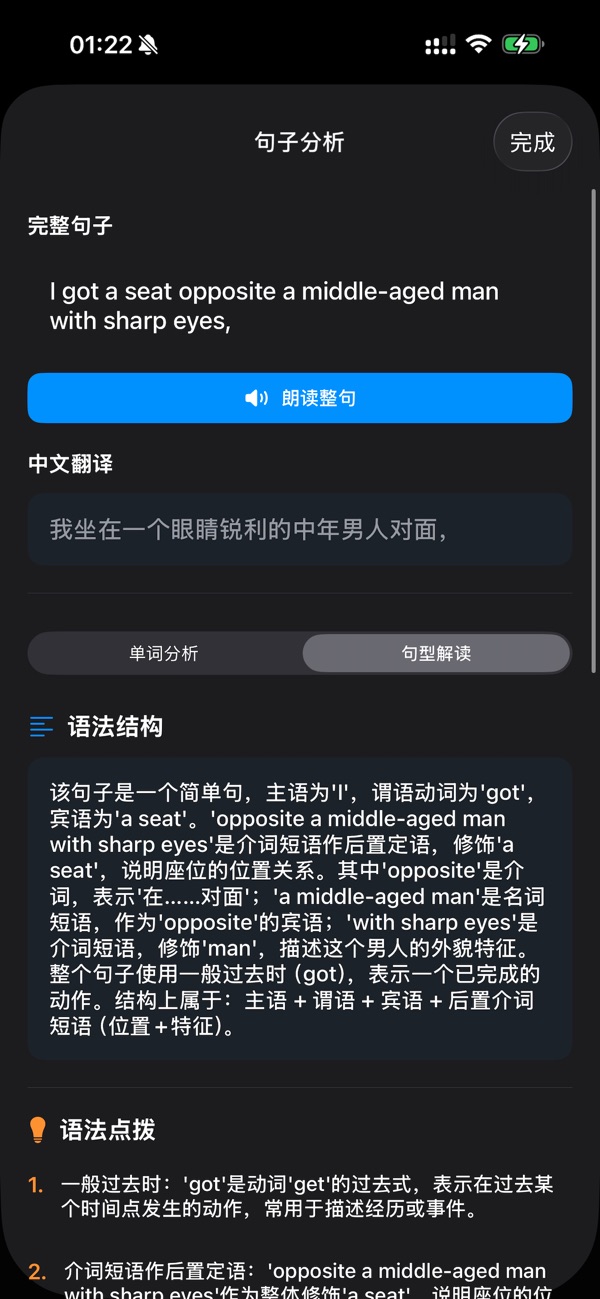
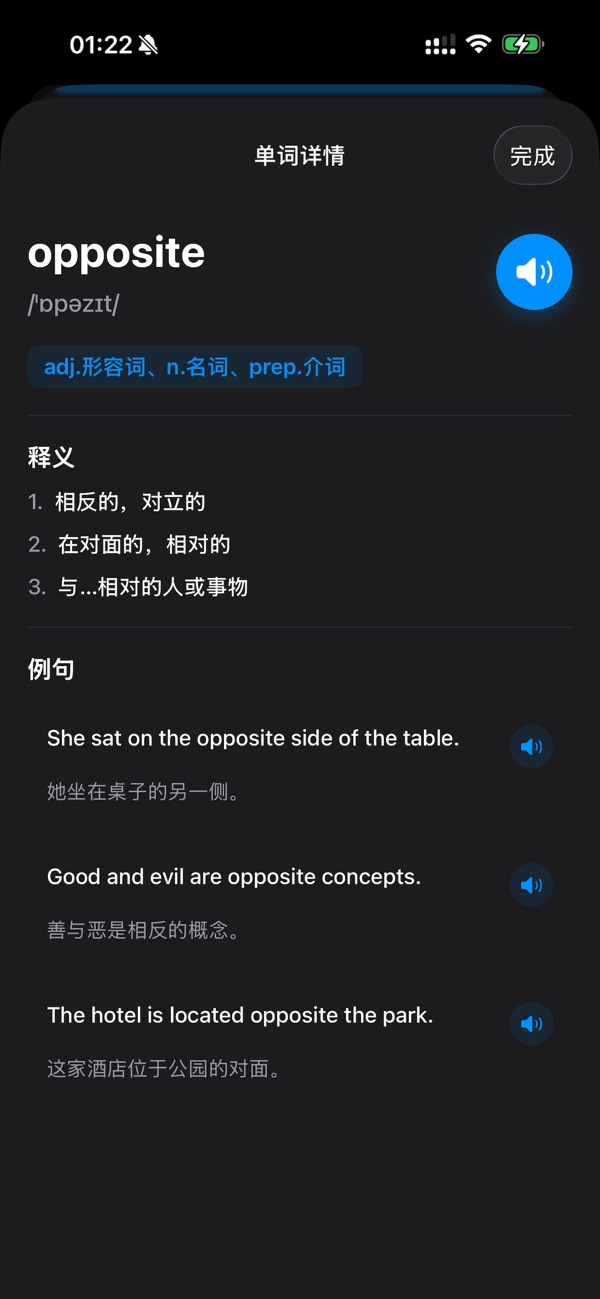
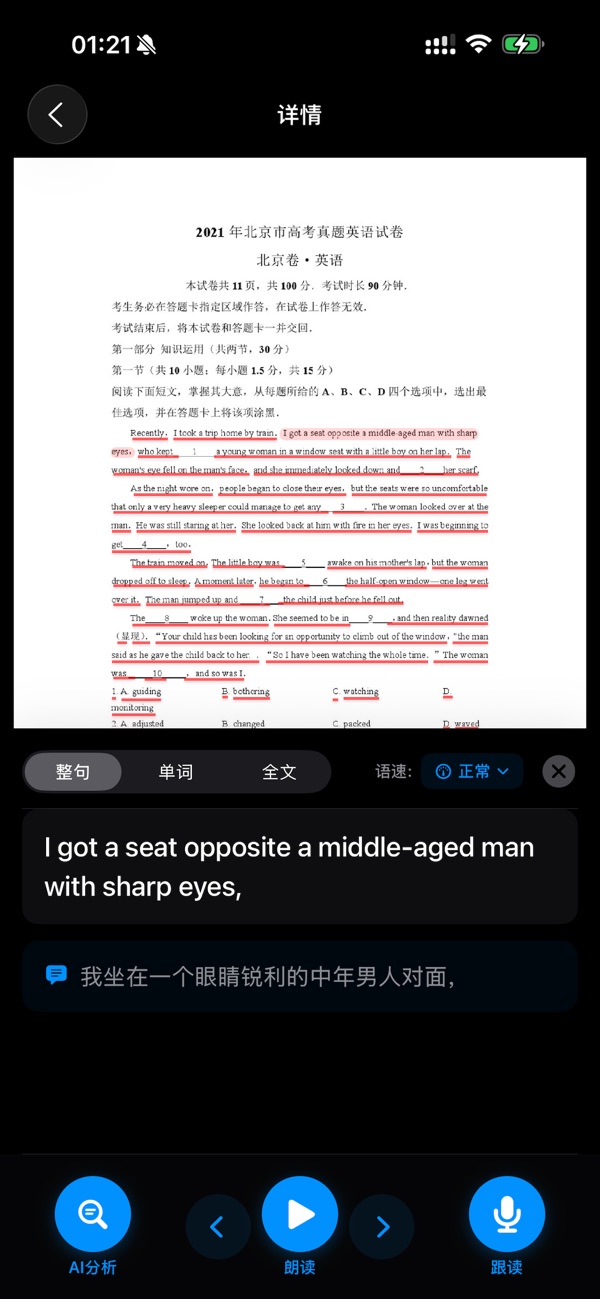
The unique dual-mode reading function is a major feature of Take a Photo and Read. The word-by-word mode allows you to click on each word to read it separately, which is especially suitable for English learners to master word pronunciation and spelling. The sentence-by-sentence mode reads by sentence, helping you understand sentence structure and intonation changes. Using the two modes in combination can make English learning twice the result with half the effort.
Follow-up Reading Practice Function
Built-in professional voice recording function, allowing you to immediately conduct follow-up reading practice after listening to the reading. The system will save your recordings, facilitating you to repeatedly compare the differences between your pronunciation and the standard pronunciation, continuously improving your oral English expression ability. This is an excellent tool for practicing spoken English and correcting pronunciation.
History Record Management
Automatically saves each of your recognition and reading records, making it convenient to review the content you have learned at any time. The history records support search and classification management, enabling you to quickly find the words, sentences, or paragraphs you learned before. Your learning progress is clear at a glance, and review and consolidation are more efficient.
Cloud Synchronization and Backup
Supports cloud data synchronization, and your learning records, recognized content, and recording files will be automatically backed up to the cloud. After changing devices, you can continue learning seamlessly without worrying about data loss. Multi-device synchronization allows you to freely switch between mobile phones and tablets and continue your learning progress anytime, anywhere.
PDF Document Processing
Completely supports the import and recognition of PDF documents. You can import an entire PDF e-book, learning materials, or exam questions at once. The system will automatically convert the PDF into pictures for page-by-page recognition and retain the original page order. Whether it's an English original book or Chinese learning materials, it can be perfectly processed.
Applicable Scenarios
English Learning
For English learners, Take a Photo and Read is a rare learning tool. When reading an English original book and encountering words you don't know how to read, just take a photo and click to hear the standard pronunciation. The whole text reading helps you cultivate English language sense and understand sentence rhythm. The follow-up reading function allows you to imitate the standard pronunciation and improve your oral English ability. Whether you are preparing for CET-4/6, IELTS, TOEFL, or for daily English improvement, Take a Photo and Read can give you a hand..
Student Homework Tutoring
When students encounter reading comprehension questions or English texts in their homework, they can use Take a Photo and Read to quickly obtain the text content and listen to the reading. This helps them understand the general idea of the article and cultivate English listening skills. When parents are tutoring their children's homework, they can also use Take a Photo and Read as an auxiliary tool to let their children listen to the standard English pronunciation.
Workplace Office
When dealing with English emails, documents, and contracts at work, Take a Photo and Read can help you quickly

 +100宝石


 分享
分享




























用户评价
立即分享产品体验
你的真实体验,为其他用户提供宝贵参考
💎 分享获得宝石
【分享体验 · 获得宝石 · 增加抽奖机会】
将你的产品体验分享给更多人,获得更多宝石奖励!
💎 宝石奖励
每当有用户点击你分享的体验链接并点赞"对我有用",你将获得:
🔗 如何分享
复制下方专属链接,分享到社交媒体、群聊或好友:
💡 小贴士
分享时可以添加你的个人推荐语,让更多人了解这款产品的优点!
示例分享文案:
"推荐一款我最近体验过的应用,界面设计很精美,功能也很实用。有兴趣的朋友可以看看我的详细体验评价~"
领取结果