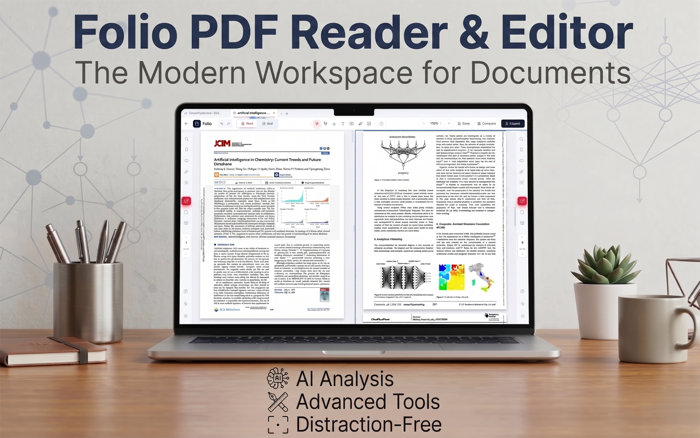
Folio PDF Reader & Editor is a modern, all-in-one PDF workspace for macOS, designed to make reading, editing, organizing, signing, and working with PDFs faster and easier.
Whether you are reviewing research papers, managing long document bundles, filling forms, creating PDF forms, or using AI-powered tools to understand documents faster, Folio brings your everyday PDF workflows into one clean and intuitive app.
Folio combines powerful PDF tools with a focused reading experience, so you can edit when you need control and switch into a distraction-free workspace when you want to read.
KEY FEATURES:
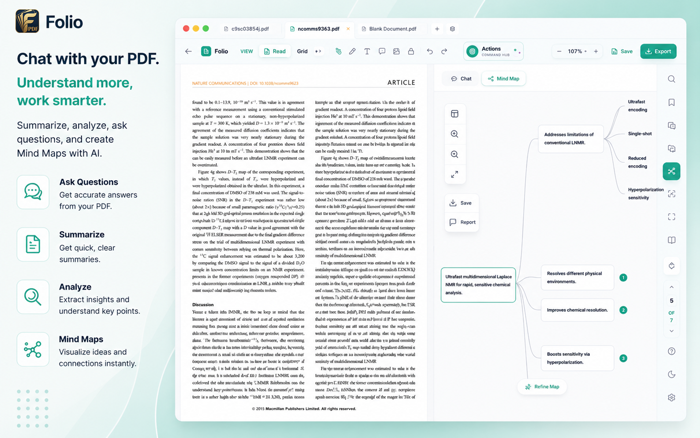
• AI Chat, Summaries & Mind Maps
Chat with your PDFs, summarize documents, translate selected text, extract tables, create visual mind maps, and export AI-generated document reports to Microsoft Word.
• Modern Reading Experience
Read comfortably with tabs, Dark Mode, Zen Mode, Book View, Split View, bookmarks, search, zoom controls, and a clean interface built for focus.
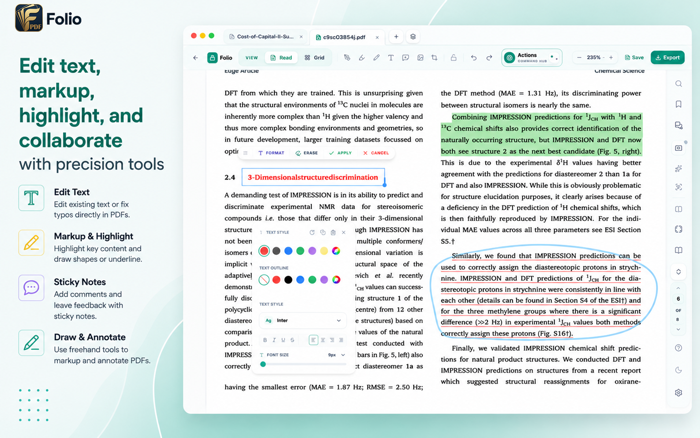
• PDF Editing & Markup
Edit PDF text, highlight, underline, comment, draw, add shapes, insert images, use stamps, and mark up documents with intuitive annotation tools.
• Visual Page Organization
Use Grid View to reorder pages, rotate pages, delete pages, duplicate pages, extract sections, merge PDFs, and copy pages across documents.
• Fillable Forms & Signatures
Fill interactive PDF forms, add signatures, initials, and date stamps, and work with form fields that support validation, calculations, and formatting.
• PDF Form Creation
Create interactive PDF forms with text fields, checkboxes, radio buttons, dropdowns, list boxes, date fields, signature fields, and action buttons.
• Page-Based OCR & Translation
Extract text from individual PDF pages using Smart Scan, translate the extracted text into multiple languages, then copy it or download the result for reuse.
• Document Finishing Tools
Add watermarks, compress PDFs, protect documents with passwords, export pages, print files, and prepare polished PDFs for sharing.
• Built for iPadOS
Folio is designed with a clean, modern interface, Light and Dark Mode support, and a workflow that feels natural on Mac.
Folio is free to use and built for students, educators, researchers, professionals, freelancers, small businesses, and anyone who works with PDFs regularly.
Download Folio today and make everyday PDF work simpler, faster, and more intuitive.


 +100宝石


 分享
分享















用户评价
立即分享产品体验
你的真实体验,为其他用户提供宝贵参考
💎 分享获得宝石
【分享体验 · 获得宝石 · 增加抽奖机会】
将你的产品体验分享给更多人,获得更多宝石奖励!
💎 宝石奖励
每当有用户点击你分享的体验链接并点赞"对我有用",你将获得:
🔗 如何分享
复制下方专属链接,分享到社交媒体、群聊或好友:
💡 小贴士
分享时可以添加你的个人推荐语,让更多人了解这款产品的优点!
示例分享文案:
"推荐一款我最近体验过的应用,界面设计很精美,功能也很实用。有兴趣的朋友可以看看我的详细体验评价~"
关注 Mergeek 公众号
领奖遇到问题?联系小门助手