xTune

xTune

LMS remote control that supports multiple platforms and has functions such as playlist management

Creator
斌 胡
平台
iOS
音乐

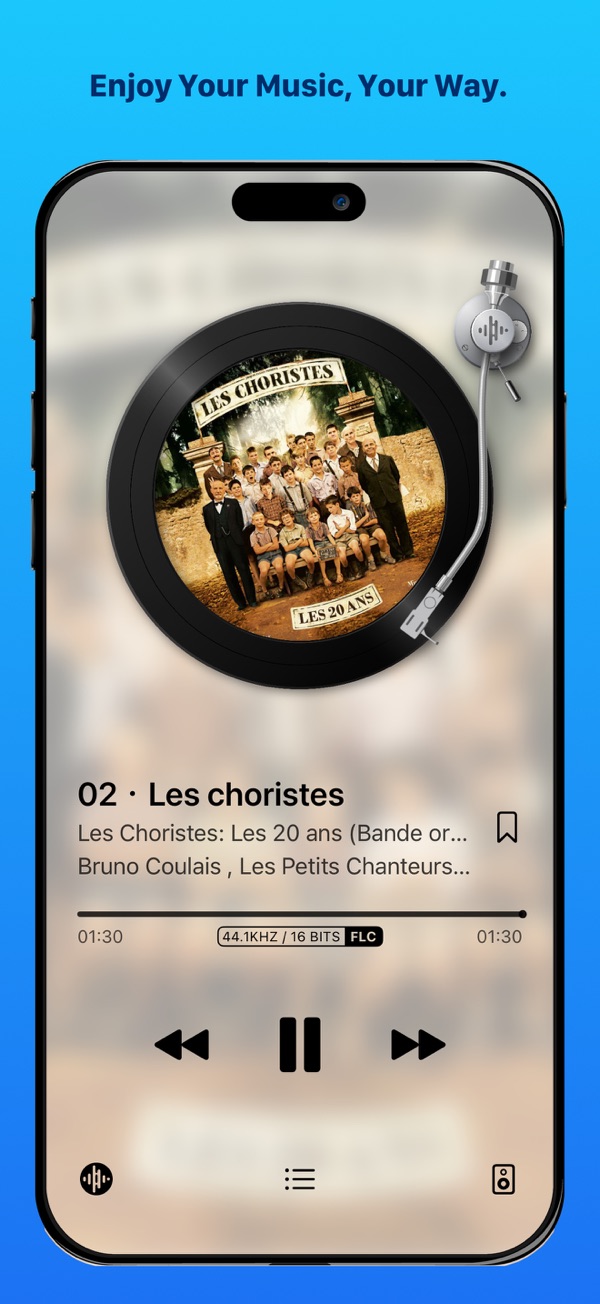
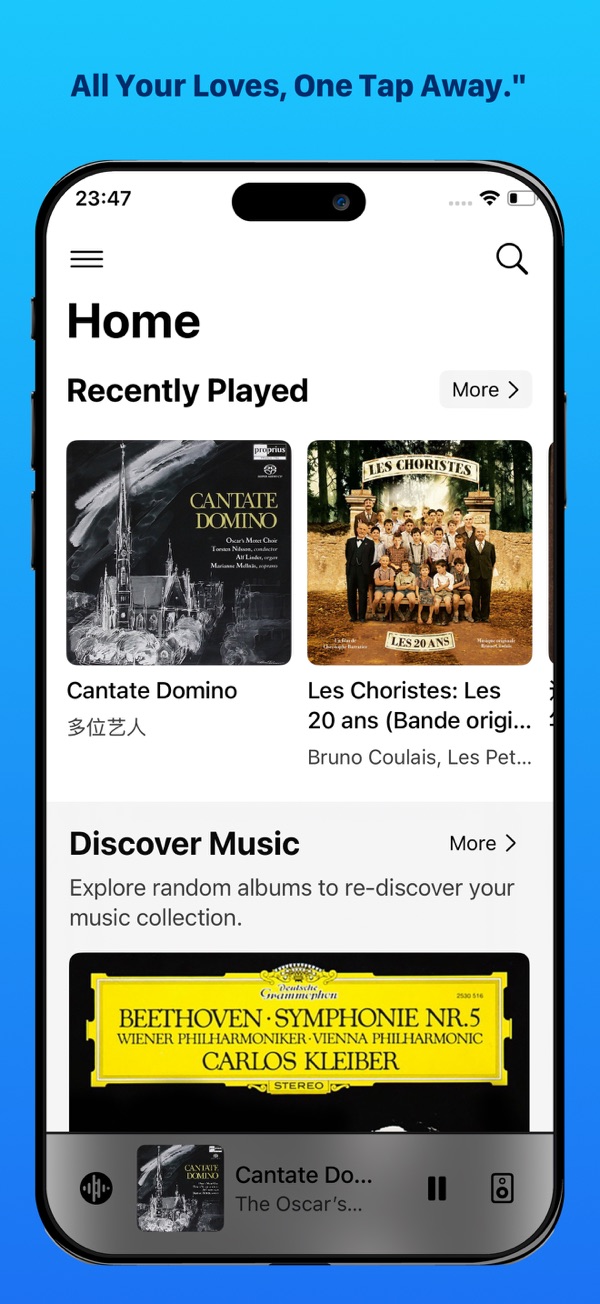
xTune is a remote control application designed for LMS, integrating a built-in player that supports USB DAC output, targeting HIFI users who pursue high-fidelity sound quality. It supports independently deployed LMS servers and LMS-based systems such as Daphile and piCorePlayer. The main functions are: playing music through browsing albums, etc.; supporting streaming platforms such as Spotify (plugins need to be installed on LMS); having functions such as playlist management; the built-in player supports multiple audio formats and also supports USB DAC output.
COMMUNITY PERKSMergeek 社区专属福利
独家限免 NEW每天发现一份惊喜
PRODUCT SCREENS / 3

点击查看界面细节

xTune 产品截图 1xTune 产品截图 2xTune 产品截图 3

xTune is a remote control application designed specifically for LMS (Lyrion Music Server / Logitech Media Server), and it also integrates a built-in player that supports USB DAC output. It is specifically created for HIFI users who pursue high-fidelity sound quality. xTune can not only support independently deployed LMS servers, but also be compatible with all LMS-based systems, including Daphile and piCorePlayer.

Main Features

Browse, discover and play music by album, artist, genre, year and folder.

Support streaming platforms such as Spotify, Qobuz, Tidal, etc. (corresponding plugins need to be installed in LMS).

Support playlist management, favorites and LMS internet radio functions.

The built-in player supports multiple audio formats, including FLAC, Apple Lossless, PCM, MP3, OPUS and DSD.

The built-in player supports USB DAC output.

版本

3.8.25

# 新增功能
## 流媒体服务新界面(实验性功能,默认开启;可在「实验性功能」中关闭)
- Spotty、Qobuz、Tidal 首页按各自插件菜单重建,包含横向卡片书架和分页入口。
- Spotty、Qobuz、Tidal 搜索改用统一搜索入口(App 顶部搜索按钮)。
- 新增流媒体艺术家页面,展示艺术家简介,并按专辑、EP、单曲分组展示其作品。
- 优化流媒体专辑和播放列表页面:支持跳转至艺术家页面,并新增相关专辑的分组展示。

## 缓存播放
- 新增 Opus 解码支持(需自行配置 custom-convert.conf,增加 Opus 转码)。
- 支持 DSTM:需在缓存播放的高级设置中选择 DSTM 来源(有限支持,需安装 Remote Player Companion 插件)。
- 支持离线后重新上线时同步播放历史(有限支持,需安装 Remote Player Companion 插件)。

## 其他
- 支持动态播放列表(需安装 LMS 的 Dynamic Playlists 插件)。
- 在「正在播放」列表中新增电台面板,可直接切换电台(可在「正在播放外观设置」中关闭)。
- 支持 Material Skin 的 Custom Action。
- 快捷操作新增动态播放列表与流媒体服务入口。

# 优化
- 搜索范围选择器已移入搜索栏左侧图标。
- 首页快捷按钮在断线重连后恢复多列布局。
- 扩大「更多」按钮与自定义工具栏图标的点击区域。
- 快捷操作设置支持长按进入编辑模式,并支持拖拽排序。
- 优化全屏「正在播放」界面的布局。

# 修复问题
- 修复某些情况下会导致 CarPlay 车机白屏的问题。
- 修复切换到缓存播放模式后播放可能无声的问题。
- 修复内置播放器在切换采样深度时可能持续输出噪音的问题。
- 修复「正在播放」更多菜单中无法跳转至外观设置的问题。
- 修复服务器异常时可能导致 App 崩溃的问题。
- 修复播放时 VU 表发暗的问题,使表盘保持点亮。
- 修复若干其他问题与文案错误。

查看完整更新记录 ↗

你的真实体验,为其他用户提供宝贵参考,获得宝石奖励

REWARD MARKET100 宝石可兑换什么?

还没有公开评论,欢迎分享你的体验。

提交反馈

每一个想法,都让 Mergeek 更好一点。