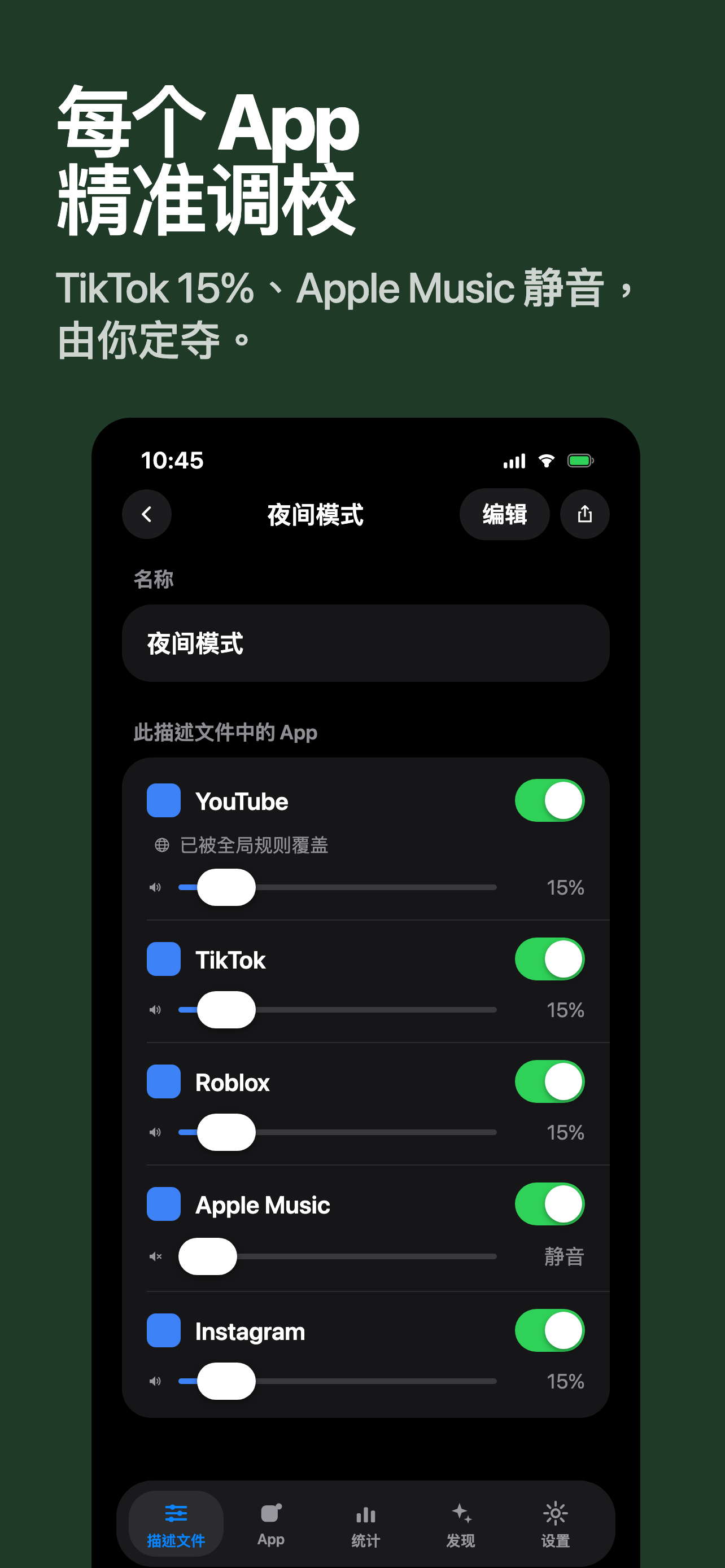
- App Volume: Set independent volume for each App - The per-app volume control that iPhone & iPad should have has finally arrived.
From now on, switching from Podcast to TikTok won't result in sudden loud noises, you can use different volumes for watching Netflix and listening to music, and you don't have to keep pressing the side button to adjust the volume every time you switch apps. App Volume uses Apple's official Shortcuts engine, no jailbreaking, no voiding the warranty, and no stealing your privacy.
— Why do you need this App —
There is only one media volume throughout the iOS system: the volume you set on the previous app will be the same for the next app. Switching from Spotify to TikTok scares everyone in the car, and after watching YouTube and switching to Audible, you have to readjust the volume again. You hope for different volumes when using headphones and speakers - these pain points are not solved in iOS.
Apple has never incorporated this function into the system. So we did it - taking the official route, using Apple's own "Shortcuts" engine to build, legal, safe, and no tricks.
— How to use it —
1. Create volume configurations, add the apps you often use and their corresponding volumes (TikTok 30%, Podcast 70%, Netflix 80%).
2. The in-app wizard will guide you to install the pre-built template in Apple Shortcuts (one-time, and all subsequent added apps will be automatically connected).
3. Follow the in-app teaching animations t...


 +100宝石


 分享
分享










用户评价
立即分享产品体验
你的真实体验,为其他用户提供宝贵参考
💎 分享获得宝石
【分享体验 · 获得宝石 · 增加抽奖机会】
将你的产品体验分享给更多人,获得更多宝石奖励!
💎 宝石奖励
每当有用户点击你分享的体验链接并点赞"对我有用",你将获得:
🔗 如何分享
复制下方专属链接,分享到社交媒体、群聊或好友:
💡 小贴士
分享时可以添加你的个人推荐语,让更多人了解这款产品的优点!
示例分享文案:
"推荐一款我最近体验过的应用,界面设计很精美,功能也很实用。有兴趣的朋友可以看看我的详细体验评价~"
关注 Mergeek 公众号
领奖遇到问题?联系小门助手