EasyTune brings together a high-precision chromatic tuner for guitar and bass, a voice recorder for capturing practice on the spot, tap tempo with a metronome, a Jam Looper for one-person band play, a guitar chord book, and 33 scale diagrams. One simple music tool for all of it.
The layout follows standard iOS design, so it stays readable and stress-free at home, in the studio, or on stage.
[Key Features]
[Tuner]
- High-precision chromatic tuner for both guitar and bass
- Intuitive LED meter shows pitch deviation at a glance
- The center LED lights up green the moment you are in tune
- Uses b (flat) notation, following standard tuner convention
- Shift the A4 reference by +/-5 semitones, covering half-step-down and whole-step-down tunings
- Custom tuning presets (Premium): Drop D, DADGAD, Open G, half-step down, 4-string and 5-string bass. Target notes show per string, and the string you play is highlighted automatically
[Tempo and Metronome]
- Tap tempo. Four or more taps calculate the BPM automatically as you keep tapping
- Start the metronome directly at the BPM you just confirmed
- The basic 4/4 and 3/4 time signatures are free to use
- Odd meters (5/4, 7/8, 9/8, 12/8, and more) and groupings (3+2+2, 2+2+3) are Premium
- Per-beat accent editing across four levels: strong, medium, weak, mute (Premium)
[Voice Recorder]
- Tap the large record button to capture your playing right where you are
- The level bar moves in real time, so your input level is always visible
- Pause, resume, and stop all supported
- Tap a recording to expand and play it. Use the seek bar to jump anywhere
- Swipe left to delete; rename from the menu
- Recording while the tuner runs stops the tuner automatically
- Sharing recordings to other apps (Messages, Mail, AirDrop, Files) is Premium
[Jam Looper]
- Loop recording, playback, overdub, undo, and redo make one-person band play possible. Free for everyone
- One large center button drives everything: single tap advances, double tap pauses
- The real waveform is drawn in real time, with a green playhead marking your position
- Premium adds: slow practice mode (0.5x to 1.5x, pitch preserved), A-B loop with draggable handles, and save / load / export
- Headphones recommended, to keep playback out of the mic
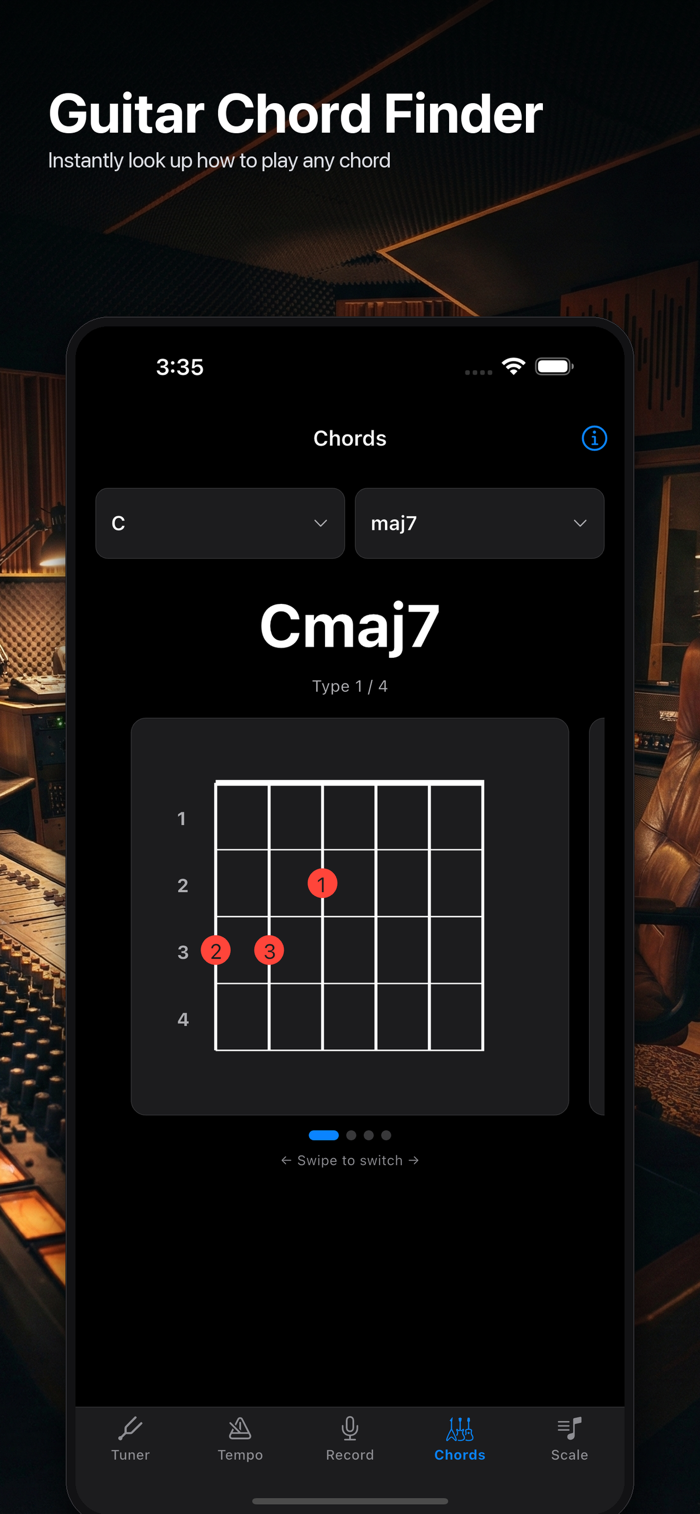
[Guitar Chord Book]
- 12 roots x 27 qualities, covering practical chords including maj7, m7, m7-5, 7b9, aug, and dim
- Multiple fingering positions for each chord
- Fretboard diagrams show exactly which fret on which string, clear even for beginners
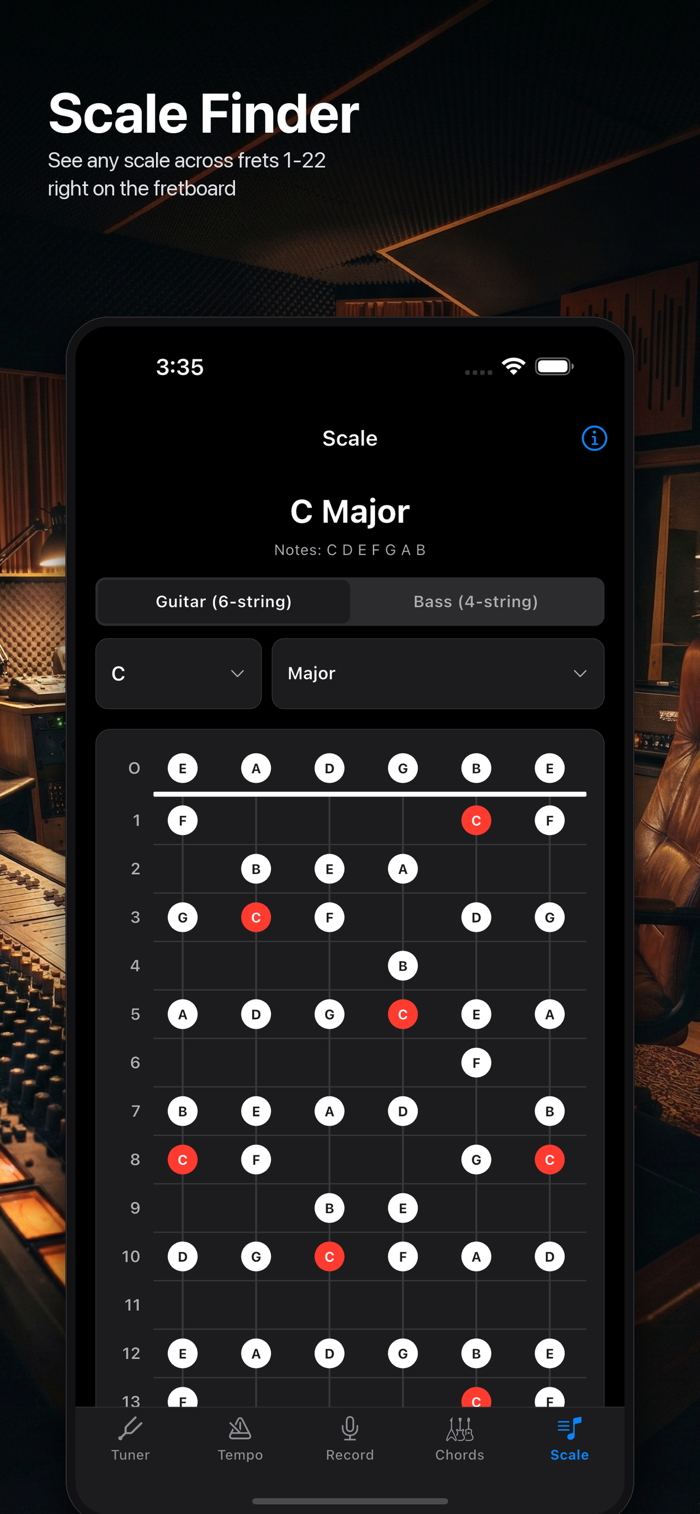
[Scale Diagrams] (Premium)
- 33 scales: major, minor, pentatonic, blues, church modes, bebop, altered, ethnic, and more
- Scale tones across frets 1 to 22, with root notes highlighted in red
- Switch instantly between guitar (6 strings) and bass (4 strings)
[Everywhere]
- Automatic layout for both portrait and landscape
- Light and dark mode switch automatically
- Five tabs, one tap apart: Tuner, Tempo, Record, Loop, Chords and Scale
[Premium Unlock]
A single one-time purchase unlocks all of the following, forever:
- Custom tunings
- Odd meters, groupings, and accent editing
- Slow practice mode, A-B loop, and save / load / share for loops
- All 33 scale diagrams
- Sharing recordings to other apps
- Complete removal of in-app ads
[Who It Is For]
- Anyone who wants to open an app and tune immediately
- Players recording a phrase mid-practice to listen back on the spot
- Anyone documenting band rehearsals and studio sessions
- Prog, jazz, and world music fans practicing odd meters
- Anyone who wants to stack loops and play as a one-person band
- Guitarists using alternate tunings like Drop D and DADGAD
- Beginners checking an unfamiliar chord fingering right away
[About Privacy]
The tuner uses microphone input solely to analyze pitch in real time, inside the app. Recordings made with the voice recorder and the Jam Looper are stored only on your device, and are never transmitted anywhere.
Make every practice session smoother and more enjoyable.


 +100宝石











用户评价
立即分享产品体验
你的真实体验,为其他用户提供宝贵参考
💎 分享获得宝石
【分享体验 · 获得宝石 · 增加抽奖机会】
将你的产品体验分享给更多人,获得更多宝石奖励!
💎 宝石奖励
每当有用户点击你分享的体验链接并点赞"对我有用",你将获得:
🔗 如何分享
复制下方专属链接,分享到社交媒体、群聊或好友:
💡 小贴士
分享时可以添加你的个人推荐语,让更多人了解这款产品的优点!
示例分享文案:
"推荐一款我最近体验过的应用,界面设计很精美,功能也很实用。有兴趣的朋友可以看看我的详细体验评价~"
关注 Mergeek 公众号
领奖遇到问题?联系小门助手