RootDeck

RootDeck

Software development tools

Creator
Evgenii Lav

RootDeck allows you to manage your server directly via iPhone and iPad. It is a fast and secure SSH and SFTP client with the functions of a complete terminal and file manager. No RootDeck account is required, there is no cloud relay, and it directly connects to your own server, suitable for developers, system administrators, and DevOps. Features include an interactive SSH terminal, SFTP file browsing and transfer, various remote file operations, password and SSH key authentication, etc. It supports OpenSSH servers on multiple systems, and credentials are securely stored in the Apple Keychain. It does not collect or analyze data and does not send server data to developers.

COMMUNITY PERKSMergeek 社区专属福利
独家限免 NEW每天发现一份惊喜
PRODUCT SCREENS / 7

点击查看界面细节

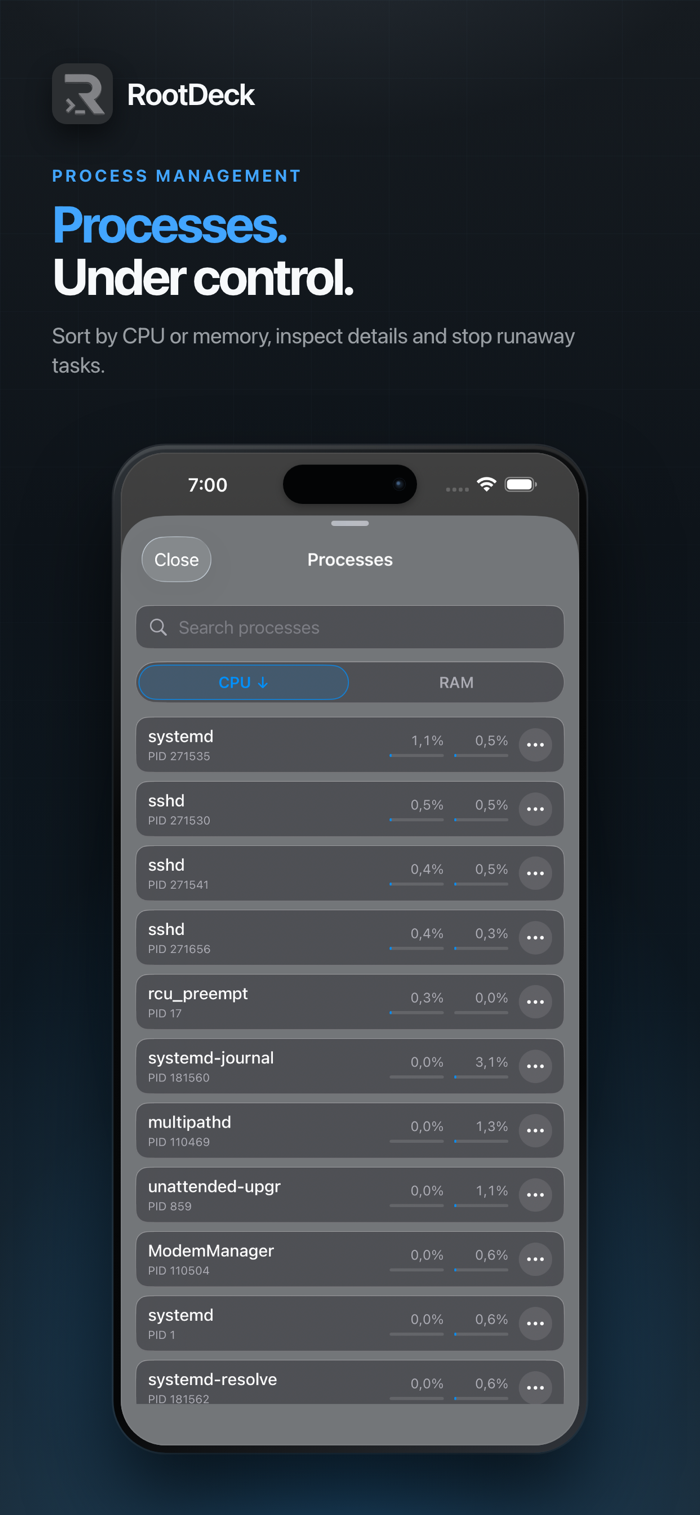
RootDeck 产品截图 1RootDeck 产品截图 2RootDeck 产品截图 3RootDeck 产品截图 4RootDeck 产品截图 5RootDeck 产品截图 6RootDeck 产品截图 7

Manage your servers straight from your iPhone and iPad. RootDeck is a fast, secure SSH and SFTP client — a full terminal and file manager in your pocket.

Connect directly to your own servers — no RootDeck account, no cloud in between. Built for developers, sysadmins, and DevOps who need their infrastructure on the go.

Features:
• Interactive SSH terminal
• SFTP file browser and transfers
• Upload, download, copy, move, rename, and delete remote files
• Password and SSH key authentication
• Jump host support for reaching servers behind a bastion
• Host key verification to protect against MITM attacks
• Saved server profiles
• Face ID or Touch ID app lock
• Server availability monitoring
• Support for Linux, macOS, and Windows OpenSSH servers

Credentials are stored securely in Apple Keychain. SSH connections, commands, and transferred files go directly between your device and the servers you choose. RootDeck does not collect analytics and does not send your server data to the developer.

版本

1.2.0

RootDeck 1.2.0 将 AI 智能体带到你自己的服务器上,可在本地网络中查找服务器,切换 App 时保持会话,并新增终端主题和简体中文。

AI 智能体
• 新的“智能体”标签页:与运行在你服务器上的 Codex、Claude Code、Grok 或 GitHub Copilot 对话 — 支持 Linux、macOS 和 Windows。
• 直接在 App 中安装智能体并登录。也可以为任何 OpenAI 兼容提供商添加自己的 API 智能体;密钥只保存在你的服务器上。
• 选择模型和推理级别,查看账户和用量限额,退出登录以切换账户。
• 访问级别:“只读”“工作文件夹”“自动”(Codex 和 Claude Code 的命令由单独的模型审查)和“完全访问”。直接在对话中批准请求并回答智能体的问题。
• 连接器:浏览 MCP 目录,添加连接器并登录。
• 附加文件、照片和文件夹,在设备上听写,跟踪长时间运行的后台任务 — 完成时会收到通知。
• 对话历史,以易读的操作行代替原始命令。

连接
• 在本地网络中查找 SSH 服务器,轻点即可连接。
• 可选:切换到其他 App 时保持会话,锁定屏幕上显示连接卡片,日志记录你从哪里连接。位置信息仅用于此用途,并保留在你的设备上。
• 服务器表单显示已保存的服务器密钥;没有对应服务器的密钥会被移除。

终端
• 十种配色主题、跟随系统的“白天与夜间”模式和光标样式。
• 跟随主题配色的按键栏,带功能键;修复了 Page Up。
• 可从终端菜单更改文字大小。

其他
• 五种 App 外观主题。
• RootDeck 现已支持简体中文。
• 隐私政策已移至菜单,并涵盖所有新功能。

查看完整更新记录 ↗

你的真实体验,为其他用户提供宝贵参考,获得宝石奖励

REWARD MARKET100 宝石可兑换什么?

还没有公开评论,欢迎分享你的体验。

提交反馈

每一个想法,都让 Mergeek 更好一点。